Behind the Scenes: How Cloud Volumes ONTAP Handles Azure Scheduled Maintenance
Although the official documentation explains that Cloud Volumes ONTAP in Azure performs a negotiated takeover before Azure Scheduled Maintenance begins, it does not describe what happens after Azure reboots the affected node.
During an actual maintenance event, I captured the complete serial console output, revealing how Cloud Volumes ONTAP coordinates its startup with Azure.
Rather than immediately completing the boot process, the node detects that Azure maintenance is still in progress, pauses its startup, continuously monitors the maintenance state, and only resumes normal operation after Azure reports that maintenance has finished.
It is worth noting that this polling and pausing mechanism is not a native Azure VM feature. Azure simply exposes maintenance status via the Instance Metadata Service (AIMS/IMDS at 169.254.169.254). The intelligence to query this endpoint, pause the startup, log the status to the serial console, and trigger a second clean reboot is entirely built into NetApp CVO’s early boot scripts and appliance bootstrap layer, well before the full ONTAP storage engine completes its initialization.
Immediately after receiving the Azure Instance Metadata Service (AIMS/IMDS) scheduled maintenance event, Cloud Volumes ONTAP initiates the takeover and reboot process before the actual Azure maintenance operation takes place.
Since Azure typically announces scheduled maintenance around 15 minutes before the actual freeze, which usually lasts only a few seconds, the node remains in this waiting state until Azure reports that the maintenance event has completed.
In this example below, the waiting period lasted from approximately 13:06 until 13:34, nearly 28 minutes, before the serial console reported “Azure maintenance complete. Rebooting in 90 seconds.” and the node performed a second, clean reboot before resuming its normal startup sequence.
By this stage, the partner node has already completed a graceful takeover, taking over the affected node’s aggregates, data LIFs, SVMs, and associated storage services without interrupting client access.
After Azure immediately reboots the affected virtual machine, Cloud Volumes ONTAP begins its startup sequence but pauses the boot process after determining that the Azure maintenance event is still in progress.
Boot process paused because Azure maintenance is in progress on this node. Monitoring event status
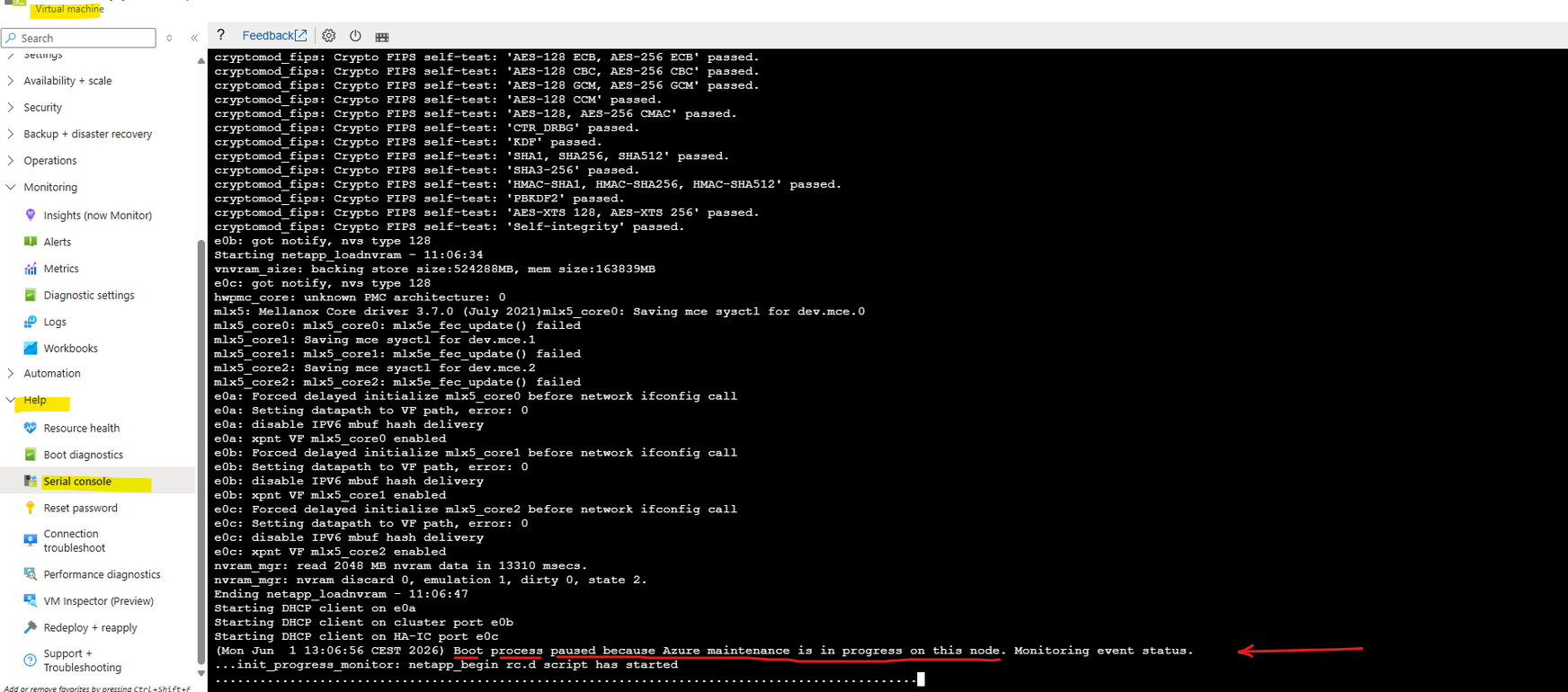
While Azure Scheduled Maintenance remains active, Cloud Volumes ONTAP keeps the node in a waiting state and continuously monitors the maintenance status.
Once Azure signals that the maintenance event has completed, the serial console reports “Azure maintenance complete. Rebooting in 90 seconds.” and the node performs a second, clean reboot before resuming its normal startup sequence.
Azure maintenance complete. Rebooting in 9 seconds.
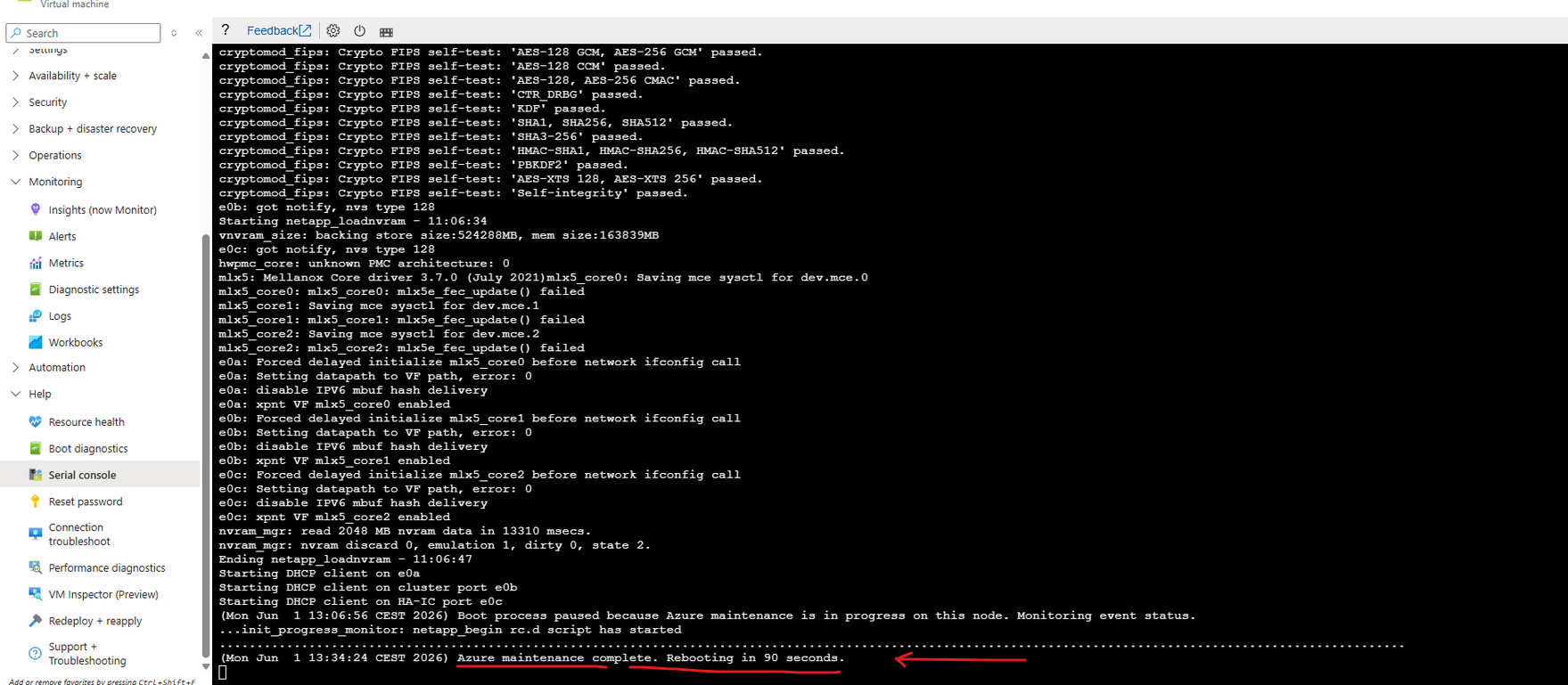
Once Azure Scheduled Maintenance has completed, Cloud Volumes ONTAP exits the waiting state and performs a second, clean reboot.
The serial console shows the graceful shutdown of the current boot session, followed by the “System rebooting…” message before the node starts a fresh initialization sequence.
System rebooting ...
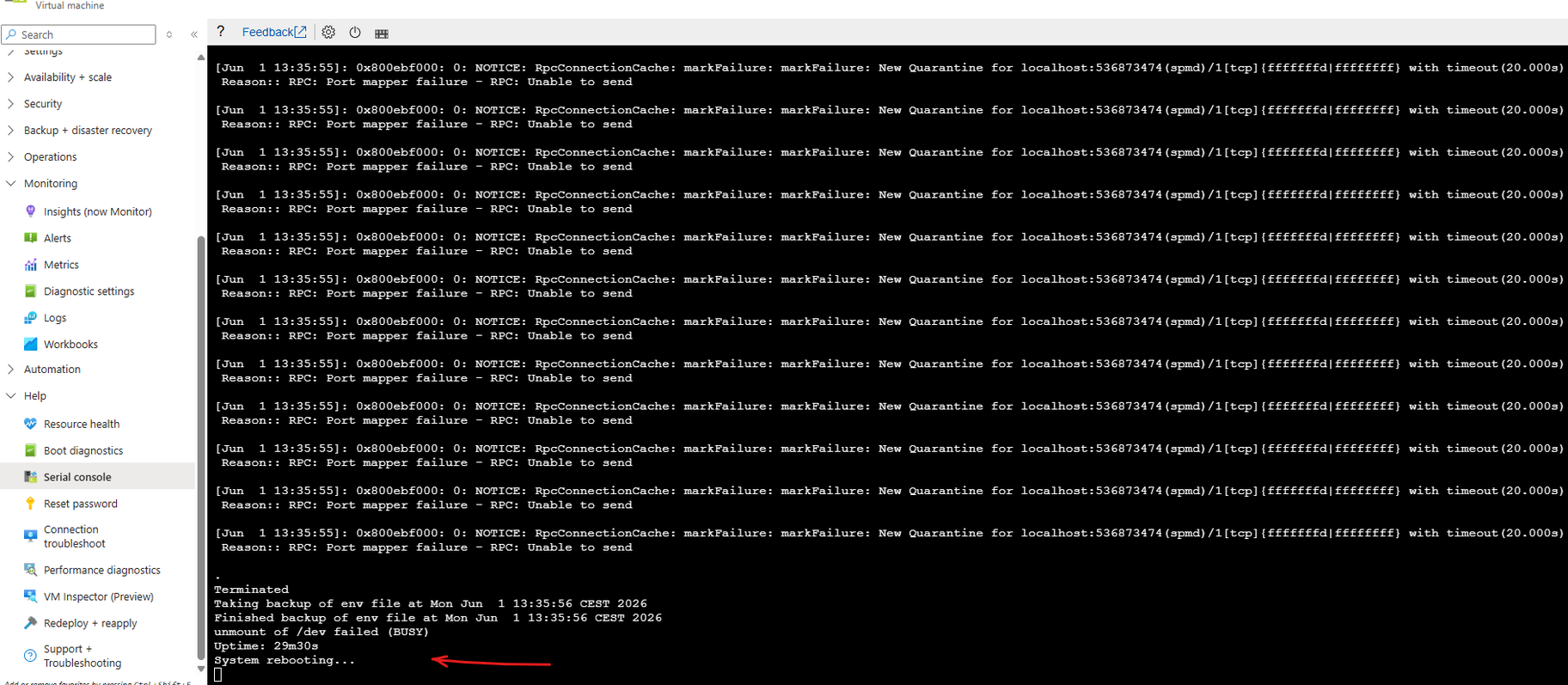
Following the planned reboot, Cloud Volumes ONTAP begins a clean startup from scratch.
The serial console shows the operating system loading the kernel and configured modules before continuing with the standard initialization sequence, rather than resuming the previously paused boot process.
Loading Kernel ...
Loading configured modules ...
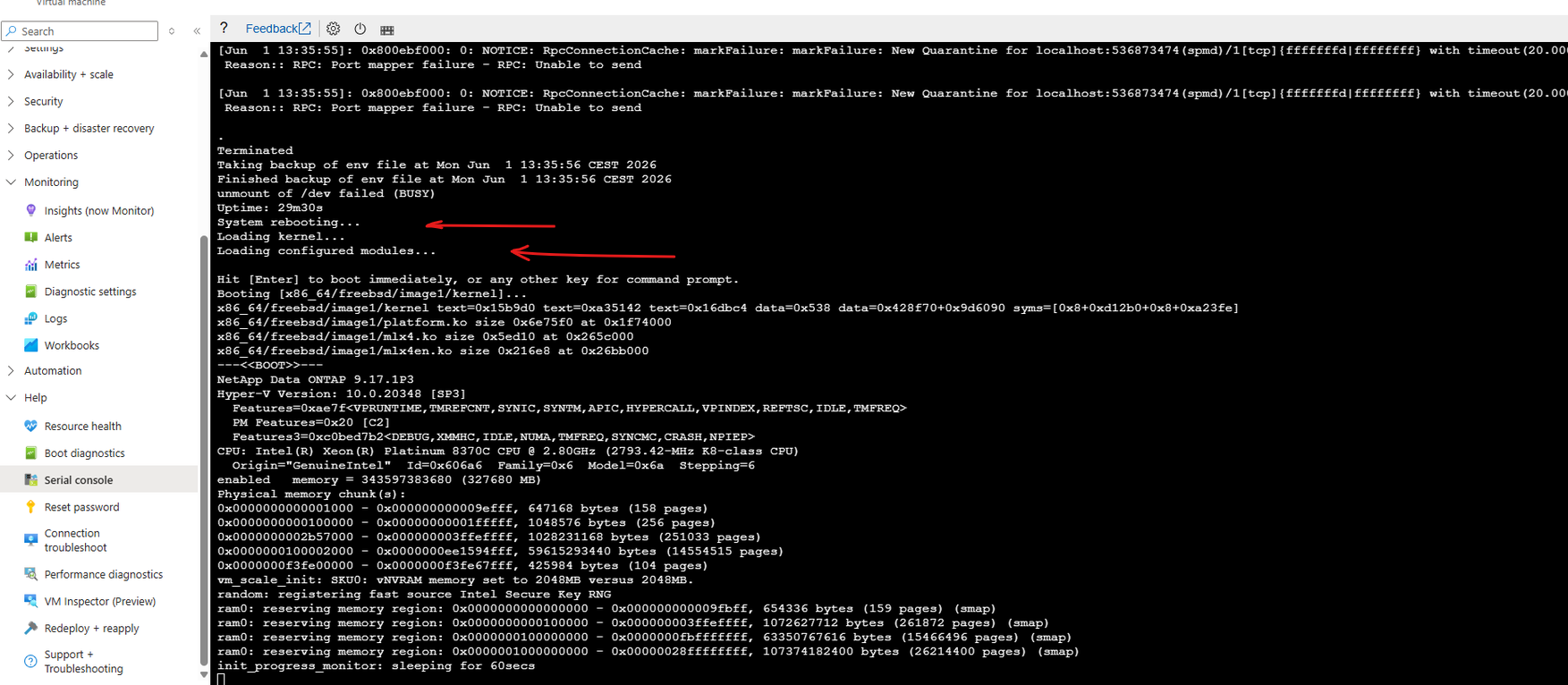
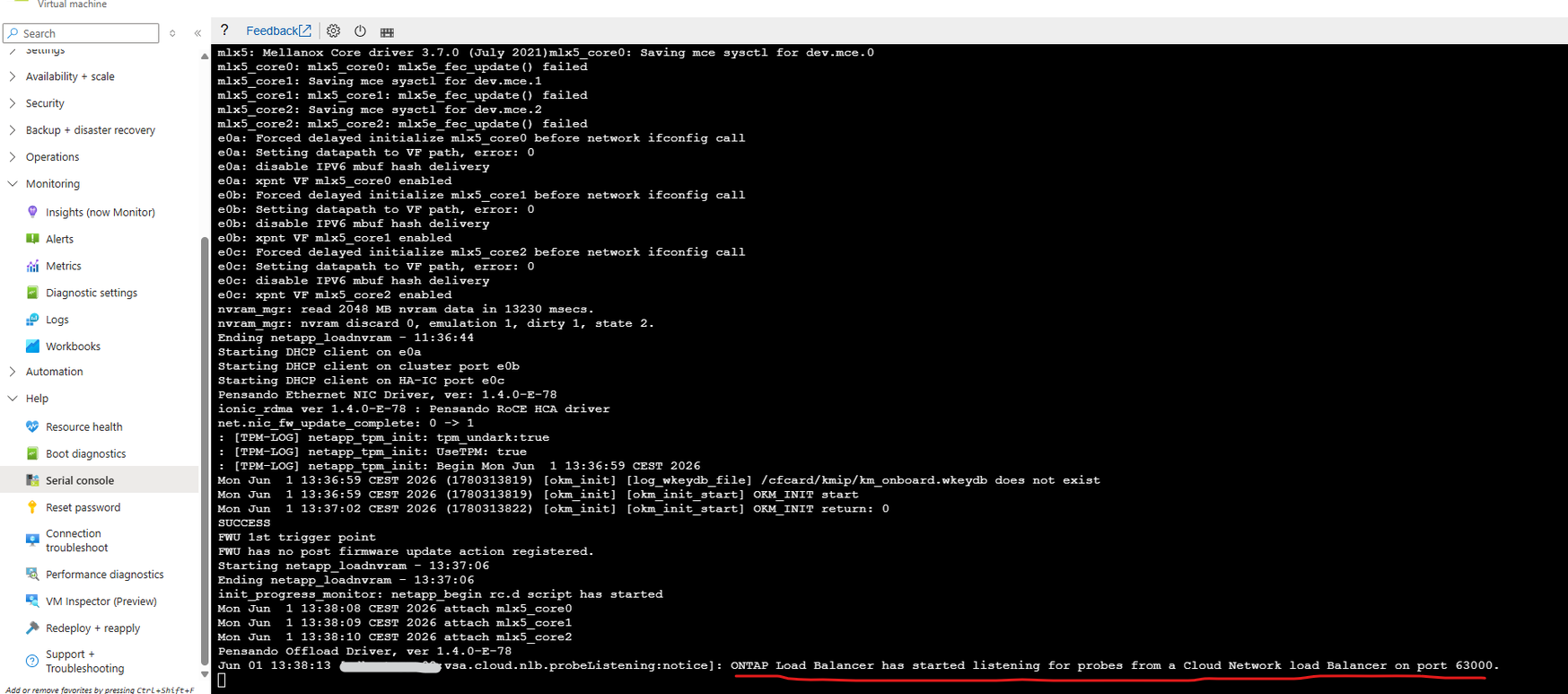
Following the clean reboot, Cloud Volumes ONTAP resumes its normal startup sequence.
Once the platform initialization has completed, the serial console confirms that the ONTAP Load Balancer has started listening for health probes from the Azure Load Balancer, marking another step towards returning the node to normal operation.
More about Azure Load Balancer configuration for Cloud Volumes ONTAP you will find in my post here.
ONTAP Load Balancer has started listening for probes from a Cloud Network load Balancer on port 63000
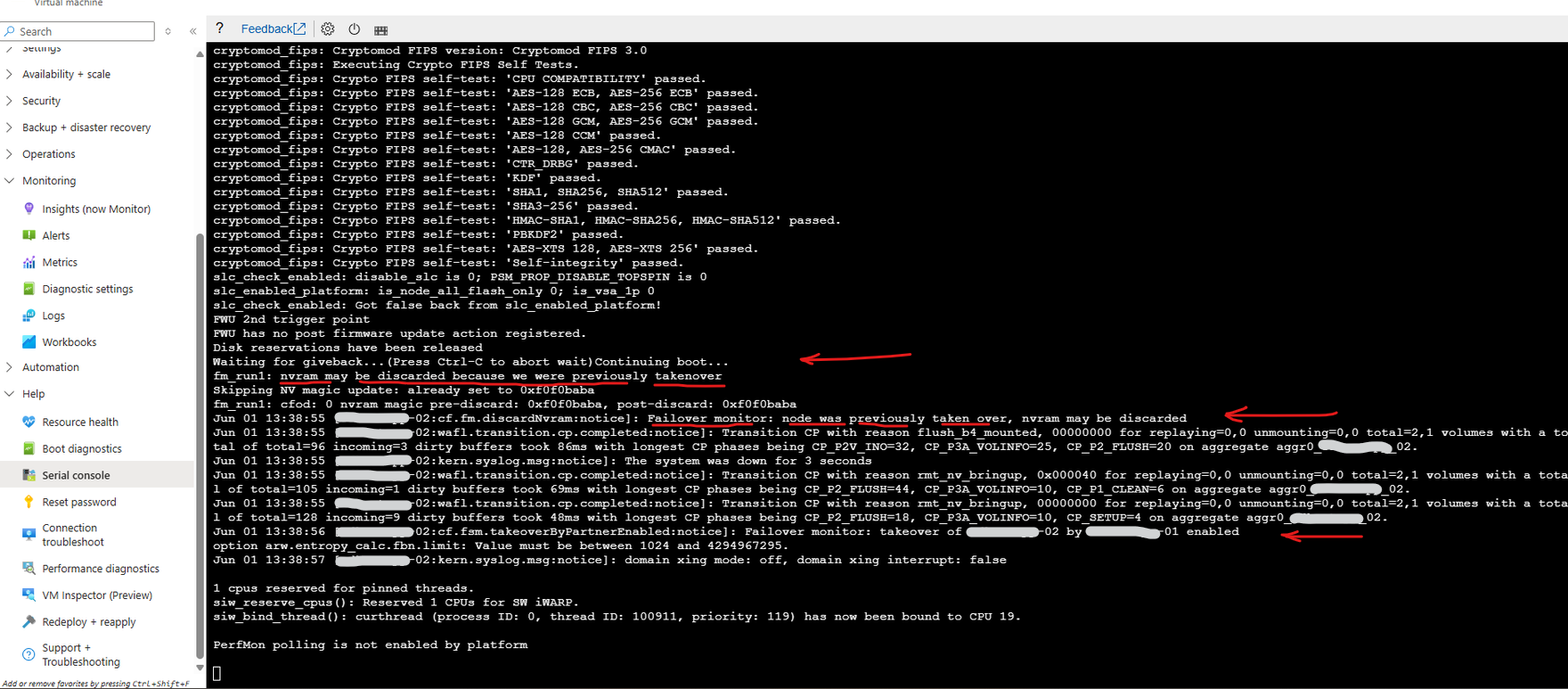
Following the clean reboot, Cloud Volumes ONTAP completes its normal initialization while recognizing that the node was previously taken over by its HA partner.
Messages such as “Waiting for giveback… Continuing boot…” and “Failover monitor: node was previously taken over” confirm that ONTAP restores the HA state and prepares the node for the eventual return of aggregates and storage services once the giveback conditions are satisfied.
nvram may be discarded because we were previously takenover
Failover monitor: node was previously taken over, nvram may be discarded
Failover monitor: takeover of node-02 by node-01 enabled
During the final stages of the startup sequence, ONTAP temporarily reports “Controller failover … is not possible: unsynchronized log.”
This is an expected HA protection mechanism while the node synchronizes its log state with its partner. Once synchronization has completed, normal controller failover and giveback operations are restored.

If you are looking for a step-by-step guide on deploying NetApp Cloud Volumes ONTAP in Microsoft Azure, you can refer to my following article.
Azure Scheduled Maintenance events are not specific to Cloud Volumes ONTAP. Standard Azure virtual machines can also monitor these events through the Azure Instance Metadata Service (IMDS).
For a step-by-step guide, refer to my following article.
Links
Azure HA rebooted with Cloud provider event scheduled for node Type freeze
https://kb.netapp.com/Cloud/ncds/nds/cvo/cvo_kbs/Azure_HA_rebooted_with_Cloud_provider_event_scheduled_for_node_Type_freeze