Software Defined Networking (SDN) with VMware NSX – Part 4: Troubleshooting, CLI Commands, and Comparing Vendor Technologies for WAN Traffic Isolation
In this Part 4 of our VMware NSX lab series, we take a look at troubleshooting commands that help us understand and diagnose our NSX environment.
We will also see useful CLI commands for the NSX Manager and NSX Edge appliances, further we compare connection tracking and stateful firewall behavior across platforms such as Linux, Juniper, Cisco, Check Point, Fortinet and pfSense.
- How Enterprise WAN Routers and Firewalls Handle Overlapping Tenant Networks
- Useful NSX Manager CLI Commands
- Useful NSX Edge Node CLI Commands
- Recovering NSX Manager After an Unexpected Shutdown
- Troubleshooting Tenant Connectivity with TCPdump
- Checking Reverse Path Filtering (rp_filter) in Linux VRFs
- Removing NSX from ESXi Hosts and Cleaning Up vSphere Configuration
- Links
How Enterprise WAN Routers and Firewalls Handle Overlapping Tenant Networks
In Part 3, we demonstrated how to isolate overlapping tenant networks using Linux VRFs, dedicated conntrack zones, and tenant-specific NAT port ranges. This allowed two tenants with identical source IP addresses to establish simultaneous TCP connections with completely identical five-tuples through a shared WAN interface. We also discussed the additional challenges of handling ICMP traffic, which uses identifiers instead of TCP or UDP ports.
Enterprise WAN routers and firewalls from vendors such as Juniper, Cisco, Check Point, and Fortinet provide their own technologies to address these challenges. Depending on the platform, features such as logical systems, virtual firewall contexts, Virtual Domains (VDOMs), separate session tables, and tenant-aware NAT allow multiple isolated routing and security environments to coexist on shared physical infrastructure.
In this section, we will compare these vendor-specific features and explain how they contribute to connection tracking, NAT, ICMP handling, and the isolation of overlapping tenant networks, including the importance of correctly identifying return traffic.
The following table provides an overview of the vendor-specific technologies used by major enterprise WAN router and firewall platforms to isolate overlapping tenant networks and handle connection tracking, NAT, and ICMP traffic.
| Platform | Tenant isolation features | Connection tracking, NAT and ICMP handling |
|---|---|---|
| Juniper SRX | Logical Systems (LSYS), Routing Instances, Virtual Routers | Separate security/session contexts, stateful ICMP processing, NAT within the appropriate logical context |
| Cisco ASA | Multiple Security Contexts, interface and traffic classification | Context-specific connection tables, NAT, optional stateful ICMP inspection |
| Cisco Secure Firewall FTD | Virtual Routing and Forwarding (VRF), Multi-Instance deployments | Stateful connection tracking, NAT and ICMP inspection; isolation depends on the deployment architecture |
| Check Point | Virtual Systems Extension (VSX), Virtual Systems, Virtual Routers | Separate firewall instances and connection state, NAT and stateful ICMP inspection |
| Fortinet FortiGate | Virtual Domains (VDOMs), VRFs, VDOM Links | VDOM-specific session tables, firewall policies, NAT and stateful ICMP processing |
The technologies listed above provide different approaches to isolating tenant routing and security contexts on shared physical appliances. Unlike our Linux implementation, where we explicitly configured conntrack zones and NAT port ranges, these platforms offer integrated mechanisms for separating routing, firewall policies, and connection state.
However, VRFs or separate session tables alone do not automatically solve overlapping five-tuples or identical ICMP identifiers.
Return traffic must still be classified unambiguously, for example through tenant-specific NAT addresses, interfaces, or other platform-supported traffic-classification mechanisms.
The exact capabilities and configuration requirements depend on the vendor, product, and deployment mode.
Useful NSX Manager CLI Commands
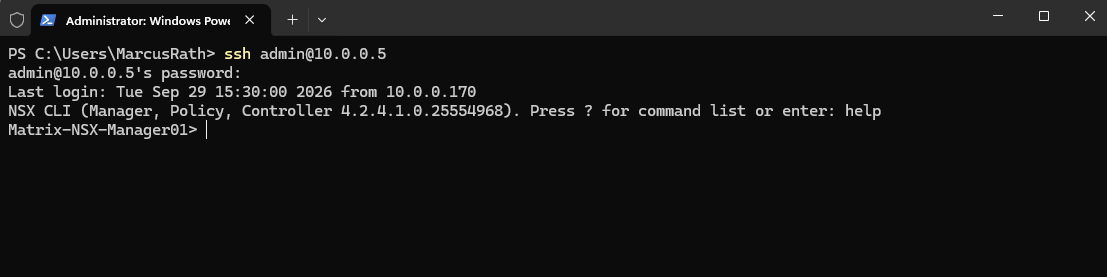
The NSX CLI provides several useful commands for managing and troubleshooting the NSX Manager appliance. We can access it remotely using SSH with the admin account.
ssh admin@10.0.0.5
Gracefully Shut Down the NSX Manager
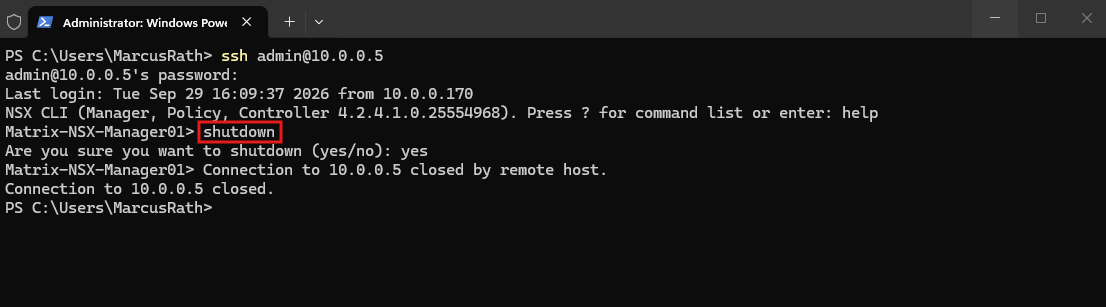
To gracefully shut down the NSX Manager appliance, connect via SSH and run:
shutdown
Useful NSX Edge Node CLI Commands
The NSX Edge Node CLI provides several useful commands for monitoring, troubleshooting, and managing the appliance directly. The following section collects some commonly used commands for quick reference.
Gracefully Shut Down the NSX Manager
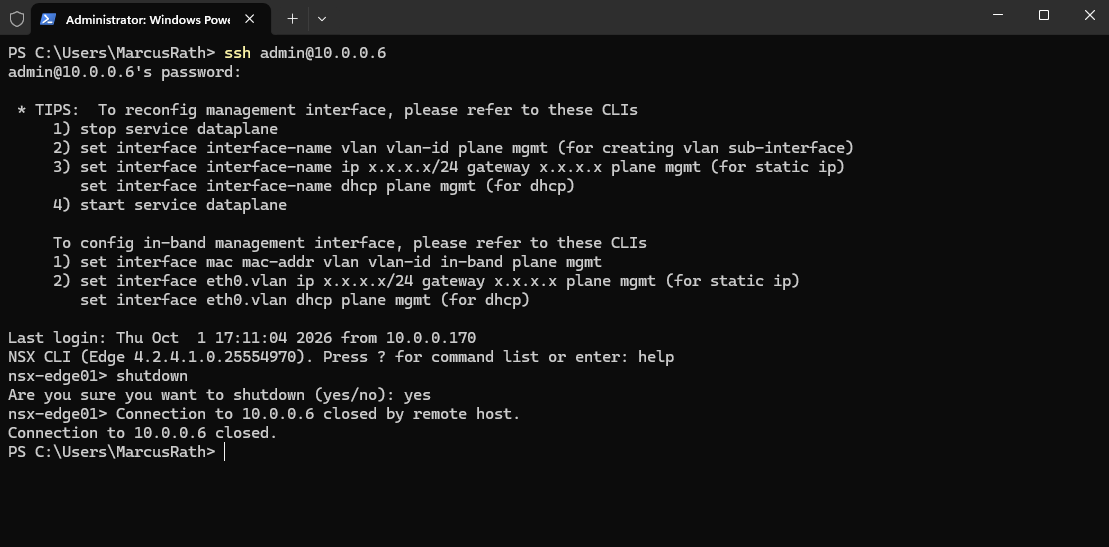
To gracefully shut down the NSX Edge Node, connect to its NSX CLI via SSH and run shutdown, then confirm the shutdown when prompted.
shutdown
Inspecting NSX Distributed and Service Routers (DR/SR)
The Distributed Router (DR) provides distributed routing directly on the ESXi hosts, allowing traffic between connected segments to be routed without passing through an NSX Edge Node.
The Service Router (SR) runs on an NSX Edge Node and handles centralized networking services such as north-south routing (upstream and downstream traffic to and from external networks, including the Internet), NAT, and gateway firewalling.
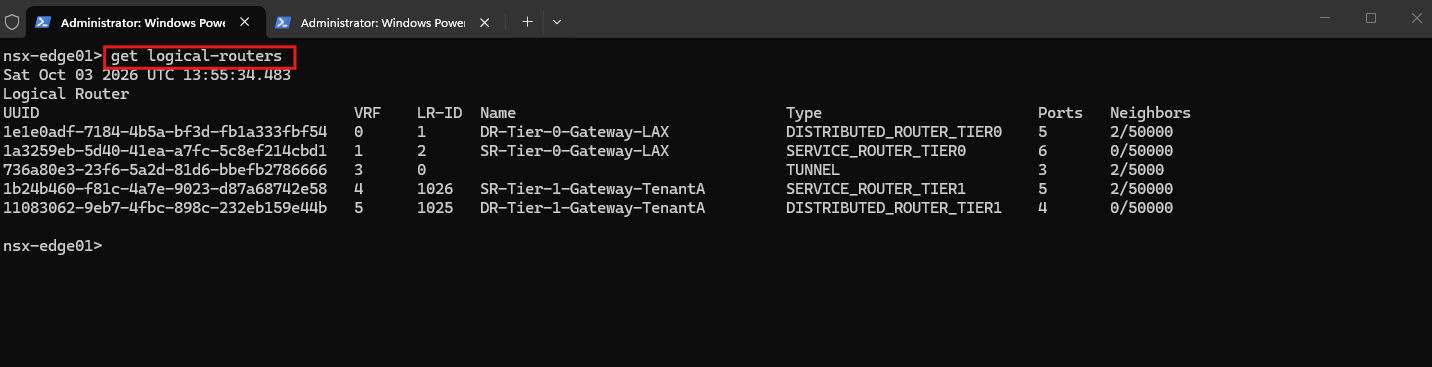
The get logical-routers command confirms that NSX has instantiated both Distributed Router (DR) and Service Router (SR) components for our Tier-0 and Tier-1 gateways on the Edge Node.
It also shows their corresponding VRF IDs, which we can use to inspect the individual routing tables during troubleshooting.
NSX gateways can consist of a Distributed Router (DR) and a Service Router (SR). The DR provides distributed routing close to the workloads, while the SR runs on an NSX Edge Node and provides centralized routing and services required for north-south connectivity and features such as NAT or gateway firewalling.
get logical-routers
- Distributed Router (DR): The routing component distributed across the NSX transport nodes. It handles routing that can be performed locally, especially east-west traffic, without unnecessarily sending packets through an Edge Node.
- Service Router (SR): The centralized routing component instantiated on an NSX Edge Node. It is required for centralized services such as north-south connectivity, NAT, load balancing, and gateway firewall services.
In my lab, we actually have three NSX Transport Nodes:
- ESXi-01 — Host Transport Node, TEP
10.0.50.11 - ESXi-02 — Host Transport Node, TEP
10.0.50.10 - Matrix-NSX-Edge01 — Edge Transport Node, TEP
10.0.50.12
So when we say the DR is distributed across the transport nodes, the important part for our TenantA workloads is, that the DR functionality exists directly on the prepared ESXi hosts. This is why routing between overlay workloads can occur on the hypervisor without first sending everything through Matrix-NSX-Edge01.
Using vrf 5 switches the NSX Edge CLI context to the Distributed Router of Tier-1-Gateway-TenantA, and get forwarding displays its forwarding table.
The output confirms the directly connected
192.168.100.0/24tenant network and a default route via the internal NSX next hop100.64.0.0toward the Tier-1 Service Router.
vrf 5
get forwarding
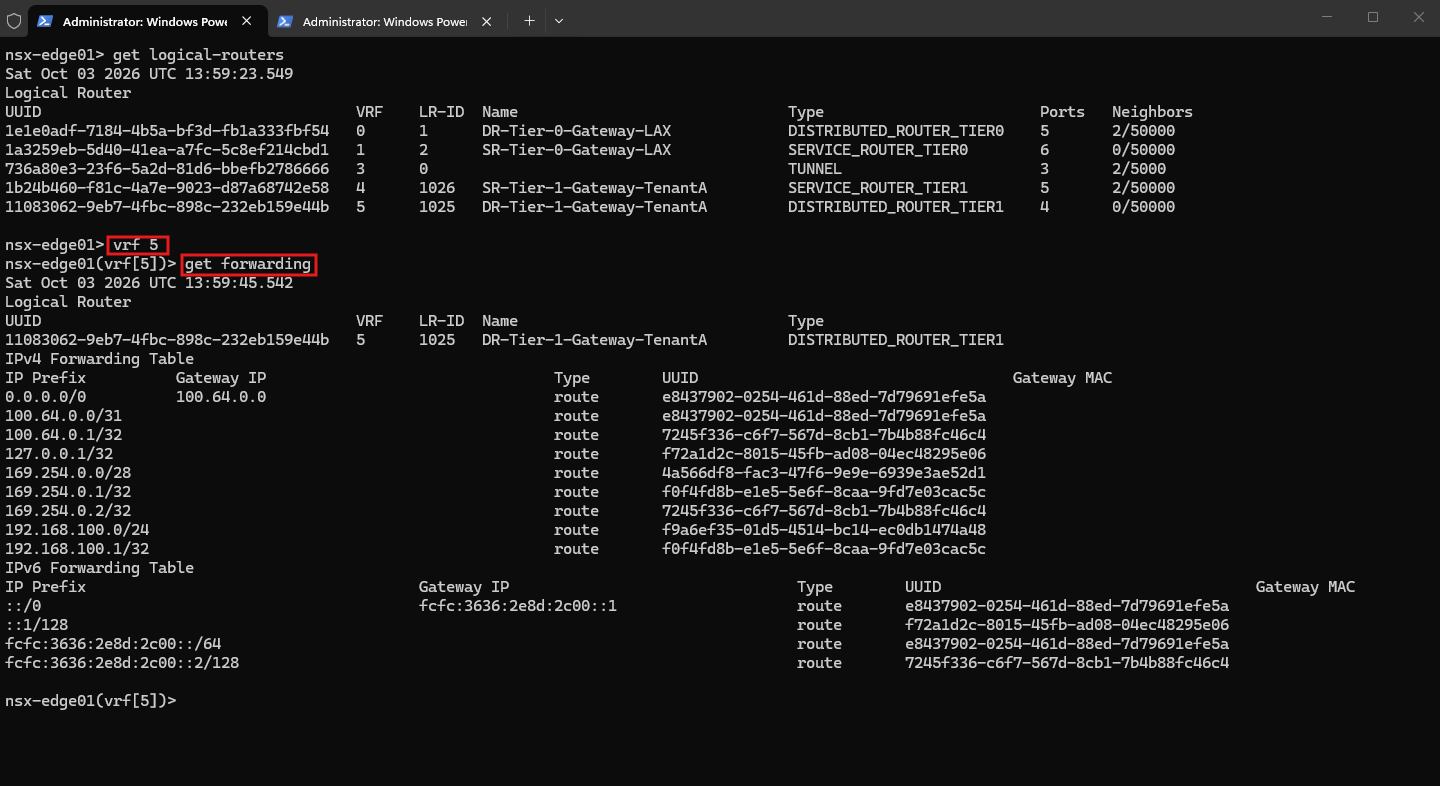
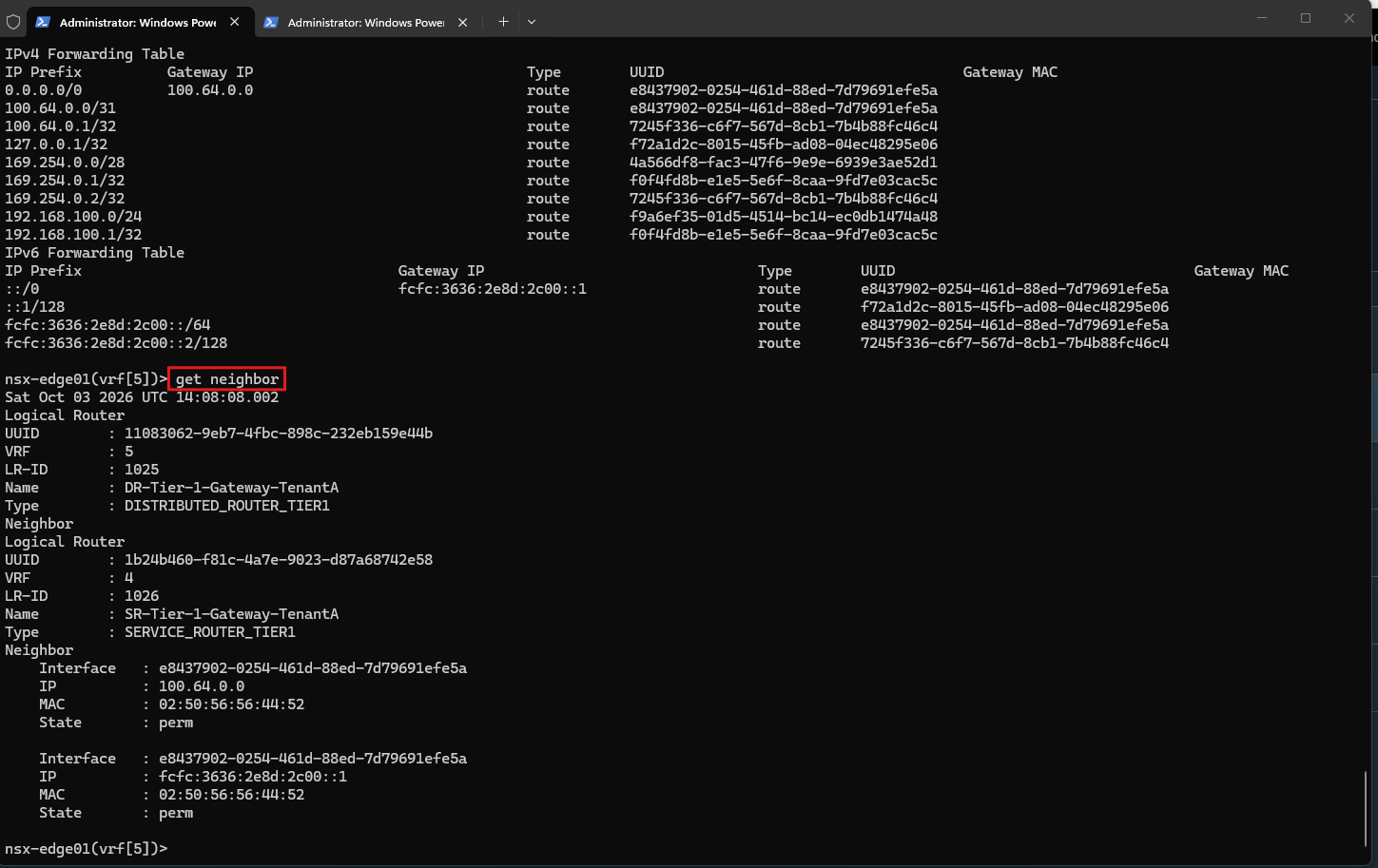
The get neighbor output confirms that the internal connection between the Tier-1 Distributed Router (DR) and Service Router (SR) is healthy: the next hop 100.64.0.0 is present with a permanent (perm) MAC entry. We can therefore rule out the internal Tier-1 DR-to-SR adjacency as the cause of the reported ARP failure.
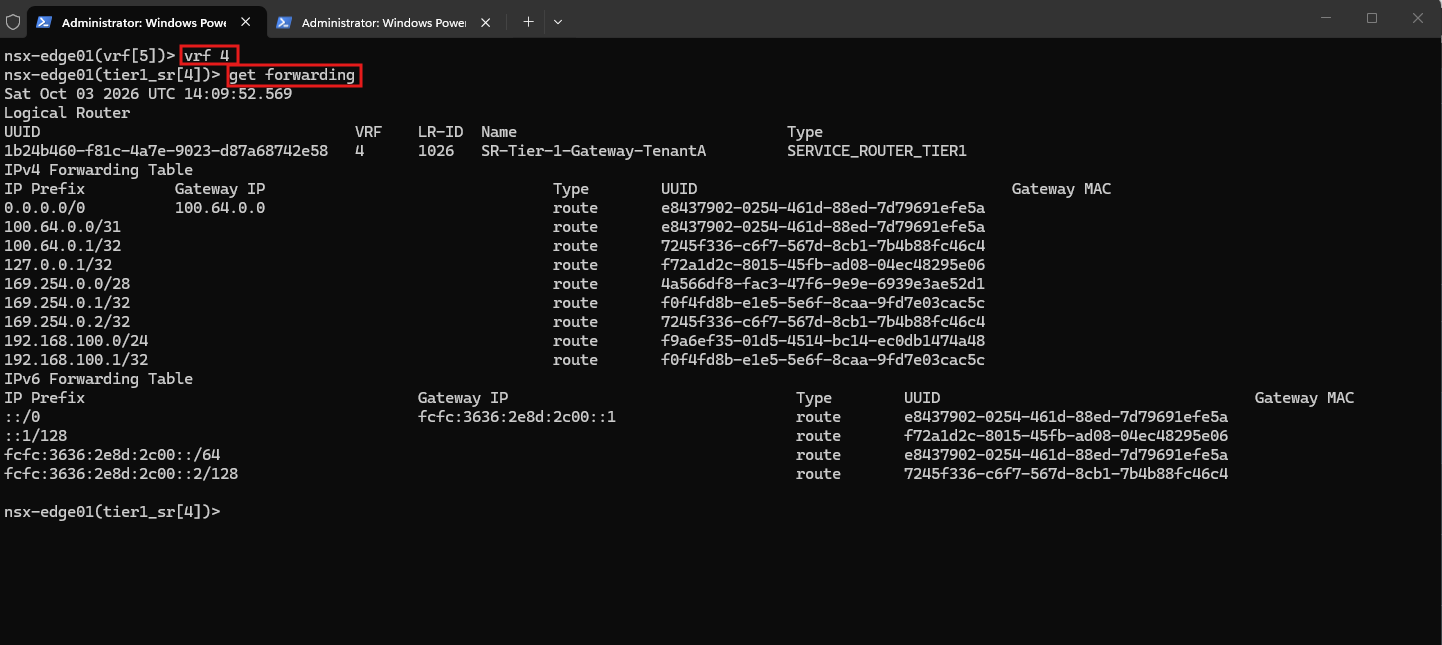
Switching to VRF 4 lets us inspect the forwarding table of the Tier-1 Service Router (SR). Traffic toward
10.0.0.7matches its default route (0.0.0.0/0), which currently points to the internal NSX next hop100.64.0.0.
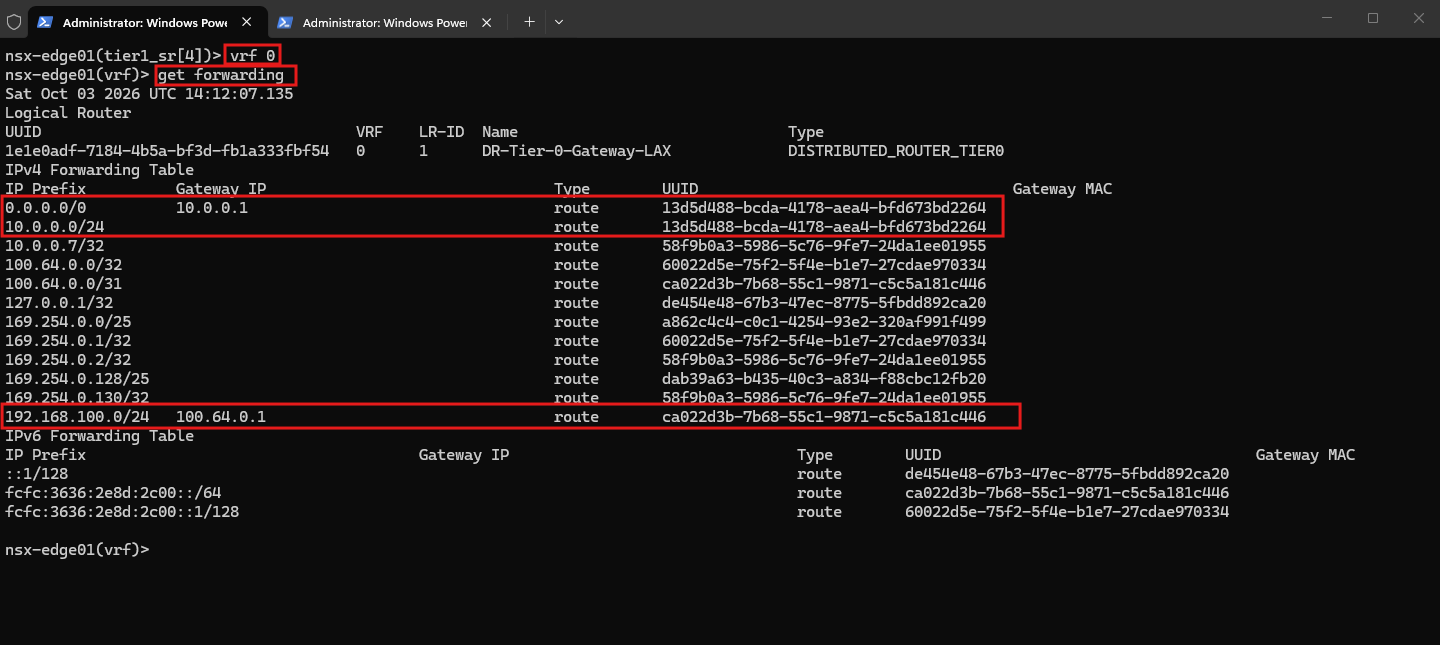
Inspecting VRF 0, the Distributed Router of Tier-0-Gateway-LAX, confirms that the expected routes are installed: 10.0.0.0/24 is directly connected, the default route points to our pfSense router at 10.0.0.1, and the advertised TenantA network 192.168.100.0/24 is reachable through the internal NSX next hop 100.64.0.1. This confirms that the Tier-1 route advertisement toward Tier-0 is working correctly.
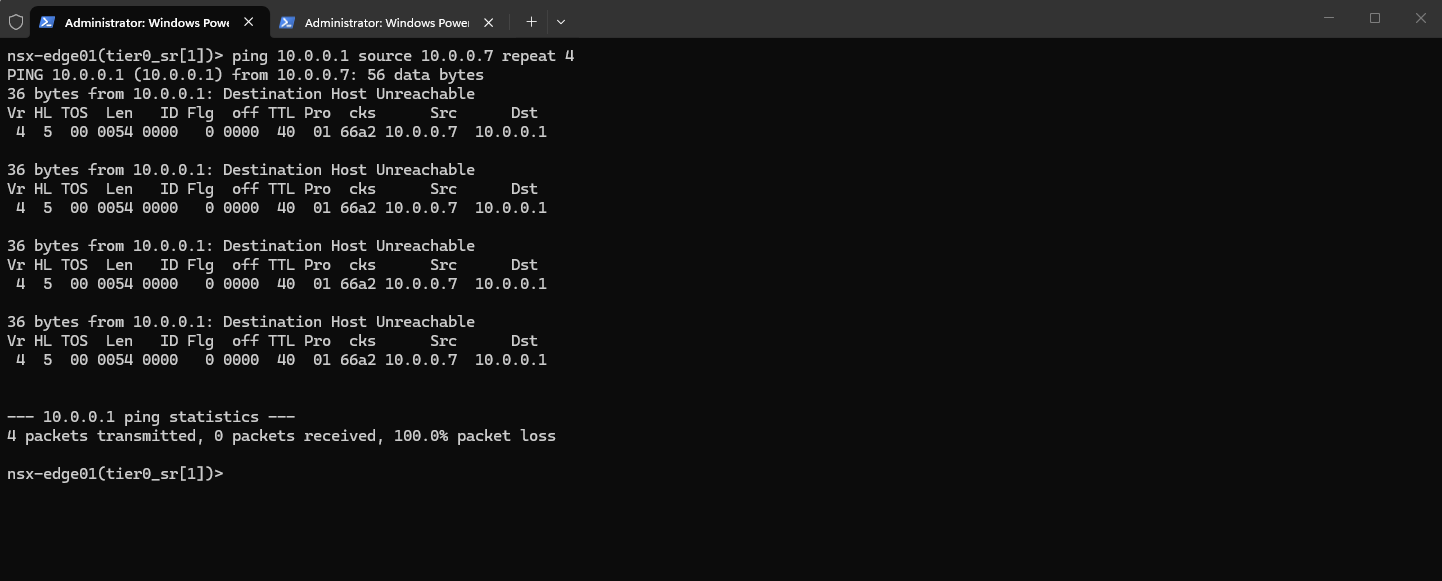
We can also execute diagnostic commands directly within the Service Router (SR) context on the NSX Edge Node, such as pinging an upstream gateway using a specific source IP address.
In this example, the ping from
10.0.0.7to10.0.0.1fails with Destination Host Unreachable, indicating that the gateway cannot be reached from the selected routing context.
ping 10.0.0.1 source 10.0.0.7 repeat 4
Recovering NSX Manager After an Unexpected Shutdown
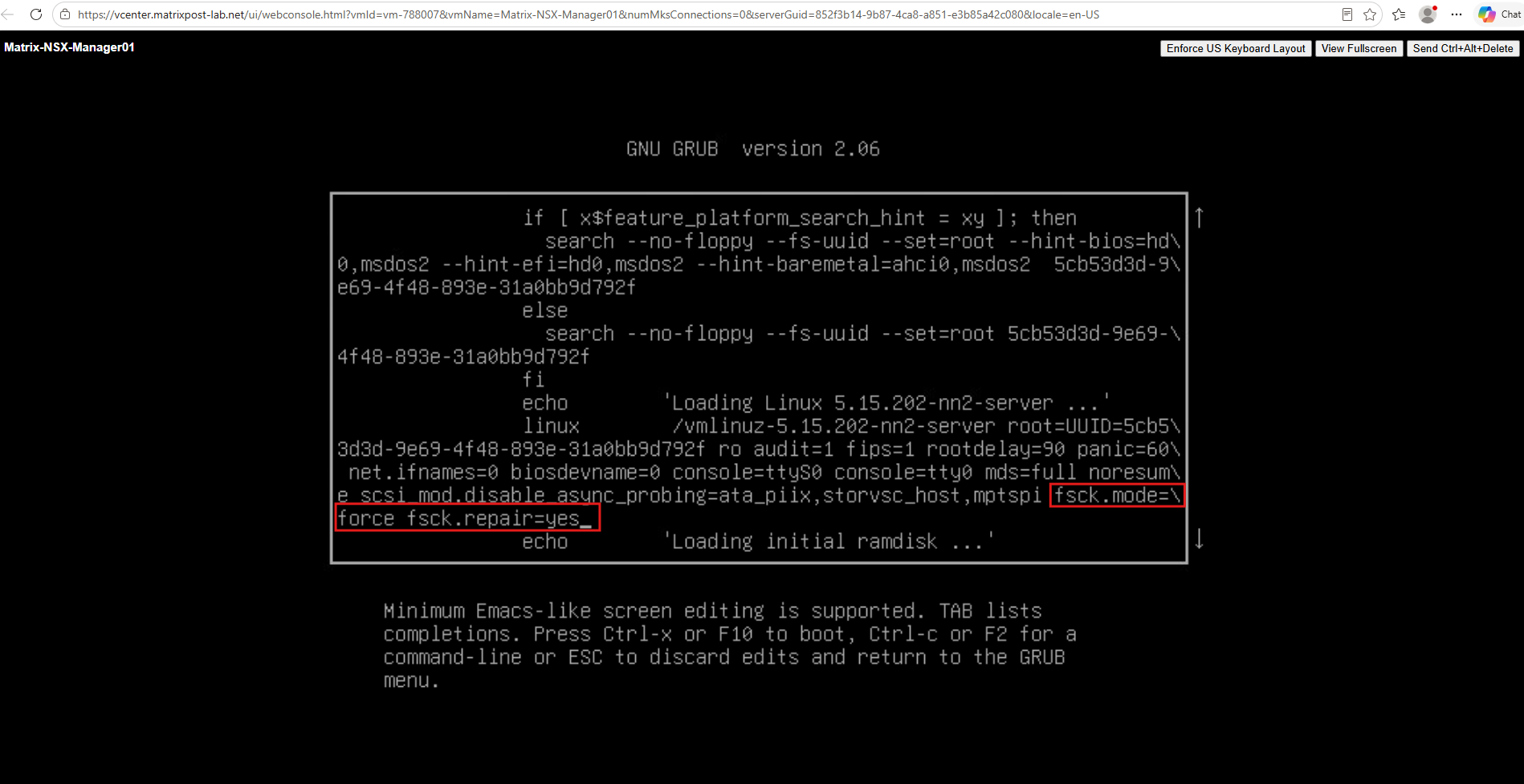
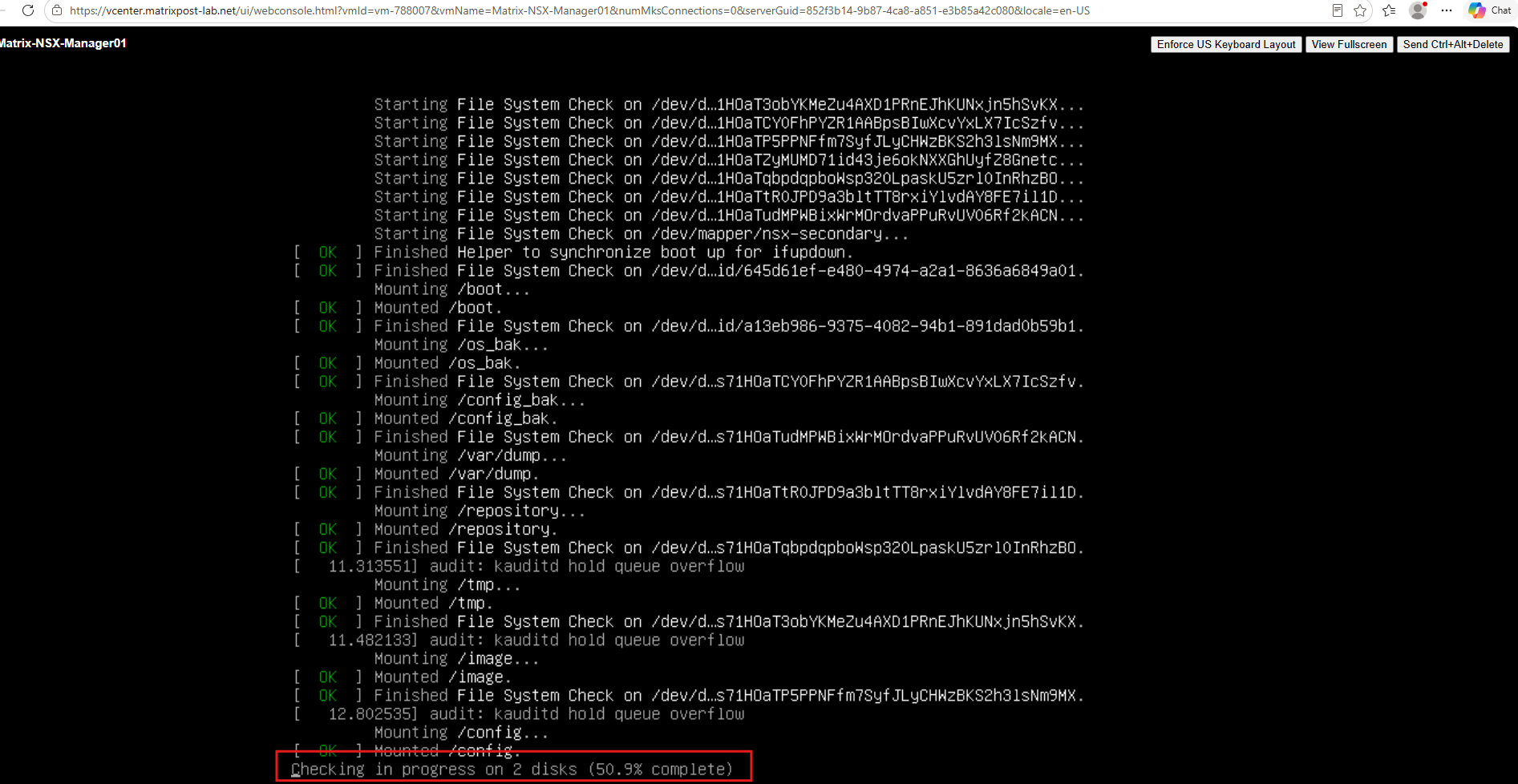
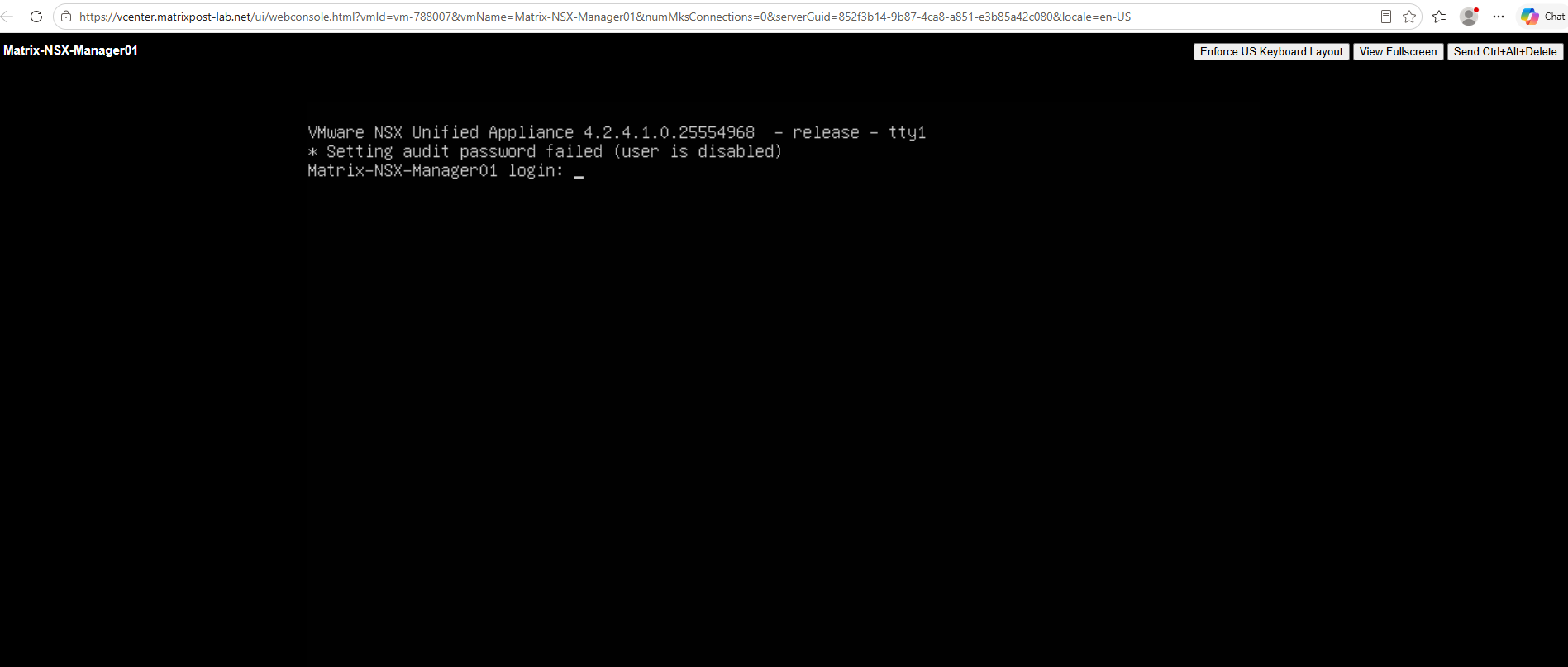
An unexpected shutdown of the ESXi host can leave the NSX Manager filesystem in an inconsistent state, preventing the appliance from booting normally. In this example, an ESXi host crash caused NSX Manager to report filesystem errors on /dev/sda2; we can recover the appliance by forcing a filesystem check and automatic repair during the next boot.
A sudden ESXi host crash can result in an unclean shutdown of the NSX Manager appliance and leave its filesystem in an inconsistent state. In this example, NSX Manager subsequently failed to boot because
/dev/sda2required filesystem repair; the appliance was recovered by forcing a filesystem check and
fsck.mode=force fsck.repair=yes
Then press:
Ctrl+X
Troubleshooting Tenant Connectivity with TCPdump
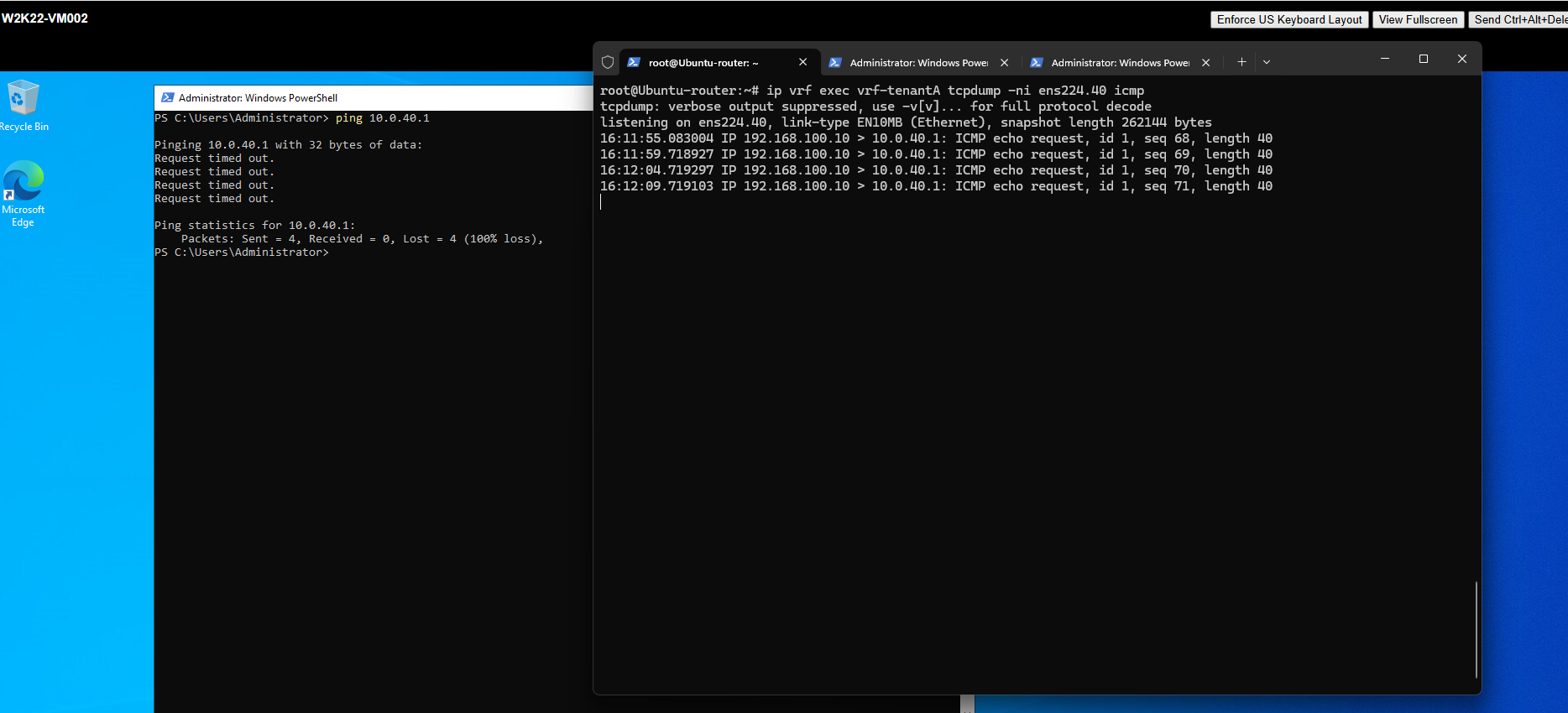
When troubleshooting connectivity issues between NSX tenant networks and external destinations, packet captures on the Ubuntu router can help determine whether traffic reaches the correct tenant-facing interface and whether responses are returned.
Using tcpdump within a specific Linux VRF context, we can inspect traffic independently for each tenant.
In the following example, we capture ICMP packets on TenantA’s VLAN interface
ens224.40while sending ping requests from the tenant VM, allowing us to verify that the requests reach the router even though no replies are received.The packet capture confirms that the ICMP Echo Requests successfully arrive at the Ubuntu router through TenantA’s interface
ens224.40, but no corresponding Echo Replies are observed, indicating an issue with the return traffic path.
Capture traffic on the Ubuntu router.
ip vrf exec vrf-tenantA tcpdump -ni ens224.40 icmp
Checking Reverse Path Filtering (rp_filter) in Linux VRFs
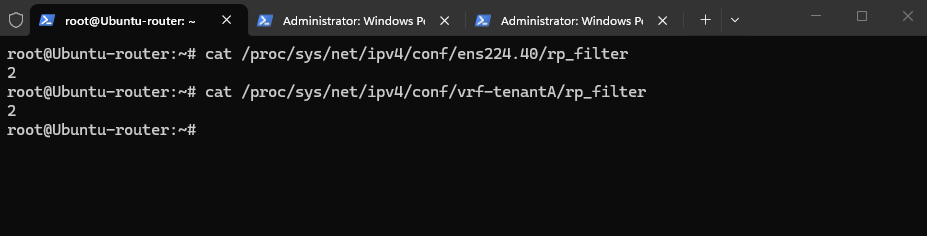
Another potential cause of connectivity issues in Linux VRF environments is Reverse Path Filtering (rp_filter), which can drop incoming packets if their source addresses do not match the expected routing paths.
We can check the current rp_filter settings on both the tenant-facing VLAN interface and its associated VRF device to rule out reverse path filtering as a possible cause.
rp_filter means Reverse Path Filtering. Linux uses it as an anti-spoofing check: when a packet arrives, the kernel checks whether the source address makes sense according to its routing information.
The values are:
0= disabled1= strict — the return route to the source must use the same interface2= loose — the source only needs to be reachable through some route
 cat /proc/sys/net/ipv4/conf/ens224.40/rp_filter
 cat /proc/sys/net/ipv4/conf/vrf-tenantA/rp_filter
Removing NSX from ESXi Hosts and Cleaning Up vSphere Configuration
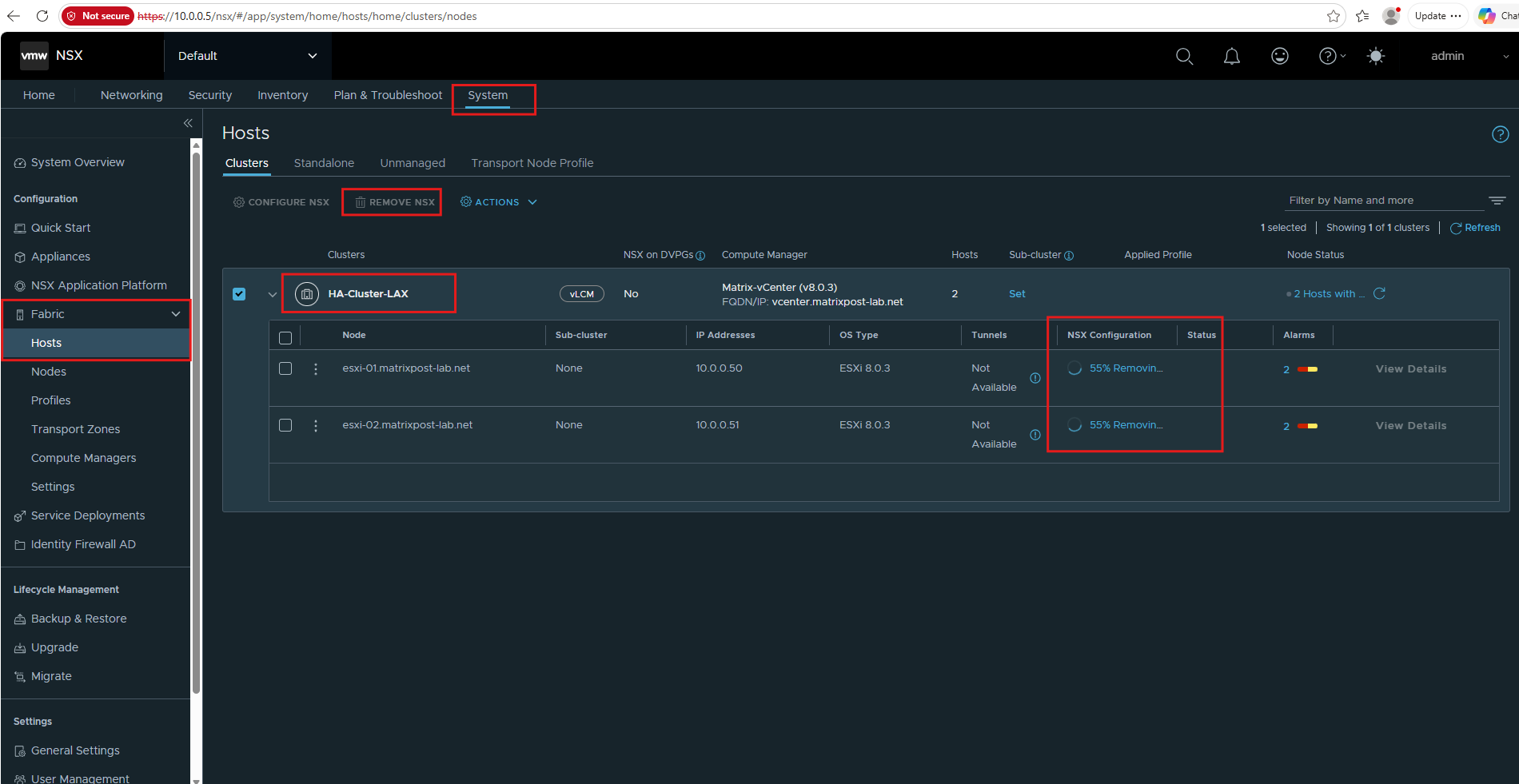
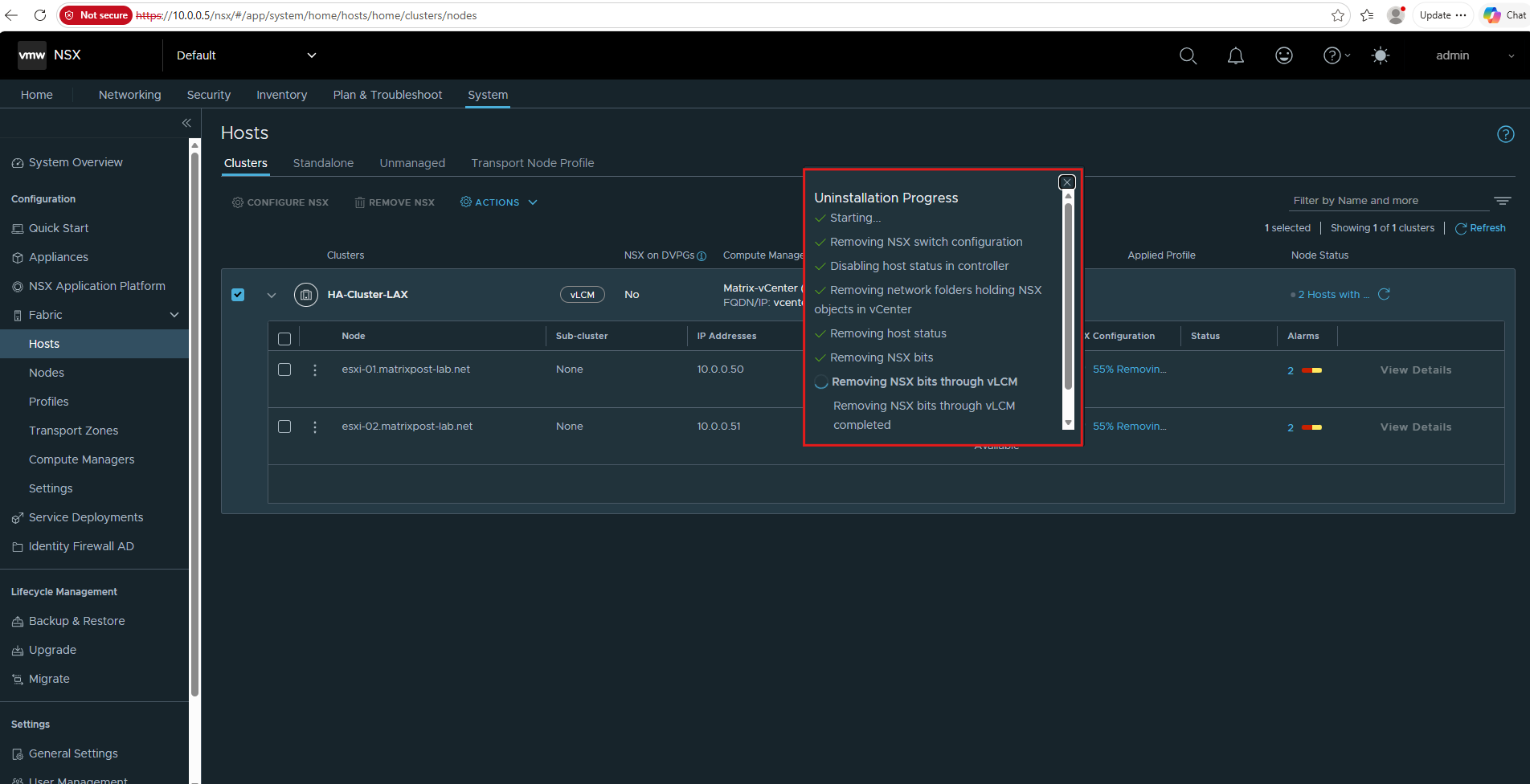
To completely remove NSX from vSphere, we must uninstall NSX from the prepared ESXi hosts rather than simply deleting the NSX Manager and Edge appliances.
Navigate to System → Fabric → Hosts, select the cluster, and click Remove NSX to remove the NSX host components and associated networking configuration.
Links
NSX Manager fails to boot up with error “UNEXPECTED INCONSISTENCY; RUN fsck MANUALLY.”
https://knowledge.broadcom.com/external/article/320303/nsx-manager-fails-to-boot-up-with-error.html