Cheat Sheet Windows General Topics
This cheat sheet collects useful Windows settings, tools, troubleshooting tips, and other technical notes that do not fit into one of my dedicated cheat sheets. It serves as a general quick reference for Windows topics that are useful from time to time but do not require their own dedicated article.
Troubleshooting Executable Installation and Digital Signatures
When the installation or execution of a downloaded executable fails, Windows certificate and signature validation can be one possible cause. Before disabling security checks, verify that the executable is digitally signed, that the signature is valid, and that Windows can successfully validate the associated certificate chain and revocation information.
For the executable itself, open Properties → Digital Signatures → Details → View Certificate. The certificate details can also show the CRL Distribution Points used for certificate revocation checking.
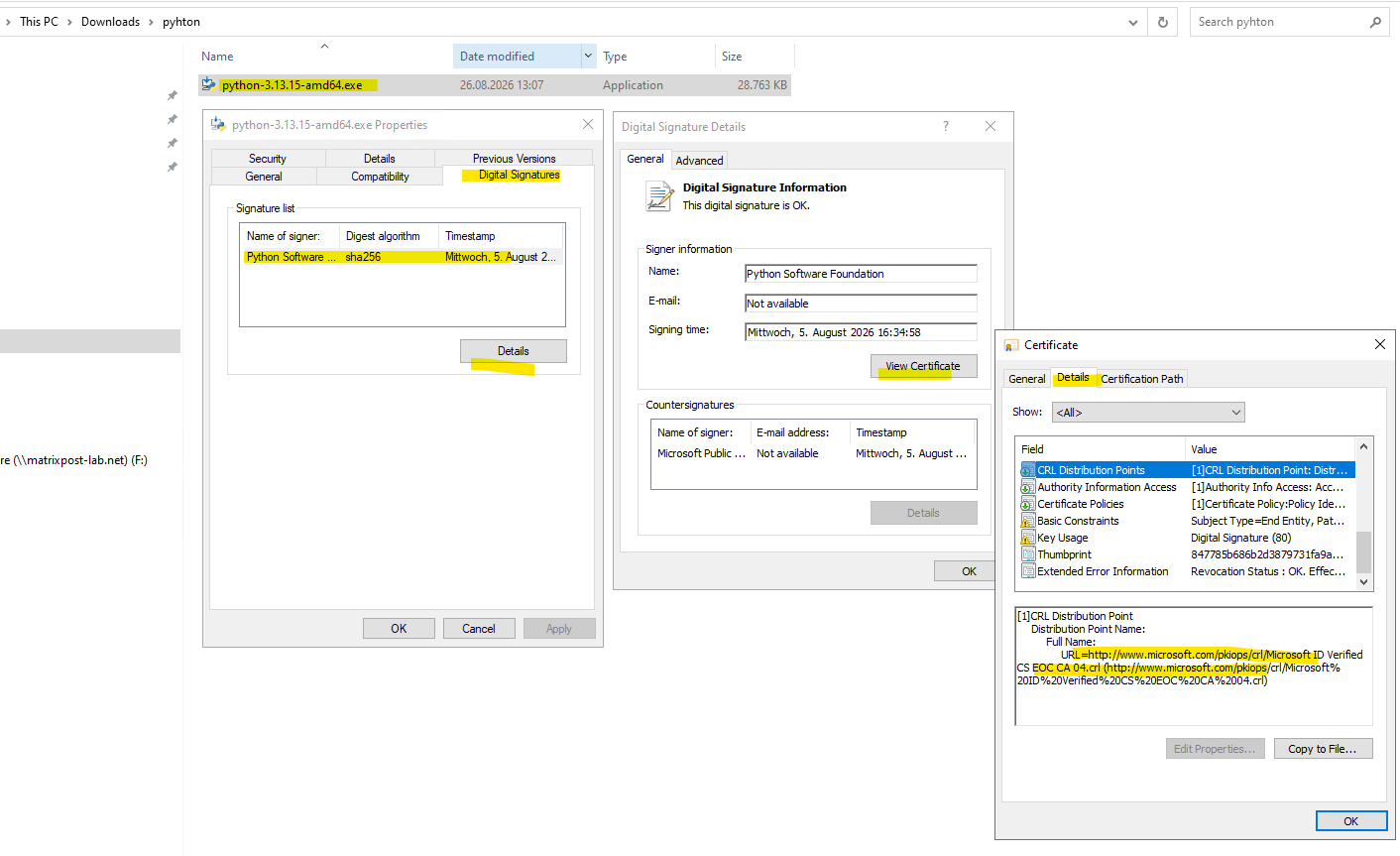
If you trust the executable and experience problems during installation or execution, you can temporarily disable these certificate and signature validation checks to rule out related issues. If this resolves the problem, investigate certificate revocation or signature validation, such as inaccessible CRL or OCSP endpoints, before enabling the checks again.
Open the classic Internet Properties dialog:
inetcpl.cpl
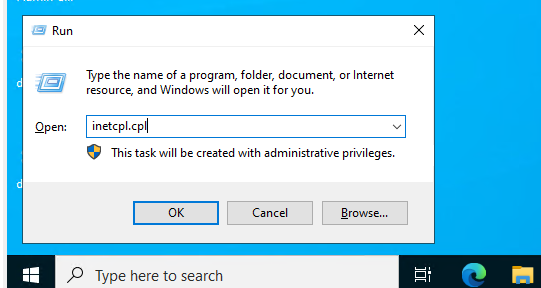
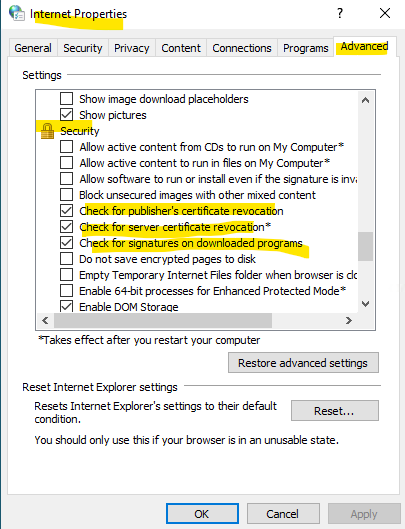
Then navigate to Advanced → Security and check the relevant certificate validation settings, particularly:
- Check for publisher’s certificate revocation
- Check for server certificate revocation
- Check for signatures on downloaded programs
Links
Authenticode digital signatures
https://learn.microsoft.com/en-us/windows-Time Stamping Authenticode Signatures
https://learn.microsoft.com/en-us/windows/win32/seccrypto/time-stamping-authenticode-signaturesCryptography Tools
https://learn.microsoft.com/en-us/windows/win32/seccrypto/cryptography-tools