Protecting NetApp ONTAP Workloads with Autonomous Ransomware Protection (ARP) – Part 4 – Detecting and Recovering SMB Workloads from Ransomware
In this part we cover the protection, detection, and recovery of SMB (CIFS) file workloads using NetApp Console Ransomware Resilience, demonstrating how it extends native ONTAP Autonomous Ransomware Protection (ARP) with centralized visibility, orchestration, and recovery capabilities.
Protecting and Recovering SMB/CIFS Workloads
Part 3 demonstrated how to recover a VMware SAN workload by replacing a compromised virtual disk with its recovered counterpart.
This part focuses on SMB/CIFS workloads, showing how NetApp Autonomous Ransomware Protection (ARP) detects ransomware activity and how the cloud-based Ransomware Resilience service helps analyze the attack and recover affected files from a clean recovery point.
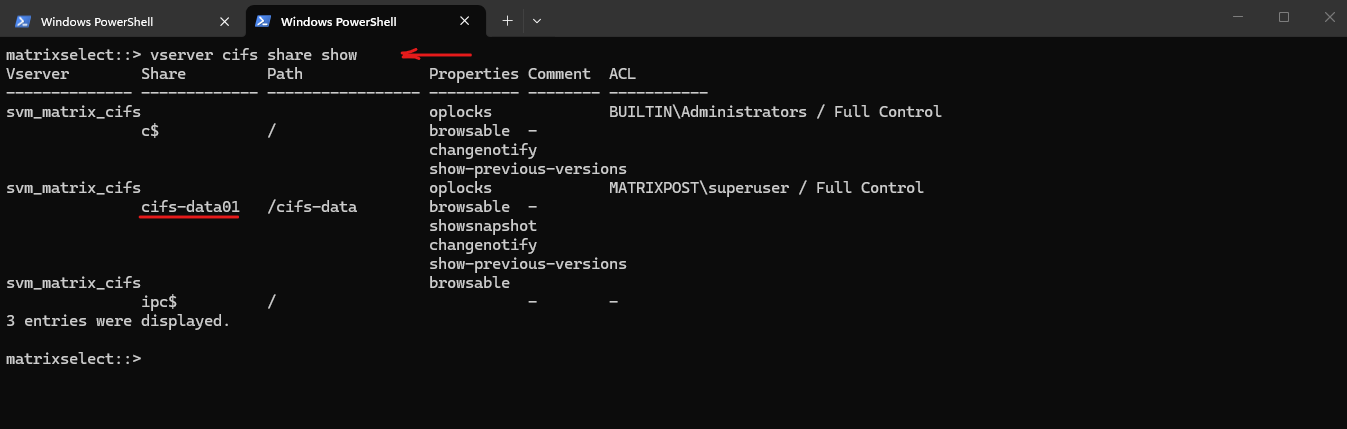
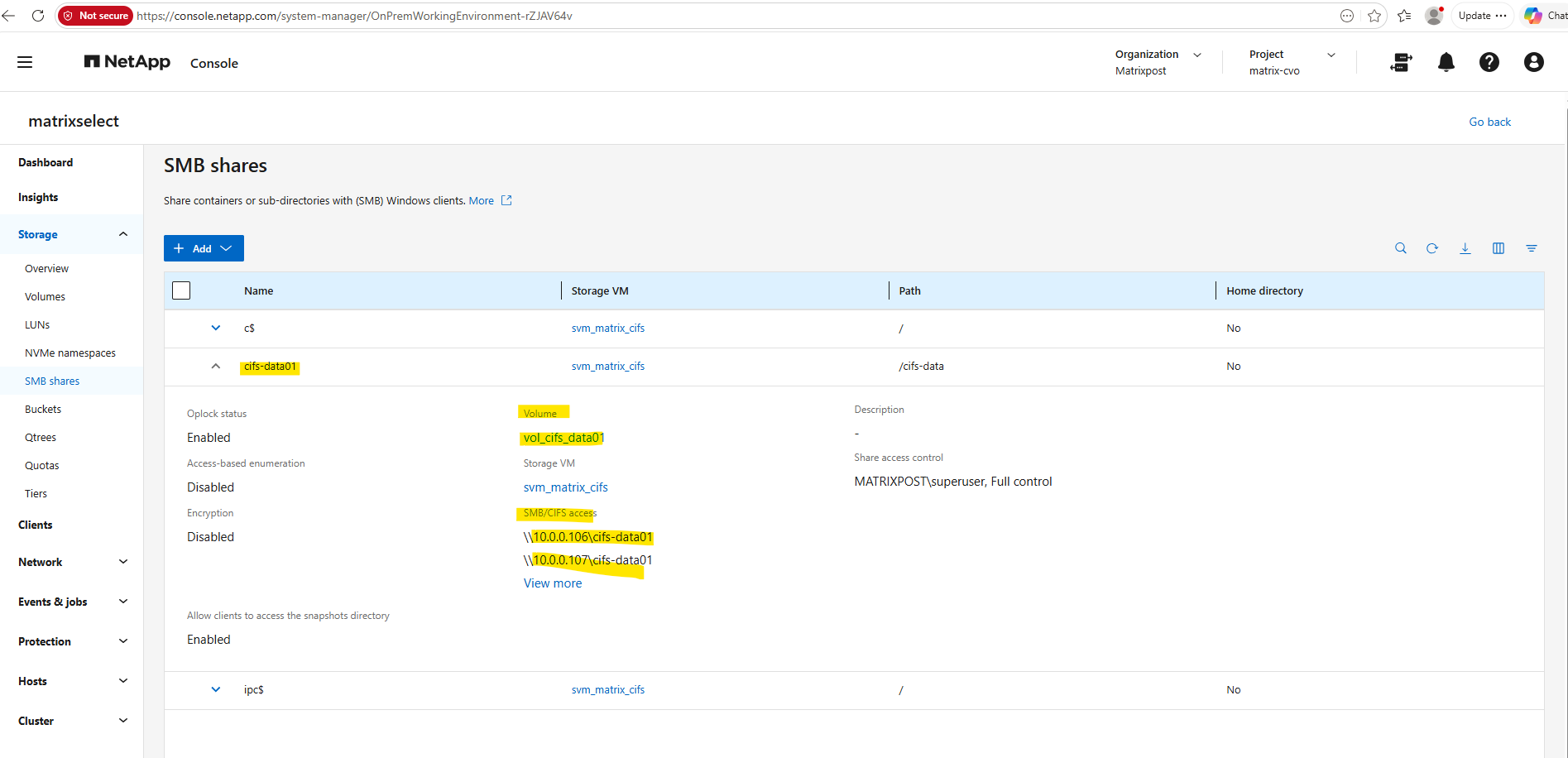
For the following demonstration, the cifs-data01 SMB share is mounted on a Windows client. The same PowerShell ransomware simulation script is used as in Part 2 and executed against the mapped SMB share to simulate a ransomware attack on a CIFS workload.
This is the cifs share we will mount on the Windows client.
matrixselect::> vserver cifs share show
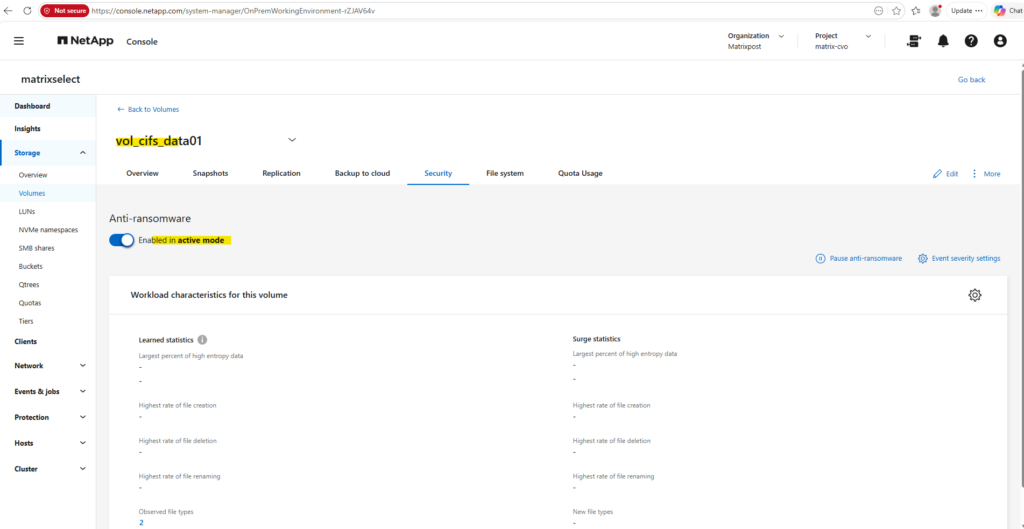
Before simulating the ransomware attack, the Security tab of the volume vol_cifs_data01 confirms that NetApp Autonomous Ransomware Protection (ARP) is enabled in active mode. This ensures that the workload is continuously monitored for suspicious file activity, allowing ARP to detect the simulated ransomware attack on the SMB/CIFS share in the following steps.
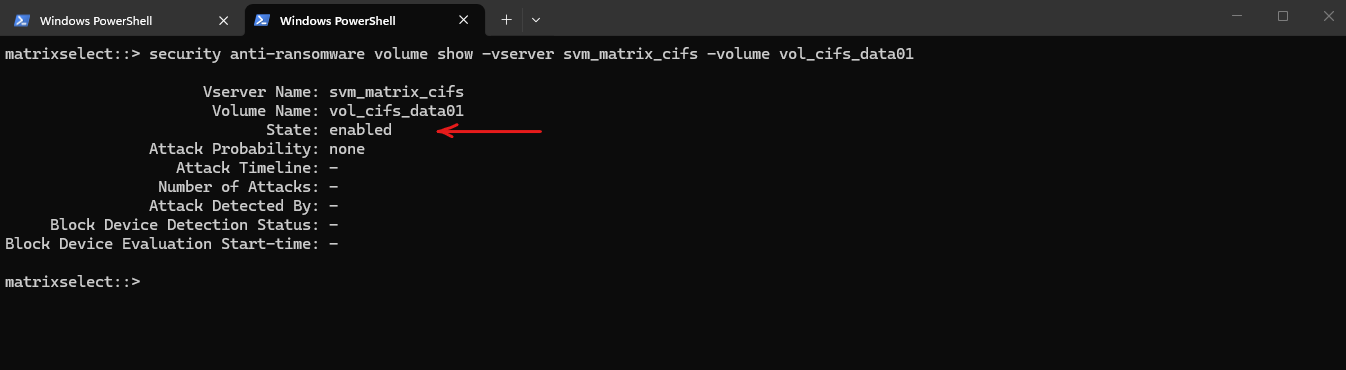
The ARP status can also be verified from the ONTAP CLI.
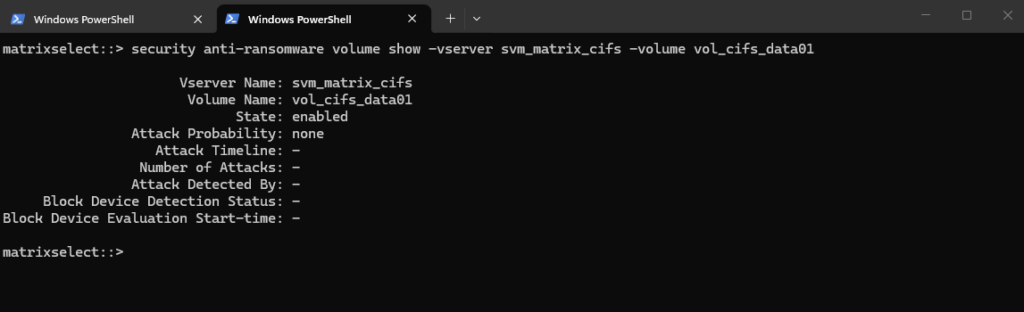
As shown below, the volume vol_cifs_data01 is in the enabled state, with an Attack Probability of none, confirming that no suspicious activity has been detected prior to launching the ransomware simulation.
matrixselect::> security anti-ransomware volume show -vserver svm_matrix_cifs -volume vol_cifs_data01
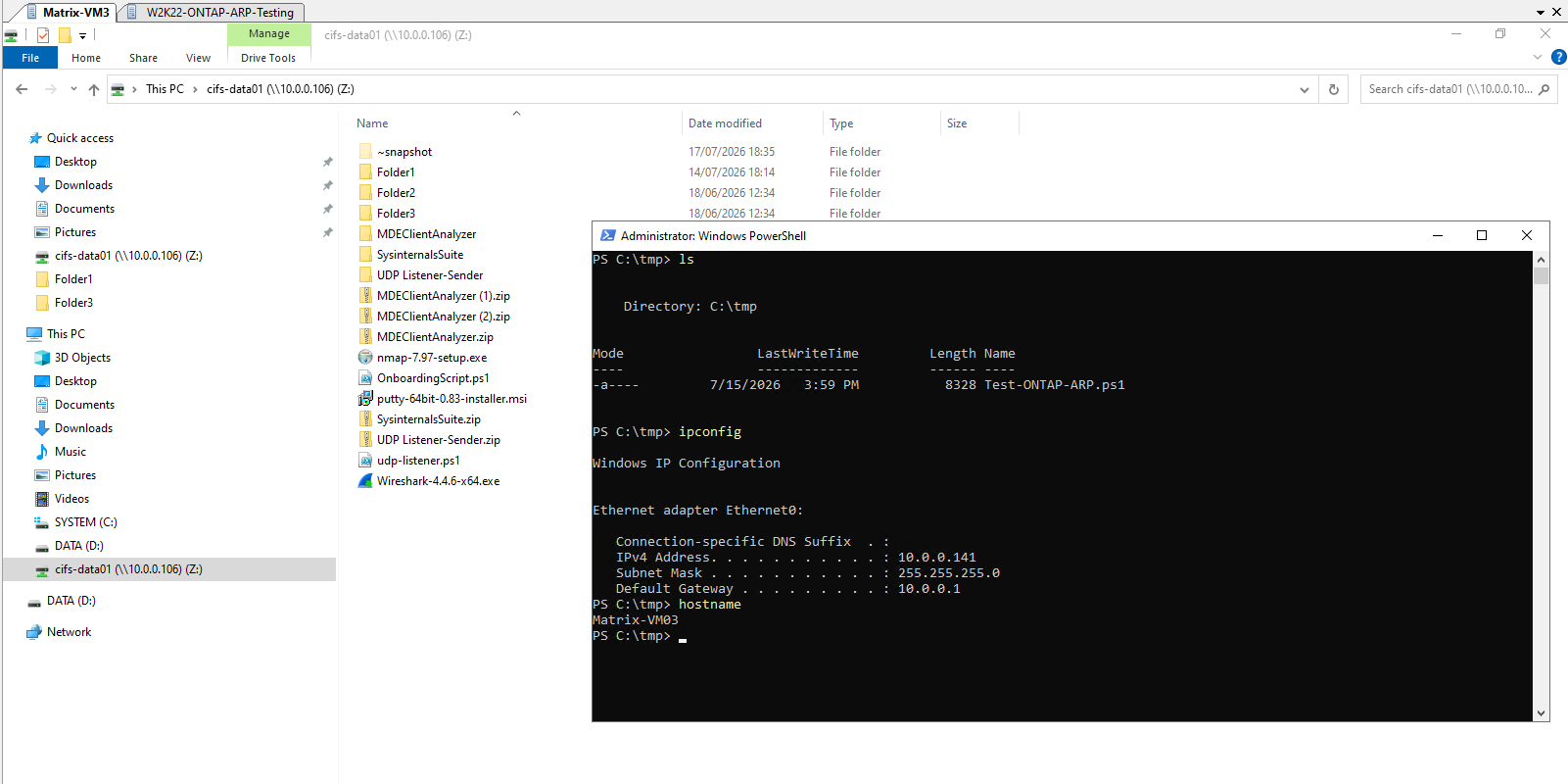
The cifs-data01 SMB share is mounted as drive Z: on the Windows client Matrix-VM03 (10.0.0.141). Rather than targeting a local NTFS volume, the Test-ONTAP-ARP.ps1 script is configured to operate directly on the mounted SMB share, allowing ONTAP ARP to monitor and evaluate the simulated ransomware activity on the NAS workload.
Simulating an attack on SMB (CIFS) file workloads
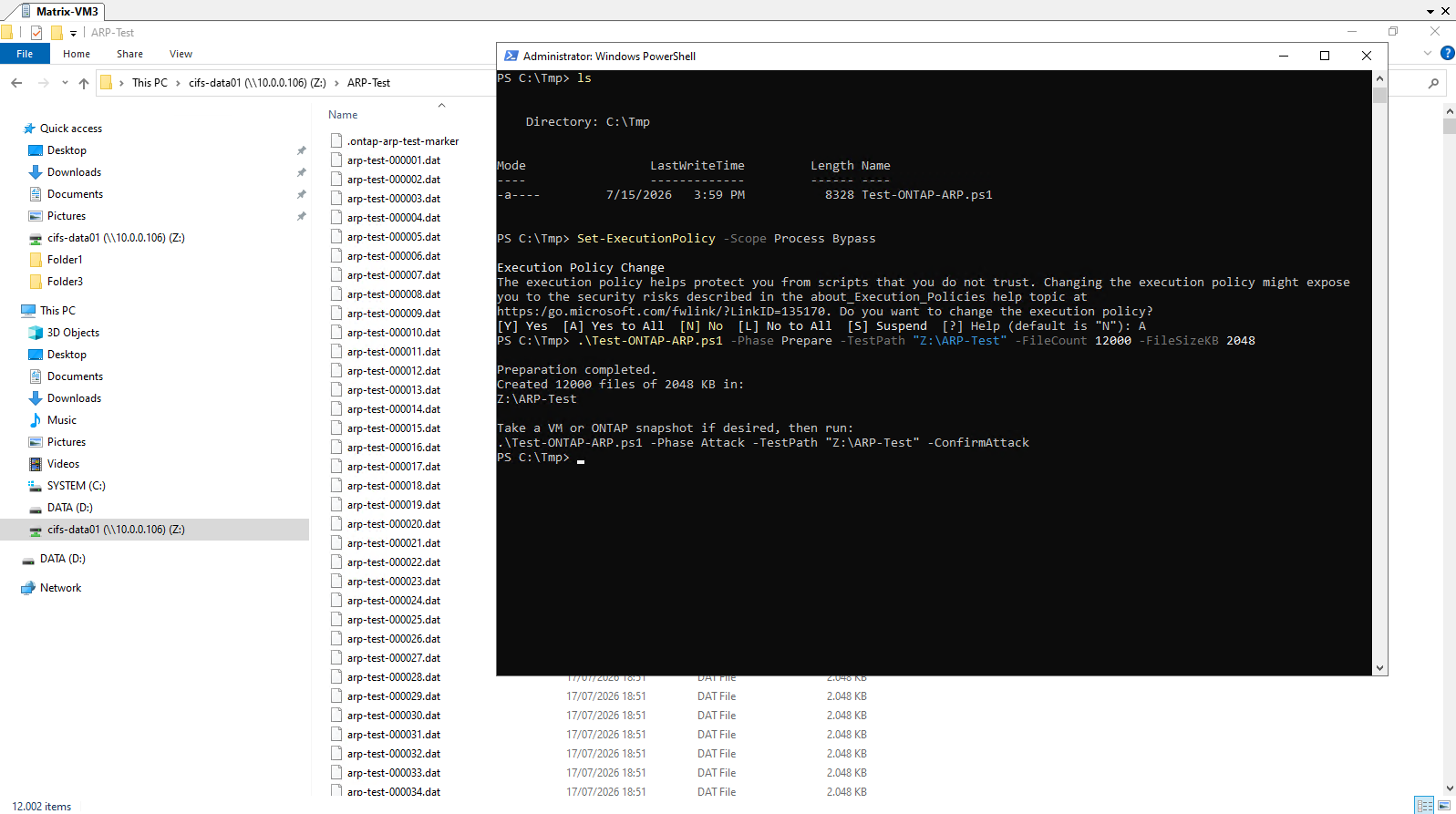
The Prepare phase of the Test-ONTAP-ARP.ps1 script is executed against the mounted Z: drive instead of a local volume. This creates the baseline dataset directly on the cifs-data01 SMB share, which will later be encrypted and renamed during the simulated ransomware attack.
Before executing the PowerShell script, the execution policy is temporarily set to Bypass for the current PowerShell session. This allows the unsigned demonstration script to run without permanently changing the system-wide execution policy.
PS C:\tmp> Set-ExecutionPolicy -Scope Process Bypass PS C:\tmp> .\Test-ONTAP-ARP.ps1 -Phase Prepare -TestPath "Z:\ARP-Test" -FileCount 12000 -FileSizeKB 2048
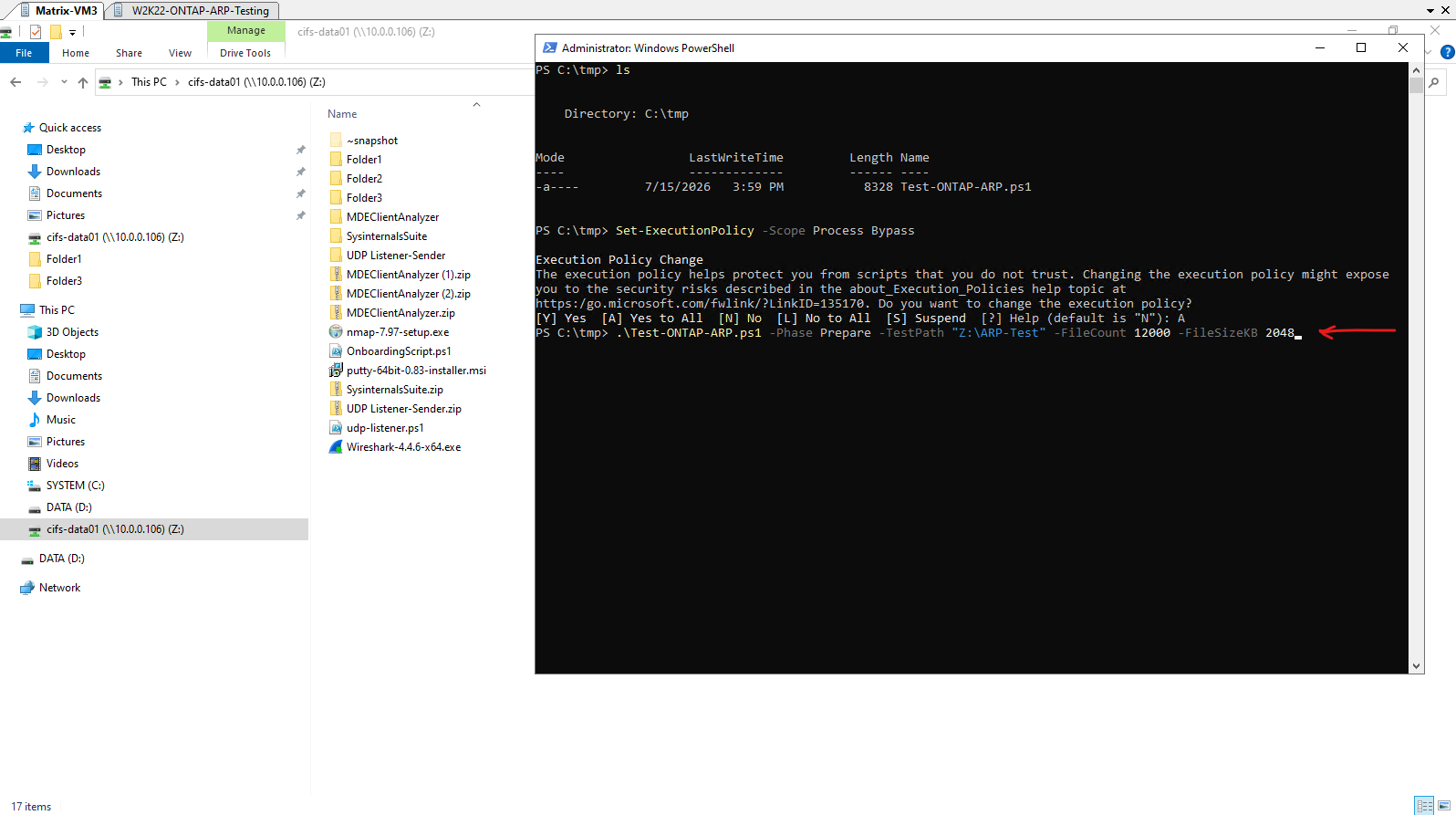
The Prepare phase of the Test-ONTAP-ARP.ps1 script is executed against the mounted Z: drive.
The script generates a baseline dataset consisting of 12,000 low-entropy 2 MB files within the ARP-Test directory on the cifs-data01 SMB share. As shown below, Windows Explorer immediately reflects the creation of the test files while the script reports its progress in the PowerShell console.
This dataset serves as the input for the ransomware simulation in the next step, during which the files will be modified, encrypted, and renamed to trigger NetApp Autonomous Ransomware Protection (ARP).
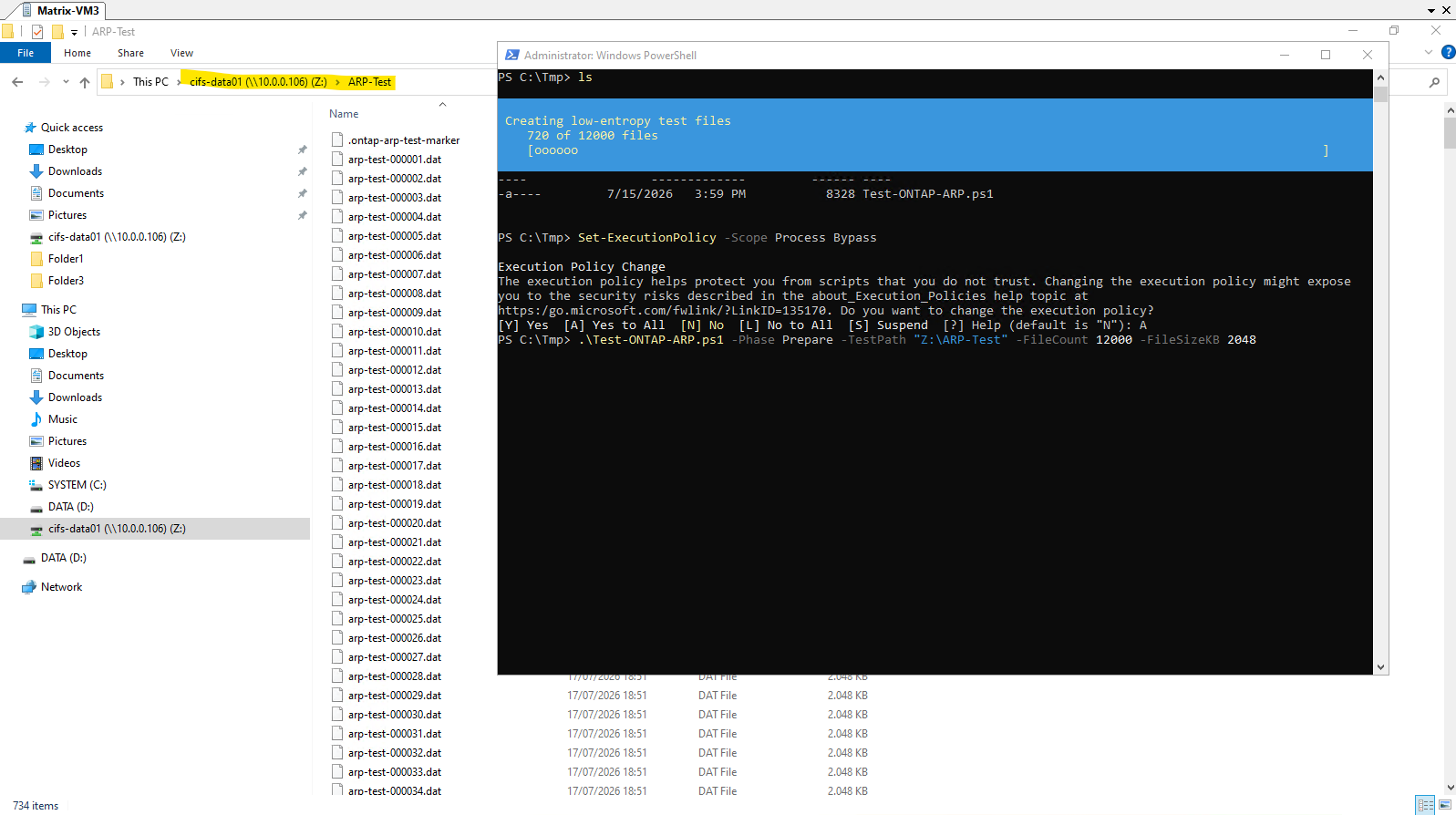
The Prepare phase completes successfully after creating 12,000 low-entropy 2 MB files within the ARP-Test directory on the mounted cifs-data01 SMB share.
The generated dataset now serves as the baseline for the ransomware simulation, which will modify, encrypt, and rename these files during the next step to trigger NetApp Autonomous Ransomware Protection (ARP).
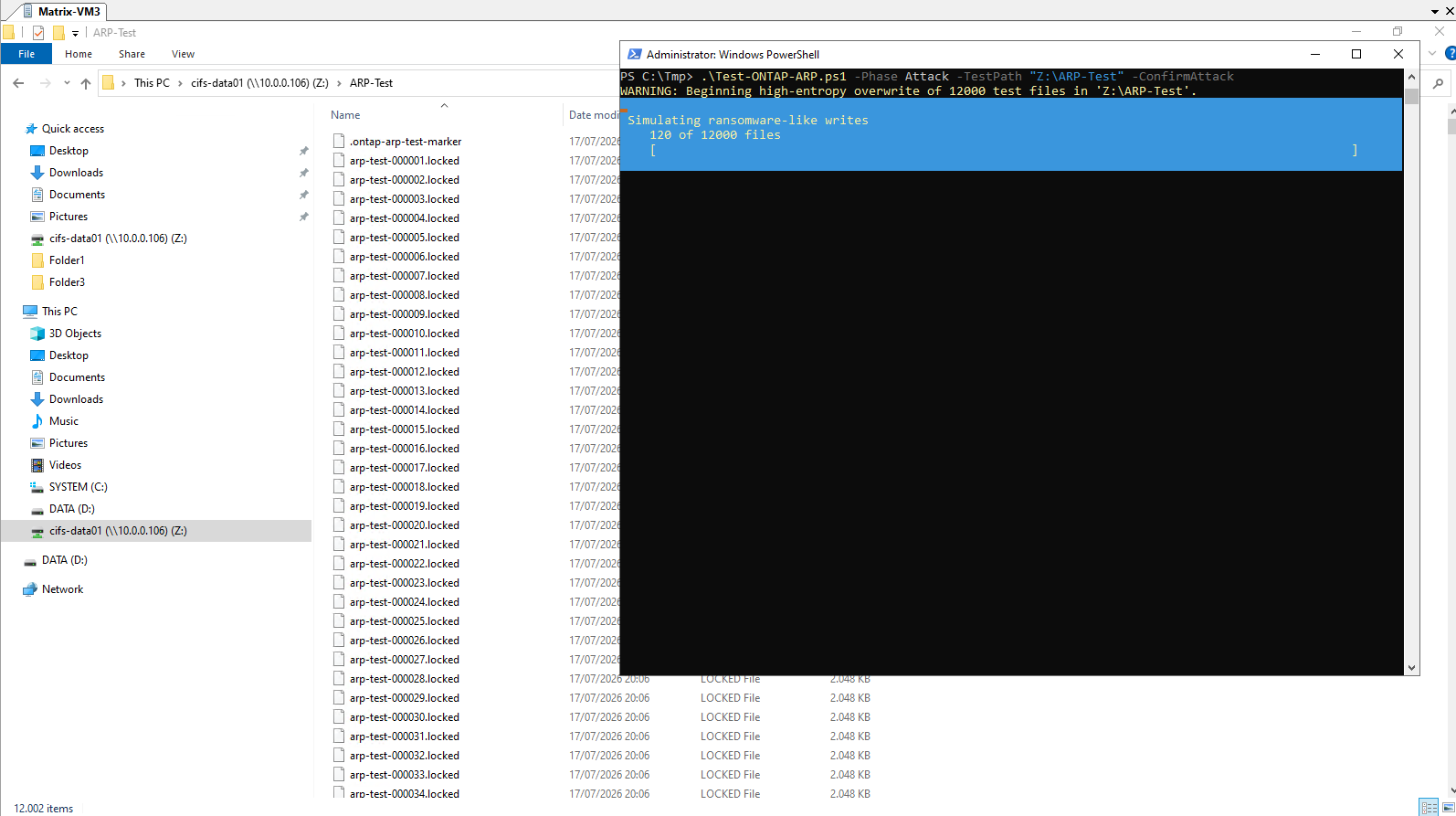
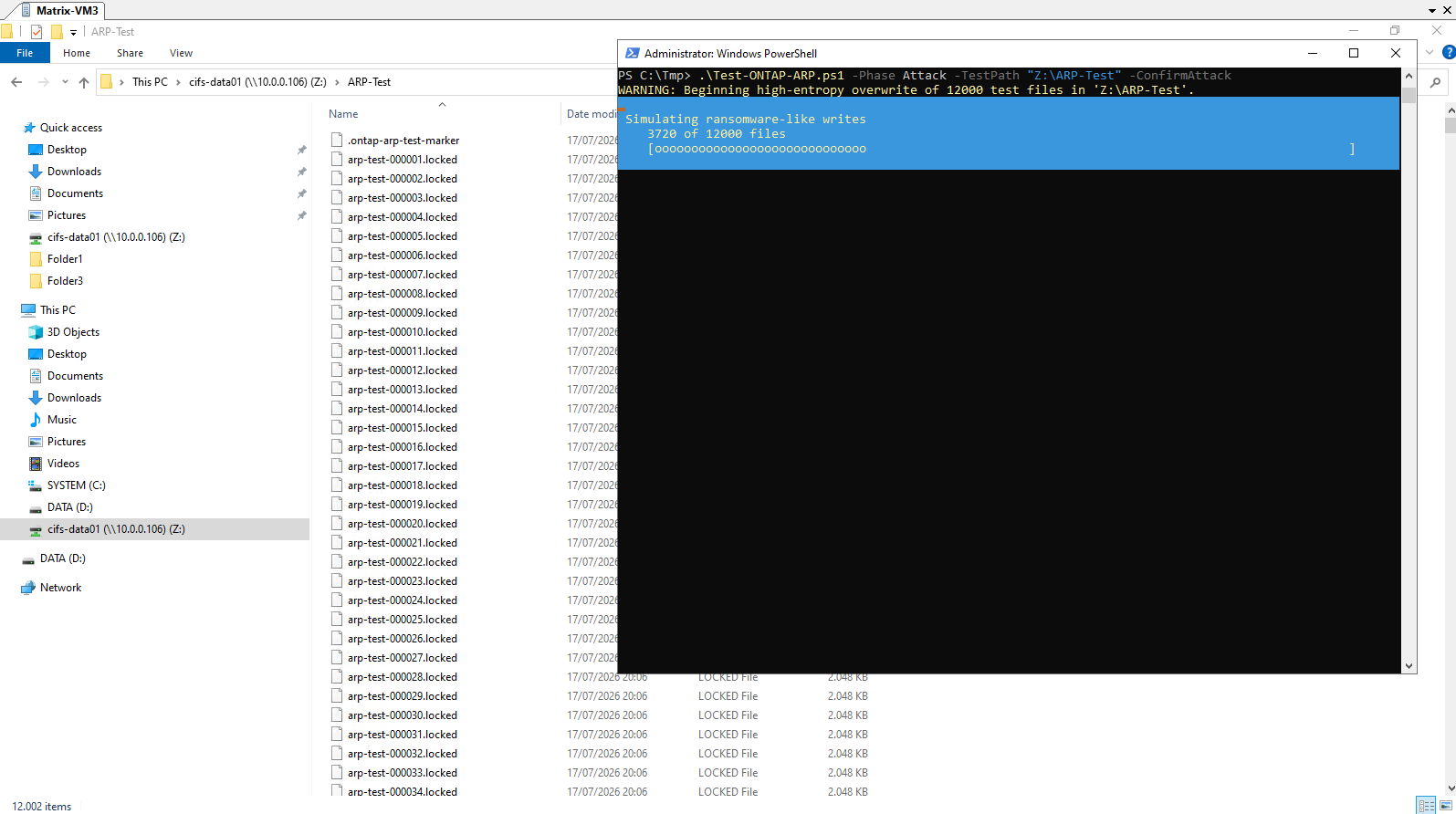
After confirming the attack phase, the Test-ONTAP-ARP.ps1 script begins simulating ransomware activity by overwriting the previously created files with high-entropy data and renaming them with the .locked extension.
As shown below, the PowerShell console reports the progress of the simulated attack while Windows Explorer simultaneously reflects the rapid replacement of the original .dat files by their encrypted .locked counterparts on the cifs-data01 SMB share.
These high-volume file modifications and rename operations are precisely the type of behavior monitored by NetApp Autonomous Ransomware Protection (ARP) for ransomware detection.
PS C:\Tmp> .\Test-ONTAP-ARP.ps1 -Phase Attack -TestPath "C:\ARP-Test" -ConfirmAttack
Reviewing Autonomous Ransomware Protection (ARP) Alerts
Immediately after launching the ransomware simulation, ARP has not yet detected suspicious activity. The volume remains in the enabled state with an Attack Probability of none, showing that ONTAP continues to analyze the workload before determining whether the observed behavior represents a ransomware attack
matrixselect::> security anti-ransomware volume show -vserver svm_matrix_cifs -volume vol_cifs_data01
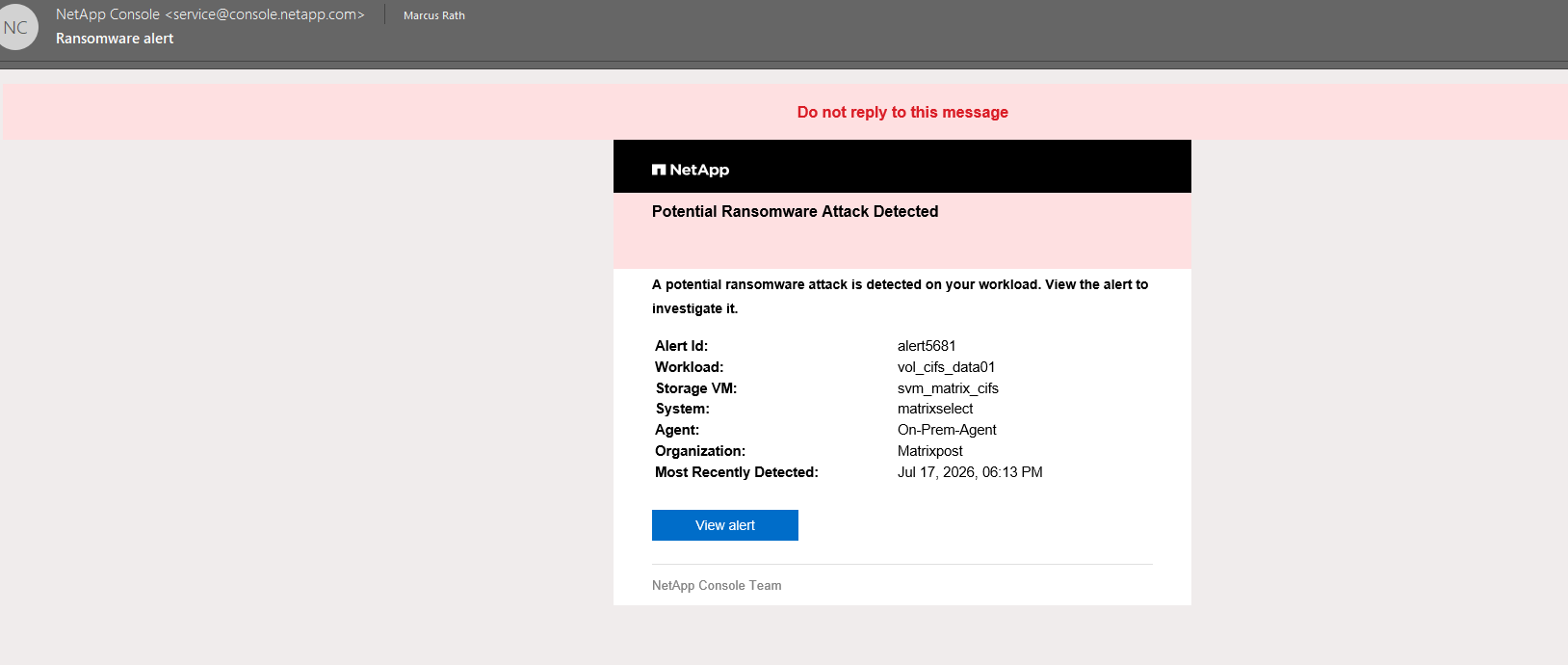
Once the ransomware activity was detected, NetApp Console automatically generated a ransomware alert and sent an email notification to the configured recipients. The alert includes the affected workload, Storage VM, ONTAP system, and detection timestamp, enabling administrators to respond quickly to the incident.
When the ONTAP cluster is onboarded to NetApp Console and AutoSupport is enabled, NetApp Console generates an email notification for detected ransomware activity, including the affected workload and a direct link to the corresponding incident.
Interested in how ONTAP AutoSupport works? My following post covers its architecture, configuration, and operation in detail. https://blog.matrixpost.net/deploying-netapp-cloud-volumes-ontap-part-7/.
Learn how to configure ONTAP EMS email notifications via an SMTP relay https://blog.matrixpost.net/ontap-ems-notifications-configuring-email-alerts-via-smtp-relay/.
During the attack simulation, ONTAP initially continues to evaluate the observed file activity while the script rapidly overwrites and renames files on the SMB share.
However, before the simulation has completed, after approximately 3,700 of the 12,000 files have been processed as shown below, ARP already classifies the activity as suspicious and raises the Attack Probability from none to moderate.
ONTAP records the attack timeline and the number of detected attacks, and reports
file_analysisas the detection method, indicating that the alert was triggered by ARP’s analysis of suspicious file behavior, such as the rapid overwrite, encryption, and renaming of files on the SMB share.
matrixselect::> security anti-ransomware volume show -vserver svm_matrix_cifs -volume vol_cifs_data01
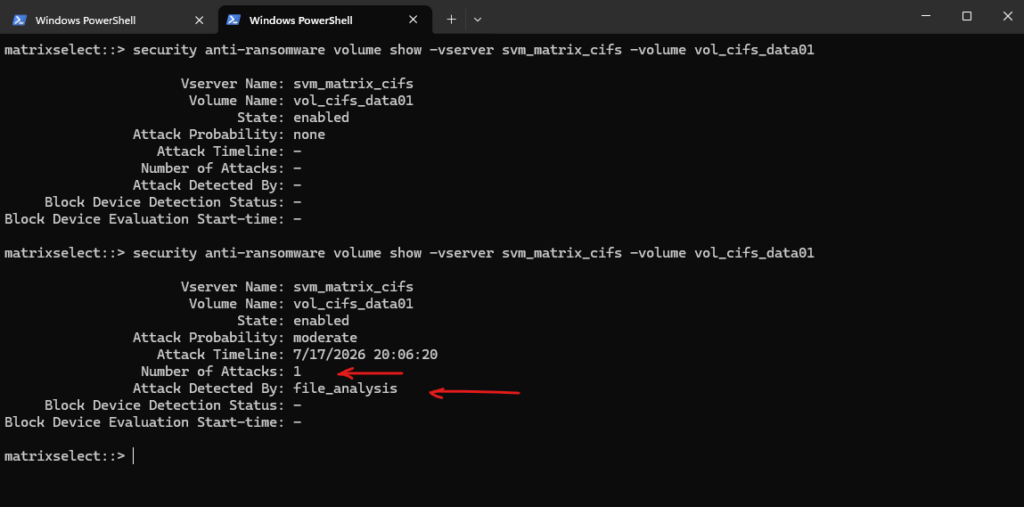
As mentioned the attack simulation currently just processed approximately 3,700 of the 12,000 files.
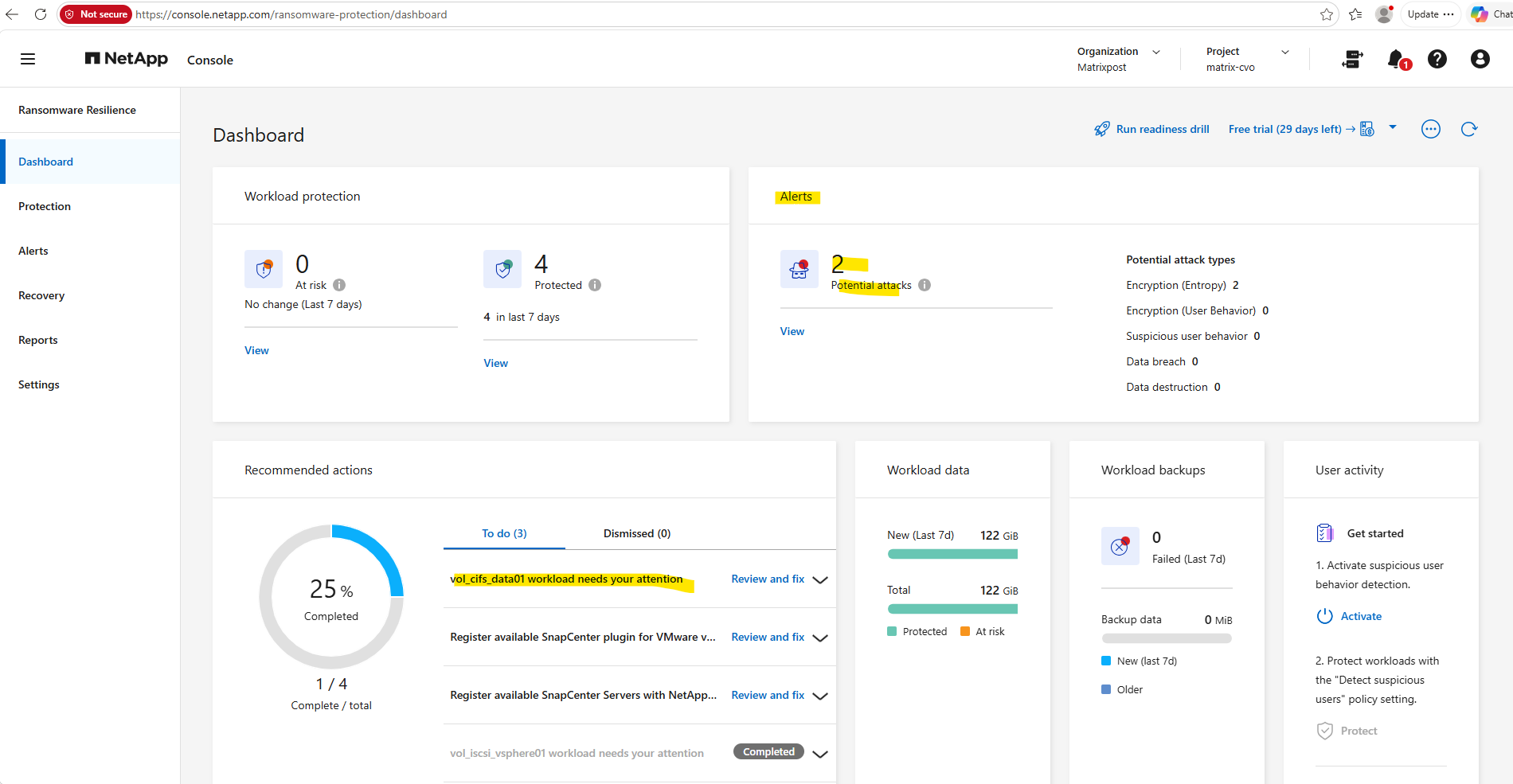
The detection is also immediately reflected in the NetApp Console Ransomware Resilience dashboard.
As shown below, the number of Potential attacks has increased and the affected workload
vol_cifs_data01is flagged as requiring attention. In addition, the dashboard classifies the detected activity as an Encryption (Entropy) event, indicating that the alert was triggered by the unusually high-entropy file writes generated during the ransomware simulation.
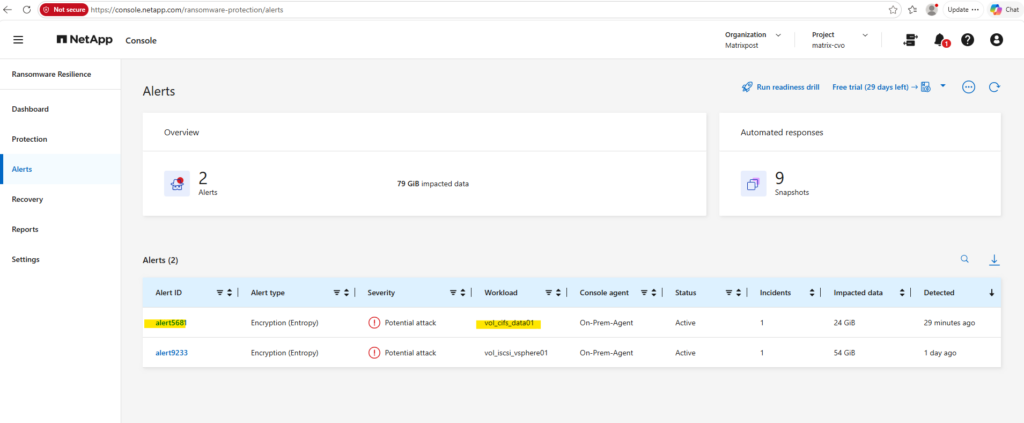
Opening the Alerts page reveals the newly generated ransomware alert in greater detail. The affected workload vol_cifs_data01 is listed with the alert type Encryption (Entropy) and a severity of Potential attack, while the alert remains in the Active state pending further investigation.
NetApp Console also estimates the amount of impacted data and records the detection time, providing administrators with the information required to begin analyzing and responding to the incident.
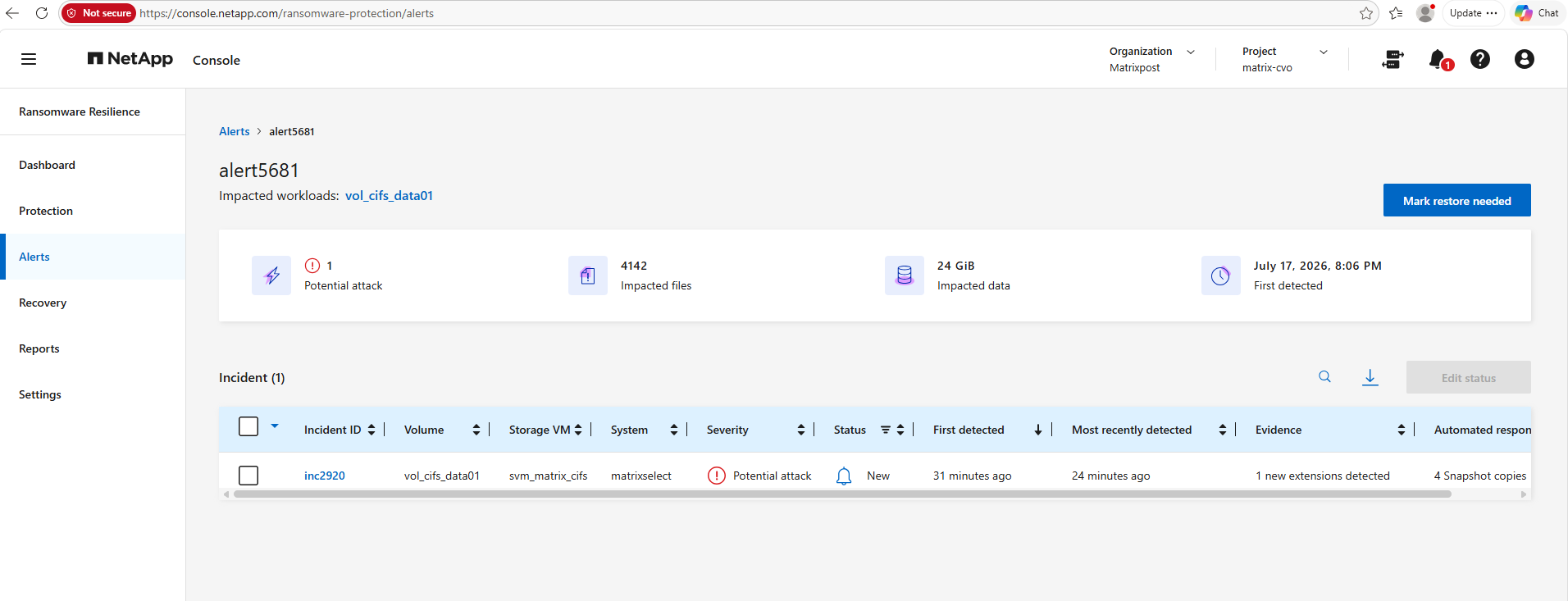
Opening the alert provides additional information about the detected incident.
NetApp Console identifies the affected workload
vol_cifs_data01, reports 4,142 impacted files corresponding to approximately 24 GiB of affected data, and records the time the ransomware activity was first detected. The incident is currently classified as a Potential attack and remains in the New state pending administrator review.
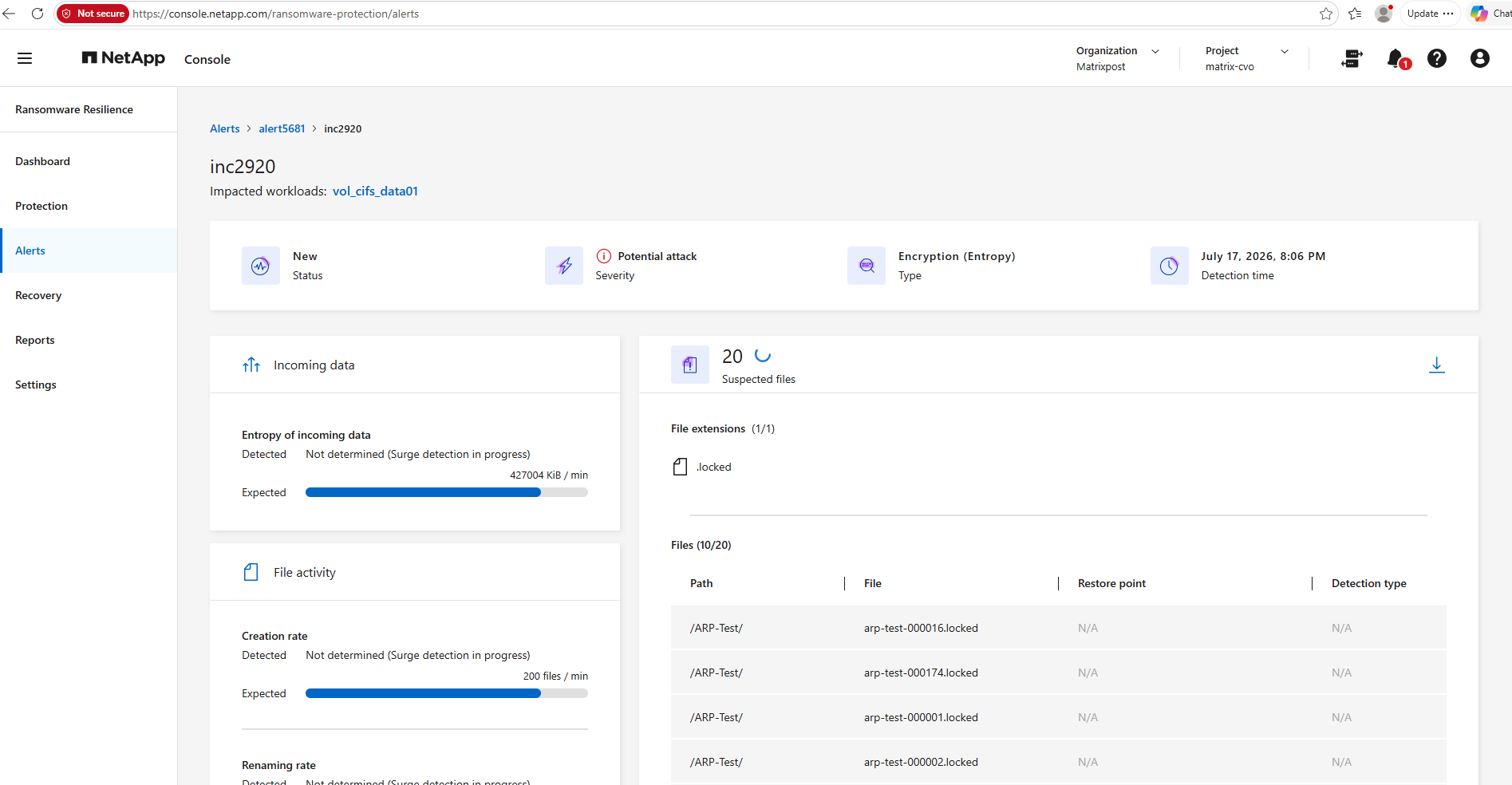
The incident details provide insight into the indicators that contributed to the ransomware detection.
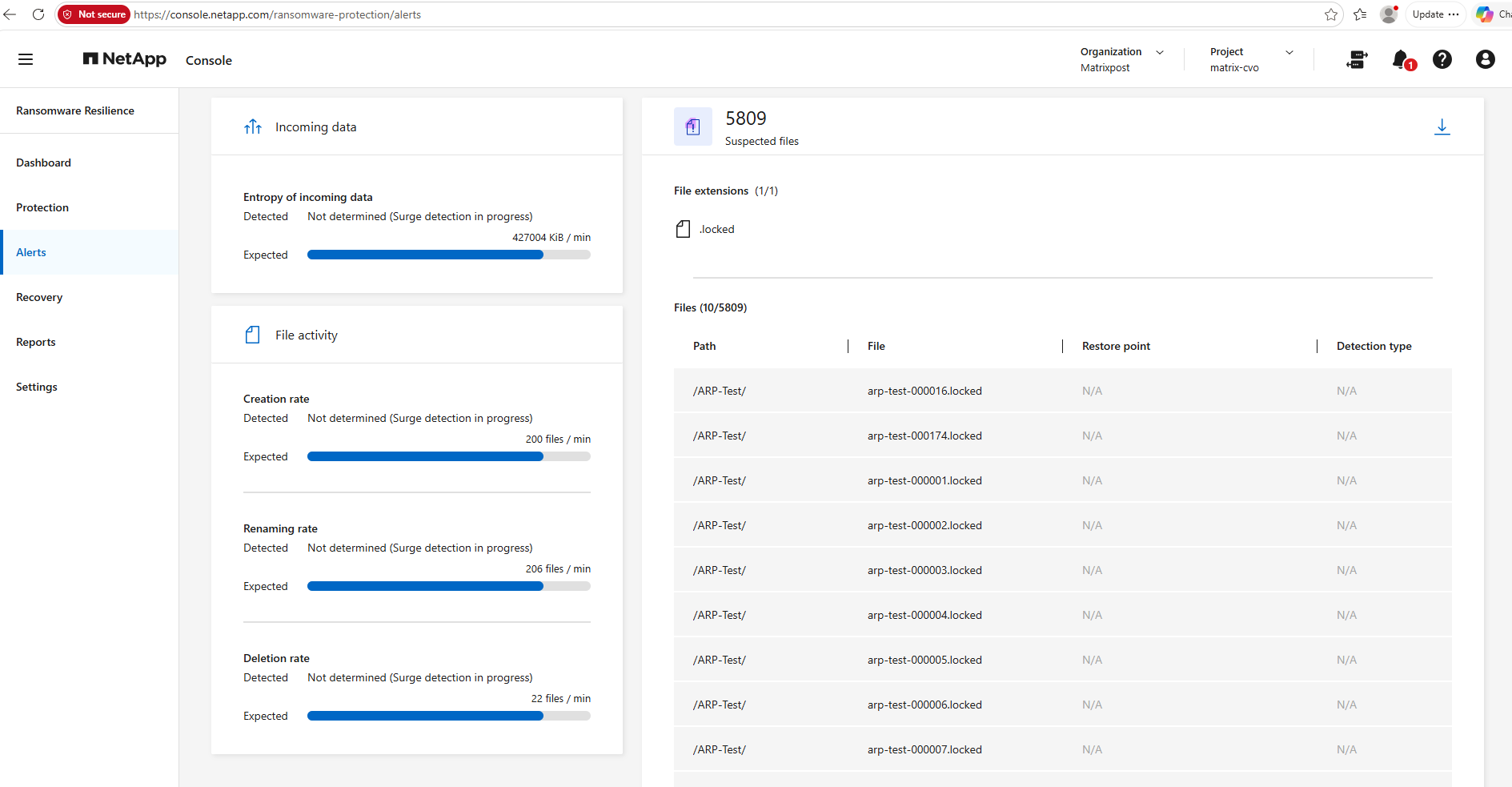
NetApp Console identifies the .locked file extension introduced during the attack, lists representative affected files, and evaluates workload characteristics such as the entropy of incoming data together with file creation and renaming rates. These behavioral indicators are correlated to classify the incident as an Encryption (Entropy) attack and assist administrators during the investigation.
Native ONTAP System Manager also reports the detected ransomware activity for the affected volume.
It highlights the abnormal volume activity, the number of suspected ransomware files, and the workload characteristics used by ARP for detection. While this provides valuable storage-level insight, NetApp Console Ransomware Resilience extends these native capabilities with centralized incident management, detailed forensic information, and orchestrated recovery workflows across protected ONTAP environments.
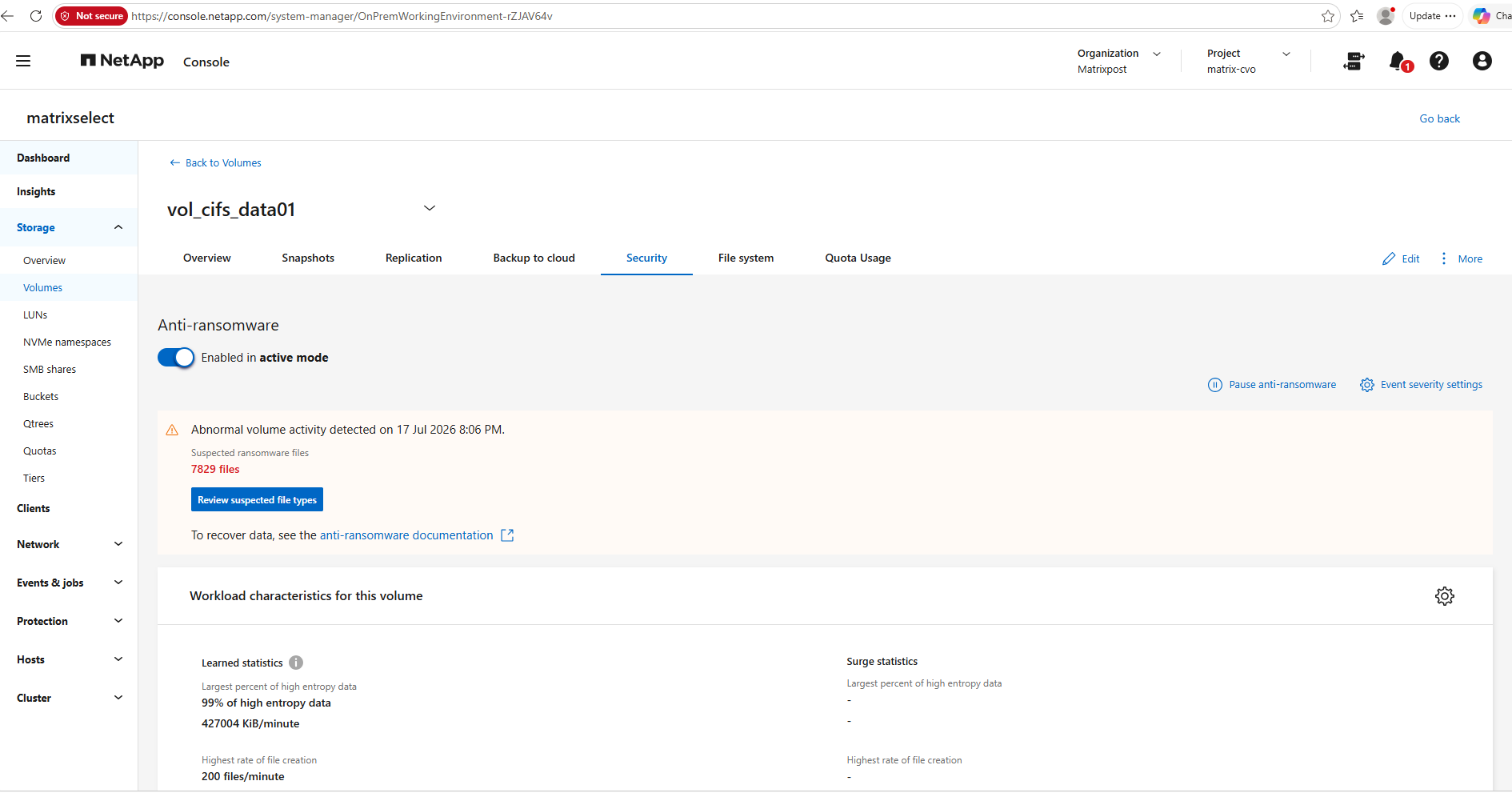
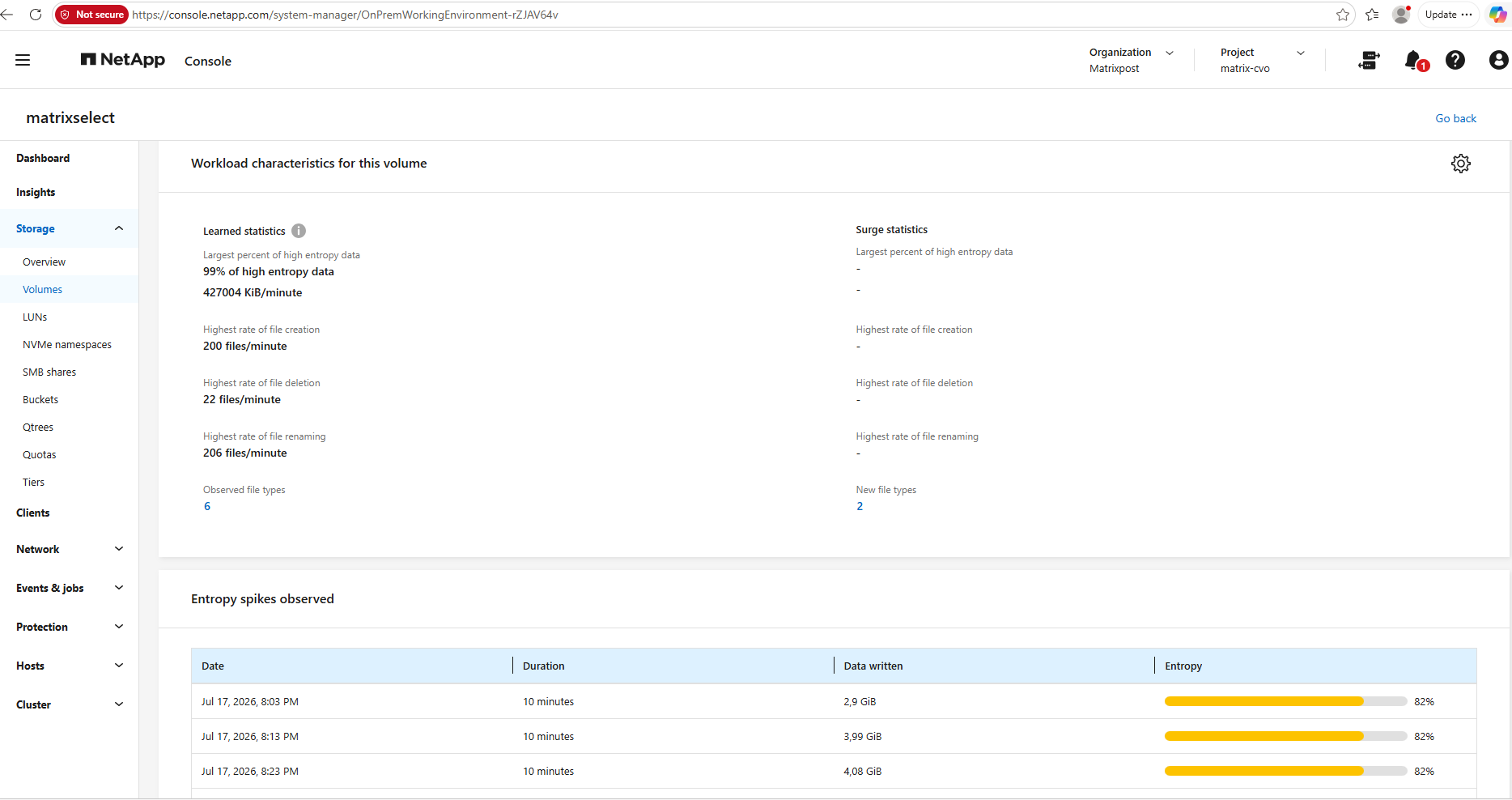
In addition to reporting the detected ransomware activity, native ONTAP System Manager displays the workload characteristics used by ARP during its analysis. These include the percentage of high-entropy data, file creation, deletion, and renaming rates, together with newly observed file types. The Entropy spikes observed section highlights periods of unusually high-entropy writes, providing storage-level insight into the behavioral indicators that contributed to the ransomware detection.
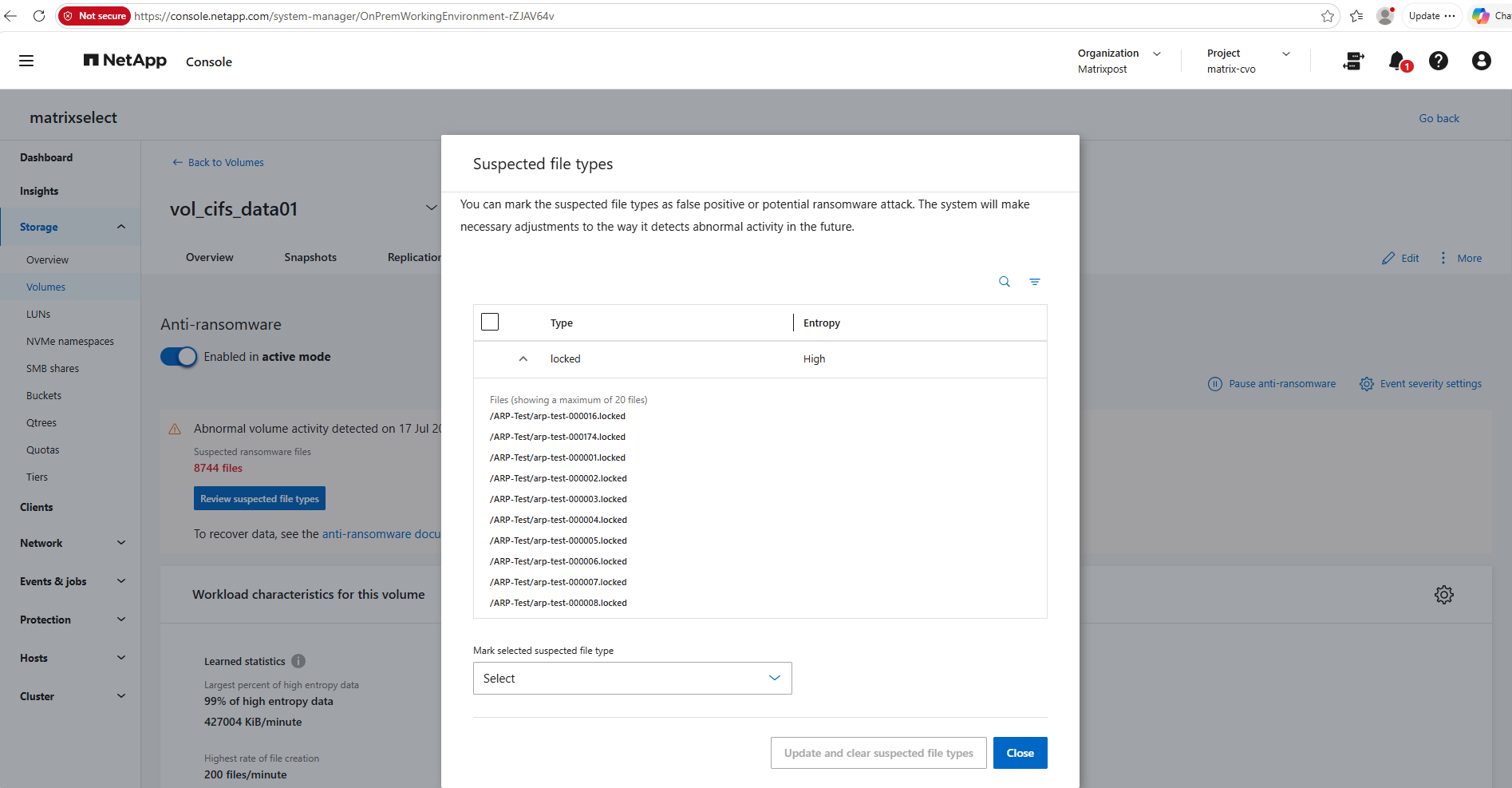
Clicking Review suspected file types opens a detailed view of the file extensions that contributed to the ransomware detection.
In this example, ONTAP identifies the newly introduced .locked extension as having high entropy and lists representative files that were modified during the attack. Administrators can use this dialog to review the detected file types and classify them as either a false positive or a potential ransomware attack, allowing ARP to refine its future detection behavior based on administrator feedback.
Blocking Access to Suspicious File Extensions
As demonstrated in this example, the ransomware simulation continues to overwrite and rename files even after the attack has been detected. This is expected behavior, as native ONTAP Autonomous Ransomware Protection (ARP) focuses on early detection, alerting, and recovery rather than terminating client I/O.
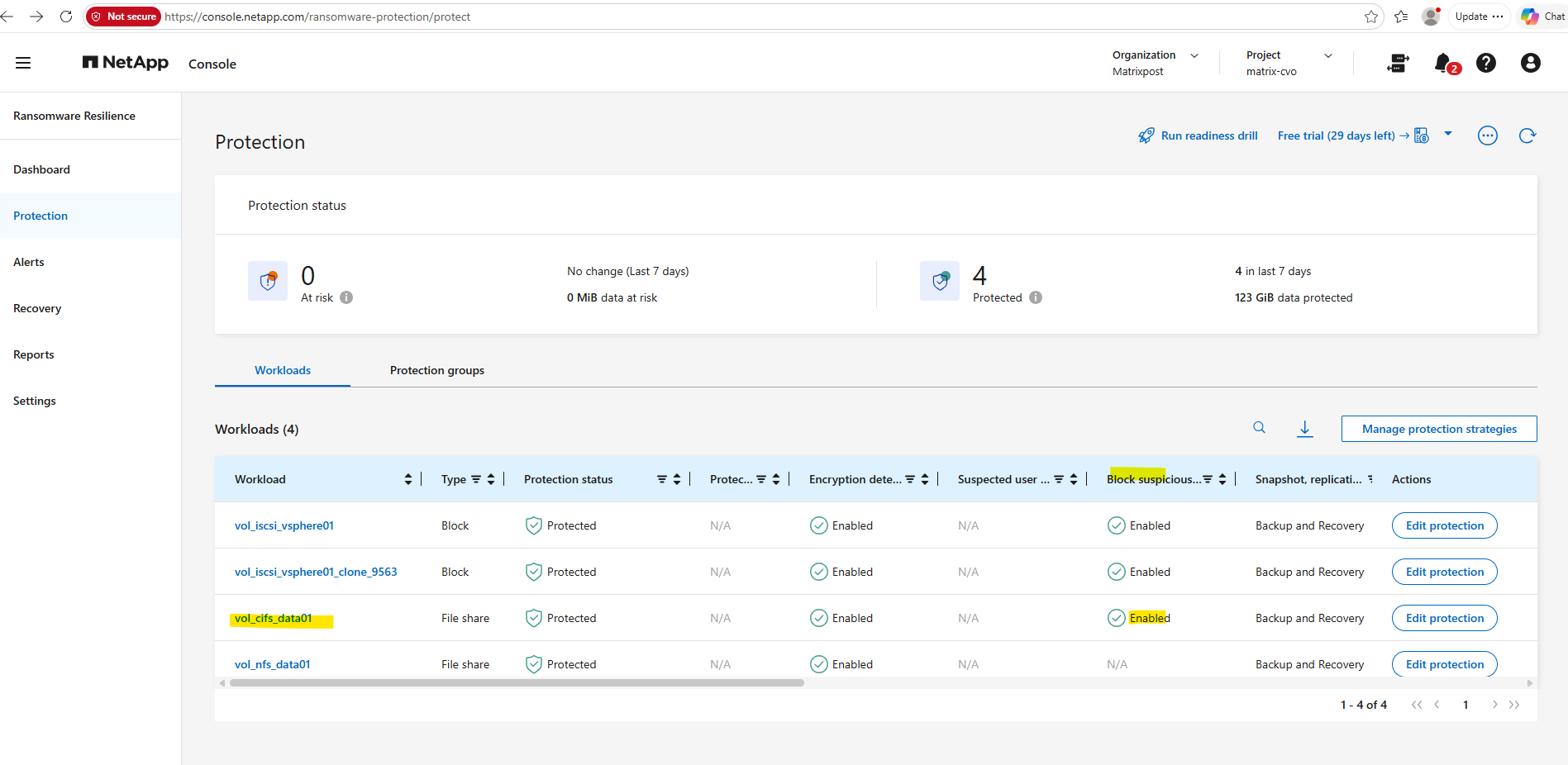
At the time the ransomware simulation was started, Block suspicious file extensions was not enabled for the
vol_cifs_data01SMB/CIFS workload, as shown in the Protection view. As a result, the simulation was initially able to continue renaming files until the feature was enabled during the ongoing attack.
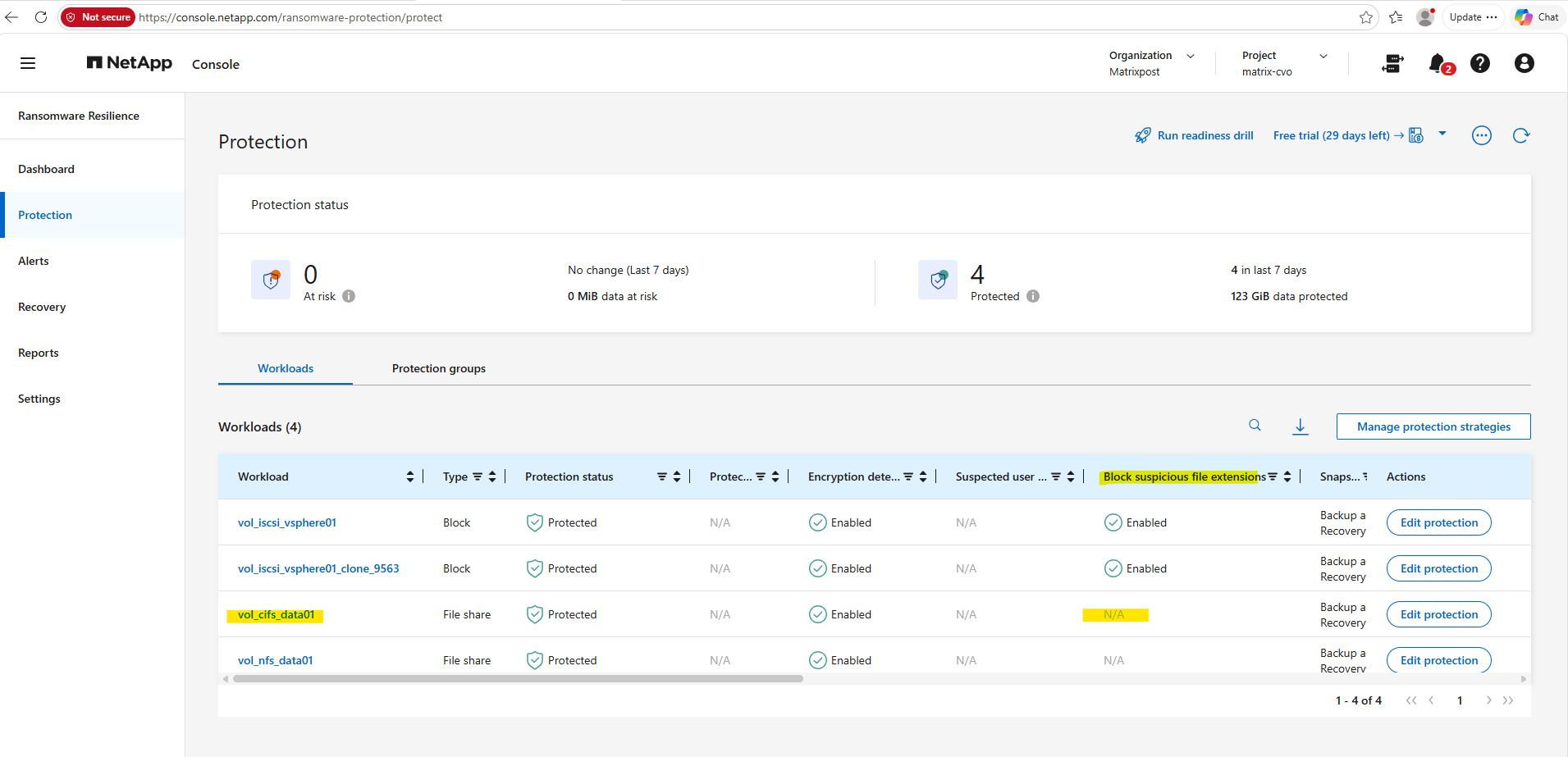
Rather than enabling the feature before starting the attack, Block suspicious file extensions was deliberately enabled during the ongoing ransomware simulation. This made it possible to observe whether the protection was applied immediately and interrupted the remaining file rename operations.
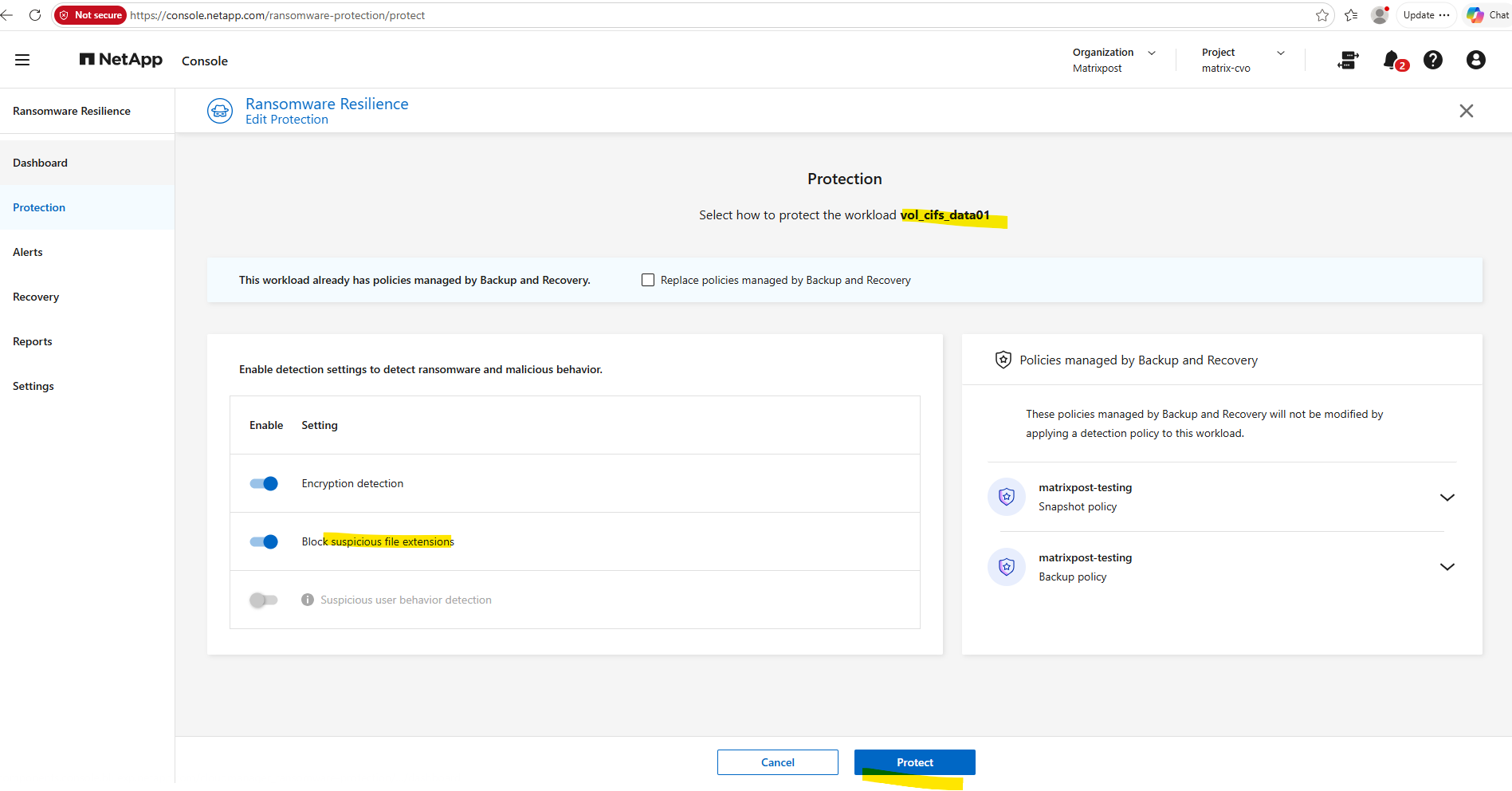
The Block suspicious file extensions feature now is enabled.
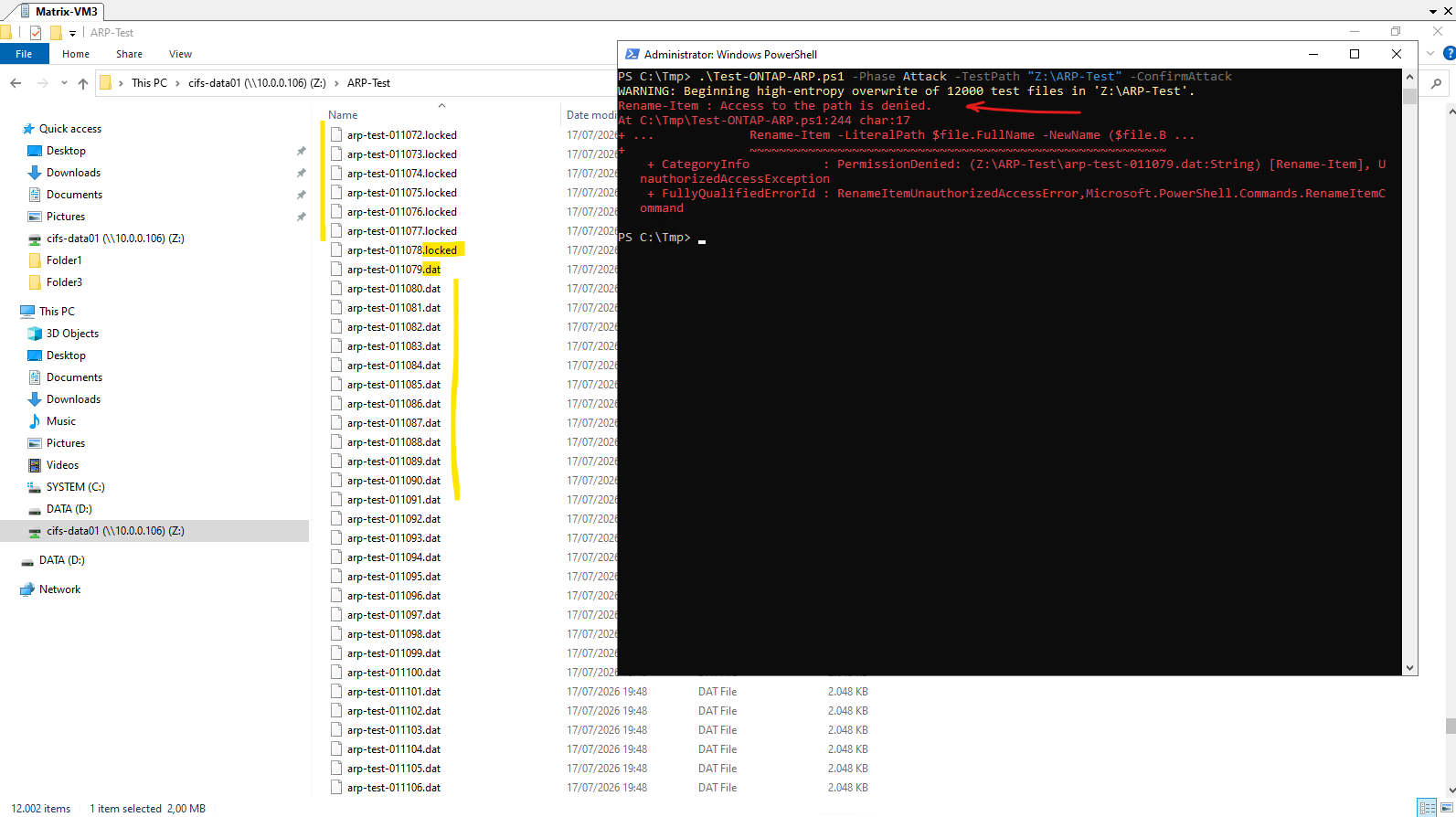
Immediately after enabling Block suspicious file extensions, the ransomware simulation was interrupted.
The attempted rename operation failed with an Access to the path is denied error, leaving the already renamed .locked files unchanged while preventing the remaining .dat files from being renamed. This demonstrates that the protection became effective immediately after enabling it.
As already shown in Part 3 for the SAN workload, after enabling Block suspicious file extensions, ONTAP immediately created a native FPolicy configuration.
Similar to Autonomous Ransomware Protection (ARP), FPolicy is a native ONTAP security feature, while NetApp Console Ransomware Resilience provides a centralized management, monitoring, and orchestration layer that configures these capabilities and presents alerts, recommendations, and recovery workflows through a unified cloud-based interface.
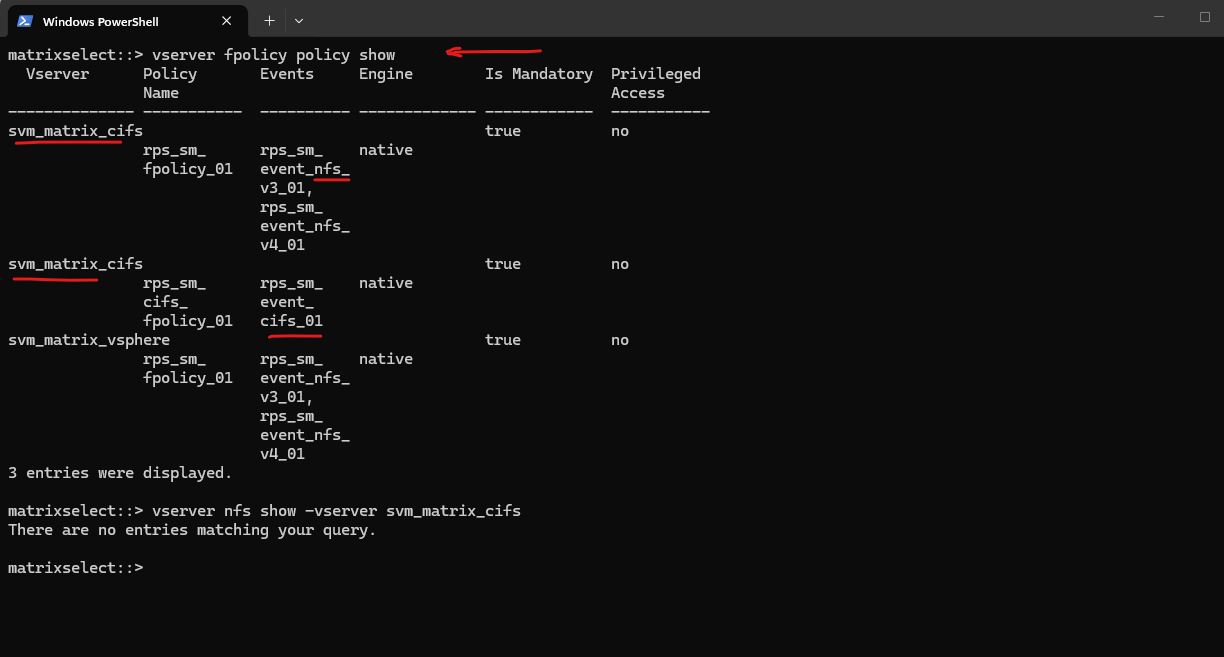
After enabling Block suspicious file extensions in NetApp Console, native ONTAP FPolicy objects are automatically created on the Storage VM.
In my lab, NetApp Console generated protocol-specific FPolicy events for SMB/CIFS as well as NFSv3 and NFSv4. Although the Storage VM was configured exclusively for SMB/CIFS, additional NFS-related FPolicy objects were also created, suggesting that NetApp Console deploys a standardized FPolicy configuration template for NAS workloads.
matrixselect::> vserver fpolicy policy show

# Verify if NFS is enabled on the SVM
matrixselect::> vserver nfs show -vserver svm_matrix_cifs
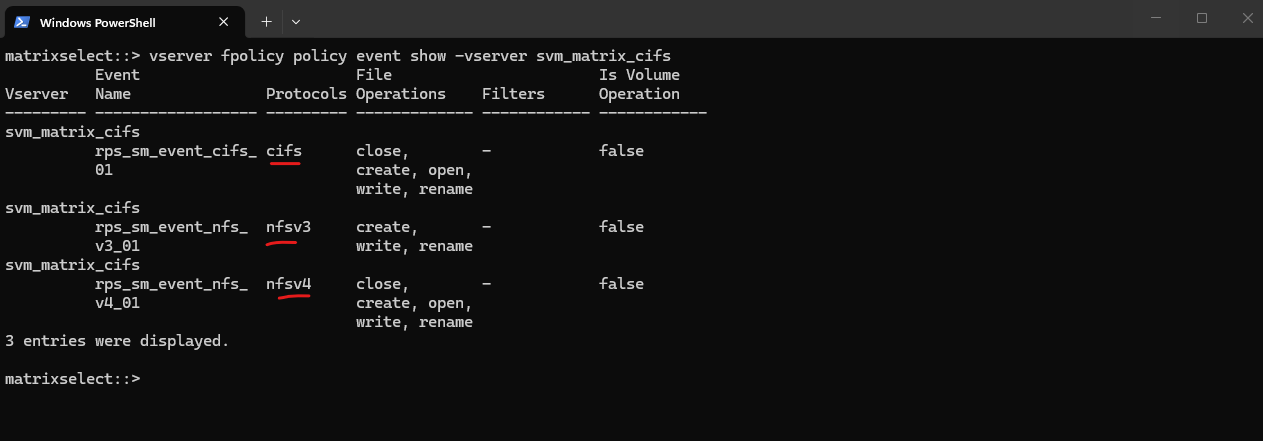
The command below displays the FPolicy events configured on the Storage VM.
Each event specifies the NAS protocol (SMB/CIFS, NFSv3, or NFSv4) and the file operations, such as
open,create,write,rename, andclose, that ONTAP monitors.These events are associated with the FPolicy policies automatically created by NetApp Console when the Block suspicious file extensions feature is enabled.
When one of these operations occurs, the associated native FPolicy engine evaluates the request and, if it matches the configured criteria for suspicious file extensions, blocks the operation and returns an Access Denied error to the client.
matrixselect::> vserver fpolicy policy event show -vserver svm_matrix_cifs
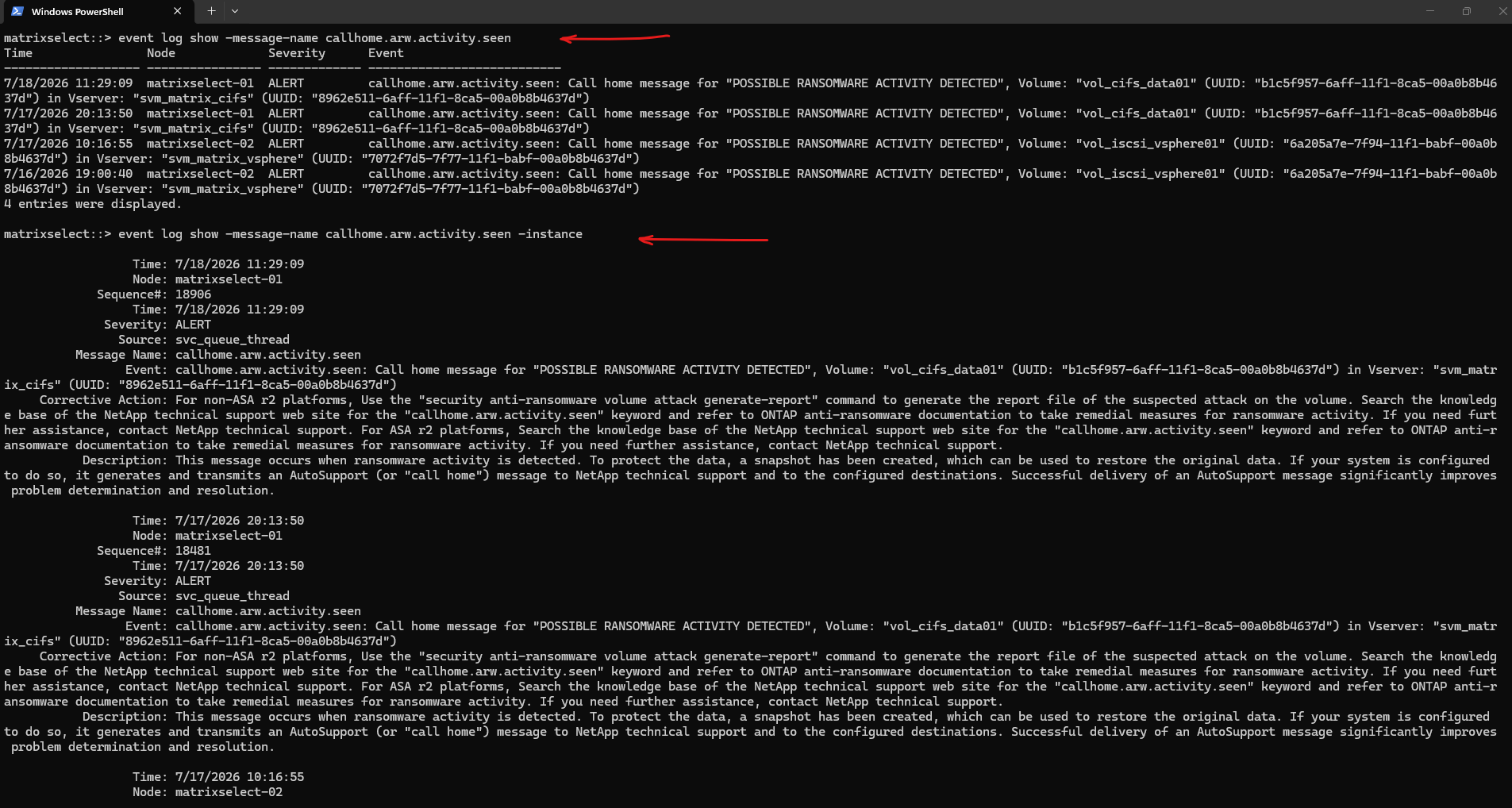
The EMS log generated only the consolidated ransomware detection event (callhome.arw.activity.seen) and no additional EMS event for the Access is denied response received by the SMB client shown above.
ARW = Anti-RansomWare (internal event prefix used in EMS)
callhome.*events indicate that ONTAP has generated an AutoSupport message. If AutoSupport (Call Home) is configured and enabled, ONTAP sends diagnostic information and telemetry related to the event to NetApp Support.The
callhomeprefix identifies EMS events that are associated with ONTAP AutoSupport. These events are logged regardless of whether AutoSupport is enabled. If AutoSupport is configured, ONTAP additionally sends a corresponding Call Home message with diagnostic information to NetApp.Interested in how ONTAP AutoSupport works? My following post covers its architecture, configuration, and operation in detail. https://blog.matrixpost.net/deploying-netapp-cloud-volumes-ontap-part-7/.
Learn how to configure ONTAP EMS email notifications via an SMTP relay https://blog.matrixpost.net/ontap-ems-notifications-configuring-email-alerts-via-smtp-relay/.
Although the event catalog still contains additional arw.* message definitions, including several analytics-related events, these were either marked as deprecated or were not emitted during the attack simulation.
Detailed ransomware analysis, such as entropy information, suspicious file extensions, and attack characteristics, is instead available through ONTAP System Manager and NetApp Console.
The
callhome.arw.activity.seenevent is generated whenever ARP detects suspected ransomware activity on a volume. It is logged with ALERT severity and automatically triggers an AutoSupport call home message to notify administrators of the potential attack.Adding the
-instanceparameter displays the complete event details instead of the default summary, providing additional information about the detected ransomware activity, including the affected volume, Storage VM (SVM), and other event-specific details.
matrixselect::> event log show -message-name callhome.arw.activity.seen
matrixselect::> event log show -message-name callhome.arw.activity.seen -instance
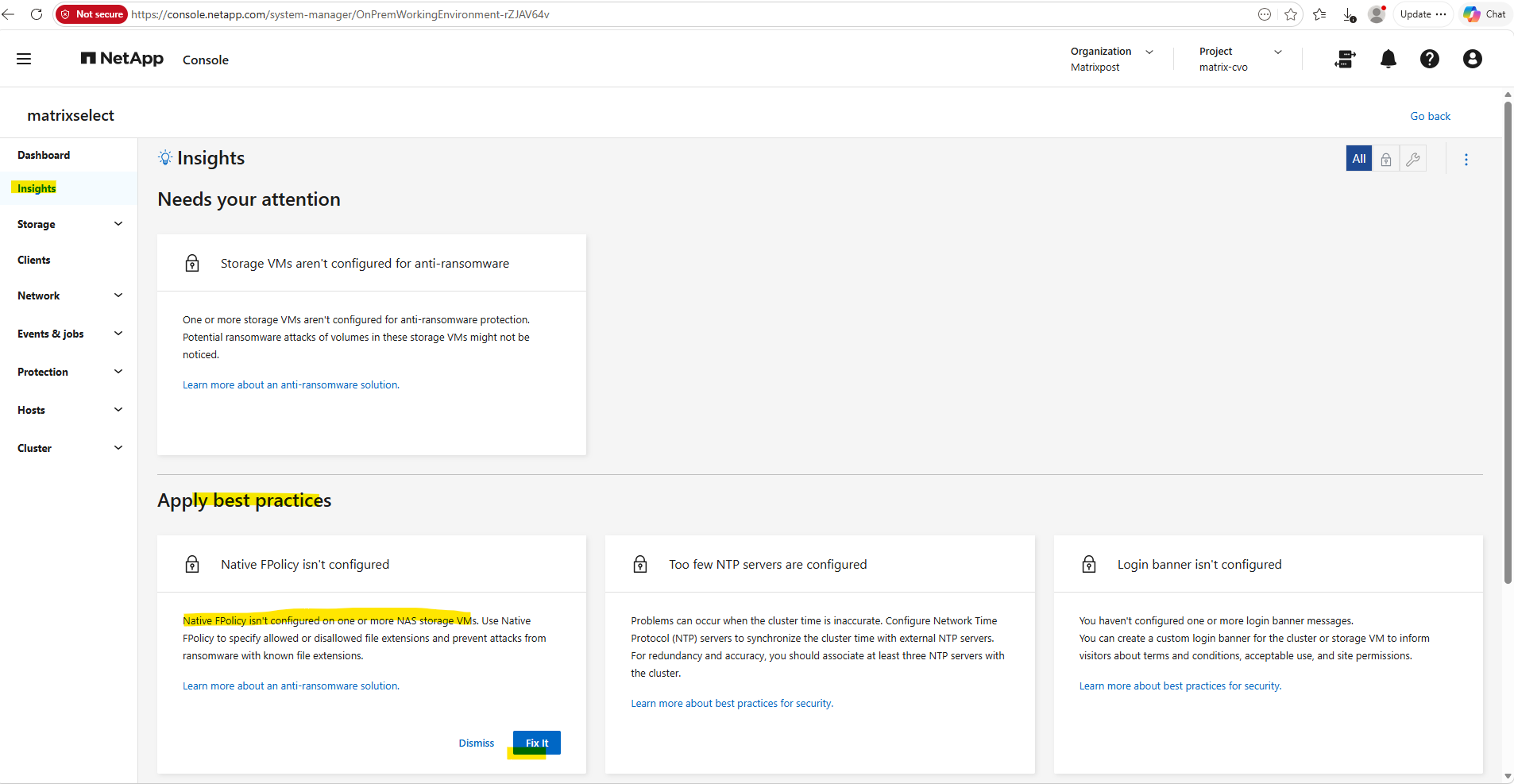
Native FPolicy can also be configured directly in ONTAP System Manager under Insights → Apply best practices. Here, ONTAP identifies Storage VMs that are not yet protected and provides a guided workflow to configure native FPolicy for ransomware protection based on allowed or disallowed file extensions.
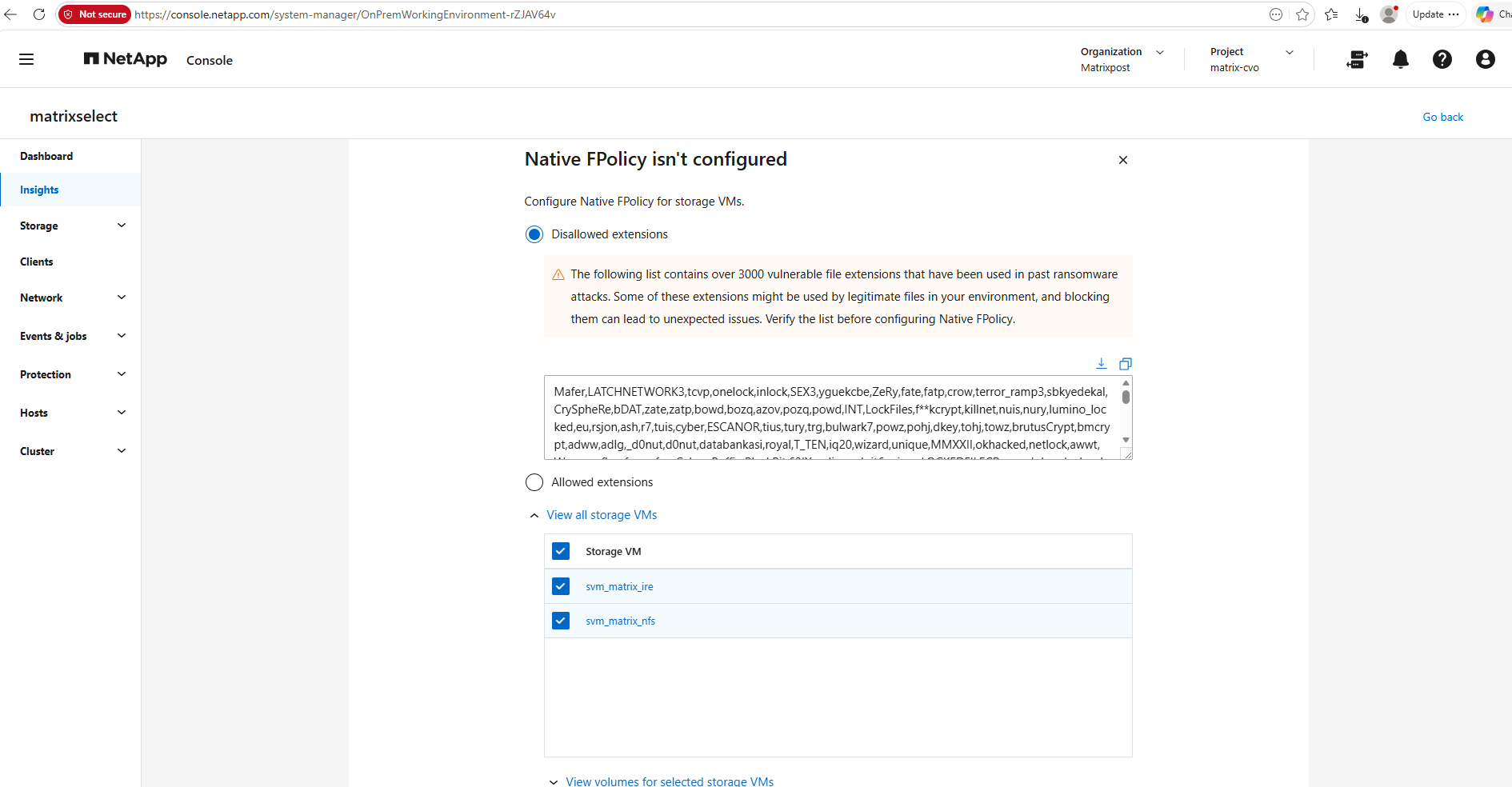
The configuration wizard allows you to define either disallowed or allowed file extensions. By default, it includes a denylist of more than 3,000 known ransomware-related file extensions, which can be reviewed and customized before applying the native FPolicy configuration to selected Storage VMs and volumes.
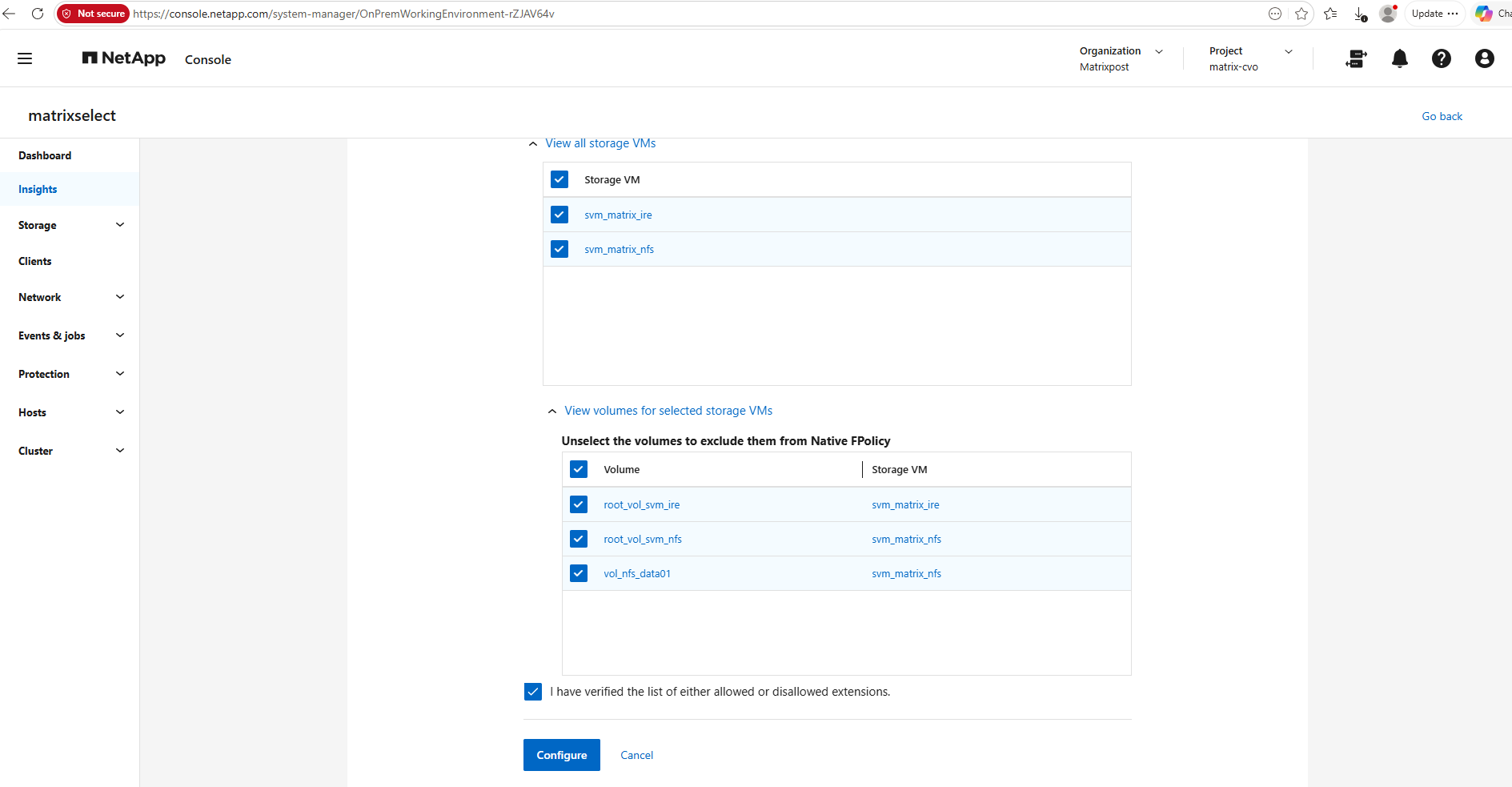
Finally, choose the Storage VMs and volumes that should be protected. All eligible volumes are selected by default, but individual volumes can be excluded if required. After confirming the reviewed list of file extensions, click Configure to deploy the native FPolicy configuration.
Restoring SMB (CIFS) File Workloads
At this stage, the alert is still marked as a Potential attack. Before starting the recovery workflow, I mark the incident as Restore needed, indicating that the workload has been assessed and requires restoration from a known-good recovery point.
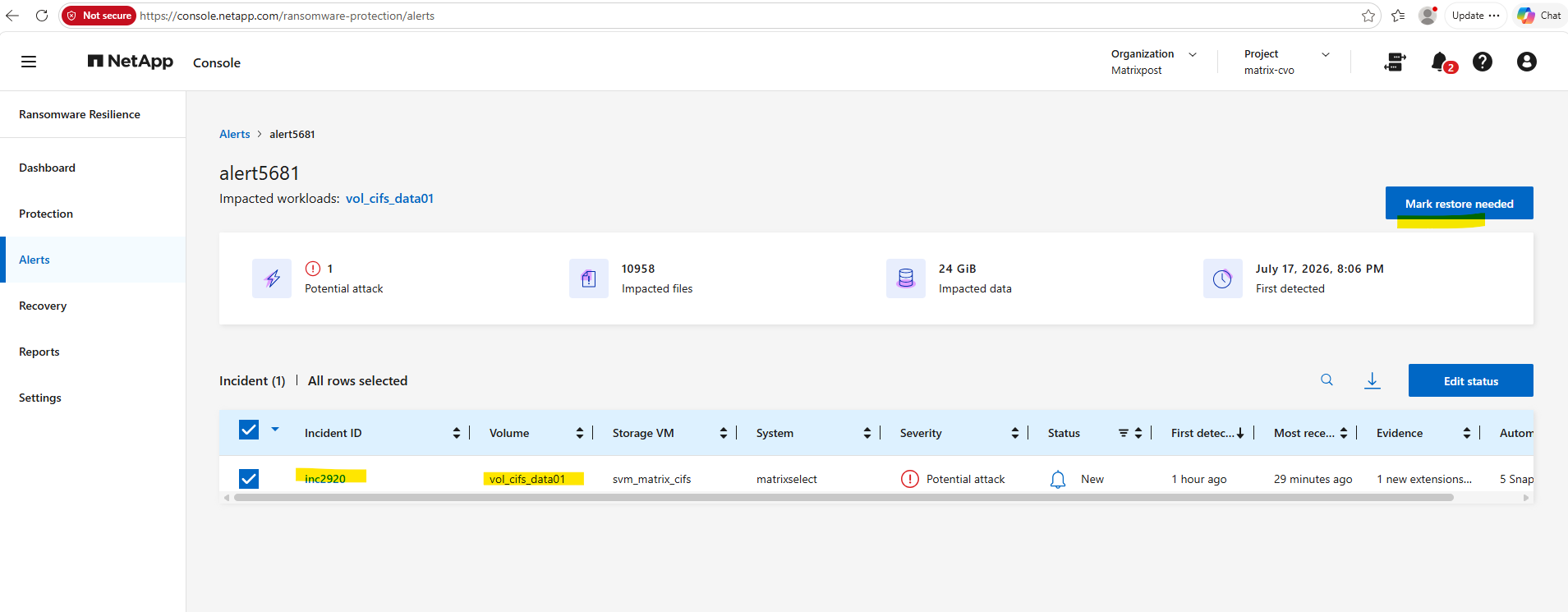
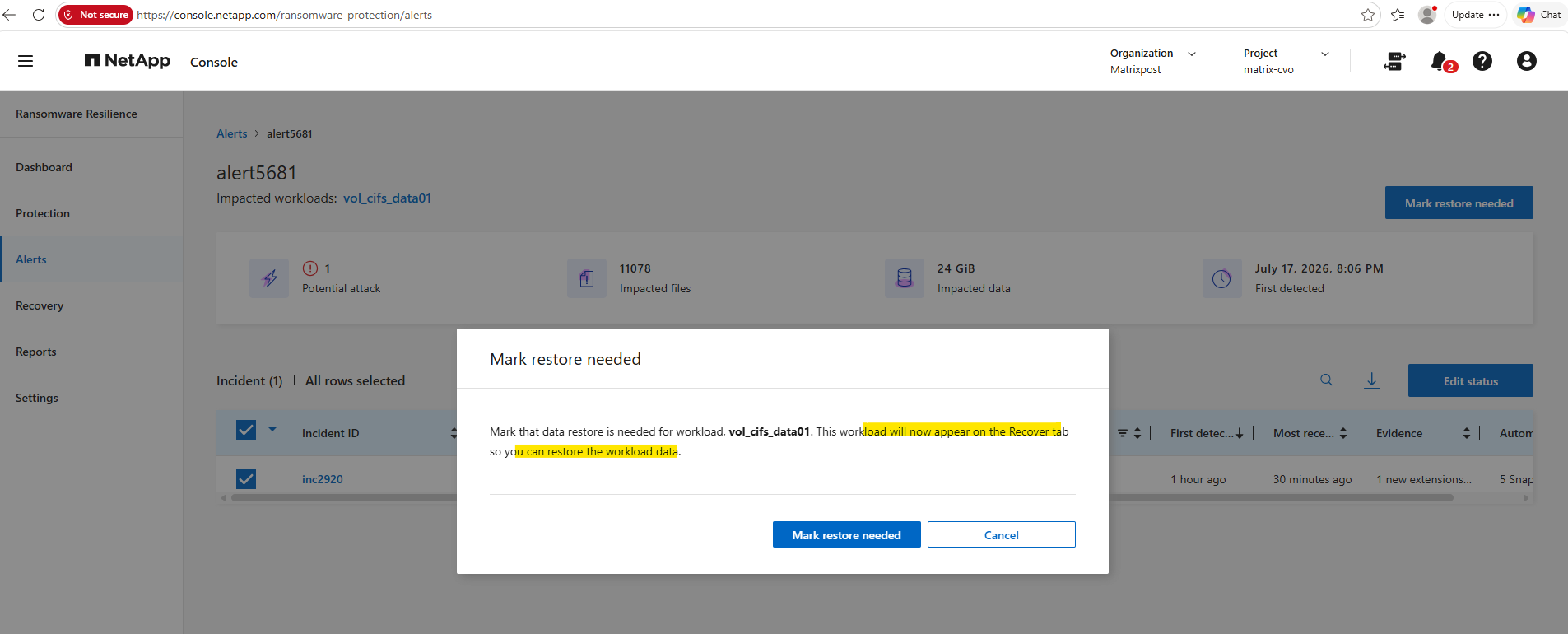
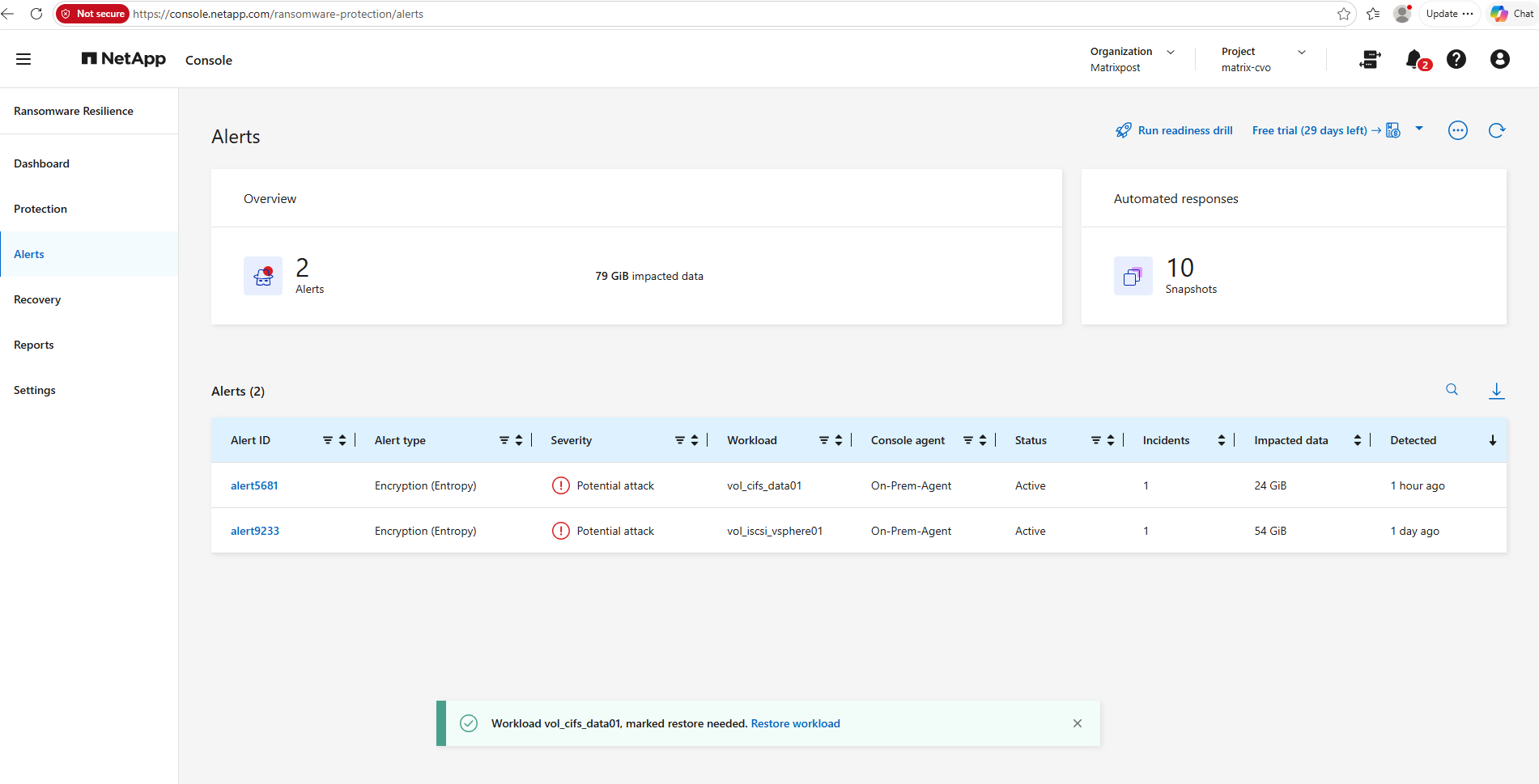
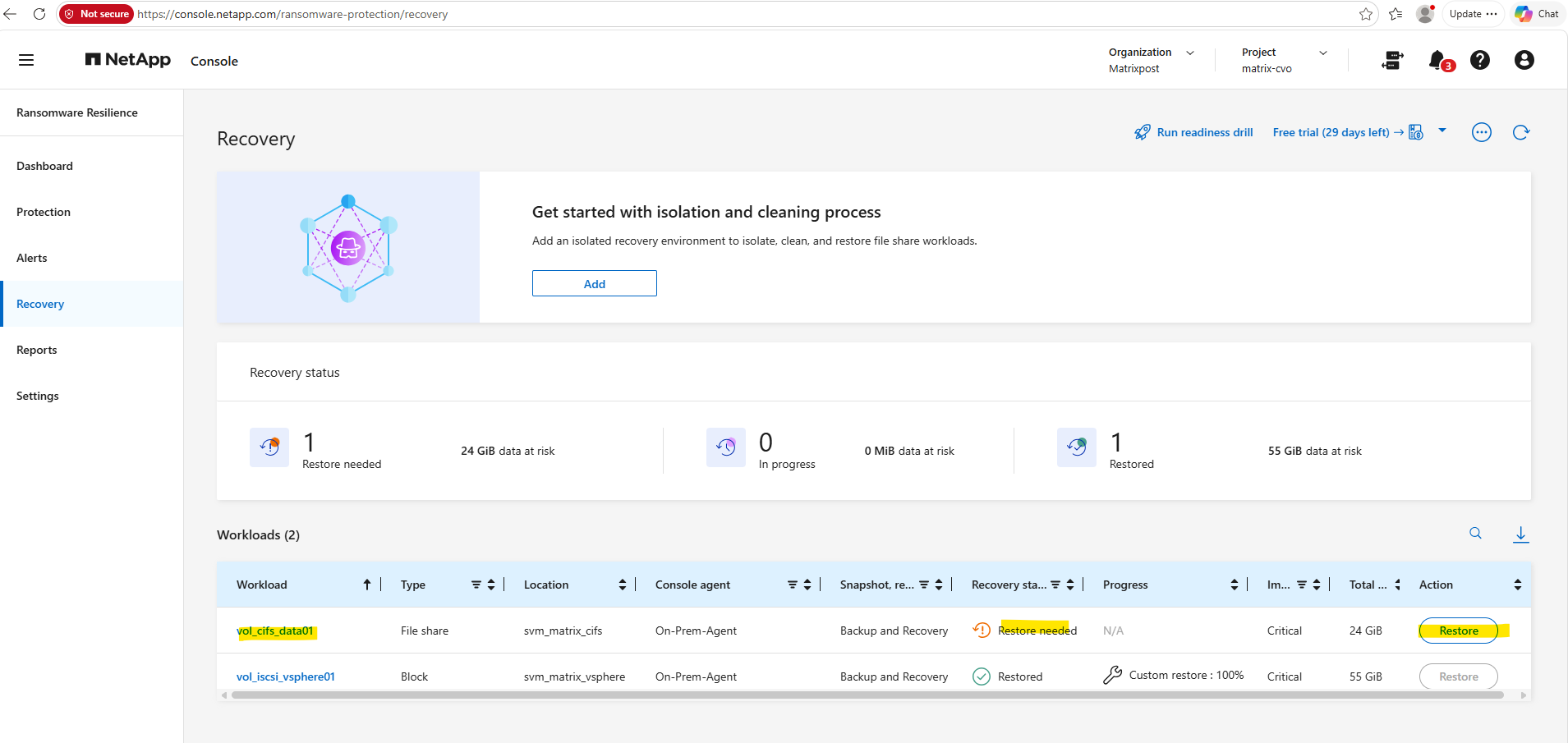
After marking the incident as Restore needed, the affected workload automatically appears on the Recovery page.
The recovery dashboard now shows vol_cifs_data01 with the status Restore needed, while the previously recovered VMware workload remains listed as Restored.
From here, the recovery workflow can be started by clicking Restore for the affected SMB/CIFS workload.
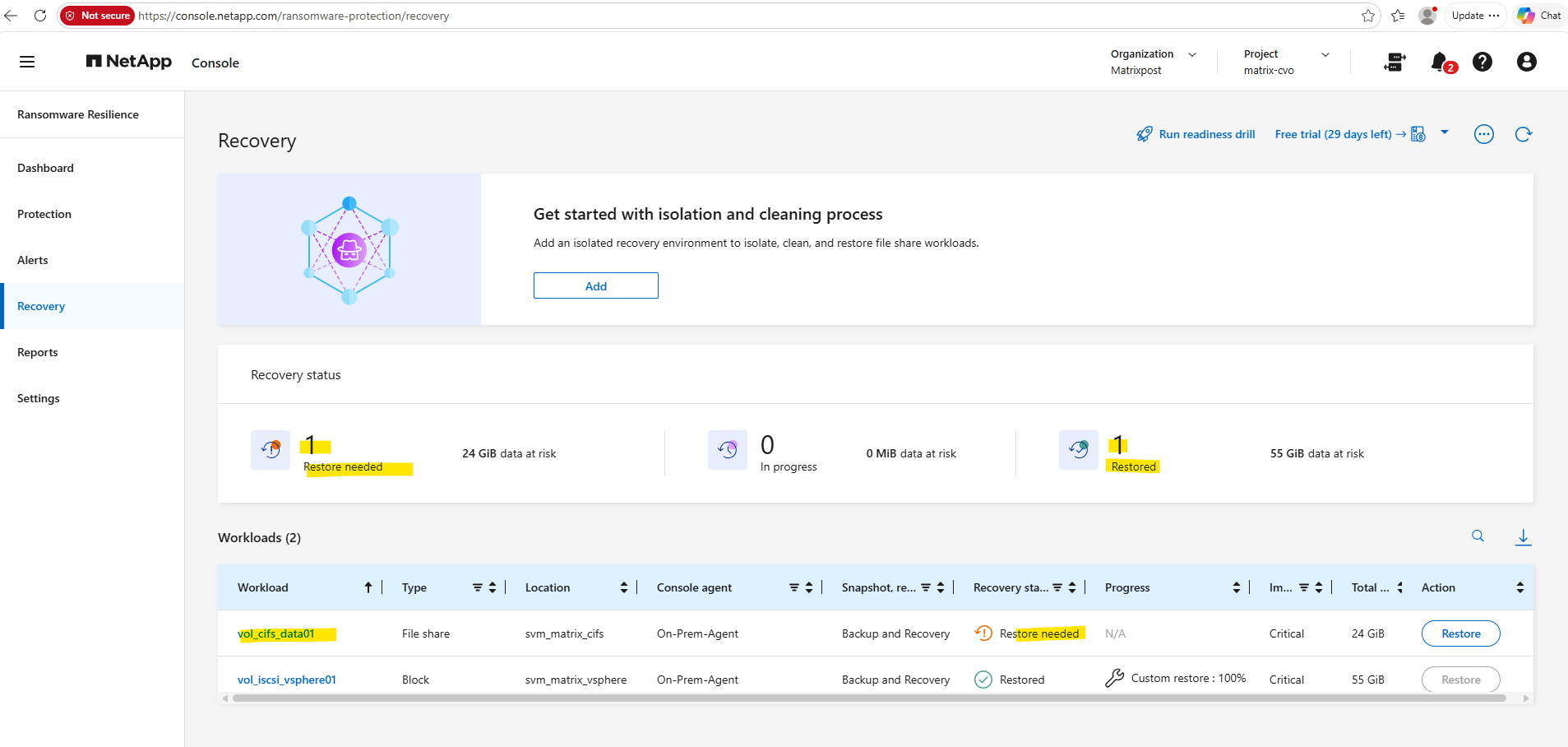
Click on Restore.
After clicking Restore, the first step is to choose the recovery method. Similar to the previous VMware example, Custom restore is available immediately.
Although Clean restore is listed as a Public preview feature, it cannot be selected in this environment because no isolated recovery environment has been configured yet. As indicated by the wizard, an isolated recovery environment must first be added before clean restore workflows can be used to scan and sanitize workloads prior to recovery.
It is also worth noting that, listed here, neither ONTAP Select, the platform used in my lab nor Azure Cloud Volumes ONTAP (CVO) currently support isolated recovery environment (IRE) deployments or Clean Restore operations.
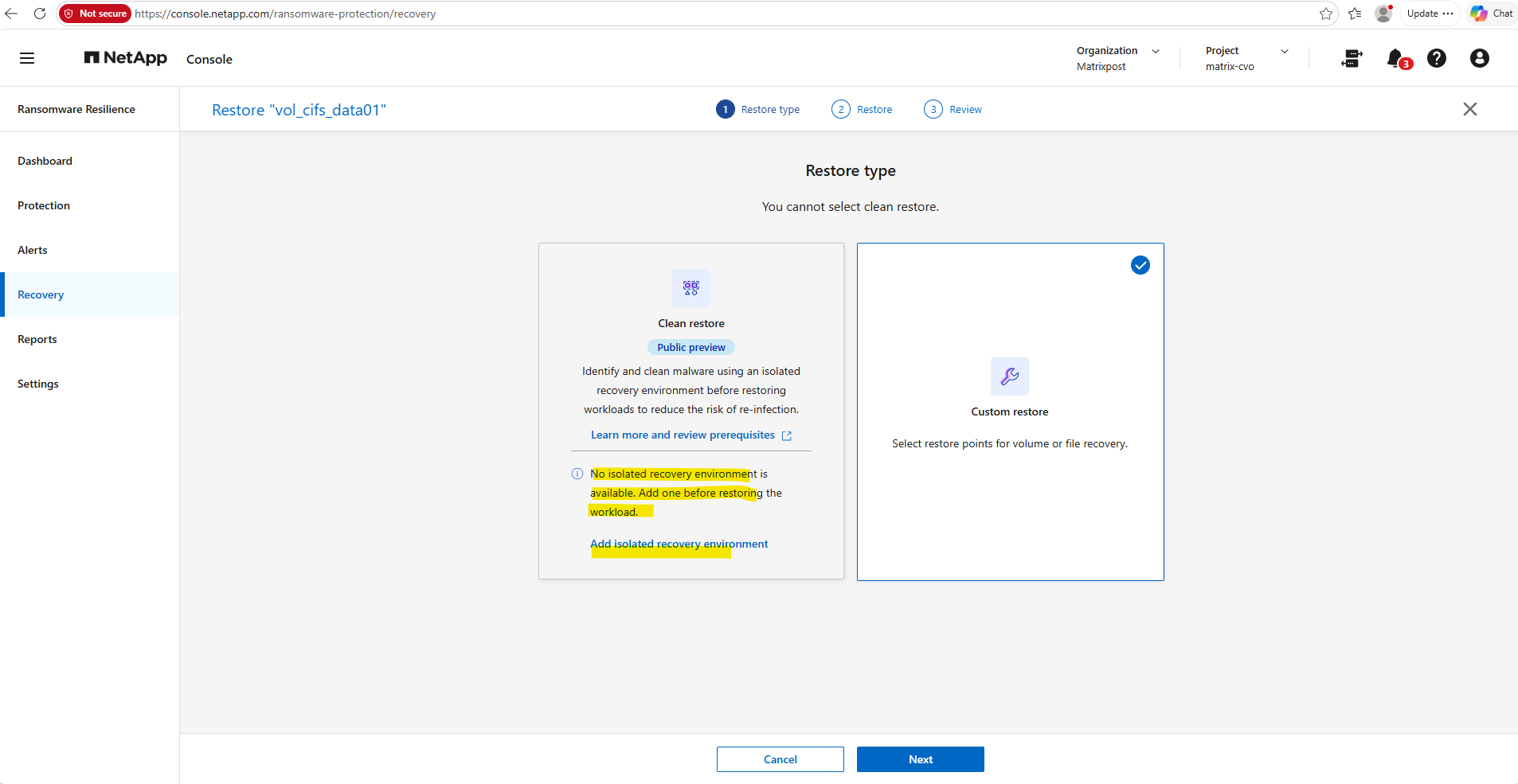
In the following example, we’ll use the Custom restore workflow to recover the affected SMB/CIFS workload from a selected snapshot. Although NetApp Ransomware Resilience also provides a Clean restore workflow using an isolated recovery environment (IRE), this feature is currently not supported for ONTAP Select, which is the storage platform used in this lab.
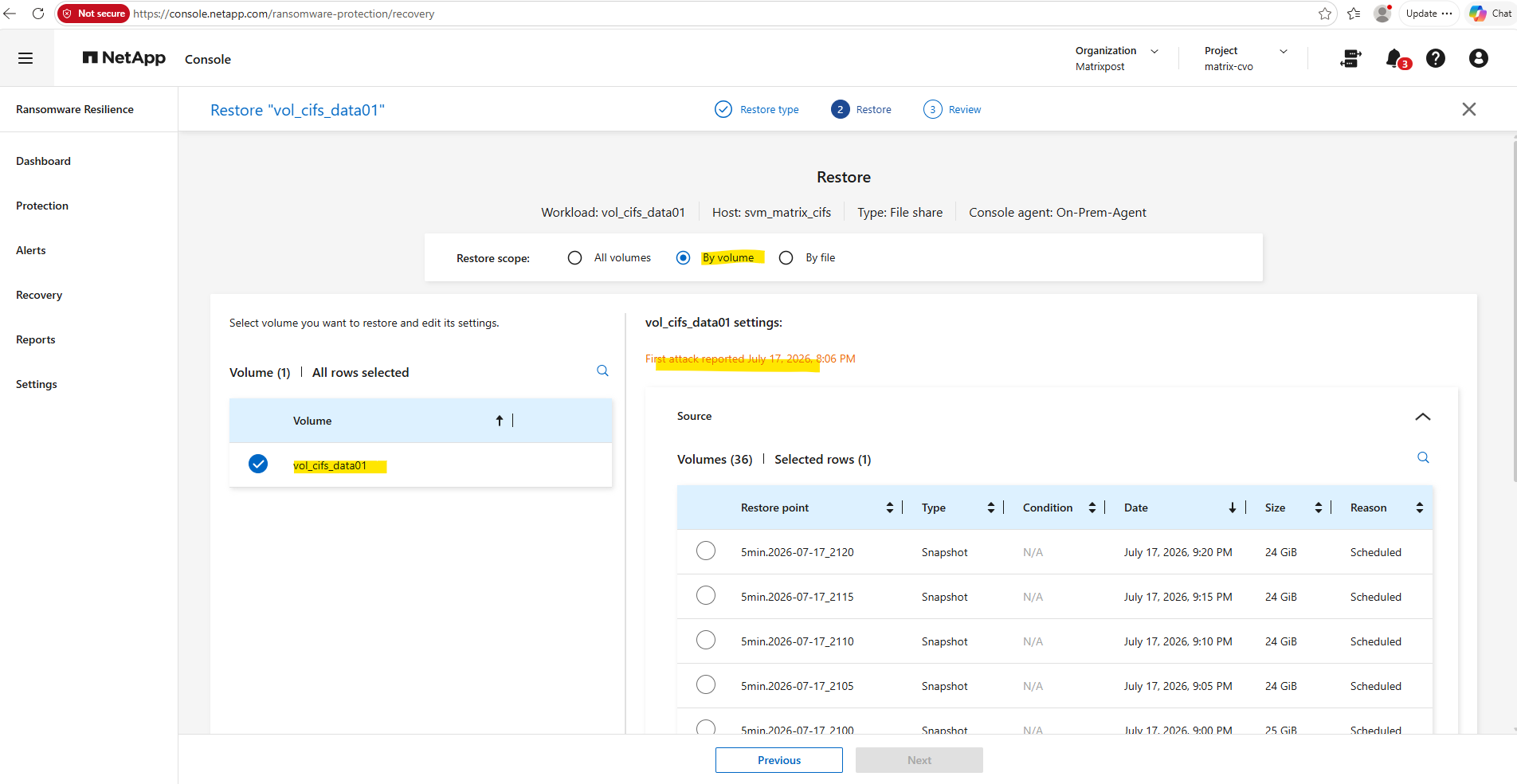
In this example, the restore scope is set to By volume, which restores the entire affected volume to a selected point in time. NetApp Console also displays the first detected attack time (July 17, 2026, 8:06 PM), making it easier to choose a restore point that predates the ransomware activity and therefore contains only unencrypted data.
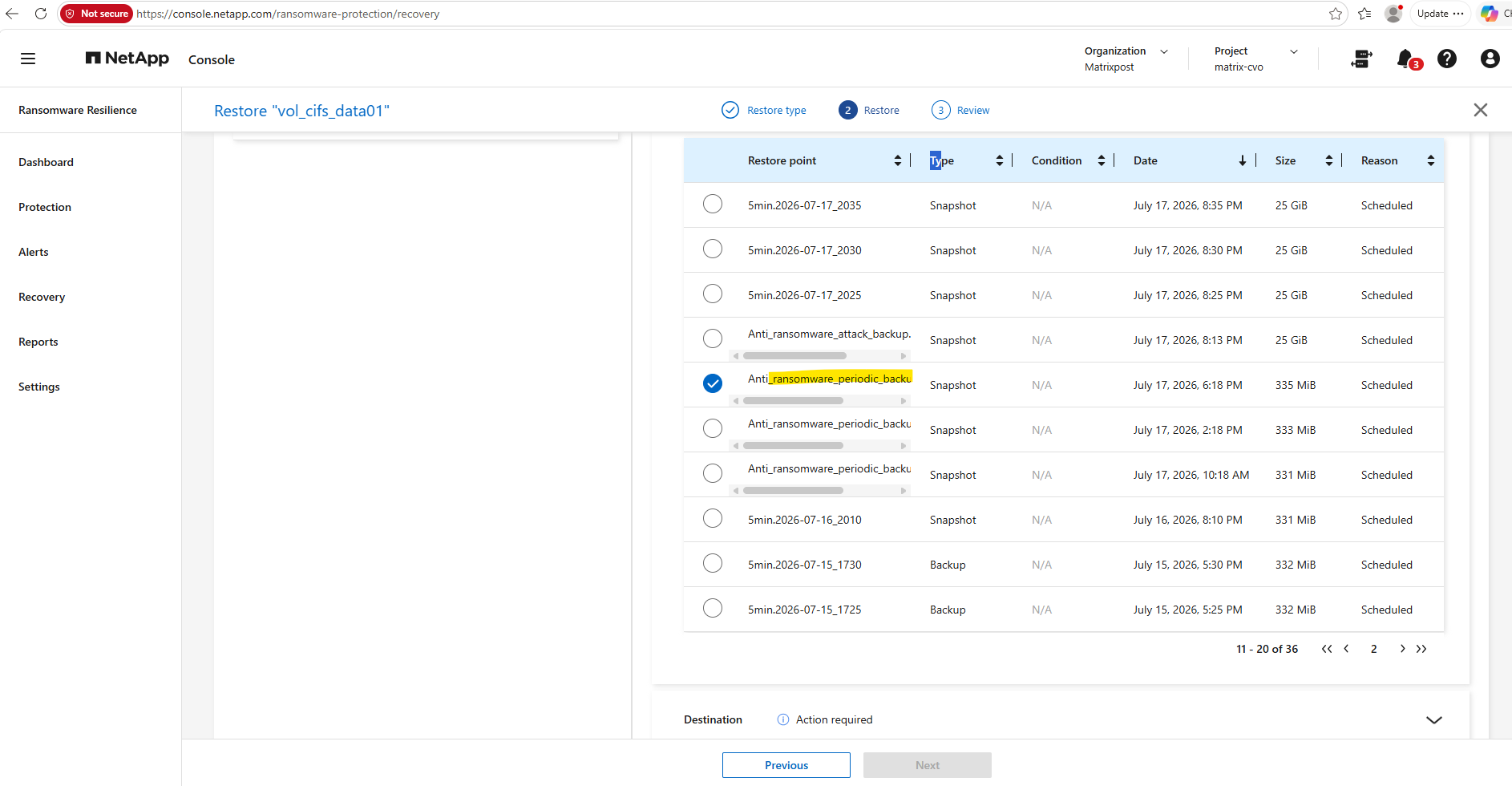
I will choose the Anti_ransomware_periodic_backup snapshot created at 6:18 PM as source. This restore point was created well before the ransomware activity was first detected at 8:06 PM, providing a known clean recovery point while still minimizing the amount of data that must be recreated after the restore.
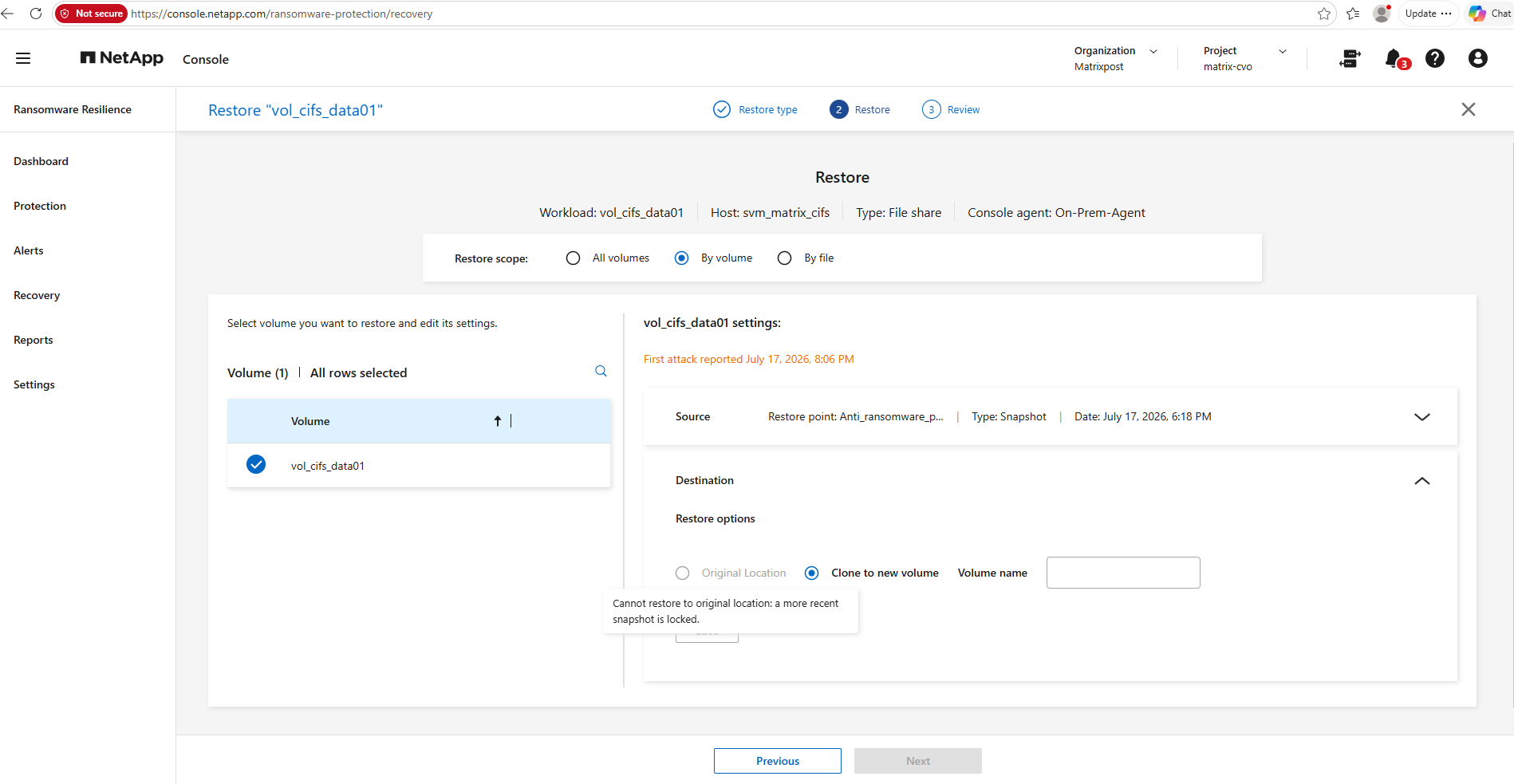
As with the previous VMware SAN recovery example, restoring directly to the original location is not available. Instead, the workload must be restored by selecting Clone to new volume, allowing the recovered data to be validated before replacing the original workload.
When selecting for the restore scope By file.
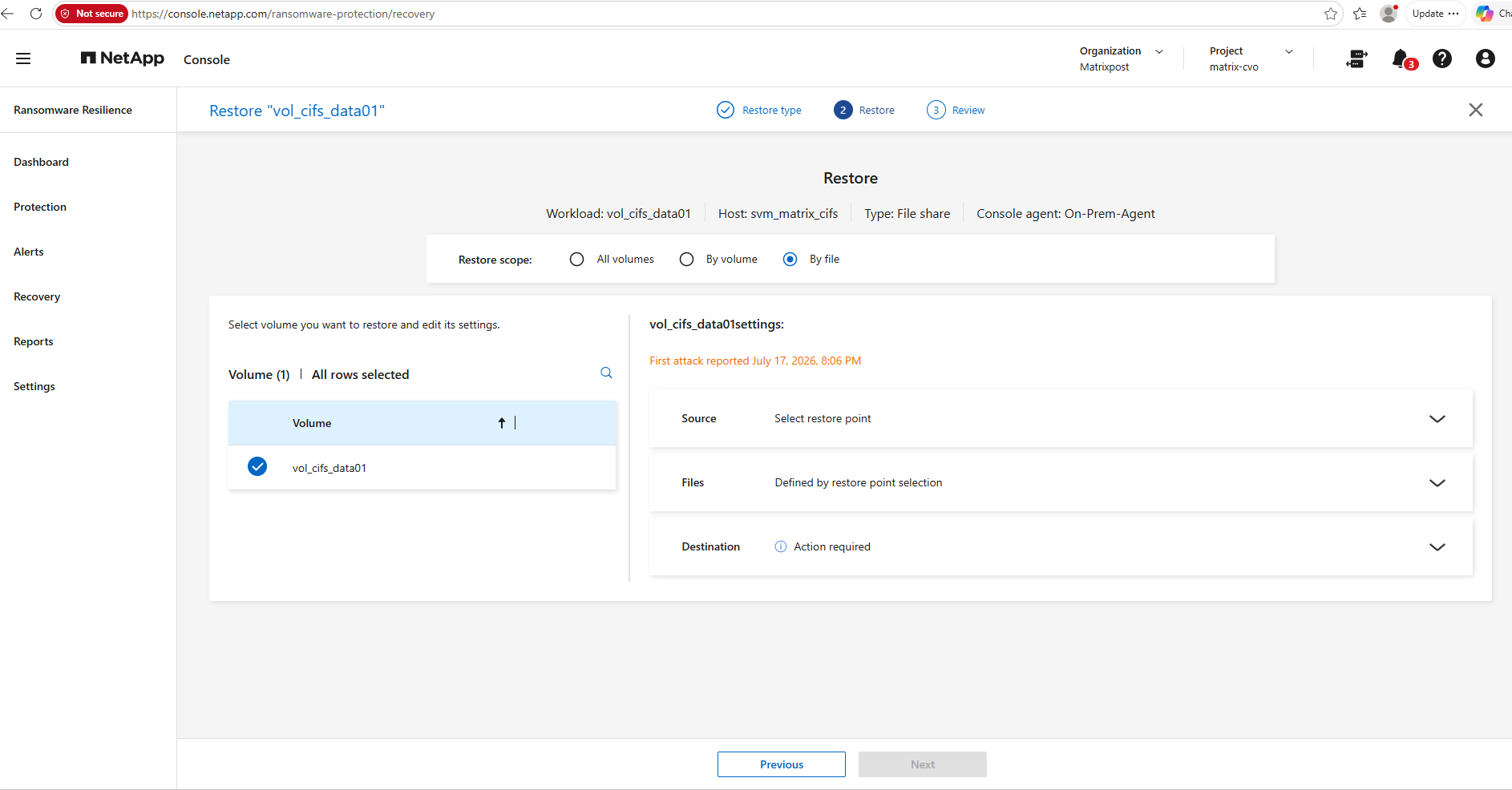
By file recovery is selected, allowing individual files or directories to be restored instead of the complete volume.
The restored files can either overwrite the originals at their existing location or be recovered to an alternate location, providing greater flexibility when only a subset of the data has been affected by the ransomware attack.
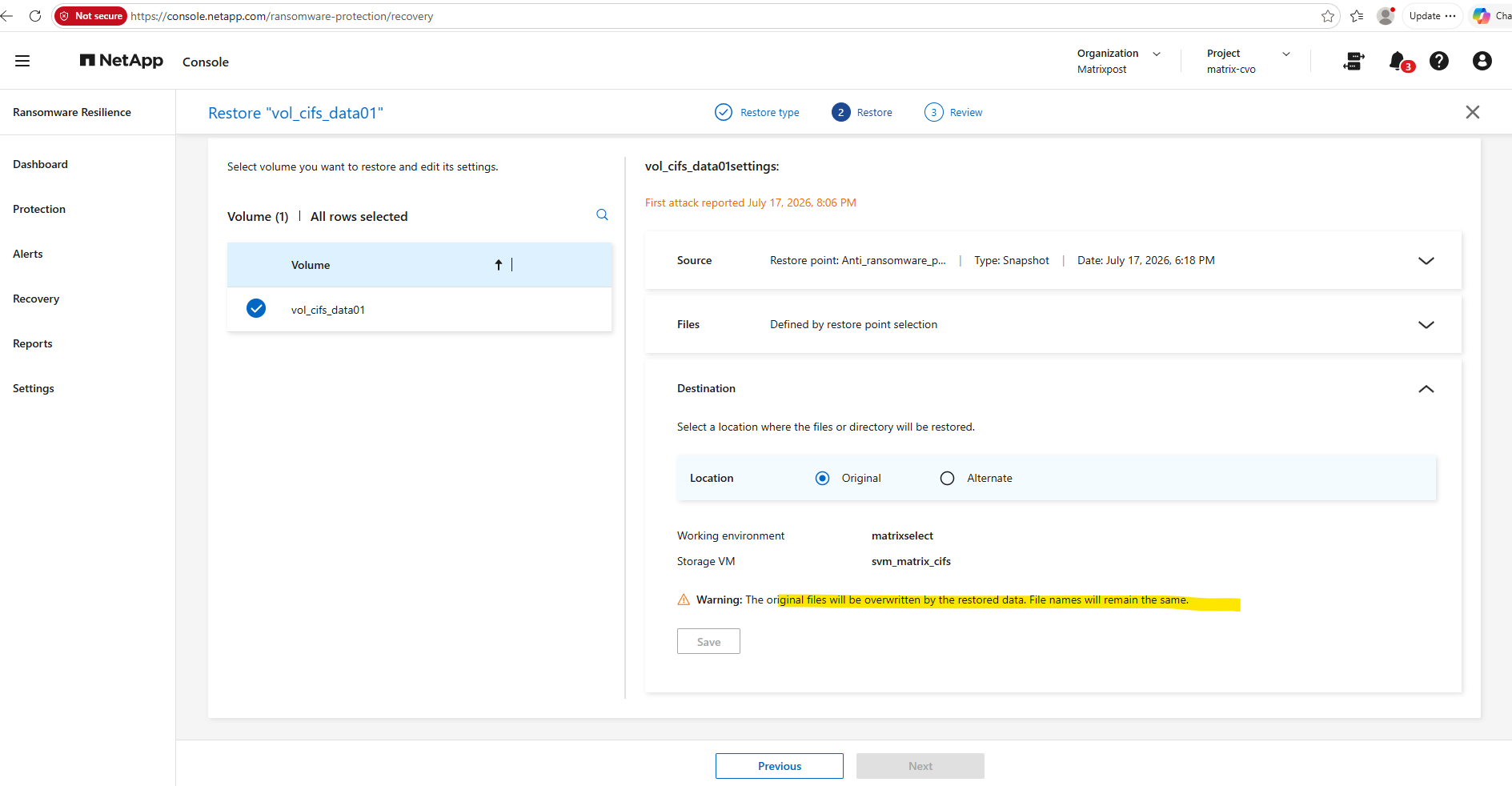
From this point onward, the restore wizard is largely self-explanatory. Regardless of whether you choose to restore an individual file or an entire volume, the remaining steps guide you through selecting the recovery point, reviewing the restore configuration, and starting the recovery operation.
Supported Systems for the Isolated Recovery Environment
Before configuring an isolated recovery environment (IRE), verify that your source storage platform is supported. At the time of writing, NetApp Ransomware Resilience supports clean restore operations for the following storage systems:
- On-premises NetApp AFF and FAS systems
- Cloud Volumes ONTAP (CVO) with AWS
- Amazon FSx for NetApp ONTAP
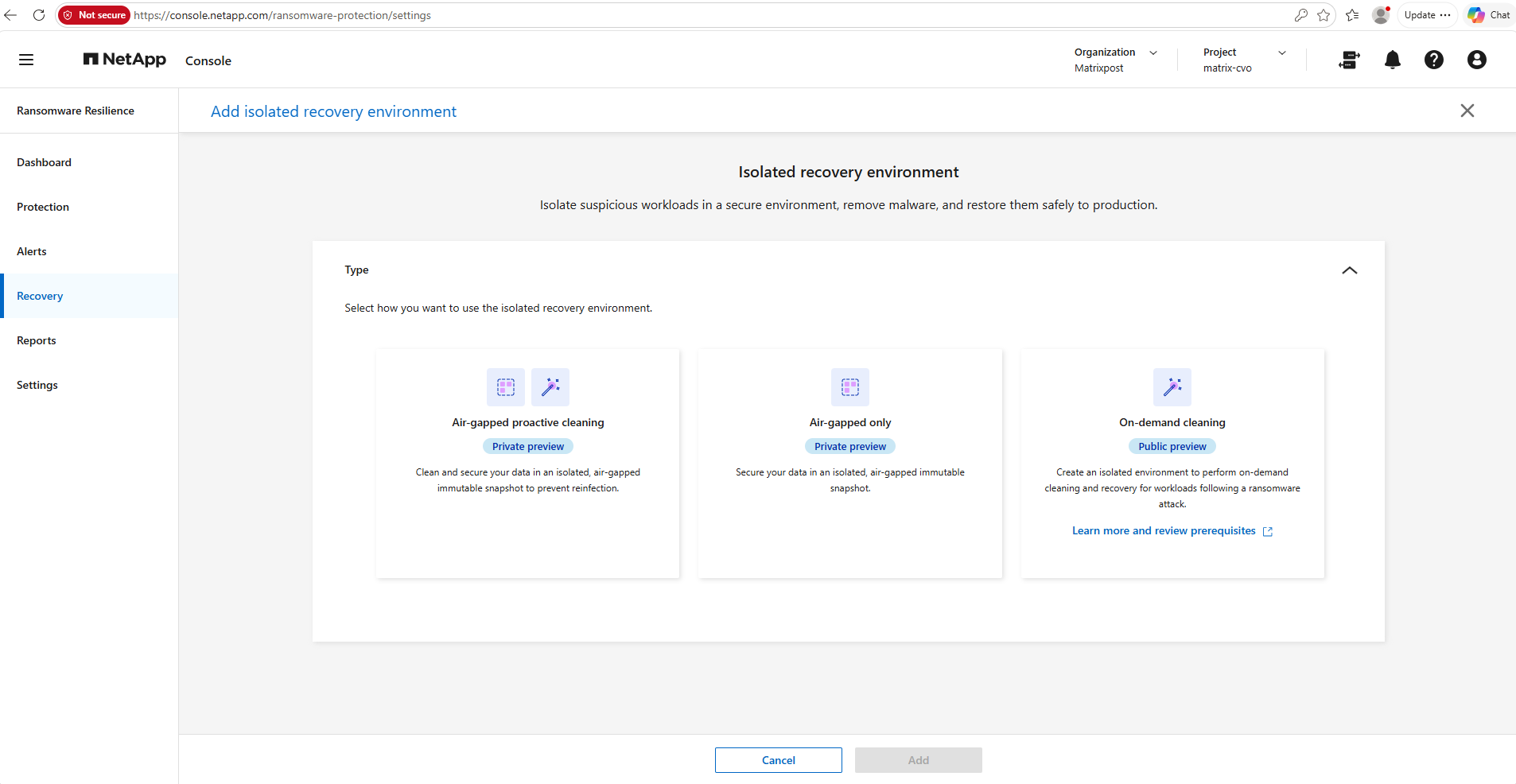
Other ONTAP platforms, including ONTAP Select and Azure CVO, are currently not supported for isolated recovery environment (IRE) deployments and clean restore operations.
Note: Although the Isolated Recovery Environment (IRE) wizard is available for an ONTAP Select cluster in NetApp Console, ONTAP Select is currently not a supported storage platform for this feature.
In my lab, the deployment failed during the Validating CRR VMs validation step and the isolated recovery environment remained in an Error state.
Links
Learn about NetApp Ransomware Resilience
https://docs.netapp.com/us-en/data-services-ransomware-resilience/concept-ransomware-resilience.htmlFPolicy file blocking
https://docs.netapp.com/us-en/ontap-technical-reports/ransomware-solutions/ransomware-fpolicy.htmlProtect workloads with NetApp Ransomware Resilience protection strategies
https://docs.netapp.com/us-en/data-services-ransomware-resilience/rp-use-protect.htmlNative FPolicy File Blocking
https://kb.netapp.com/on-prem/ontap/da/NAS/NAS-KBs/Native_FPolicy_File_BlockingHow to configure native Fpolicy in ONTAP to block extensions
https://kb.netapp.com/on-prem/ontap/da/NAS/NAS-KBs/How_to_configure_native_Fpolicy_in_ONTAP_to_block_extensionsRestore data from ONTAP ARP snapshots after a ransomware attack
https://docs.netapp.com/us-en/ontap/anti-ransomware/recover-data-task.htmlRecover from a ransomware attack with a custom restore in NetApp Ransomware Resilience
https://docs.netapp.com/us-en/data-services-ransomware-resilience/task-custom-restore.htmlConfigure the environment for a clean restore in NetApp Ransomware Resilience
https://docs.netapp.com/us-en/data-services-ransomware-resilience/task-clean-restore.html