Deploying NetApp Cloud Volumes ONTAP (CVO) in Azure using NetApp Console (formerly BlueXP) – Part 9 – Azure Key Vault as an External Key Manager: Encryption, Outage Recovery, and Worst-Case HA Testing
In previous parts of this series, we deployed, managed, protected, and replicated Cloud Volumes ONTAP systems in Microsoft Azure. While Azure Storage encryption is enabled by default, many organizations require additional control over their encryption keys to meet compliance, security, and governance requirements.
Cloud Volumes ONTAP data is automatically encrypted in Azure using Azure Storage Service Encryption. The default implementation uses a Microsoft-managed key. No setup is required.
So if you create a regular, unencrypted ONTAP volume (
encrypt=false), the data is still encrypted at rest because Azure automatically encrypts all managed disks using Azure Storage Service Encryption with Microsoft-managed keys unless you configure customer-managed keys.
Protecting data at rest is a fundamental security requirement for modern cloud environments. Cloud Volumes ONTAP supports NetApp Volume Encryption (NVE) and can use Azure Key Vault as an external key manager to protect the encryption keys generated by ONTAP. This approach allows organizations to retain control over key ownership, lifecycle management, and access policies while leveraging Azure Key Vault for secure key protection.
In this post, we will deploy encrypted volumes, configure Azure Key Vault as an external key manager, verify key management operations, and examine outage, failover, and recovery scenarios to better understand how encrypted workloads behave in Azure.
How to create an Azure Key Vault and keys
The key we create in Azure Key Vault and shown below is not used directly to encrypt the data stored on ONTAP volumes.
Instead, it acts as a Key Encryption Key (KEK) that is used to protect the volume encryption keys generated and managed by ONTAP.
During volume encryption operations, ONTAP generates the required encryption keys locally and uses the Azure Key Vault key to wrap and protect them as part of the external key management workflow.
Azure Application Registration
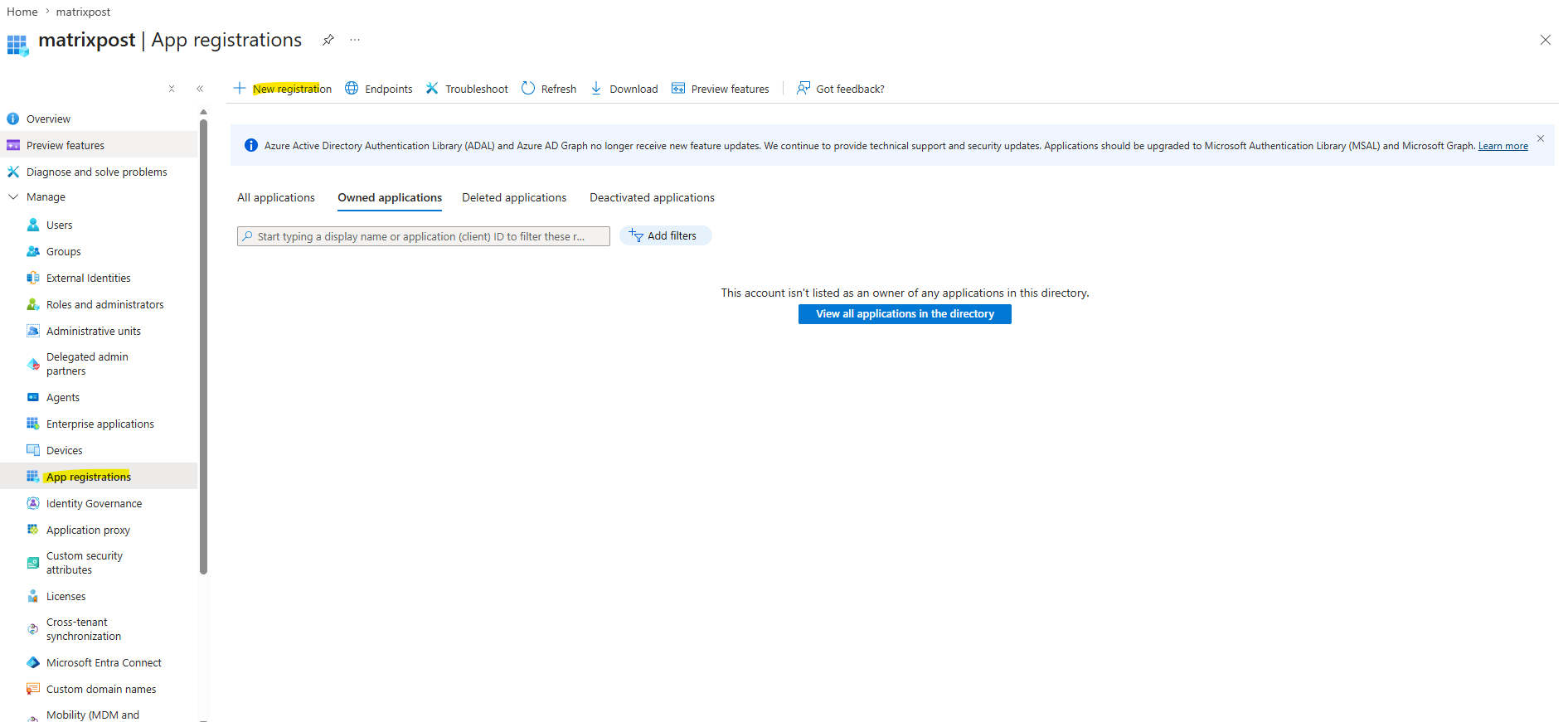
You must first register your application in the Azure subscription that you want Cloud Volume ONTAP to use for access the Azure Key Vault. Within the Azure portal, select App registrations.
To allow ONTAP to authenticate and access Azure Key Vault, we first create an Azure Application Registration, which automatically creates a corresponding Service Principal in Microsoft Entra ID. Later in this post, the Service Principal will be granted the required permissions on the Azure Key Vault through Azure RBAC, allowing ONTAP to perform the key management operations required for volume encryption.
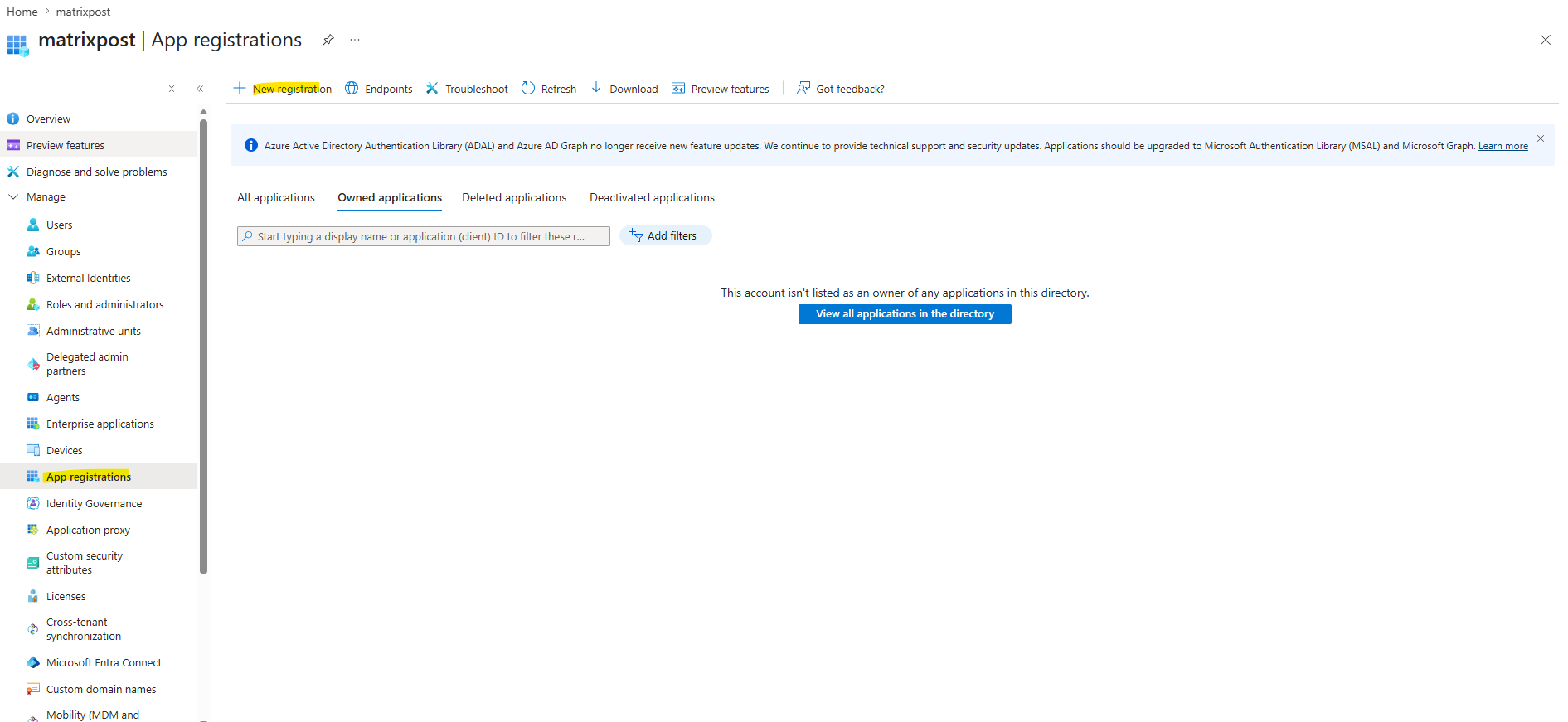
Navigate to Entra ID -> App registriations > Select New registration.
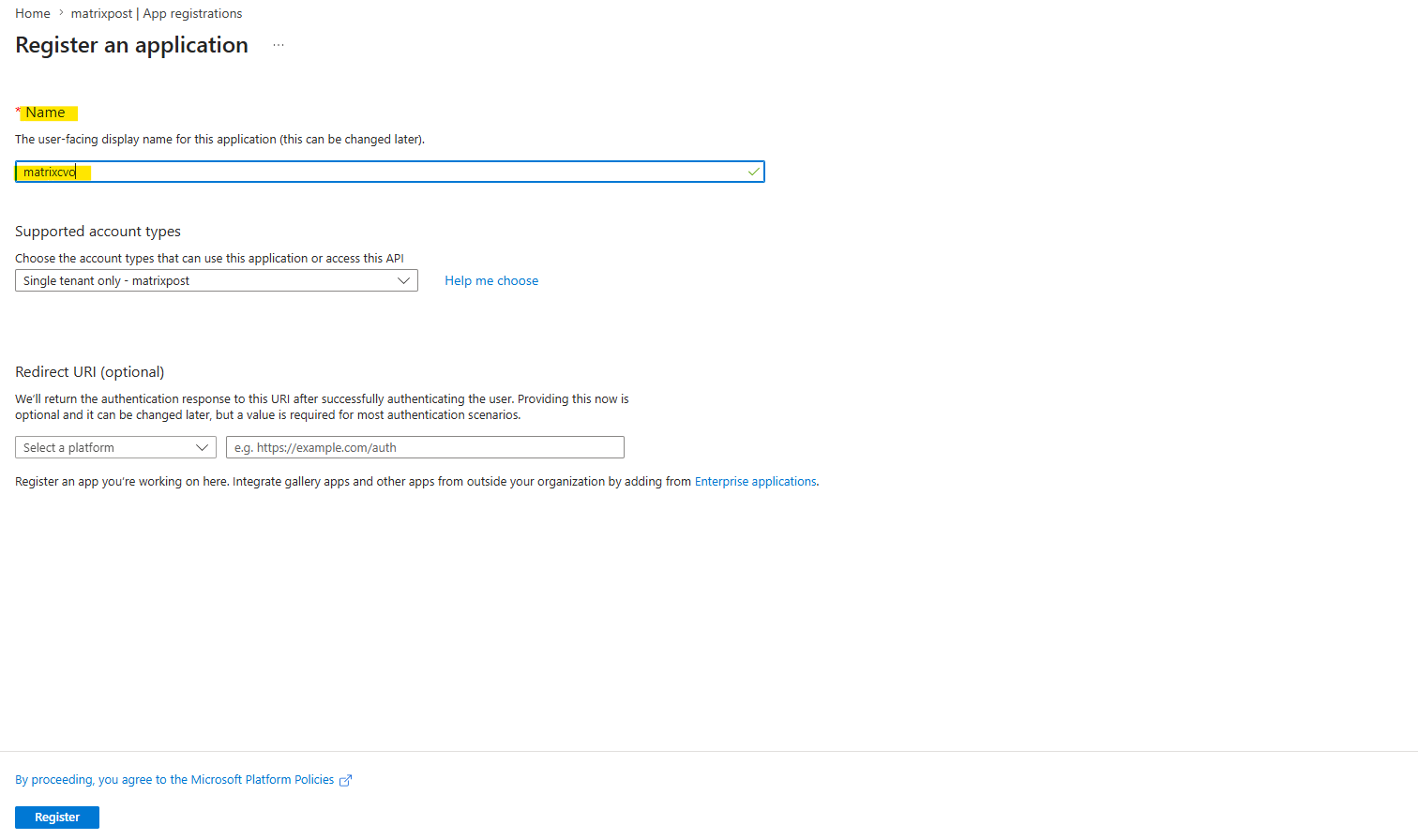
Provide a name for your application and select a supported application type. The default single tenant suffices for Azure Key Vault usage. Select Register.
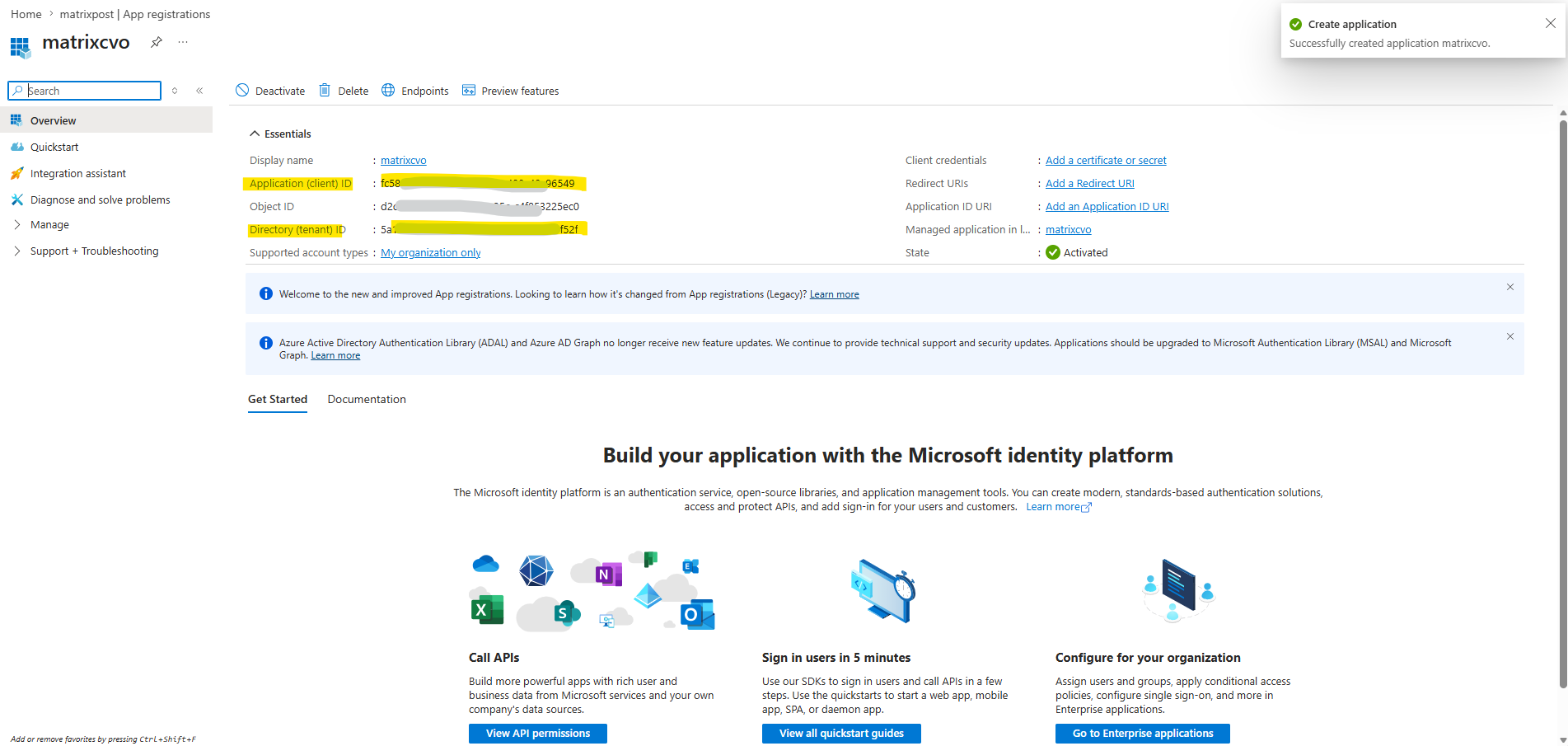
In the Azure Overview window, select the application you have registered. Copy the application (client) ID and the directory (tenant) ID to a secure location. They will be required later in the registration process.
Confused about the difference between App Registrations and Enterprise Applications in Microsoft Entra ID?
The following post takes a closer look at both concepts. Although it was written in 2021, when the service was still called Azure Active Directory (Azure AD), the underlying concepts remain largely unchanged today.
Create Azure client secret
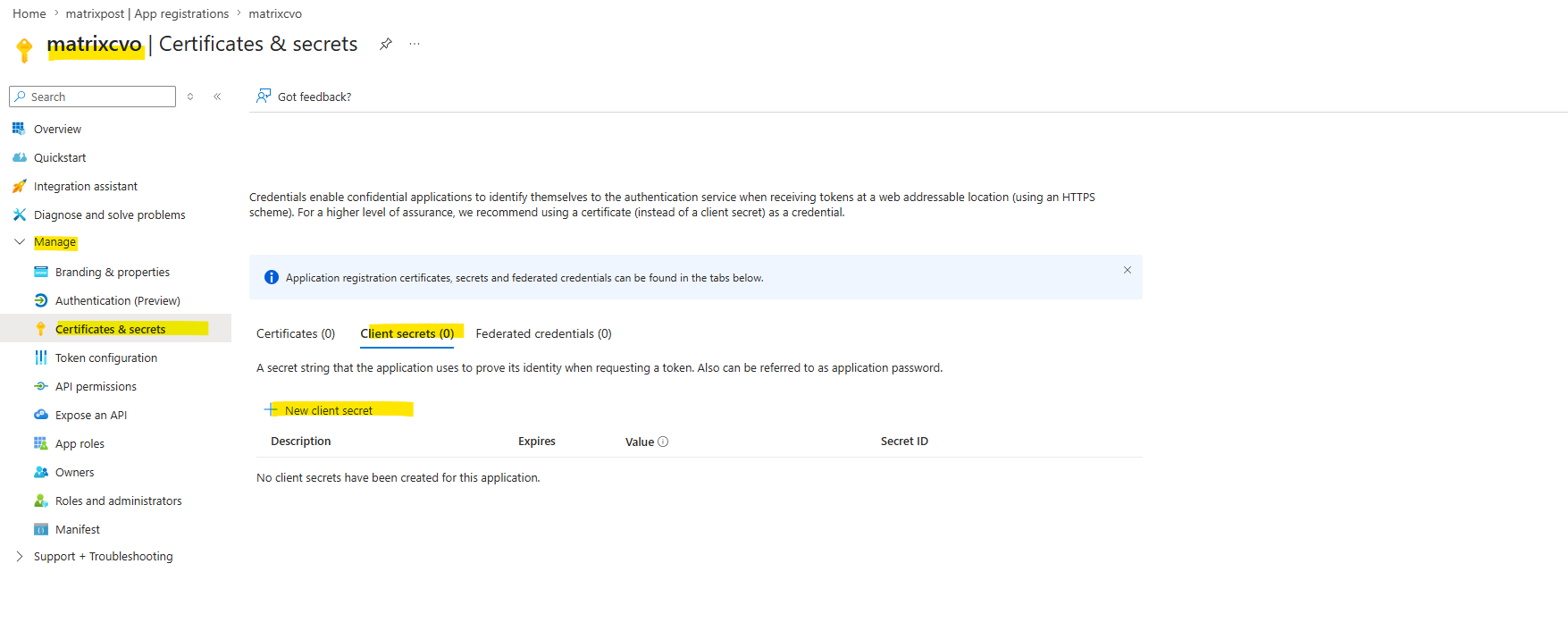
To create a new client secret for the authentication select the Certificates & secrets pane.
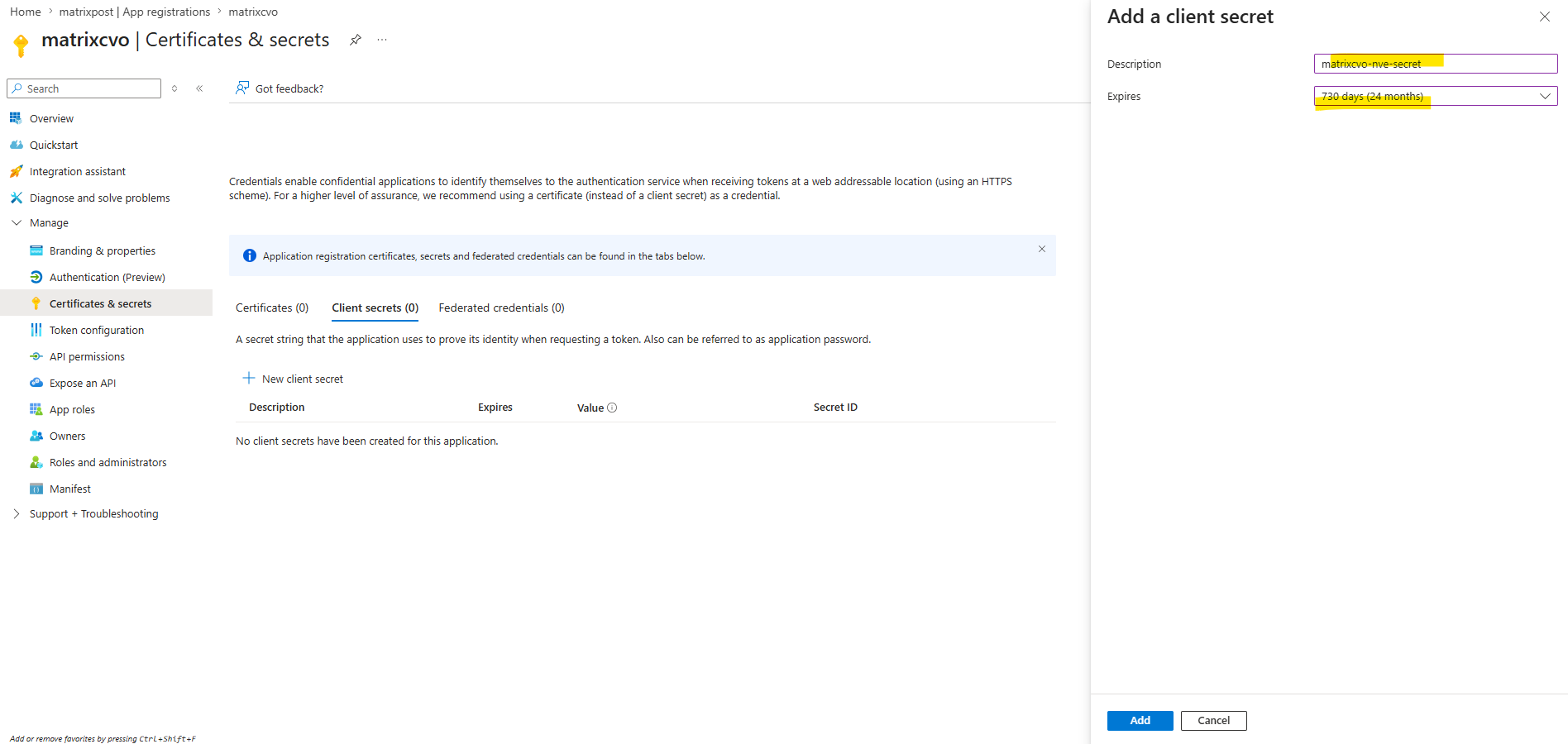
Select New client secret. Enter a meaningful name for your client secret.
NetApp recommends a 24-month expiration period; however, your specific cloud governance policies may require a different setting.
Click Add to create the client secret.
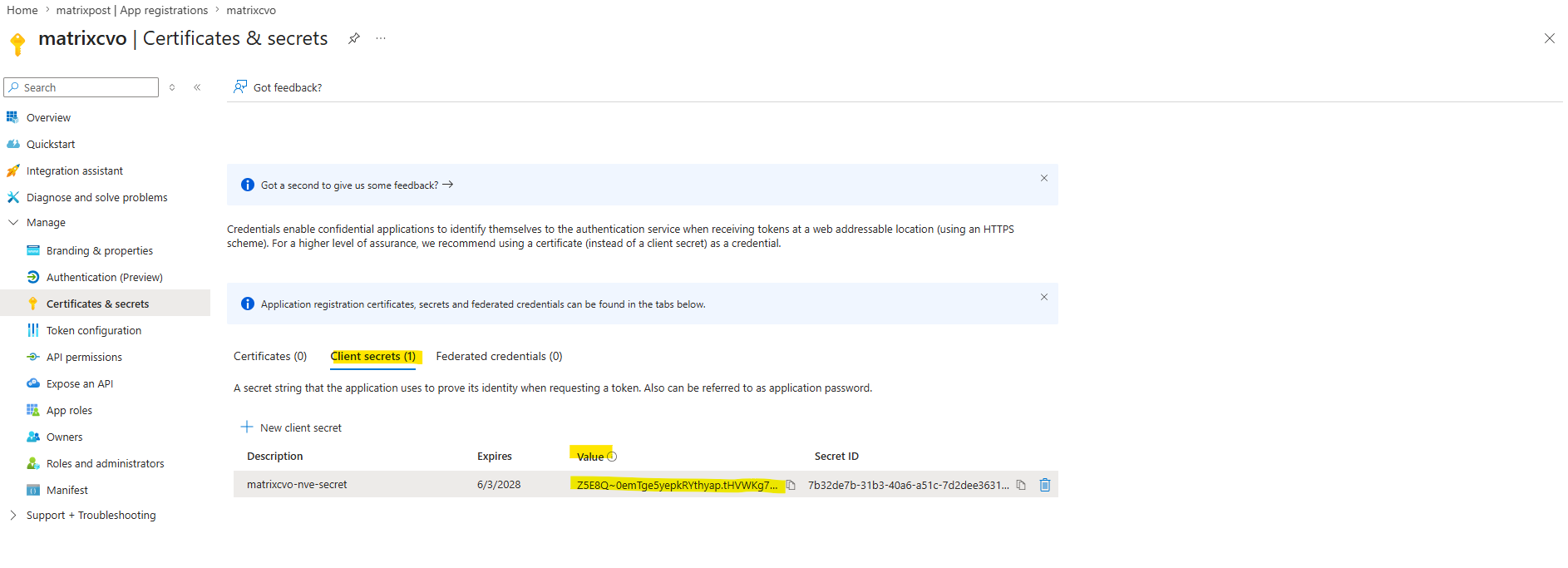
Copy the secret string listed in the Value column and store it in a secure location for use later in Cloud Volume ONTAP. The secret value will not be displayed again after you navigate away from the page.
Create an Azure Key Vault
If you have an existing Azure Key Vault, you can connect it to your Cloud Volume ONTAP configuration; however, you must adapt the access policies to the settings in this process.
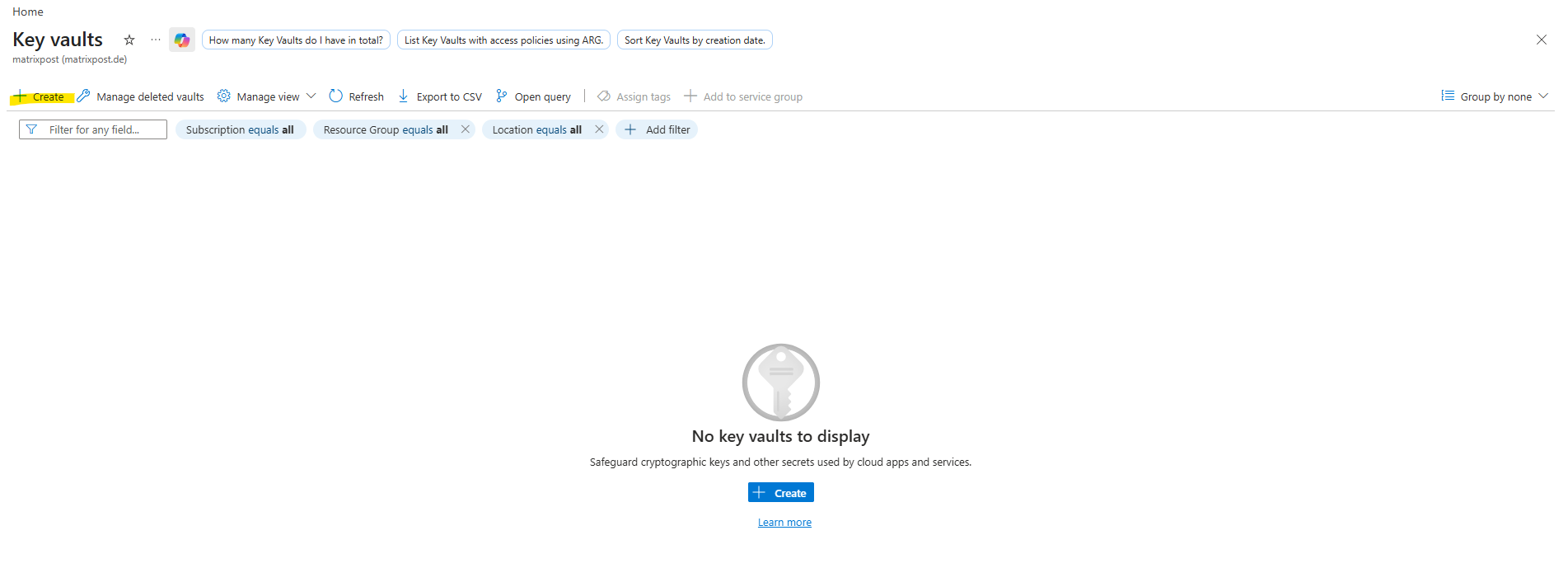
To create a new Azure Key Vault in the Azure portal, navigate to the Key Vaults section.
Click +Create and enter the required information including resource group, region, and pricing tier. In addition, enter the number of days to retain deleted vaults and select Enable purge protection on the key vault.
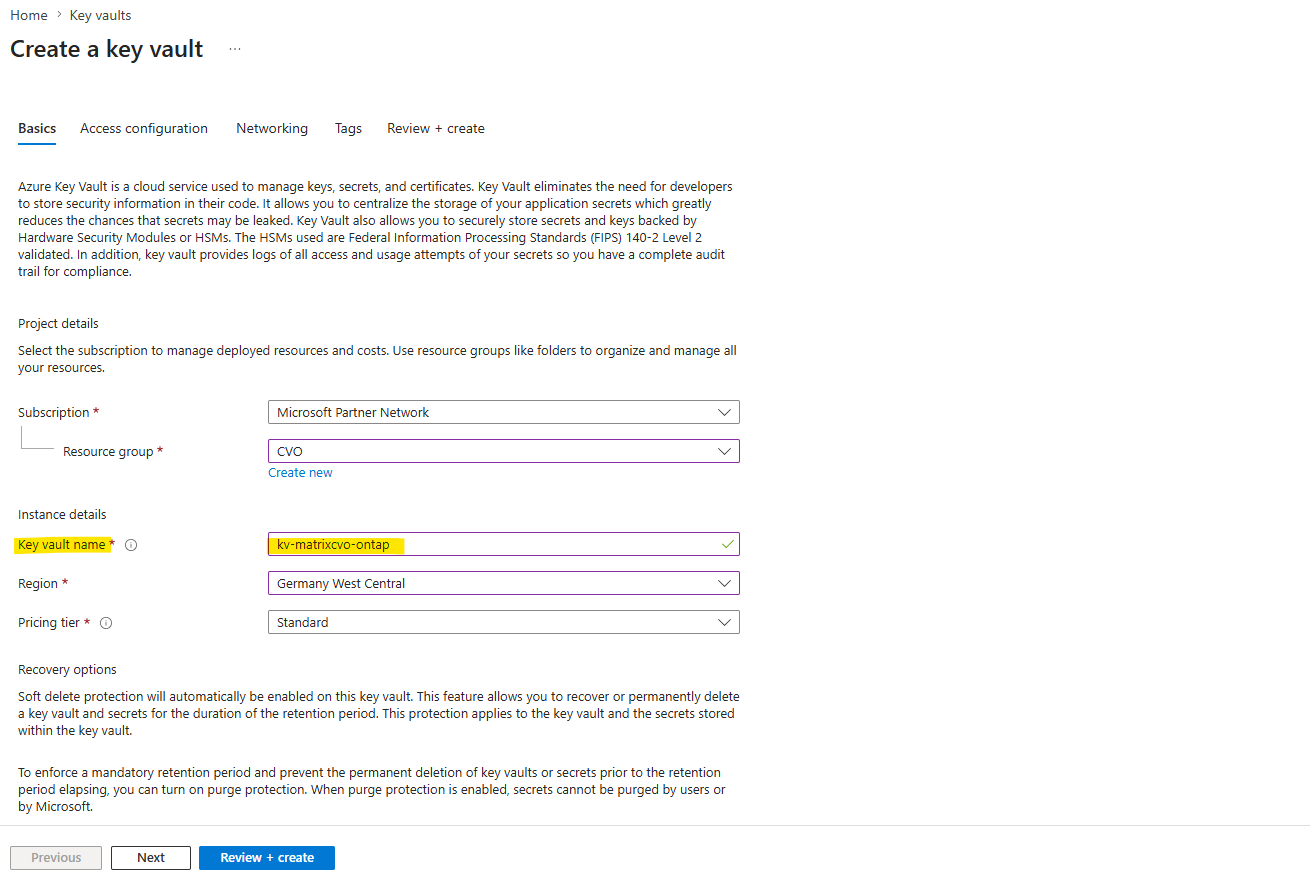
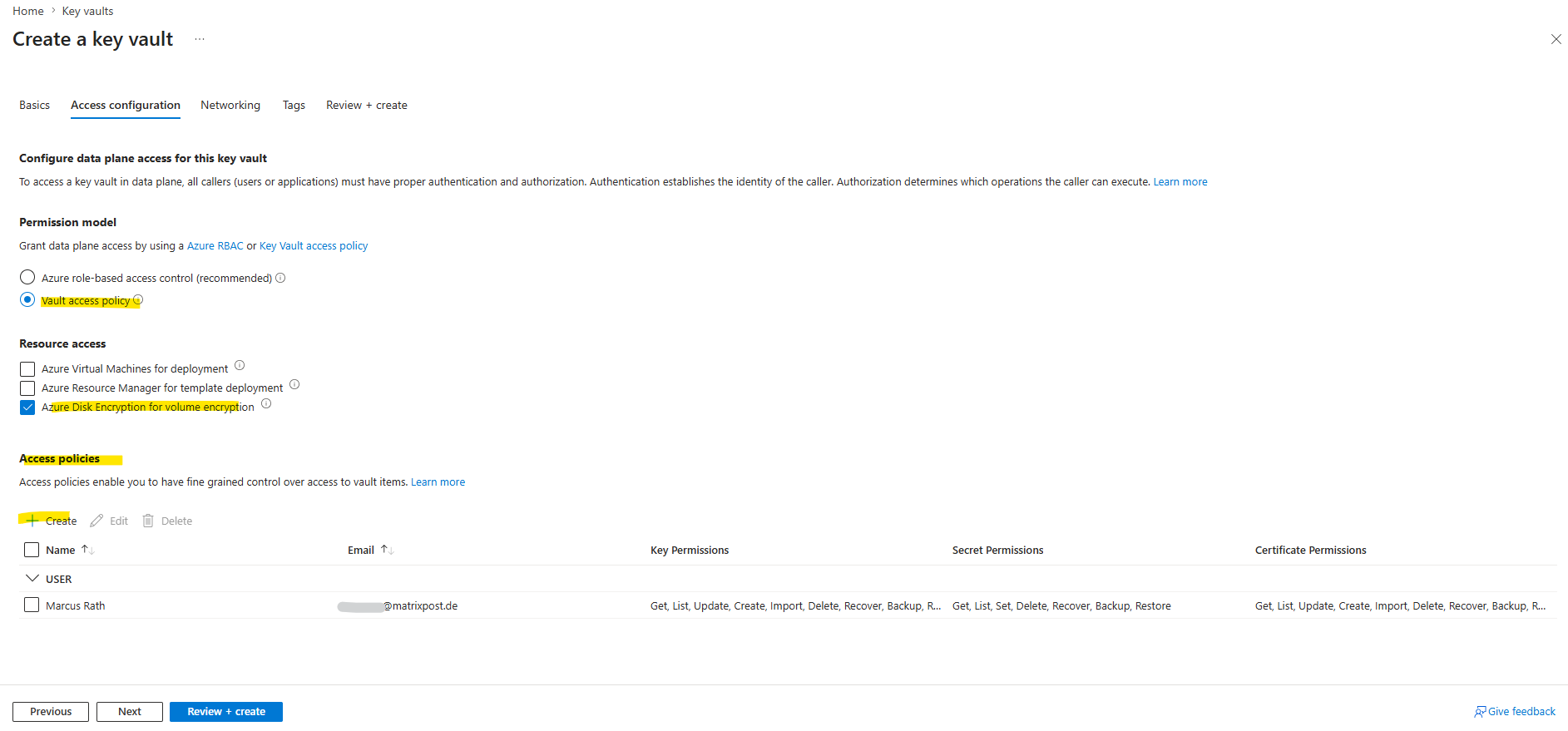
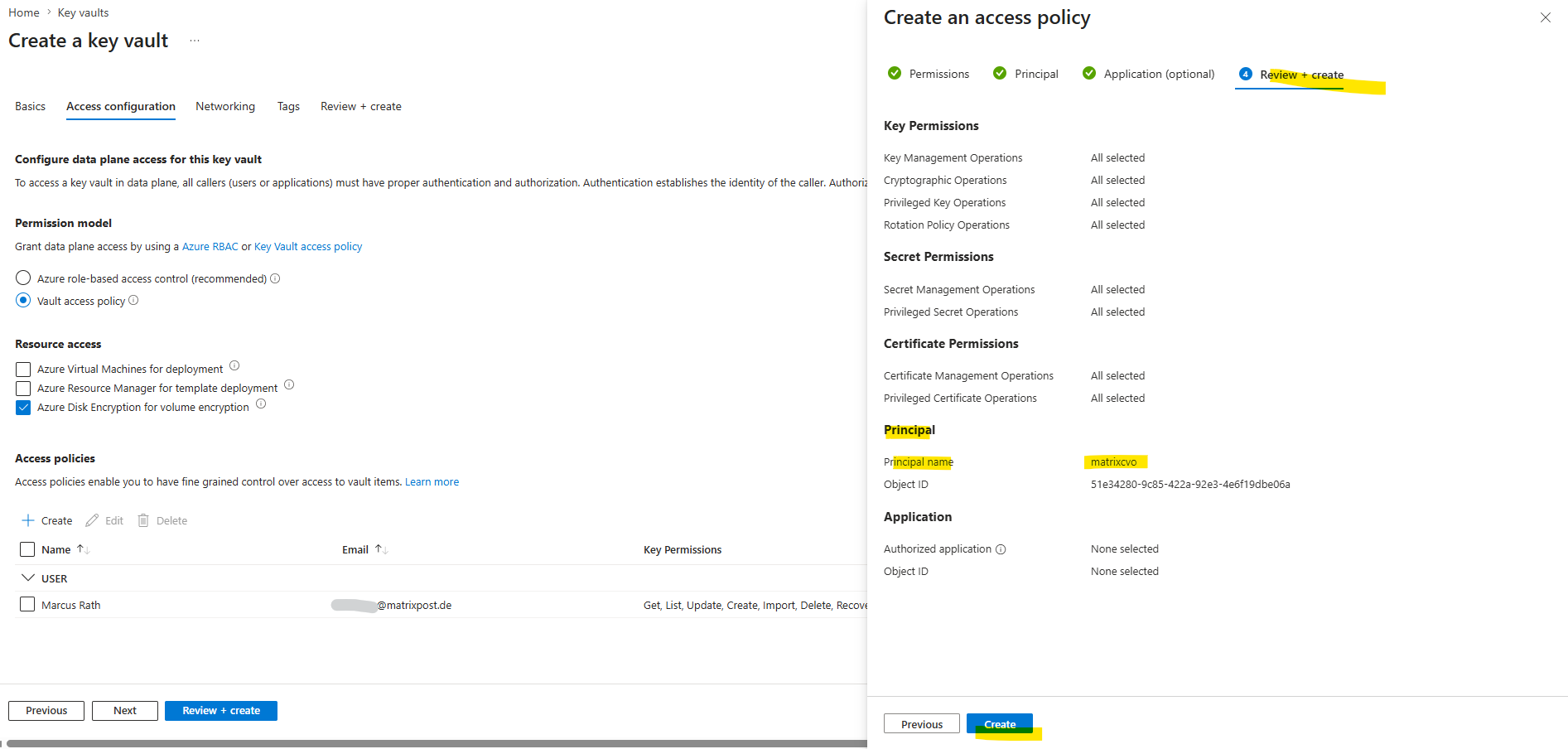
Under Access configuration, select the Vault access policy.
Under Resource access, select Azure Disk Encryption for volume encryption.
Select +Create to add an access policy.
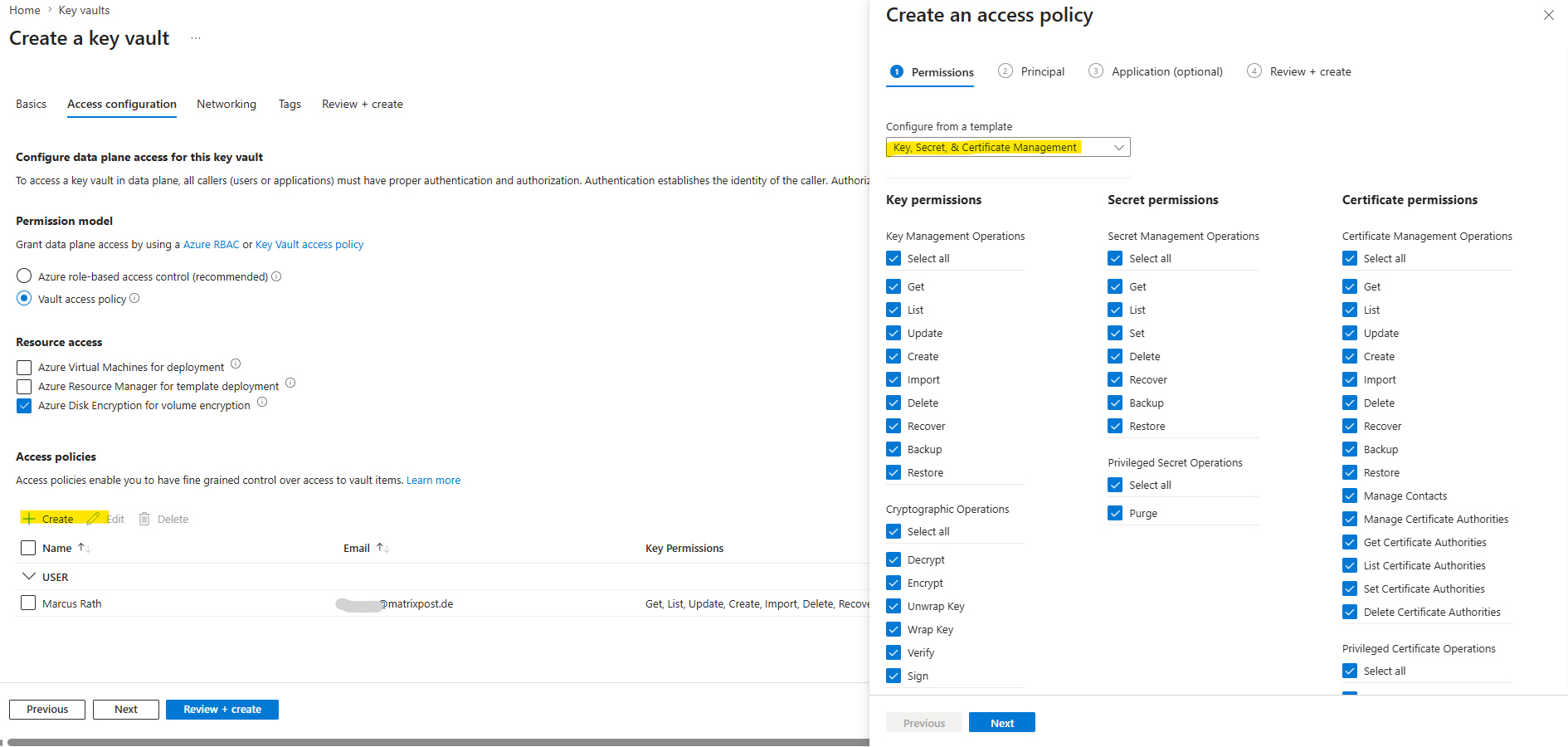
Under Configure from a template, click the drop-down menu and then select the Key, Secret, and Certificate Management template.
Choose each of the drop-down permissions menus (key, secret, certificate) and then Select all at the top of the menu list to select all the permissions available. You should have:
- Key permissions: 20 selected
- Secret permissions: 8 selected
- Certificate permissions: 16 selected
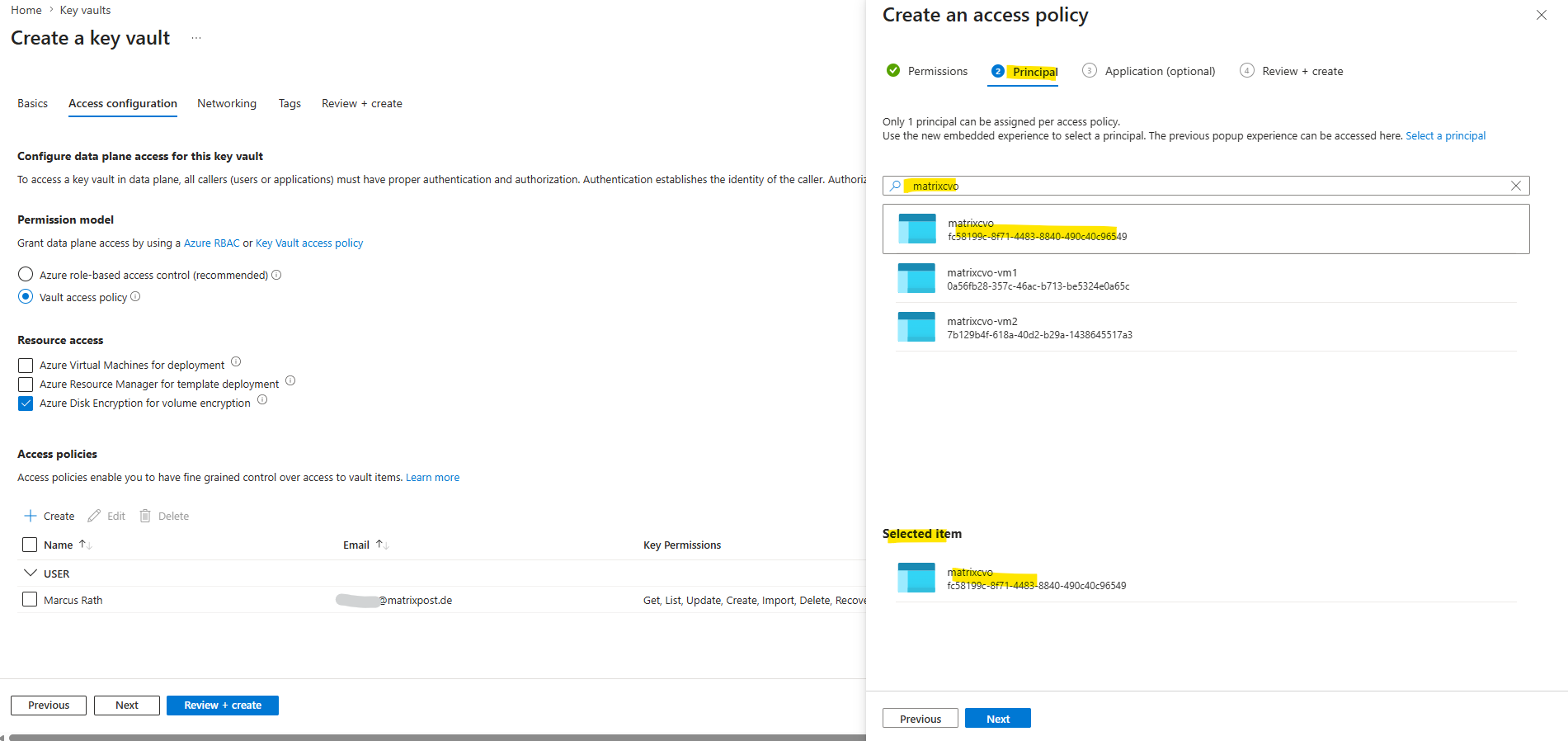
Click Next and select the Azure registered application (Service Principal) that was created earlier during the Azure Application Registration step, including the client secret that will later be used by ONTAP to authenticate against Microsoft Entra ID and Azure Key Vault.
Select Next to continue.
Click Next two times until you arrive at Review and create. Then, click Create.
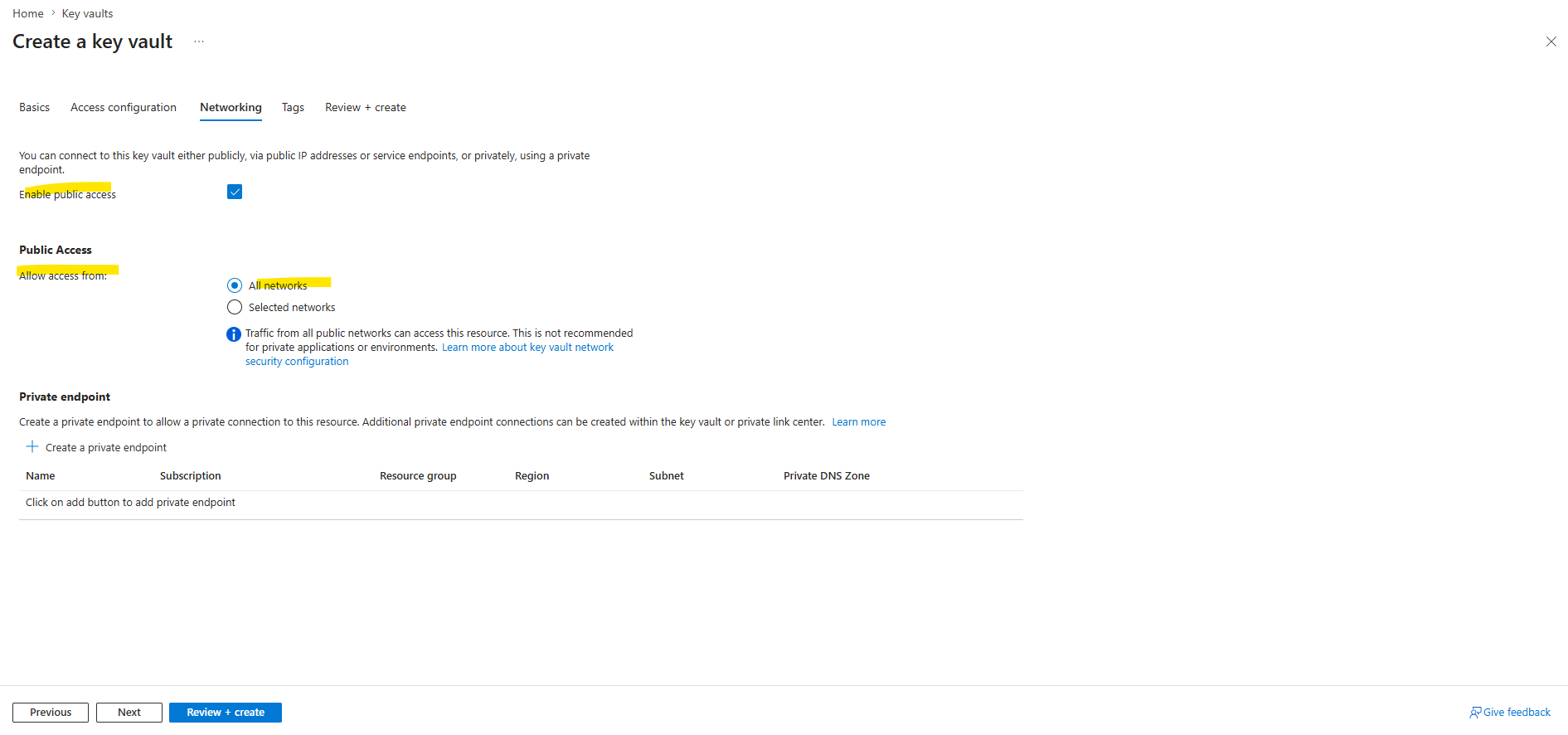
Select Next to advance to the Networking options. Choose the appropriate network access method for your environment, such as All networks for public endpoint access or Private endpoint for private connectivity.
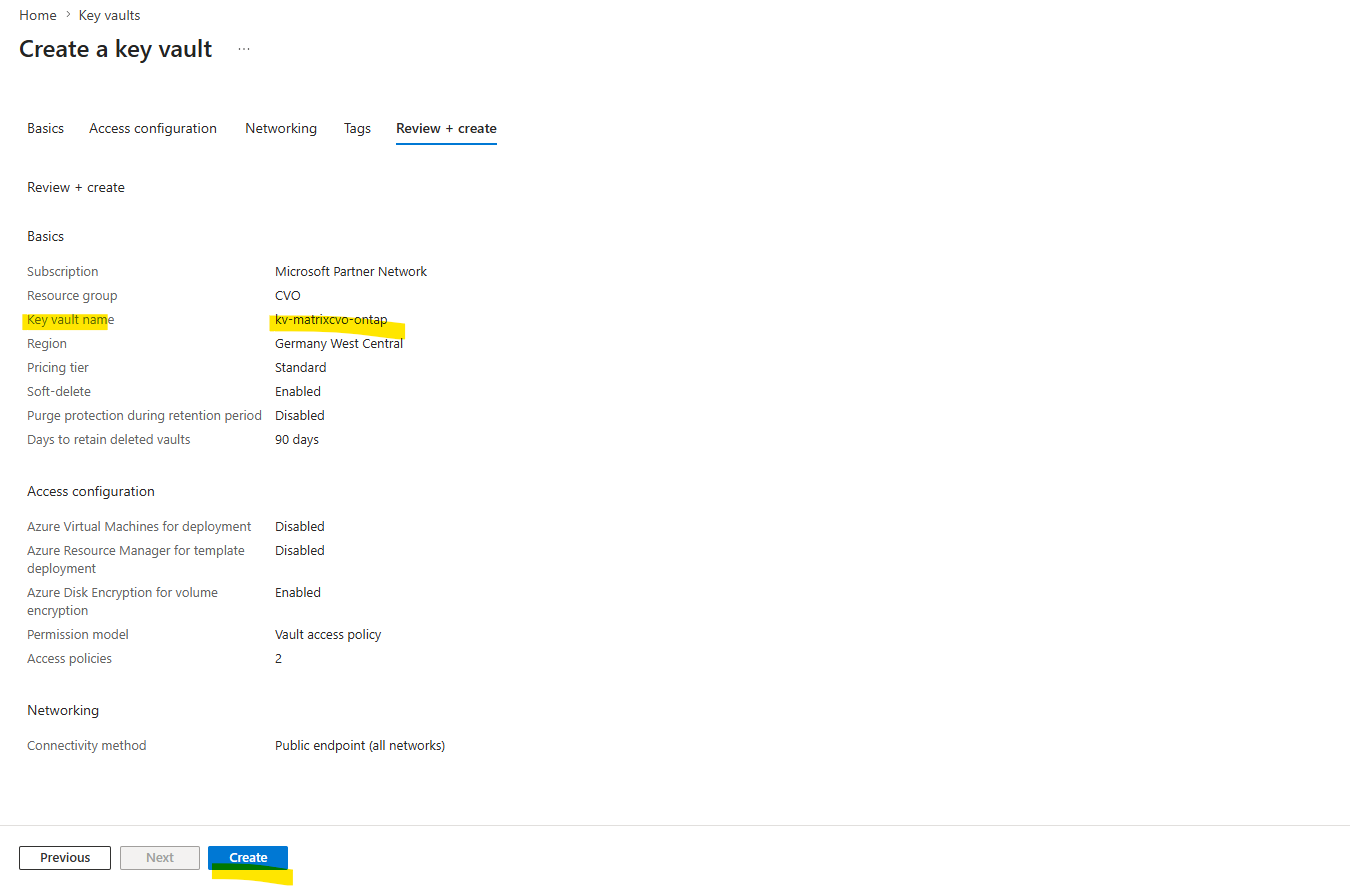
Finally, select Review + Create to create the Key Vault. Network access settings may be prescribed by a governance policy or your organization’s cloud security requirements.
When using public endpoints, ONTAP must have a valid outbound path to the Internet, for example through a firewall, NAT Gateway, or a virtual appliance such as pfSense running in Azure.
If you choose to use Private Endpoints, ensure that ONTAP can resolve the corresponding private DNS records and reach the private endpoint IP addresses.
More about private endpoints and corresponding DNS configuration you will also find in my following post here https://blog.matrixpost.net/how-to-onboard-on-premise-server-to-azure-arc-by-using-a-site-to-site-ipsec-vpn-and-azure-arc-private-link-scope/.
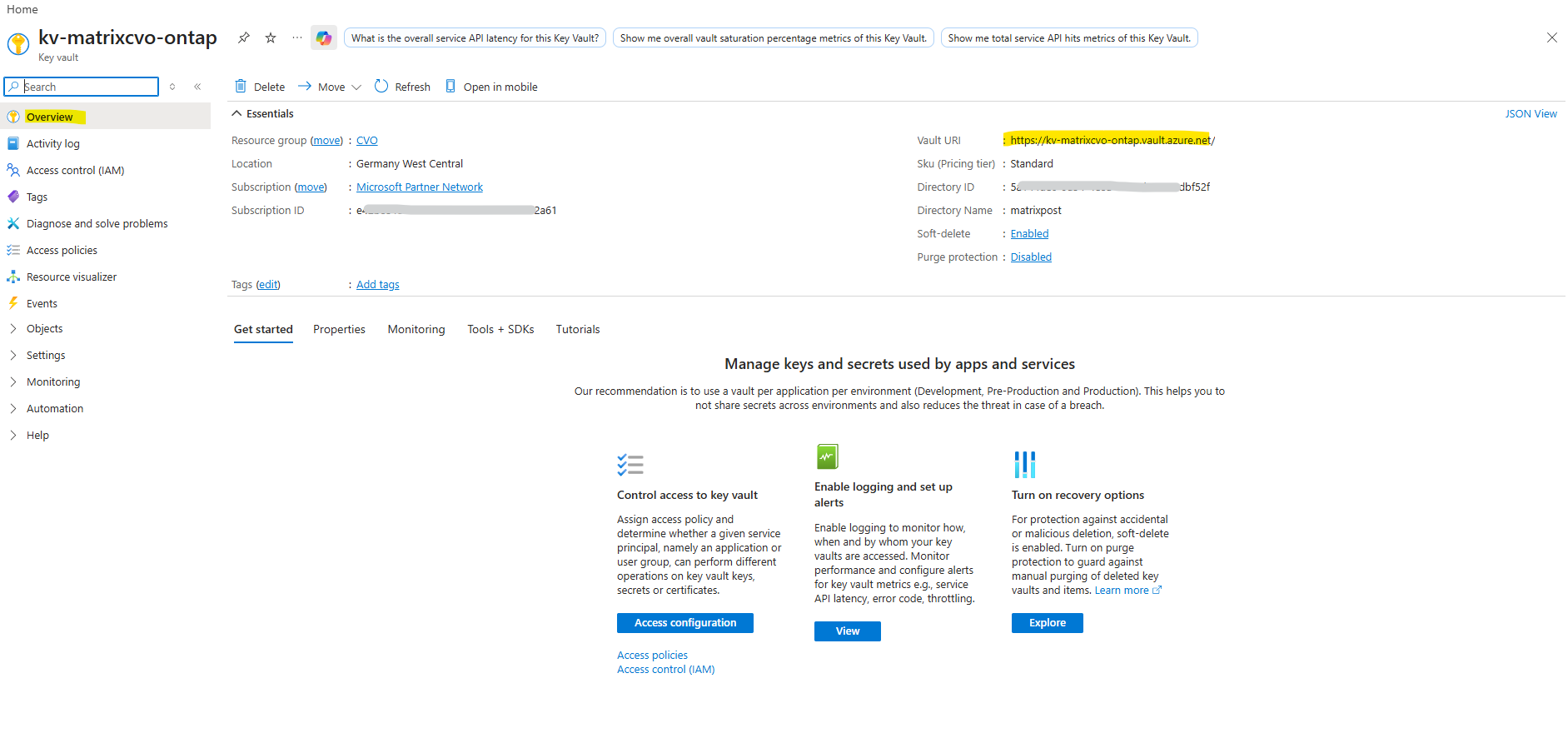
Record the Key Vault URI: In the key vault you created, navigate to the Overview menu and copy the Vault URI from the right-hand column. You need this for a later step.
Create the Key Encryption Key (KEK)
In the menu for the Key Vault you have created for ONTAP, navigate to the Keys option.
This key does not directly encrypt the data stored on ONTAP volumes; instead, ONTAP uses it to protect the volume encryption keys that are generated and managed locally as part of NetApp Volume Encryption (NVE).
Select Generate/import to create a new key.
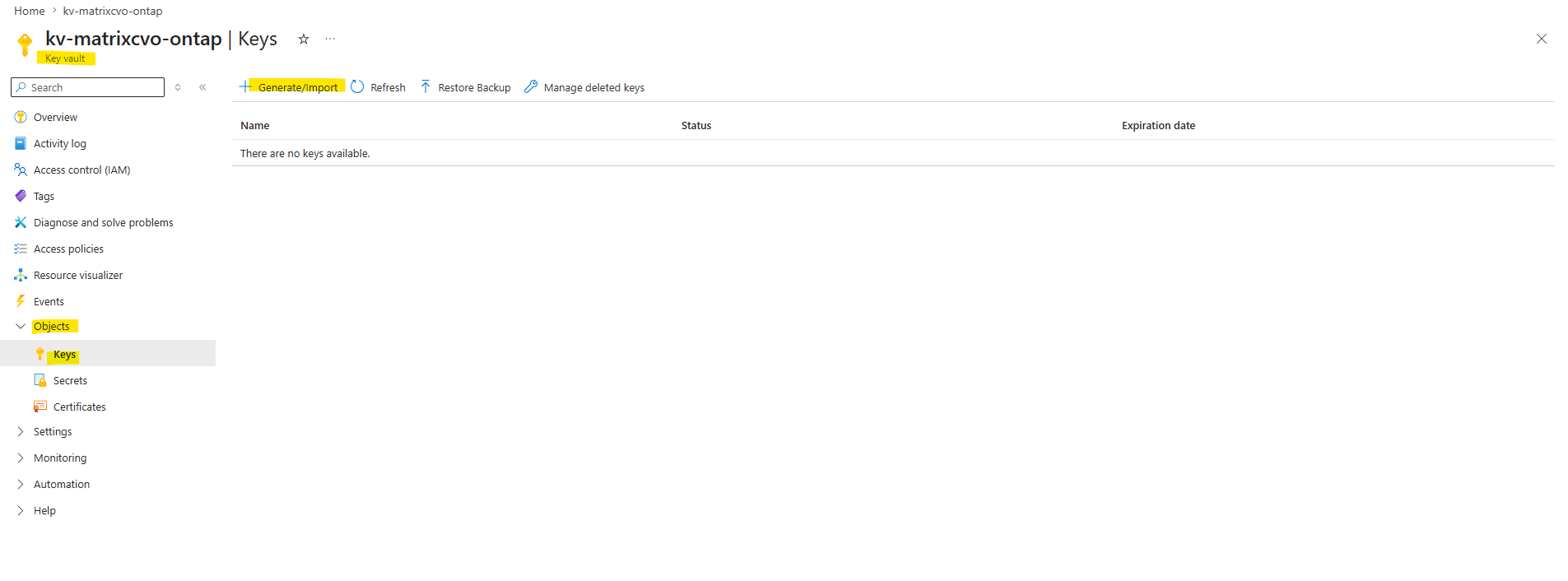
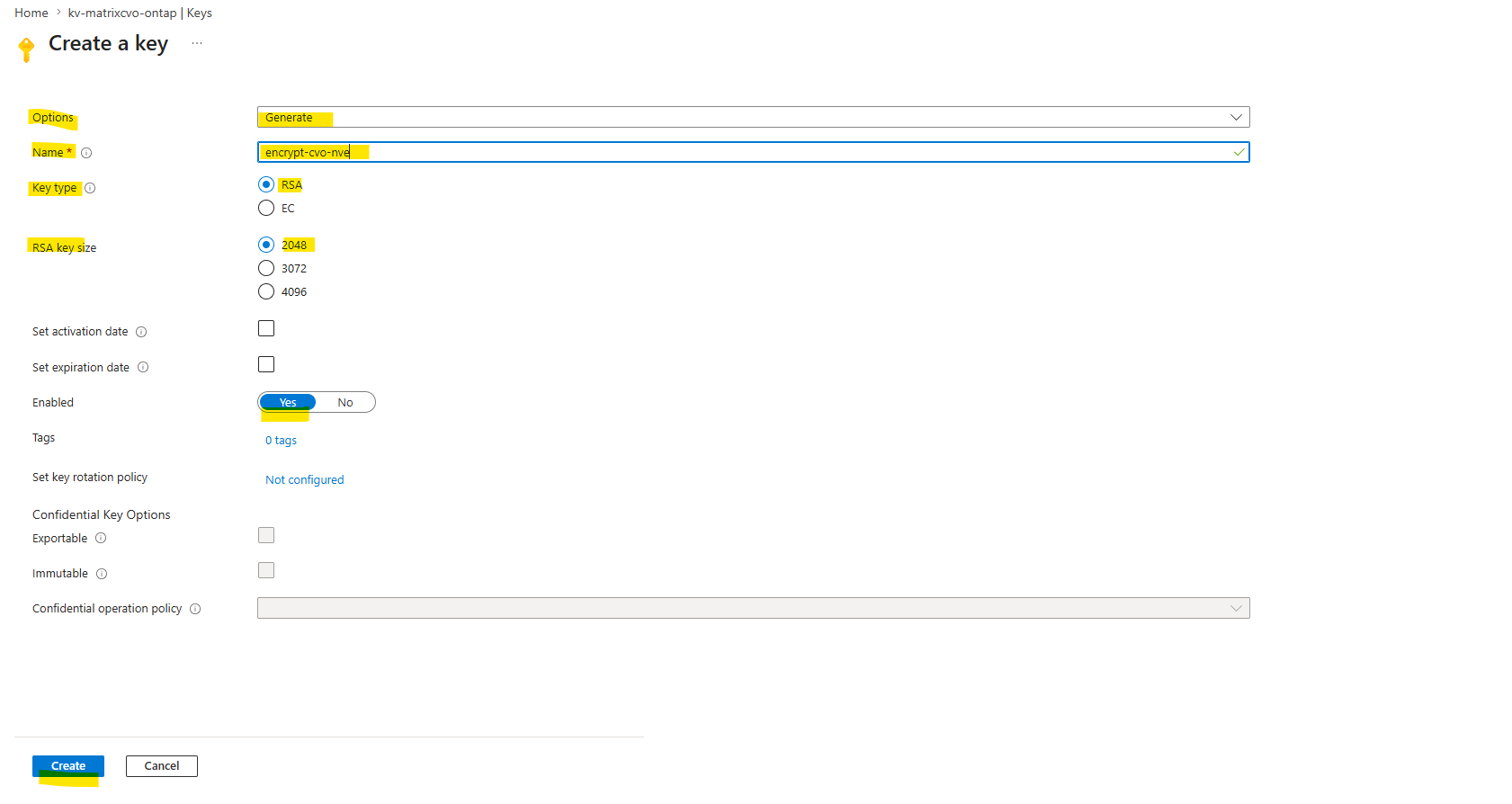
Leave the default option set to Generate.
Provide the following information:
- Encryption key name
- Key type: RSA
- RSA key size: 2048
- Enabled: Yes
Select Create to create the encryption key.
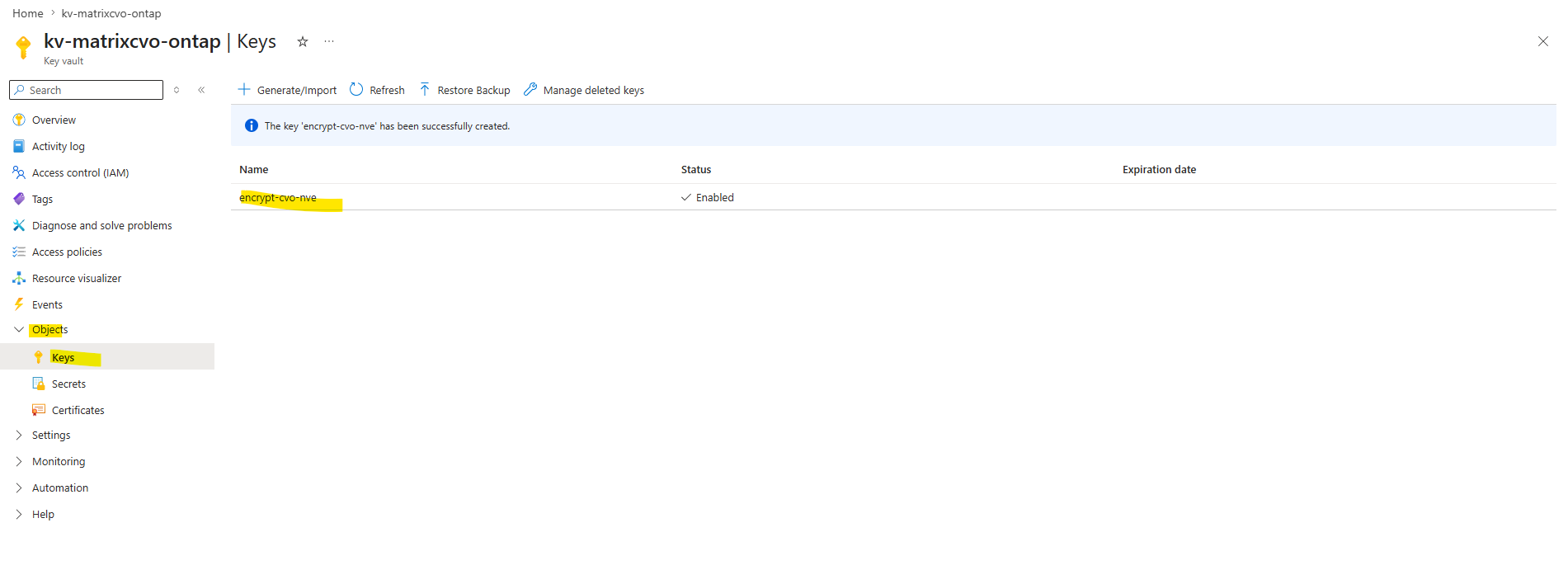
Return to the Keys menu and select the key you just created.
Select the key ID under Current version to view the key properties.
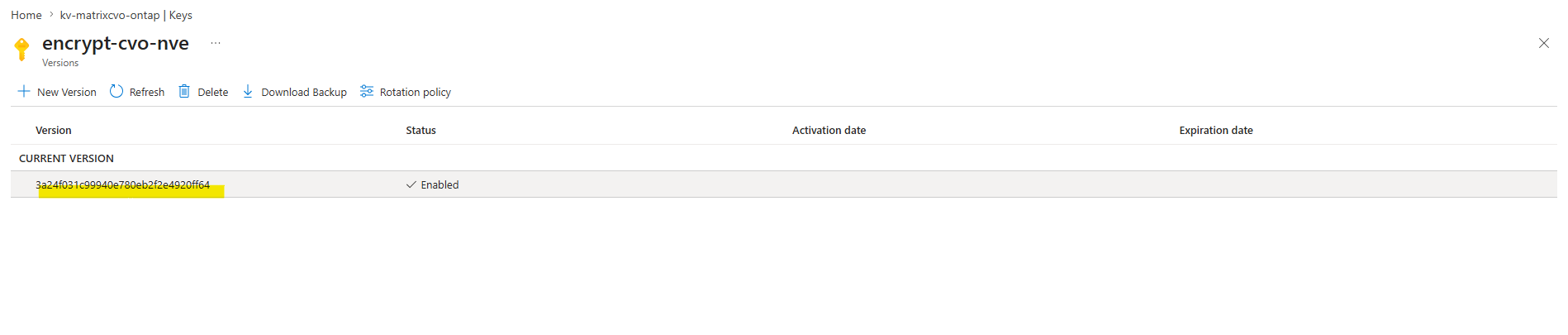
Locate the Key Identifier field. Copy the URI up to but not including the hexadecimal string.
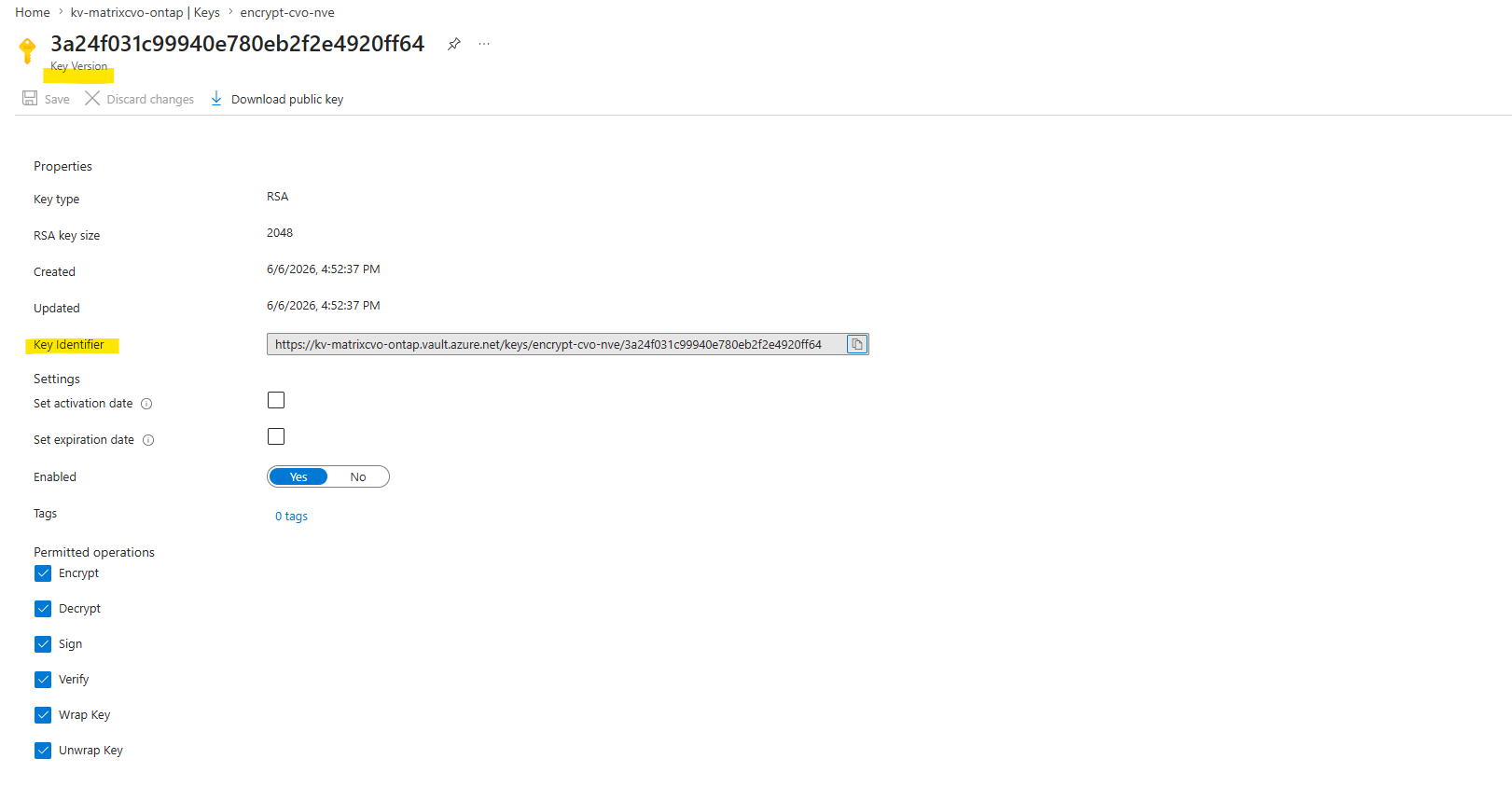
Source: https://docs.netapp.com/us-en/storage-management-cloud-volumes-ontap/task-azure-key-vault.html
Enable Azure Key Vault on a Cloud Volume ONTAP SVM
Before you begin, you need to obtain the appropriate authentication credentials from your Azure account, either a client secret or certificate.
You must also ensure all nodes in the cluster are healthy. You can check this with the command cluster show. Learn more about cluster show in the ONTAP command reference
When you configure Azure Key Vault as an external key manager, ONTAP must be able to resolve Azure service endpoints such as the Azure Key Vault endpoint and the Microsoft Entra ID authentication endpoint.
In this lab environment, I will use the public endpoints of these services. However, Azure Key Vault can also be accessed through Private Endpoints, in which case ONTAP must be able to resolve the corresponding private DNS records and reach the private endpoint IP addresses.
More about private endpoints and corresponding DNS configuration you will also find in my following post here https://blog.matrixpost.net/how-to-onboard-on-premise-server-to-azure-arc-by-using-a-site-to-site-ipsec-vpn-and-azure-arc-private-link-scope/.
kv-matrixcvo-ontap.vault.azure.net
login.microsoftonline.com
The following commands can be used to verify name resolution from the SVM that will later host and access the encrypted volumes protected by the Azure Key Vault keys.
matrixcvo::> set advanced
matrixcvo::*> vserver services name-service getxxbyyy gethostbyname -vserver svm_matrix_nfs -node matrixcvo-01 -hostname kv-matrixcvo-ontap.vault.azure.net
matrixcvo::*> vserver services name-service getxxbyyy gethostbyname -vserver svm_matrix_nfs -node matrixcvo-01 -hostname login.microsoftonline.com
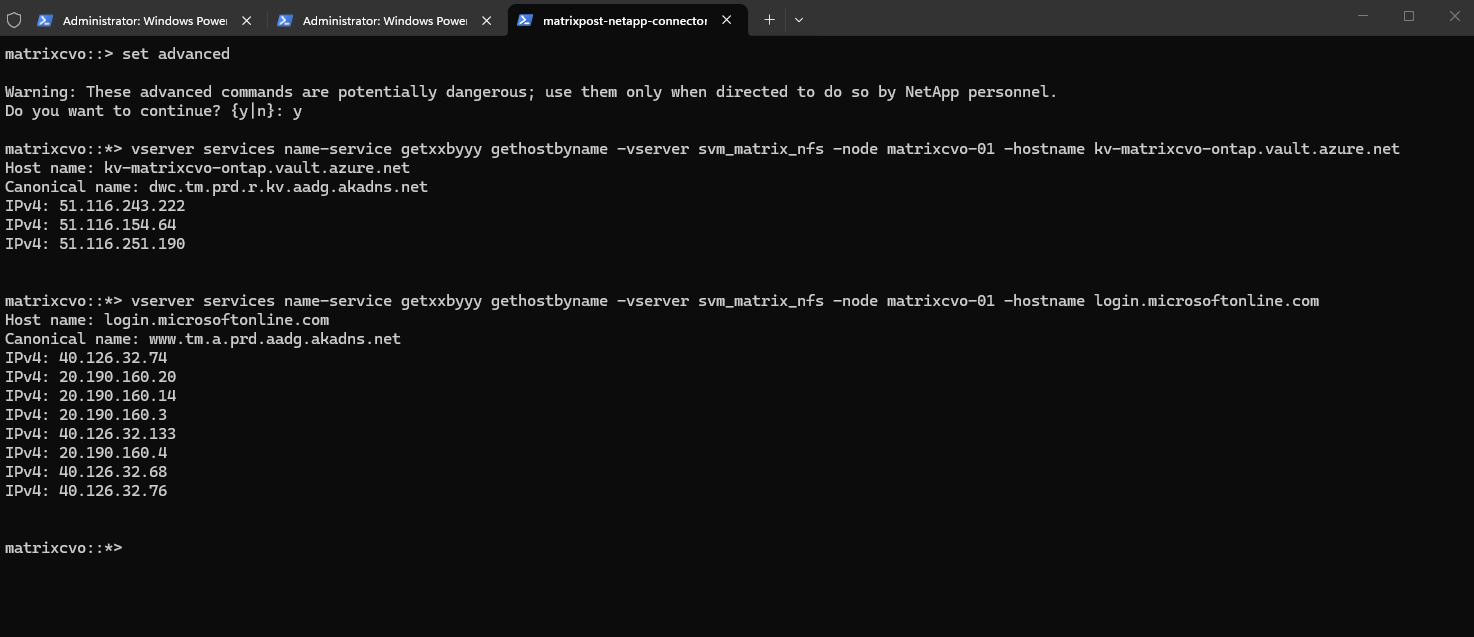
By default a data SVM LIF is used to communicate with the cloud key management endpoint. A node management network is used to communicate with the cloud provider’s authentication services (login.microsoftonline.com).
So for AKV we actually need both:
- The data SVM must be able to resolve and reach the Key Vault endpoint.
- The node management network / cluster must be able to resolve and reach the Microsoft Entra ID authentication endpoint (
login.microsoftonline.com).
So because the node management network is used to communicate with the Microsoft Entra ID authentication service (login.microsoftonline.com) we can also first test if the admin SVM (cluster administrative SVM) can resolve the FQDN of the Microsoft Entra ID authentication service.
matrixcvo::*> vserver services name-service getxxbyyy gethostbyname -vserver matrixcvo -node matrixcvo-01 -hostname login.microsoftonline.com
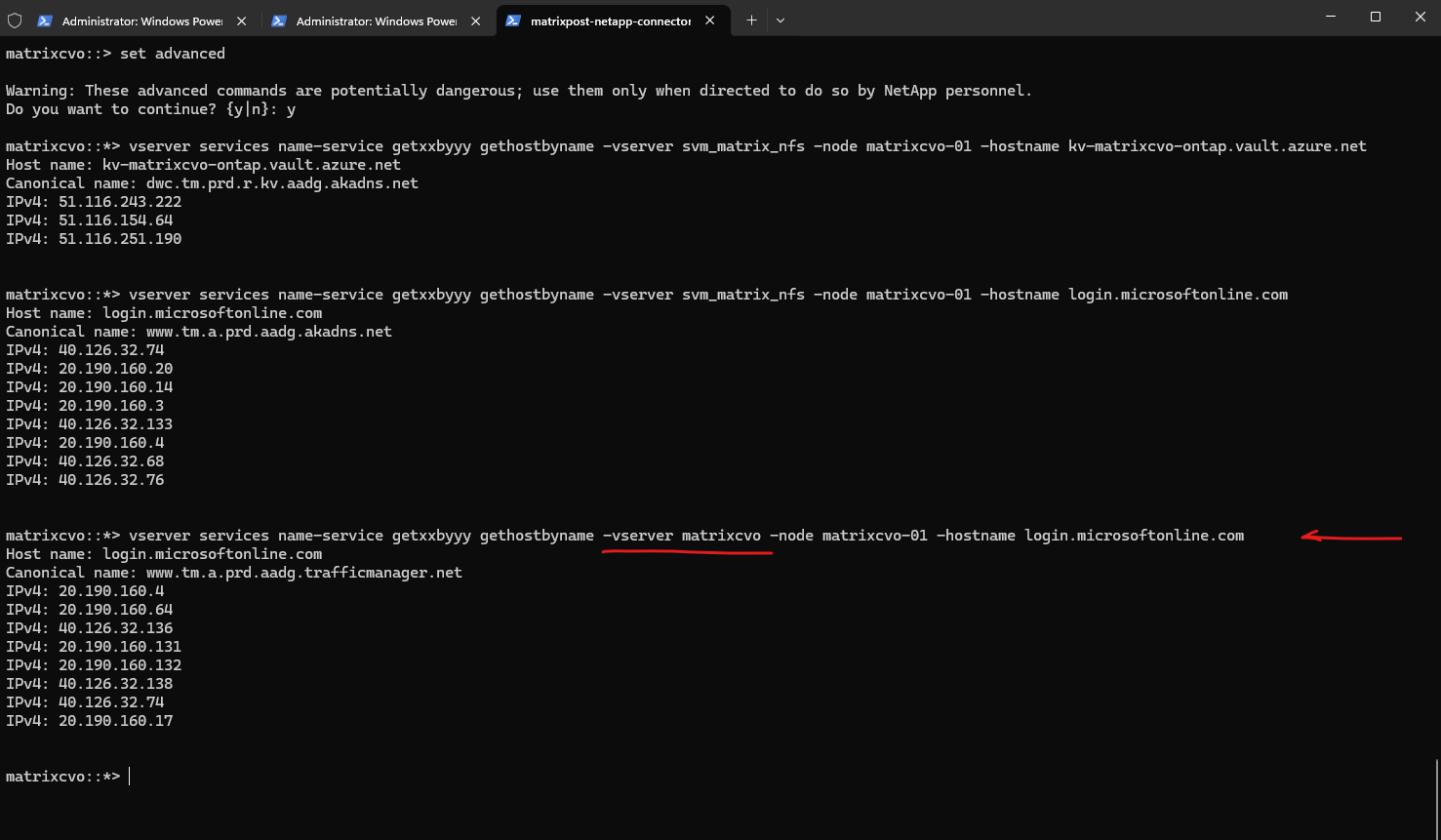
Before troubleshooting Azure Key Vault connectivity, first verify which DNS servers ONTAP is using for name resolution:
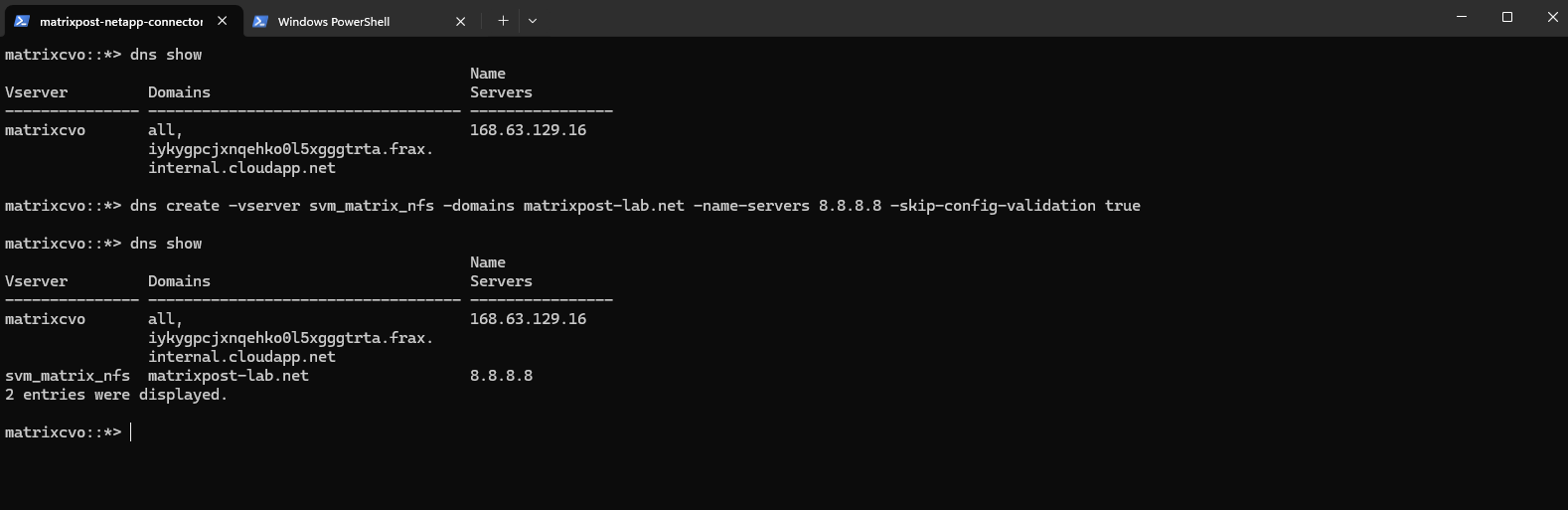
matrixcvo::*> dns show
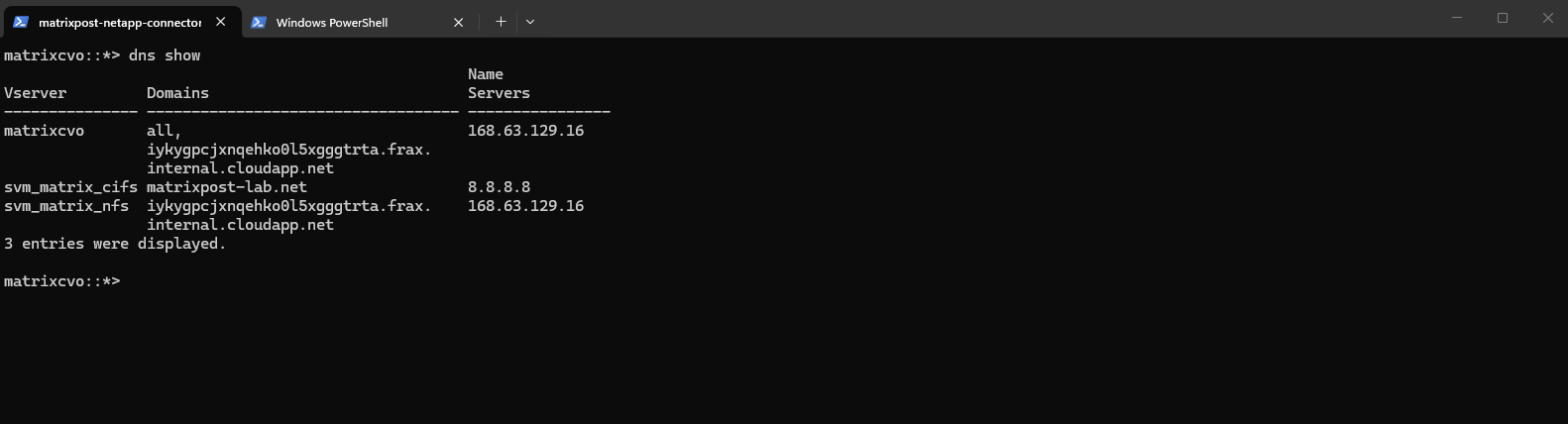
To check for a specific SVM:
matrixcvo::*> dns show -vserver svm_matrix_nfs
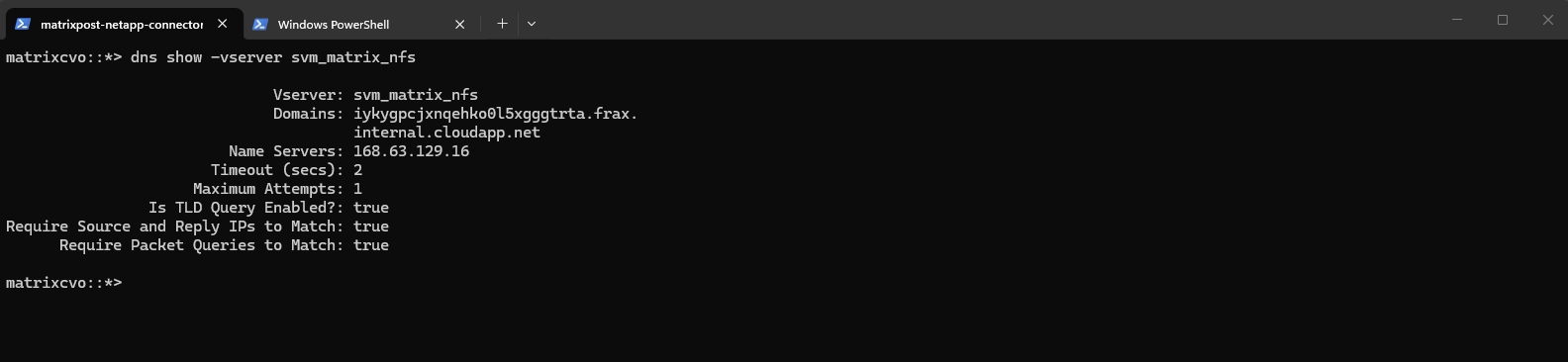
If no DNS servers are configured or you need to use different DNS servers, create or update the DNS configuration for the SVM using:
matrixcvo::*> dns create -vserver svm_matrix_nfs -domains matrixpost-lab.net -name-servers 8.8.8.8 -skip-config-validation true
After creating the Azure Key Vault, encryption key, and Service Principal, the final step is to enable Azure Key Vault as an external key manager within ONTAP.
The following command associates the SVM with the Azure Key Vault instance and configures the authentication parameters required for ONTAP to access and use the Azure Key Vault key for encryption key protection.
matrixselect::> set advanced

security key-manager external azure enable -client-id client_id -tenant-id tenant_id -name -key-id key_id -authentication-method {certificate|client-secret}

matrixselect::> security key-manager external azure enable -vserver svm_matrix_nfs -client-id fc58199c-8f71-4483-8840-490c40c96549 -tenant-id 5a144de6-9a54-4e8a-9680-b28aa0dbf52f -name https://kv-matrixcvo-ontap.vault.azure.net -key-id https://kv-matrixcvo-ontap.vault.azure.net/keys/encrypt-cvo-nve/3a24f031c99940e780eb2f2e4920ff64 -authentication-method client_secret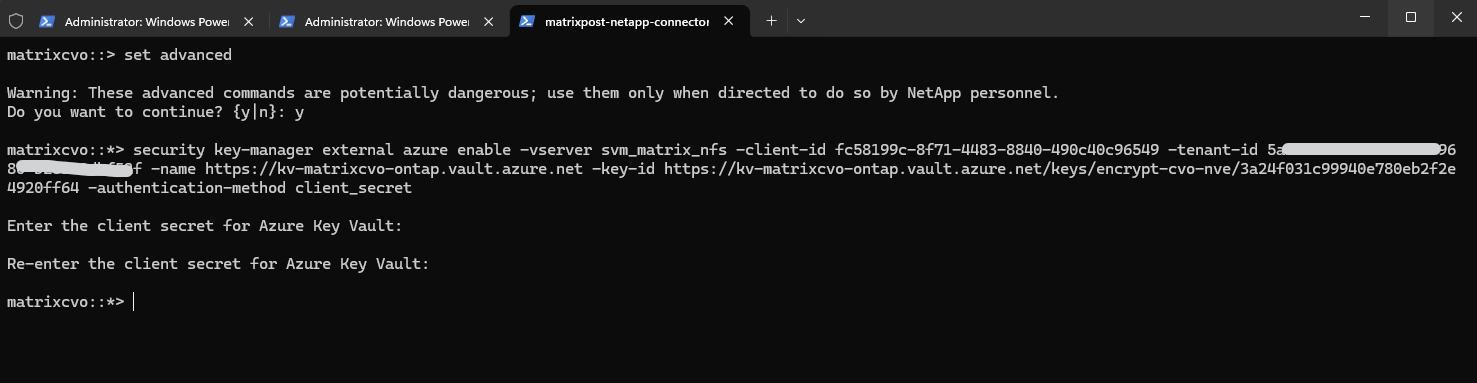
The command below verifies connectivity and communication between ONTAP and Azure Key Vault. It validates service reachability, authentication, and key management functionality, helping to identify potential configuration or connectivity issues before encrypted volumes are created or accessed.
The
service_reachabilityandekmip_serverchecks confirm that ONTAP can successfully resolve, authenticate, and communicate with Azure Key Vault.The
kms_wrapped_key_statusremains in theUNKNOWNstate until the first encrypted volume is created and a wrapped key is stored in Azure Key Vault.
matrixcvo::> set advanced
matrixcvo::*> security key-manager external azure check
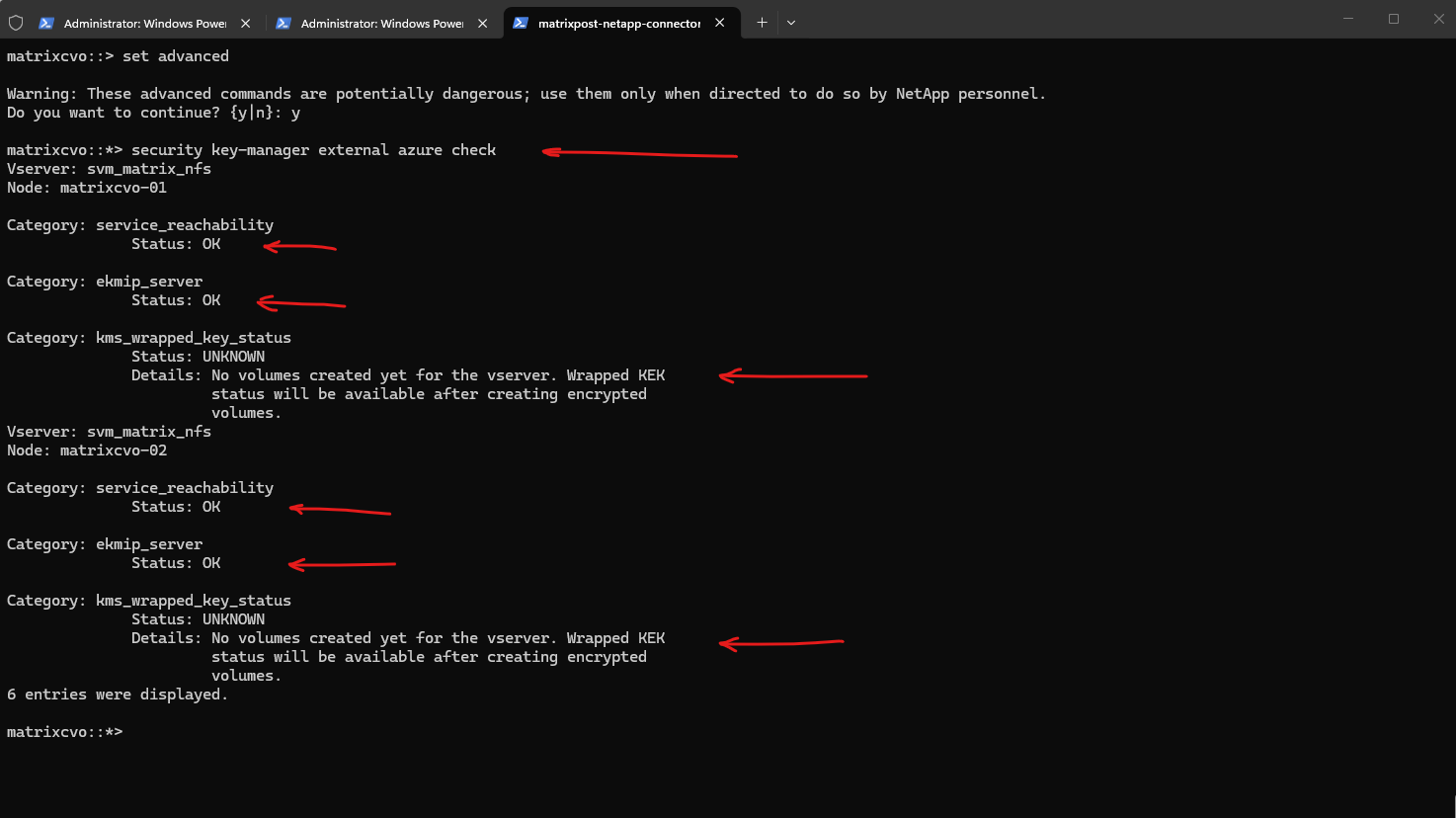
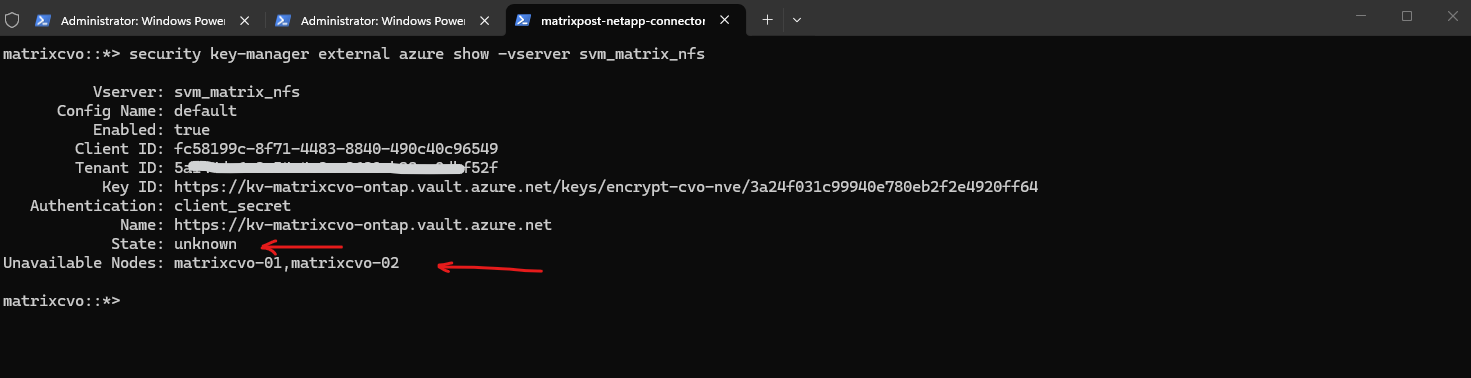
At this stage, the Azure Key Vault configuration has been successfully created, but ONTAP has not yet performed any key management operations. Therefore, the external key manager state is reported as unknown, and the cluster nodes are still shown as unavailable until the first encrypted volume is created and the Azure Key Vault integration is actively used as shown further down.
matrixcvo::*> security key-manager external azure show -vserver svm_matrix_nfs
Encrypting Volumes and Validating Azure Key Vault Integration
After successfully configuring Azure Key Vault as an external key manager and verifying connectivity, the final step is to create an encrypted volume and confirm that ONTAP can use Azure Key Vault for encryption key operations.
Verify Existing Encryption Status
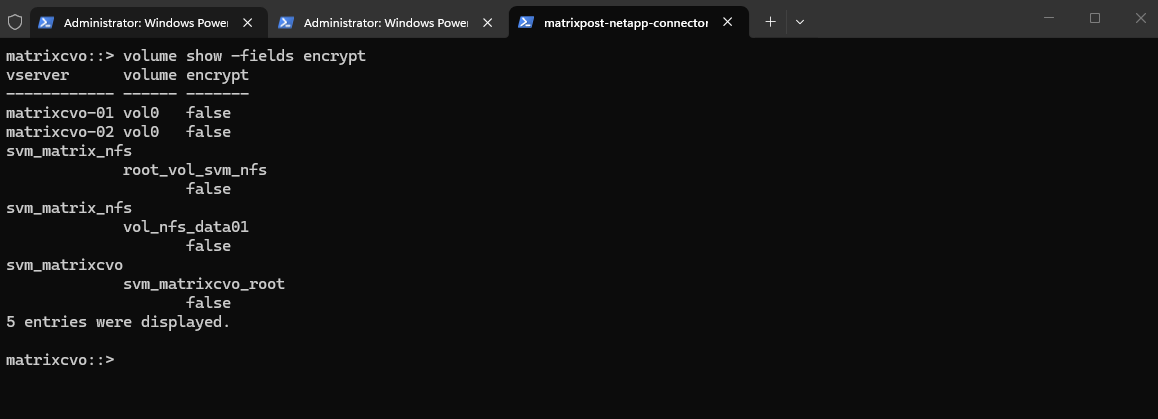
Before creating a new encrypted volume, it is useful to verify whether any volumes are already encrypted and to confirm the current encryption status within the cluster.
In this lab environment, none of the volumes are currently encrypted.
matrixcvo::> volume show -fields encrypt
Encrypt the Existing Volume
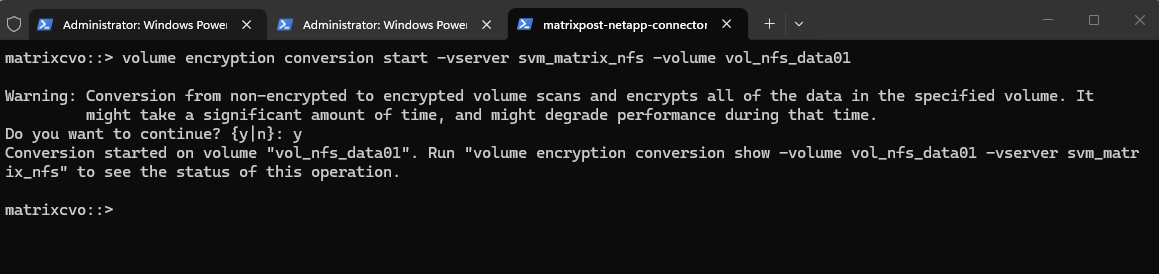
To validate the Azure Key Vault integration, I will encrypt the existing volume vol_nfs_data01. During this process, ONTAP generates and protects the required encryption keys using the configured Azure Key Vault external key manager.
When the volume encryption conversion is started, ONTAP generates the required volume encryption keys and protects them using the Azure Key Vault key (AKS) that was previously configured with the
security key-manager external azure enablecommand. This is the first time the configured Azure Key Vault key is actively used to wrap and protect ONTAP’s encryption keys, validating the end-to-end external key management workflow.Azure Key Vault does not store the actual ONTAP volume encryption keys. Instead, ONTAP generates the volume encryption keys locally and uses the configured Azure Key Vault key to wrap and protect them.
matrixcvo::> volume encryption conversion start -vserver svm_matrix_nfs -volume vol_nfs_data01
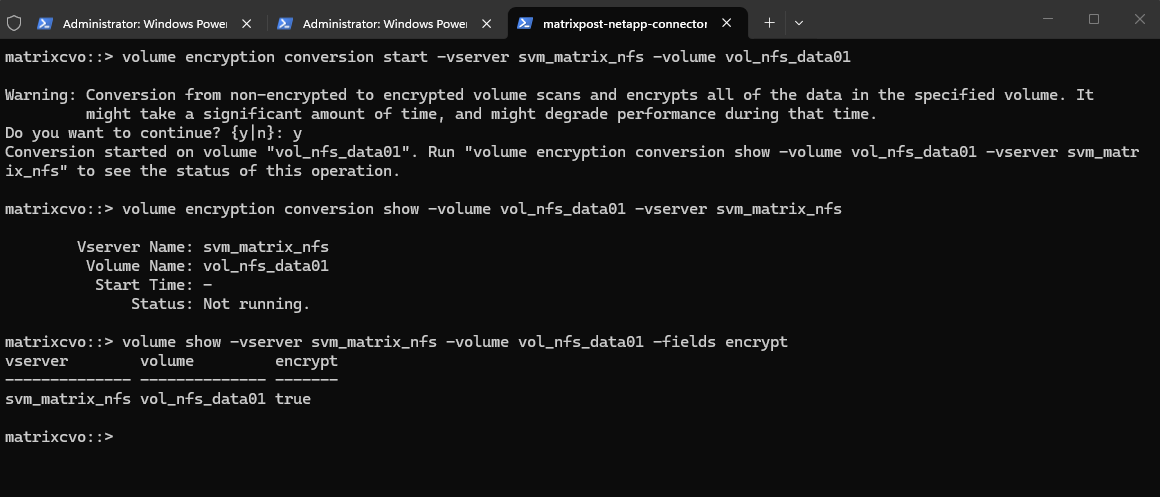
To see the status of the encryption operation run:
Because the volume was newly created and did not contain any data, the encryption conversion completed almost immediately. As a result, the conversion status already showed
Not runningwhen checked, while the volume encryption status had successfully changed totrue.
matrixcvo::> volume encryption conversion show -volume vol_nfs_data01 -vserver svm_matrix_nfs
matrixcvo::> volume show -vserver svm_matrix_nfs -volume vol_nfs_data01 -fields encrypt
Verify the Encryption Status
After the encryption process completes, verify that encryption has been successfully enabled for the volume. We actually already verified this in the previous step.
matrixcvo::> volume show -vserver svm_matrix_nfs -volume vol_nfs_data01 -fields encrypt

Validate Azure Key Vault Connectivity and Key Operations
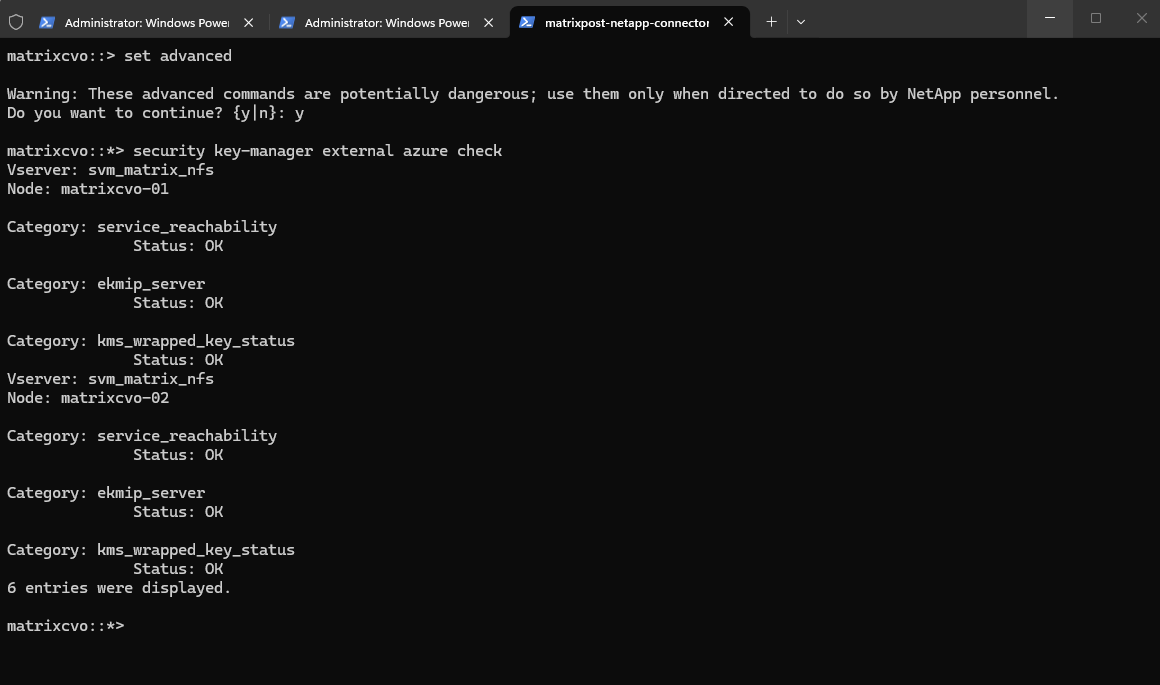
With the encrypted volume now created, rerun the Azure Key Vault validation. This verifies not only connectivity and authentication, but also that ONTAP can successfully use Azure Key Vault to protect and manage encryption keys.
Unlike the previous validation, which reported an
UNKNOWNstatus because no encrypted volumes existed, ONTAP can now verify that the encryption keys have been successfully wrapped and protected using Azure Key Vault.The successful
kms_wrapped_key_statusresult confirms that ONTAP can not only communicate with Azure Key Vault, but also use it to protect and manage the encryption keys required for NetApp Volume Encryption (NVE).
matrixcvo::> set advanced
matrixcvo::*> security key-manager external azure check
Review the Azure Key Vault Configuration and Status
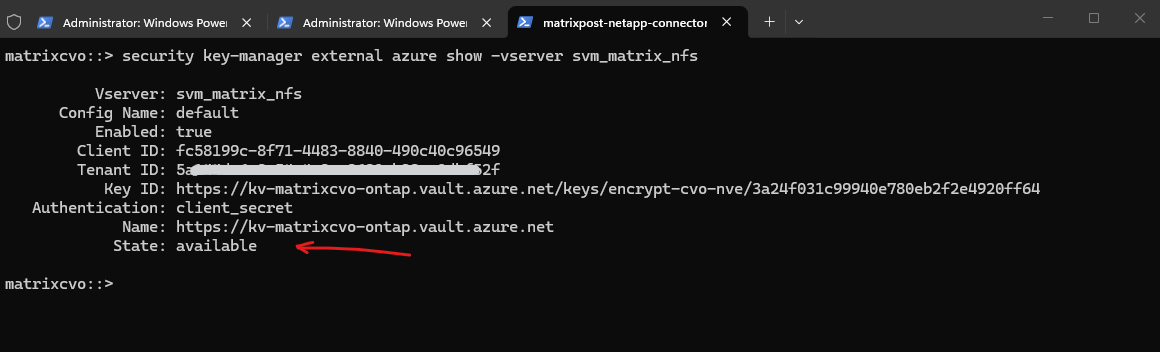
Finally, review the Azure Key Vault configuration and operational status. The output should now reflect that ONTAP has actively used the external key manager to protect encryption keys for the encrypted volume.
After the first encrypted volume has been created and its encryption keys have been successfully protected by Azure Key Vault, the external key manager state should change from
unknowntoavailable.A state of
availableconfirms that ONTAP can successfully communicate with Azure Key Vault and actively use it for encryption key management operations.
matrixcvo::> security key-manager external azure show -vserver svm_matrix_nfs
Review the Encryption Keys used for NetApp Volume Encryption
To display the encryption keys currently managed by ONTAP and protected through Azure Key Vault, run the following command:
matrixcvo::> security key-manager key query
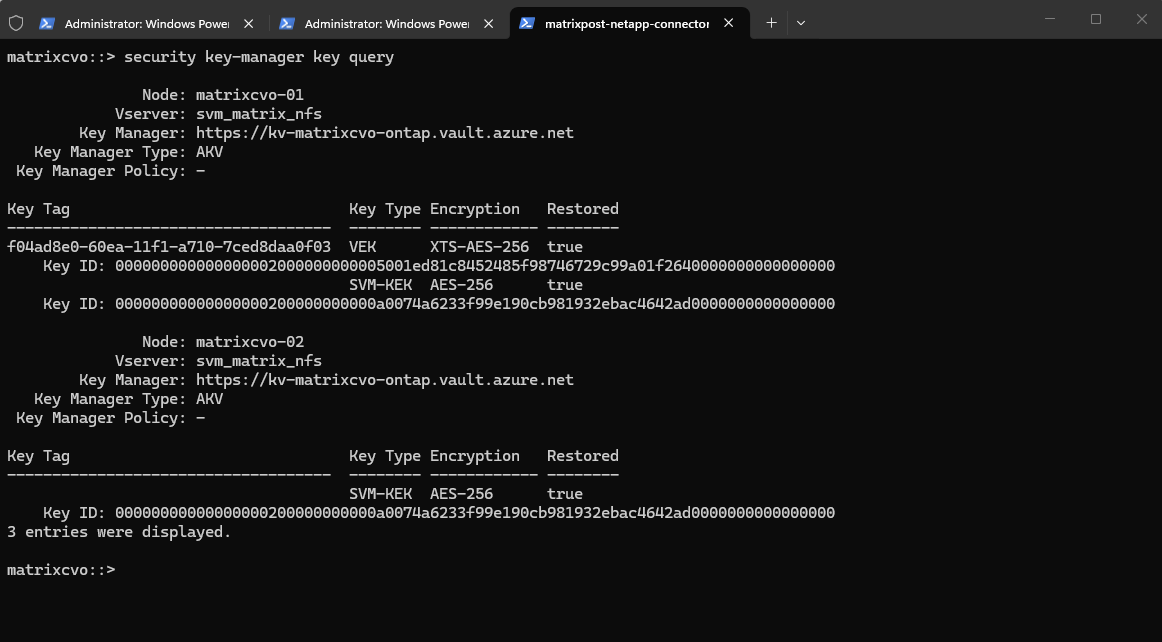
The output shows the different key types used by ONTAP. In this example, a Volume Encryption Key (VEK) was created for the encrypted volume vol_nfs_data01, while an SVM Key Encryption Key (SVM-KEK) is used to protect encryption keys within the SVM.
This demonstrates that the Azure Key Vault key created earlier is not used directly to encrypt volume data.
Instead, ONTAP generates and manages the actual volume encryption keys and uses Azure Key Vault to protect them through the external key management framework.
The VEK only appears on
matrixcvo-01because that’s the node currently hosting the encrypted volume.The SVM-KEK appears on both nodes because it belongs to the SVM and must be available cluster-wide.
The SVM-KEK (Storage Virtual Machine Key Encryption Key) is the key protected by Azure Key Vault and is used to secure the volume encryption keys within the SVM.
The VEK (Volume Encryption Key) is the actual key used to encrypt and decrypt the data stored in an individual encrypted volume.
How Cloud Volumes ONTAP behaves when Azure Key Vault is unavailable
While Azure Key Vault provides a secure and centralized platform for protecting ONTAP encryption keys, administrators should also understand the operational impact of Azure Key Vault outages and authentication failures.
Below I will simulate various failure scenarios to examine how Cloud Volumes ONTAP handles encrypted volumes, node reboots, and high availability operations when the external key manager is unavailable.
Verify the Healthy Baseline Configuration
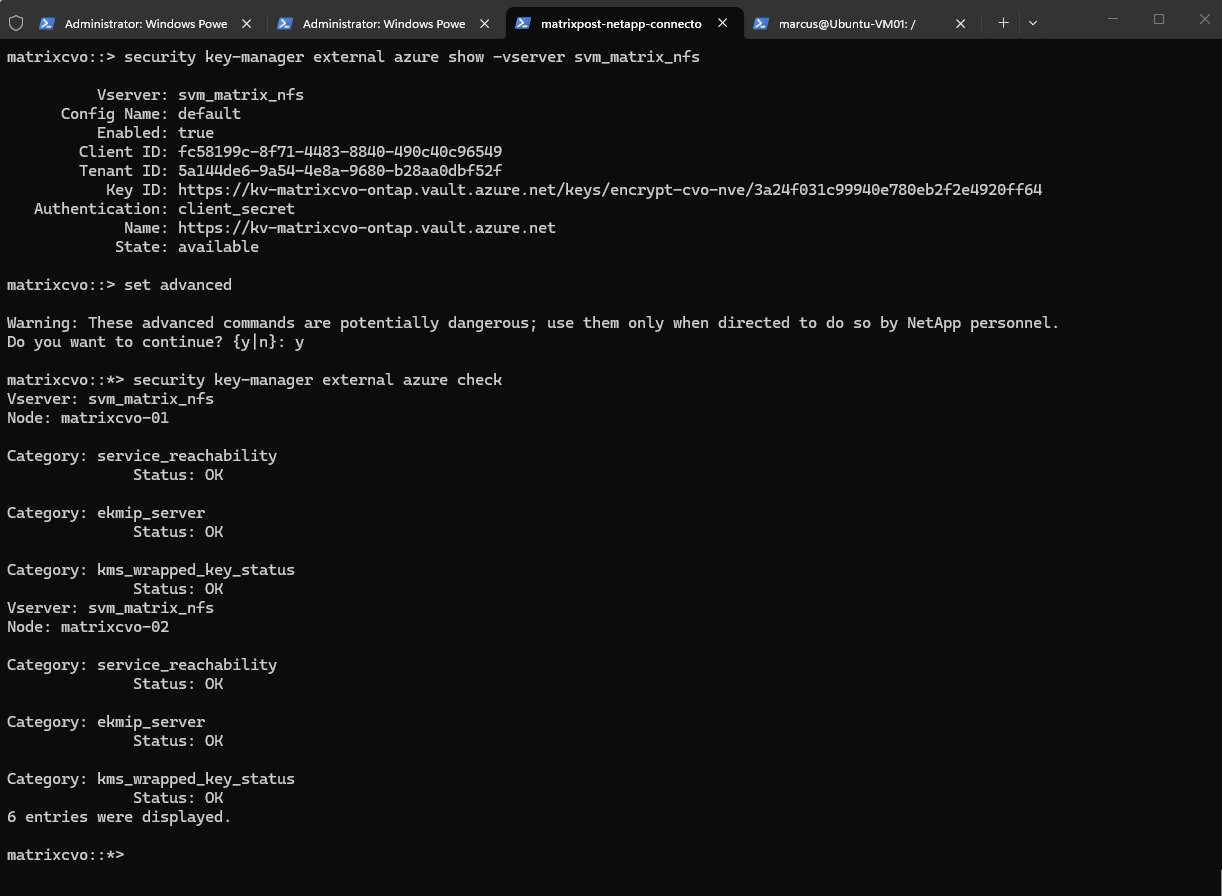
Before simulating any failure scenarios, it is important to verify that Azure Key Vault integration is fully operational. The following commands confirm that ONTAP can successfully communicate with Azure Key Vault and that encrypted volumes are functioning normally.
matrixcvo::> security key-manager external azure show -vserver svm_matrix_nfs

matrixcvo::> set advanced
matrixcvo::*> security key-manager external azure check
Simulate an Expired Azure Key Vault Client Secret
Client secrets have a limited lifetime and are one of the most common causes of authentication failures between ONTAP and Azure Key Vault. In this test, I will intentionally invalidate the client secret to observe how Cloud Volumes ONTAP behaves when authentication to Azure Key Vault is no longer possible.
So below I will delete the client secret to simulate an expired Azure Key Vault Client Secret resp. Entra ID Security Principal Client Secret.
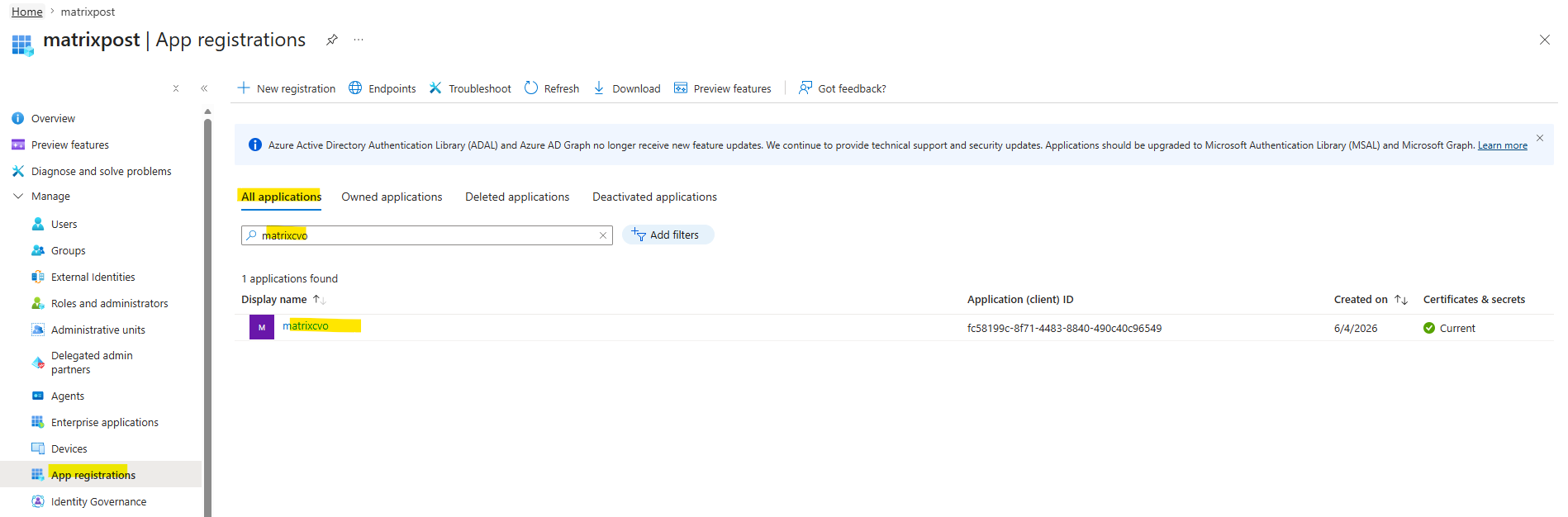
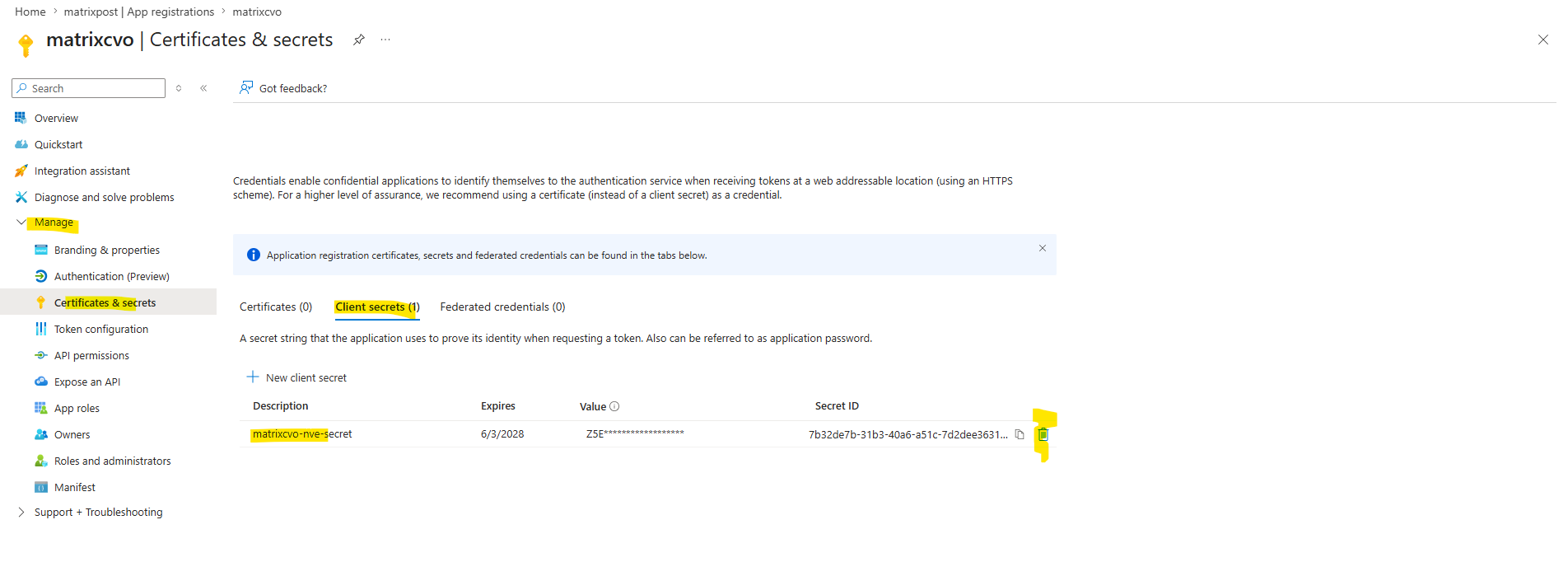
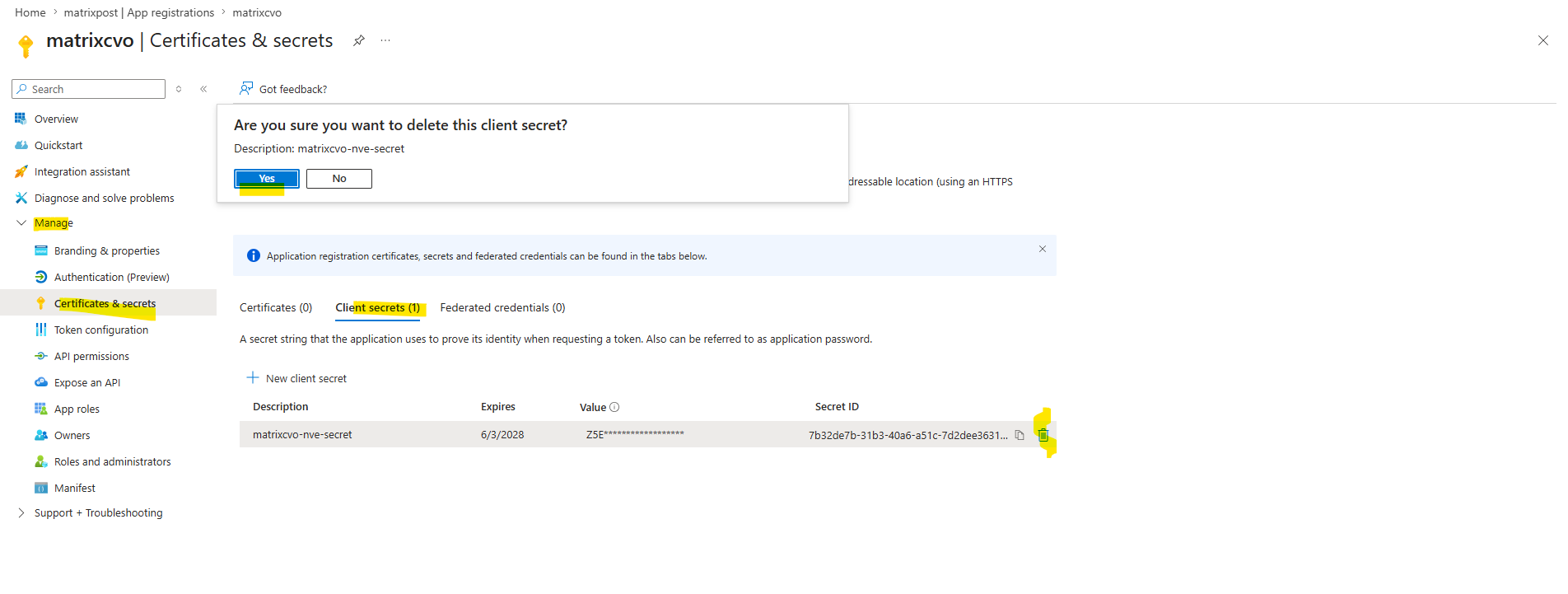
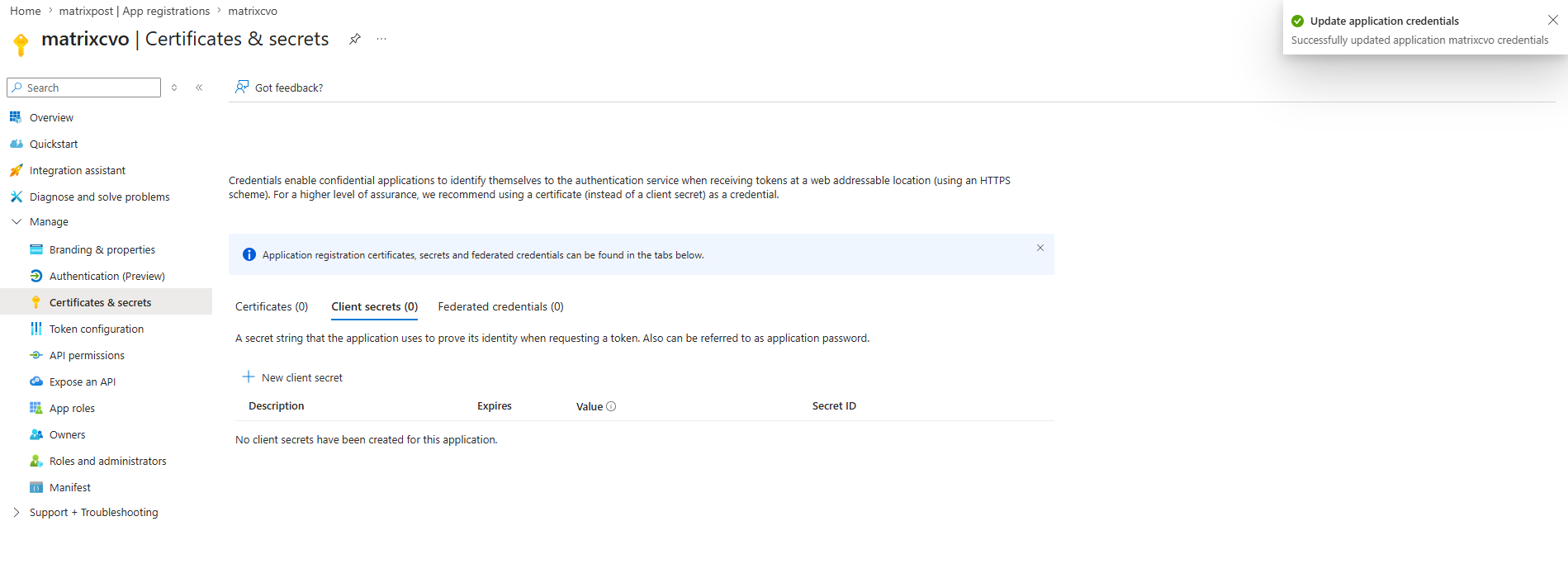
After deleting the Client Secret we will verify again if our Azure Key Vault integration is fully operational by running:
matrixcvo::> set advanced
matrixcvo::*> security key-manager external azure check
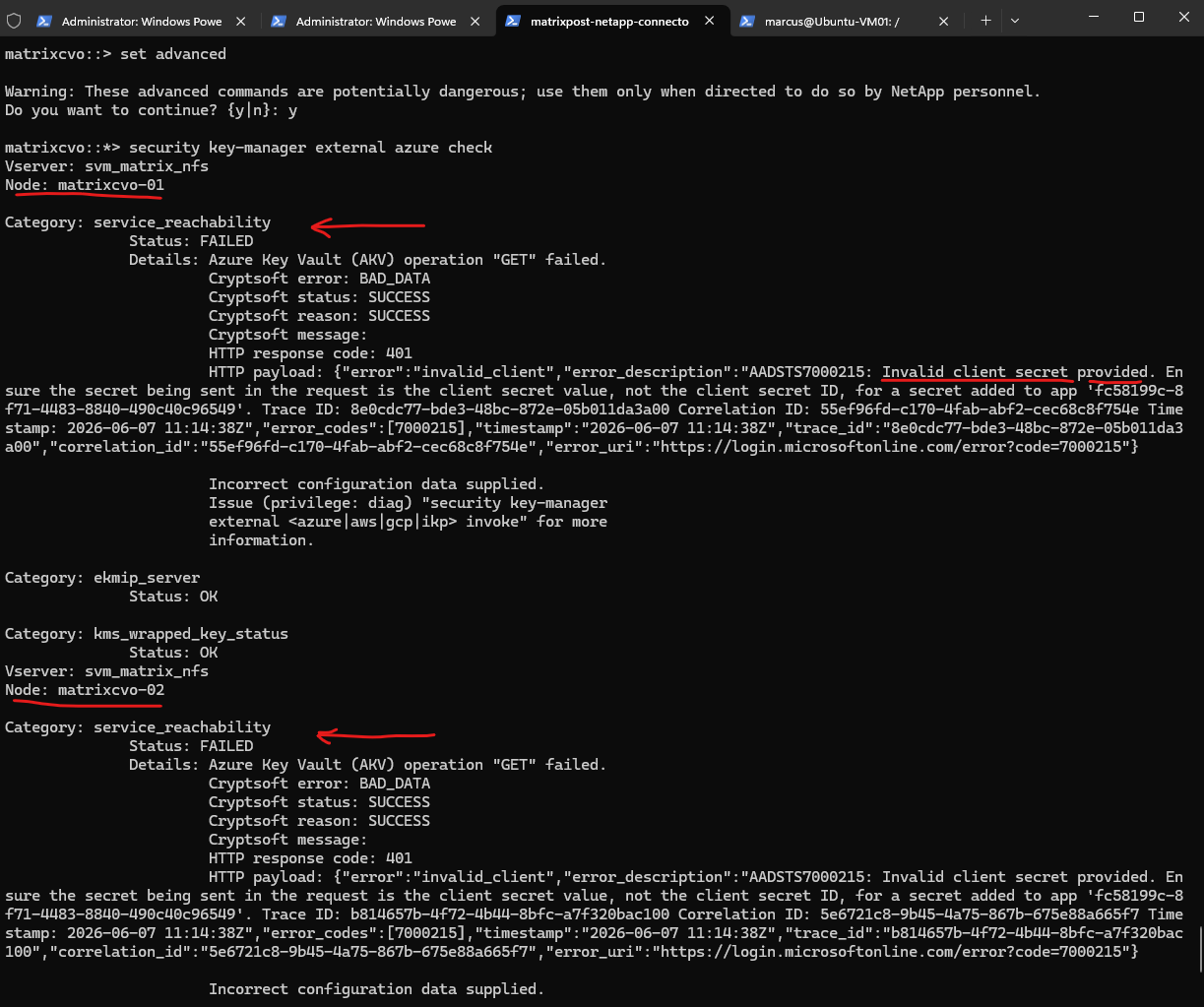
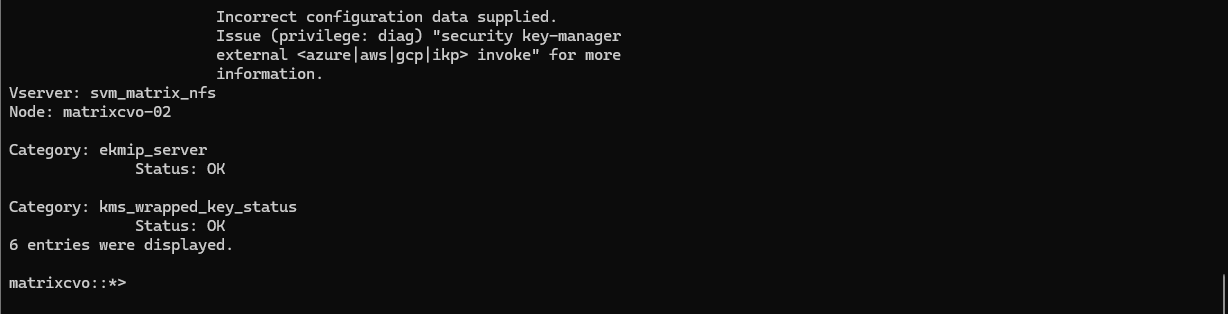
In case the Clients Secret keys is not manually deleted like for my lab environment and are really expired, the HTTP payload will show this with the notification “The provided client secret keys for app (App Registration/Security Principal) ….. are expired.

Look especially at these entries:
service_reachability     FAILED
ekmip_server             OK
kms_wrapped_key_status   OK
This tells us:
- ONTAP can no longer authenticate against Microsoft Entra ID because the client secret is invalid.
- The configured Azure Key Vault integration is broken for new authentication requests.
- The previously wrapped keys are still available and valid.
- Existing encrypted volumes are not immediately impacted.
After deleting the client secret, ONTAP can no longer authenticate to Microsoft Entra ID and therefore cannot establish new authenticated sessions with Azure Key Vault. This is reflected by the service_reachability check reporting a failure with HTTP status code 401 Unauthorized.
Interestingly, both ekmip_server and kms_wrapped_key_status continue to report a healthy status. This indicates that the encryption keys already protected through Azure Key Vault remain available to ONTAP and that existing encrypted volumes are not immediately affected by the authentication failure.
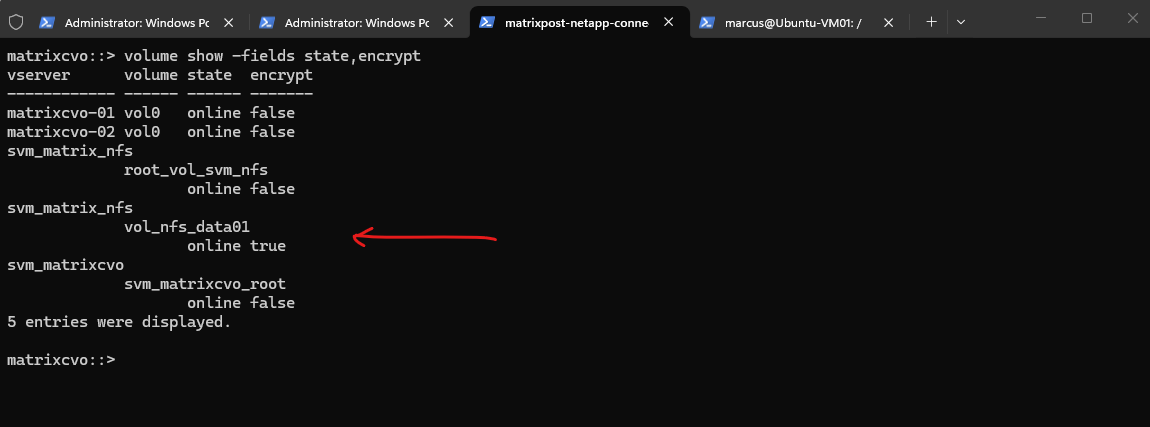
Despite the Azure Key Vault authentication failure, the encrypted volume remained online and fully accessible. This indicates that Cloud Volumes ONTAP does not immediately depend on successful communication with Azure Key Vault to continue serving data from already encrypted volumes, as the required encryption keys are still available to the cluster.
matrixcvo::> volume show -fields state,encrypt
Test Storage Failover While Azure Key Vault Is Unavailable
Next, I will perform a storage takeover while Azure Key Vault authentication is unavailable. This test helps determine whether the partner node can continue serving encrypted data using the keys that are already available within the cluster.
matrixcvo::> storage failover takeover -ofnode matrixcvo-02
matrixcvo::> storage failover show
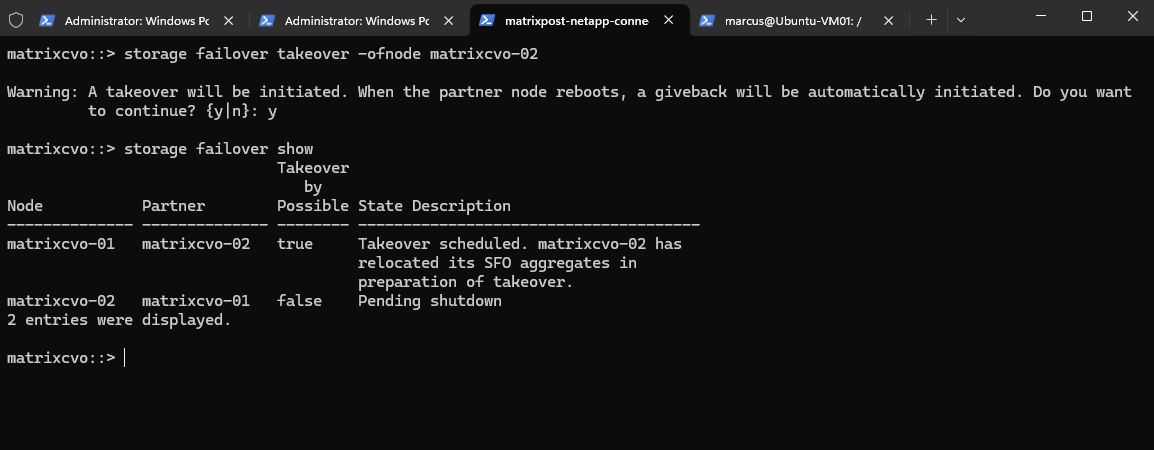
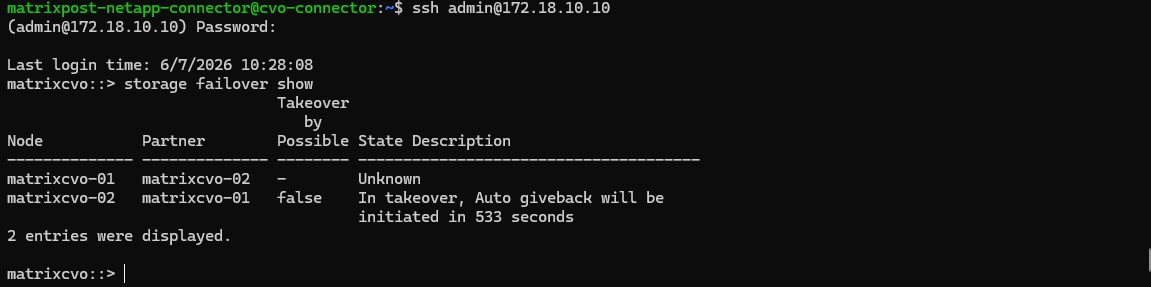
Initiating a storage takeover not only transfers ownership of the partner node’s aggregates, but also forces the partner node to shut down and reboot.
After the node has successfully restarted and rejoined the cluster, ONTAP automatically initiates a giveback operation to return aggregates to their home node.
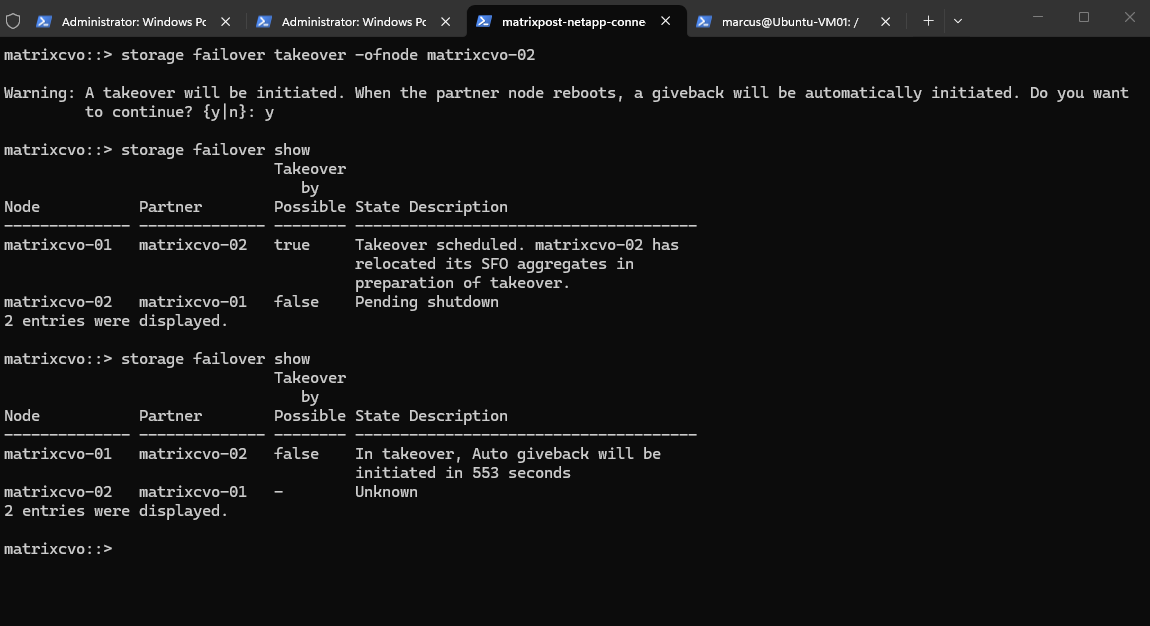
After the rebooted node has successfully rejoined the cluster, ONTAP automatically initiates a giveback operation after a configurable delay. During this process, ownership of the aggregates is returned to their home node, restoring the HA pair to its normal operating state without requiring manual intervention.
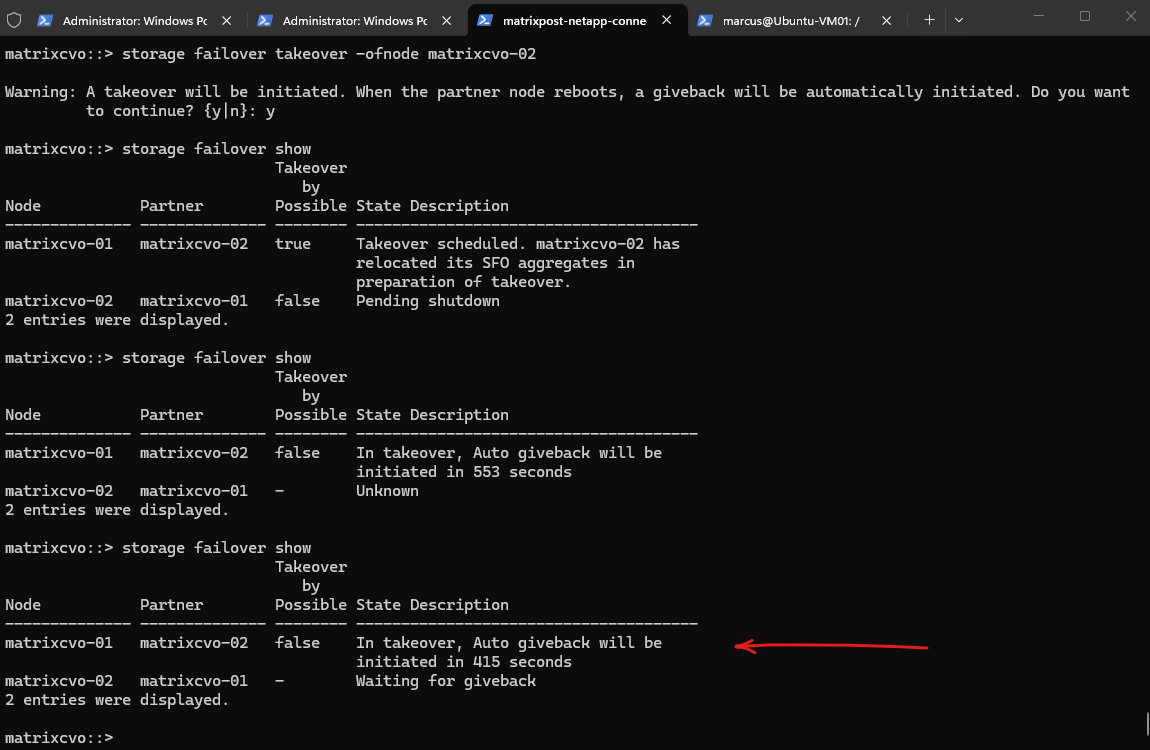
Despite the Azure Key Vault authentication failure and the ongoing takeover operation, the NFS client remained able to access the encrypted volume and its exported file system without interruption. This confirms that Cloud Volumes ONTAP continued to serve data from the encrypted volume while the required encryption keys remained available within the cluster.
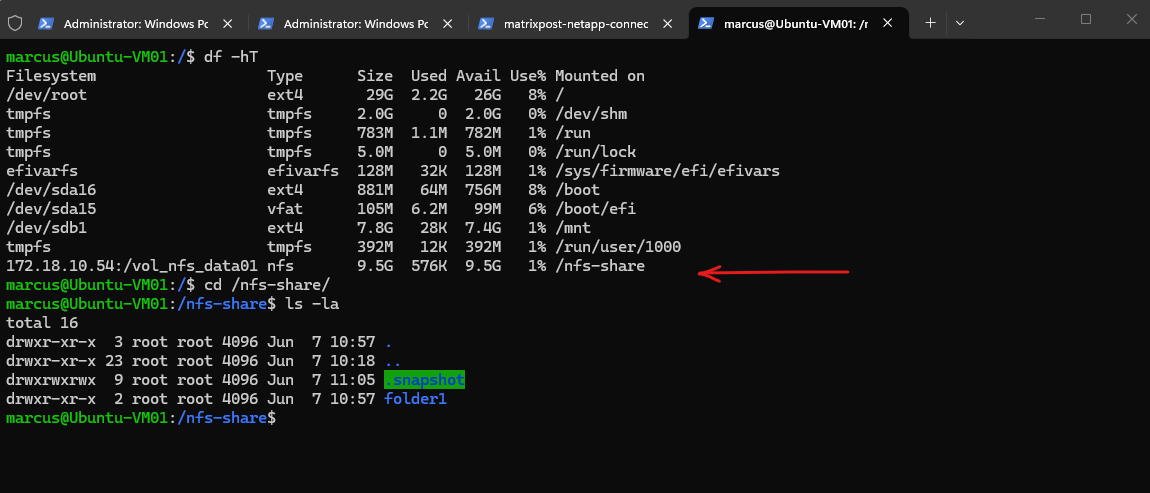
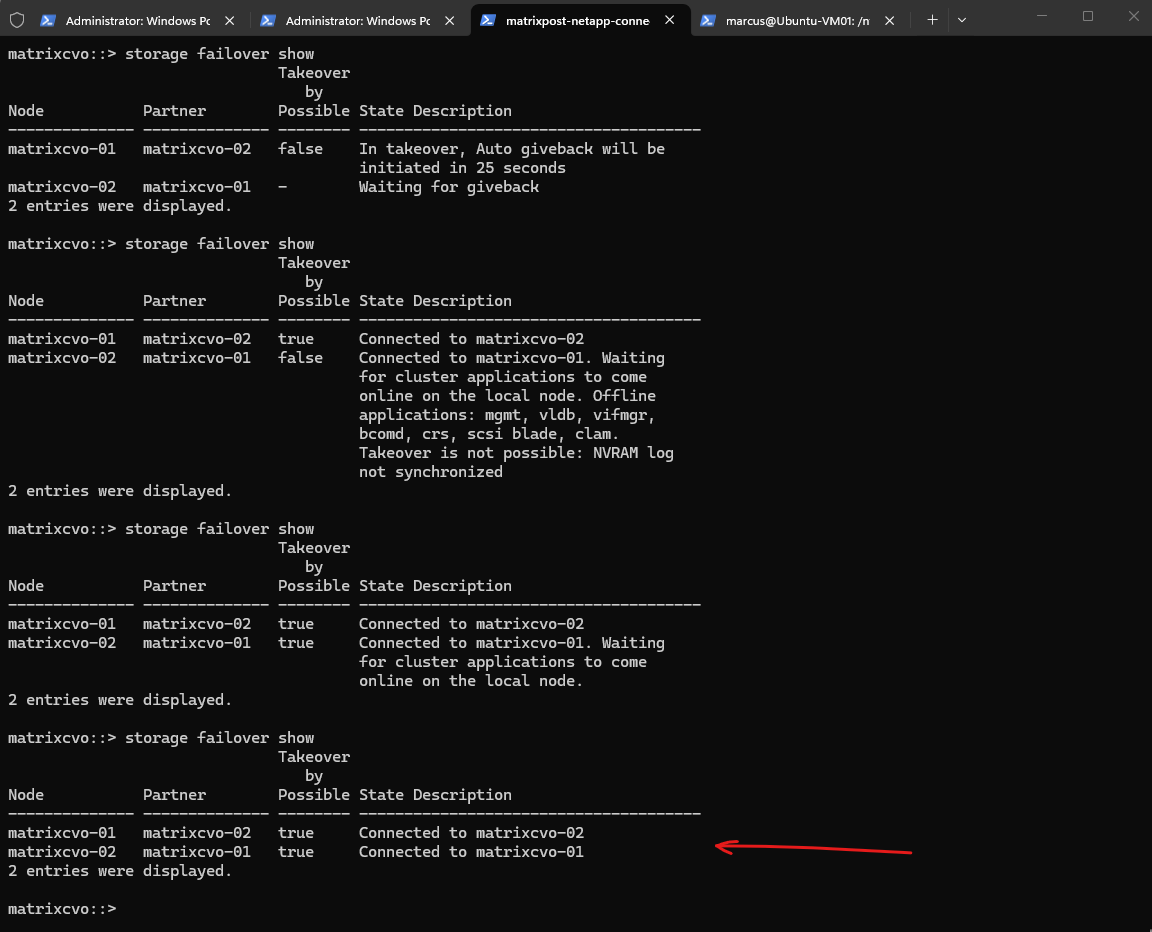
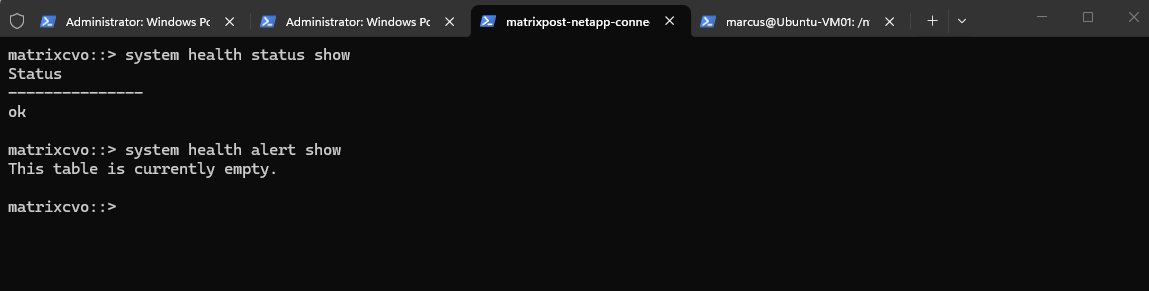
After the rebooted node rejoined the cluster, ONTAP automatically completed the giveback operation and returned the aggregates to their home node. Despite the Azure Key Vault authentication failure caused by the deleted client secret, both nodes successfully resumed normal HA operation and returned to a fully healthy state without any key manager vetoes or interruptions to the encrypted volume.
matrixcvo::> system health status show
matrixcvo::> system health alert show
Simulate a Node Reboot During an Azure Key Vault Outage
Unplanned node reboots can occur during Azure platform maintenance events, host failures, or operating system updates. This test examines how Cloud Volumes ONTAP behaves when a node restarts while Azure Key Vault authentication is unavailable and encrypted volumes already exist.
The previous failover test demonstrated that Cloud Volumes ONTAP can successfully complete takeover and giveback operations even when Azure Key Vault authentication is unavailable. To further validate the resilience of the solution, I will now reboot the node hosting the encrypted volume while Azure Key Vault remains inaccessible due to the invalid client secret. This scenario closely resembles an Azure platform maintenance event or an unexpected node restart.
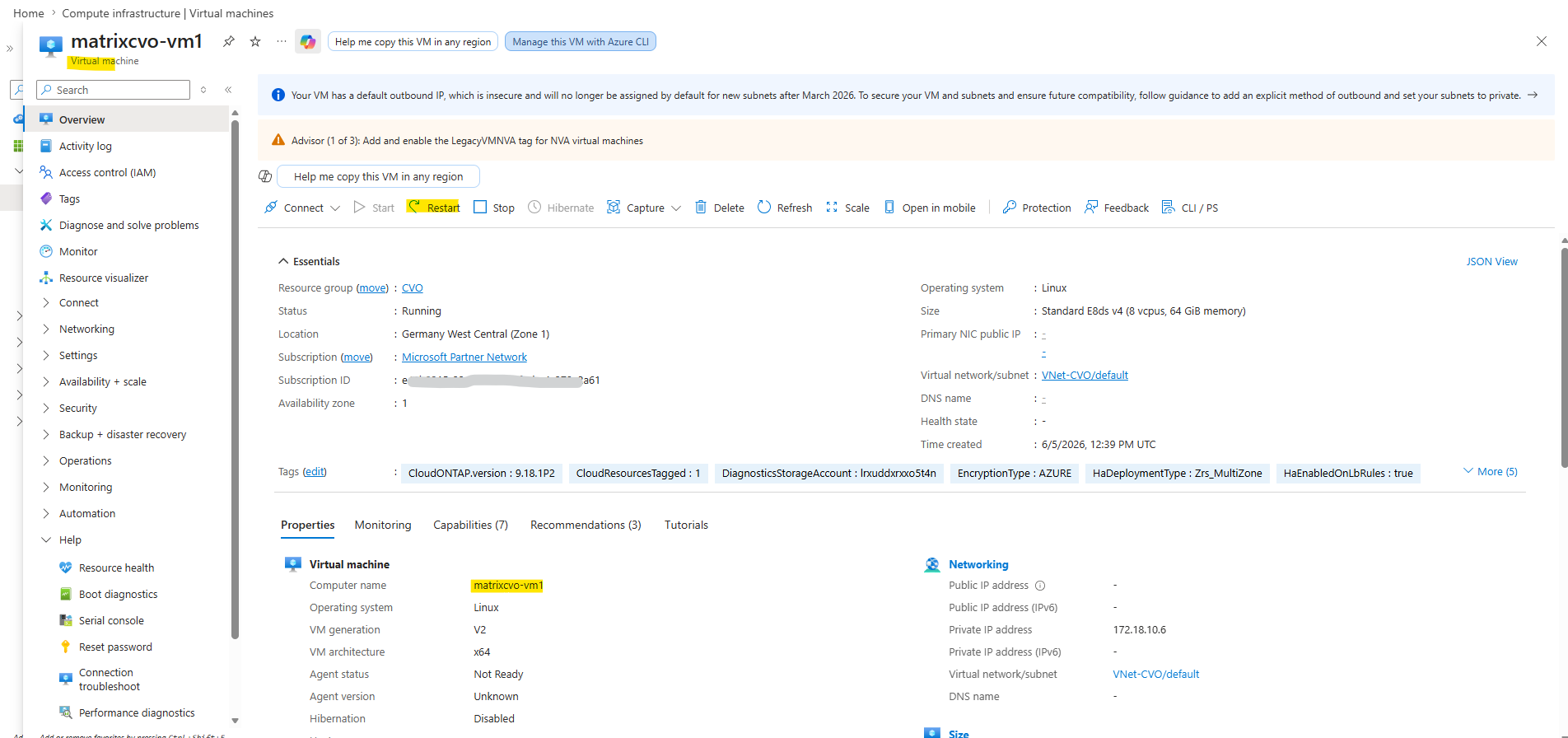
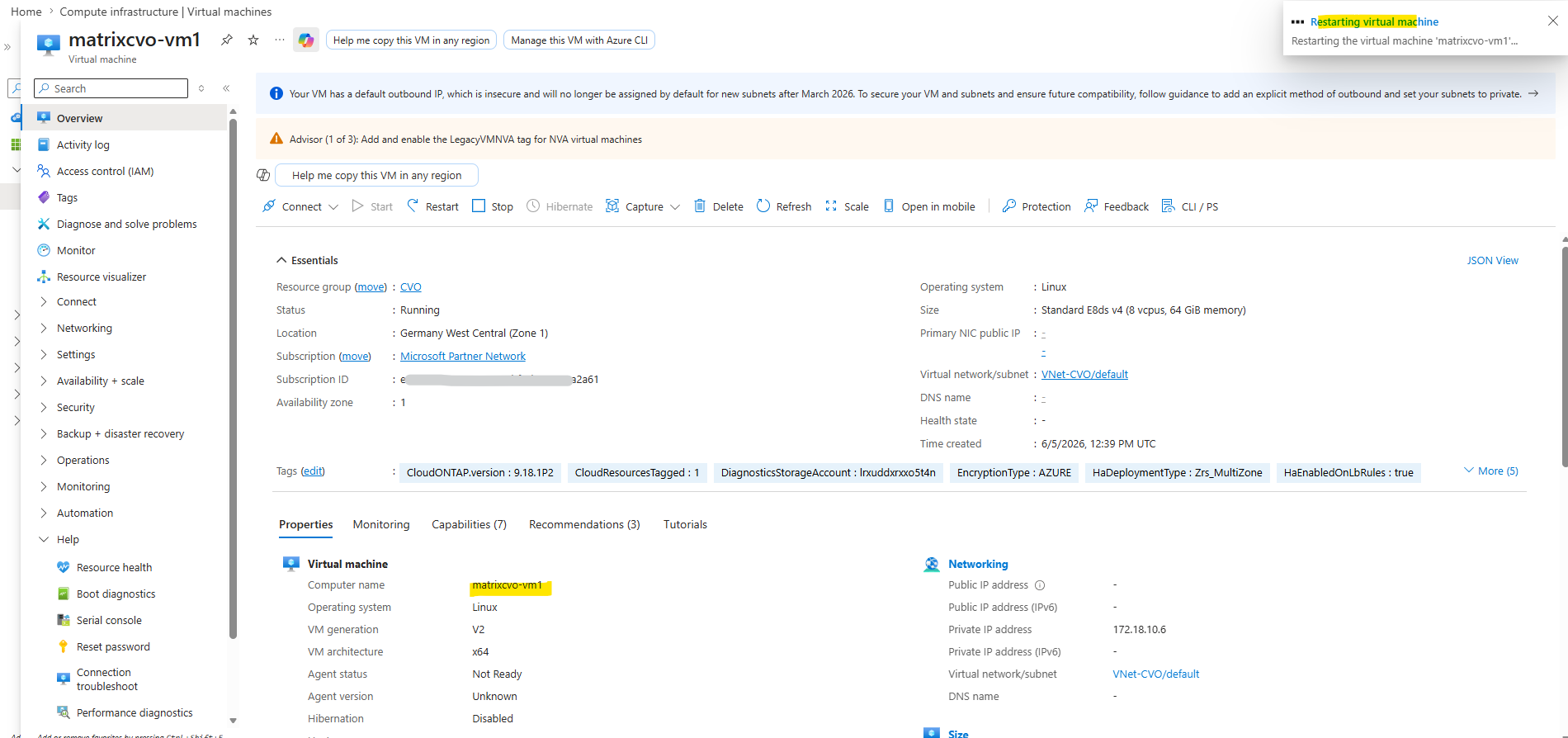
After initiating the restart from the Azure Portal, the reboot was not triggered immediately. Azure restart operations are asynchronous and may take several minutes before the guest operating system begins the shutdown process and the HA pair initiates takeover procedures.
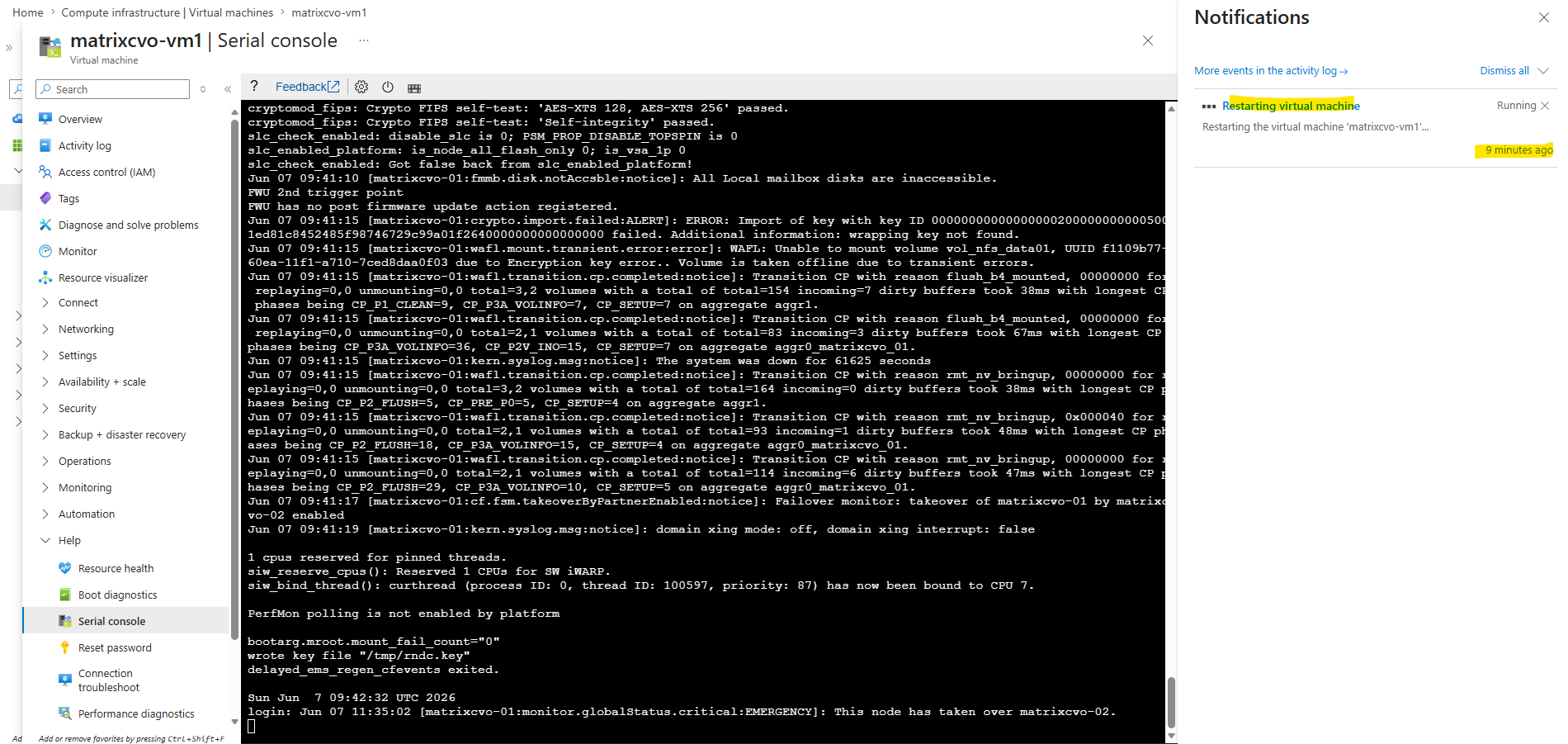
The guest shutdown has not yet started.
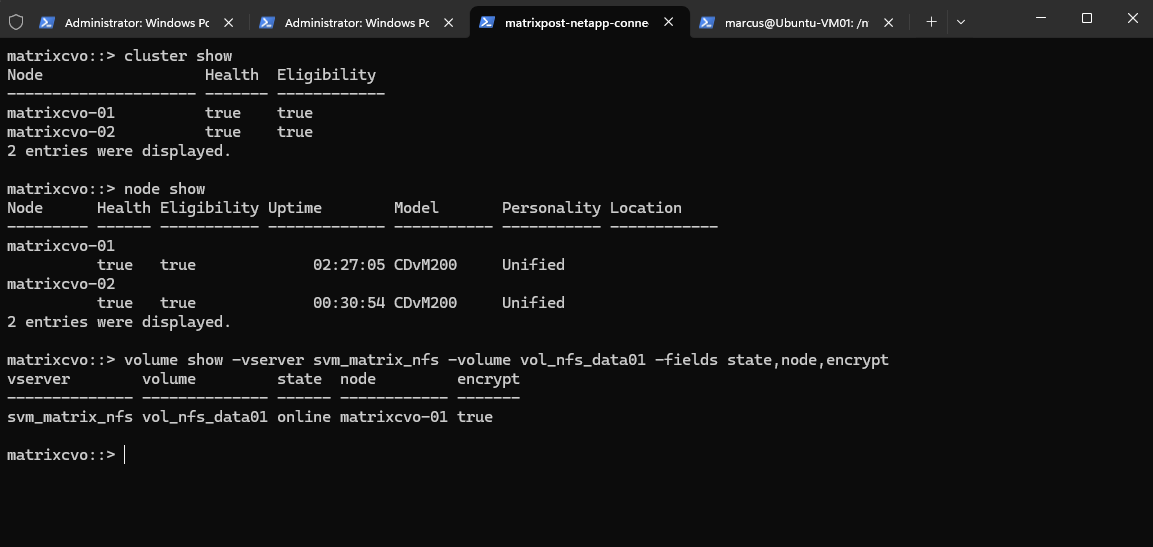
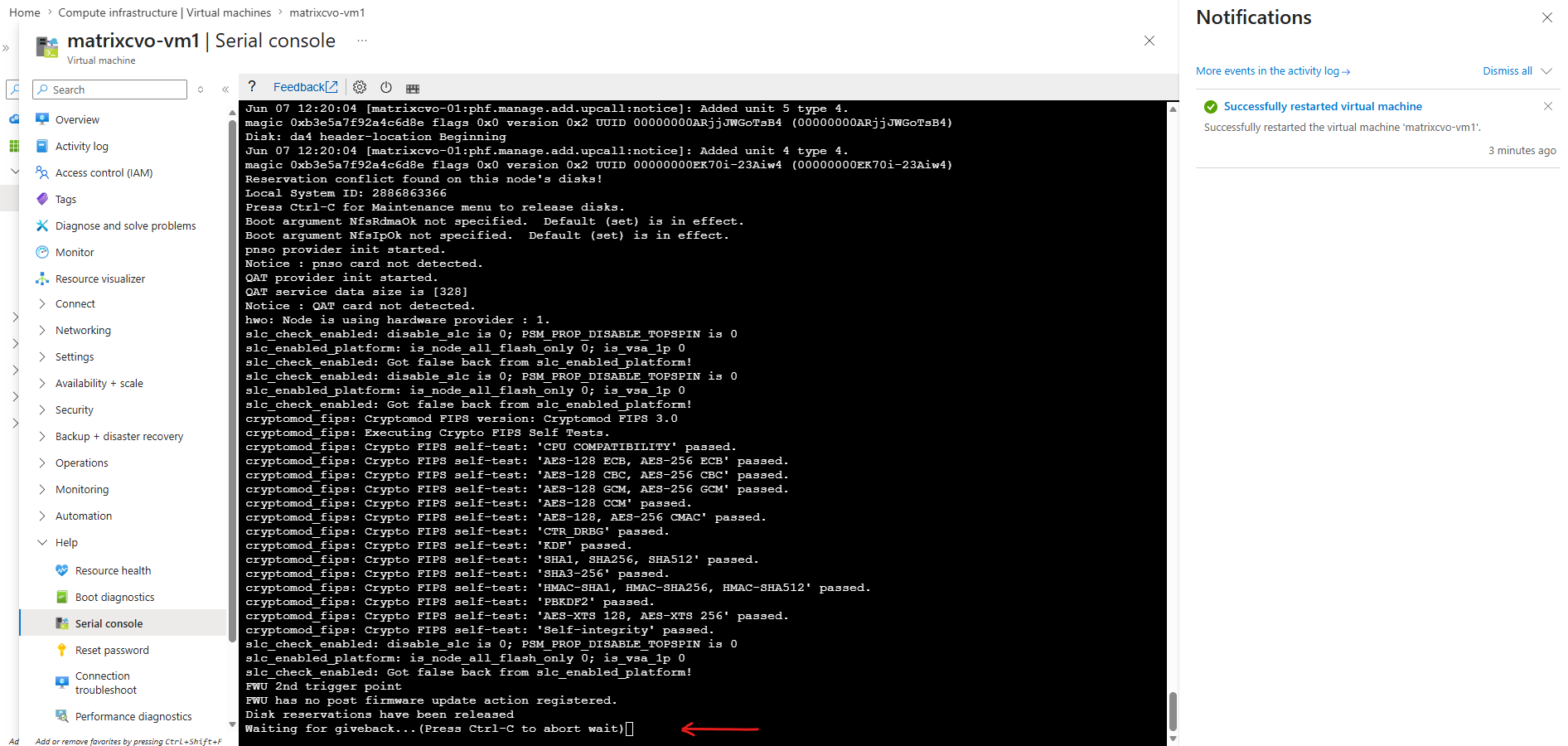
After around 15 minutes the restart process was finally initiated for node 1 (matrixcvo-01) which is the home node for the storage aggregate aggr1 and the encrypted volume.
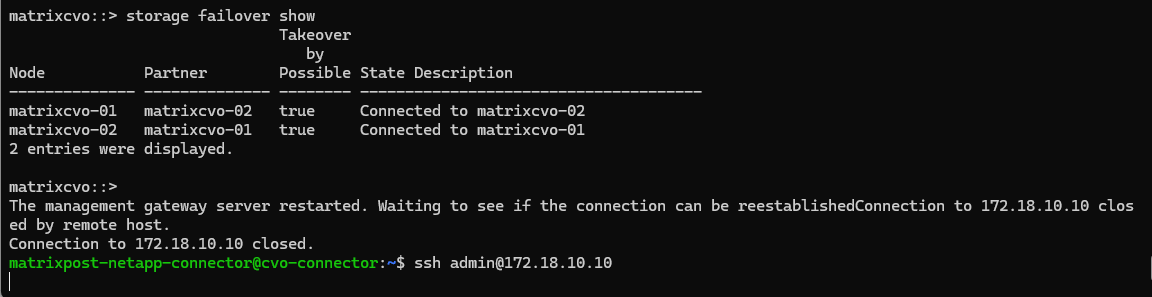
Node 1 (matrixcvo-01) is booting.
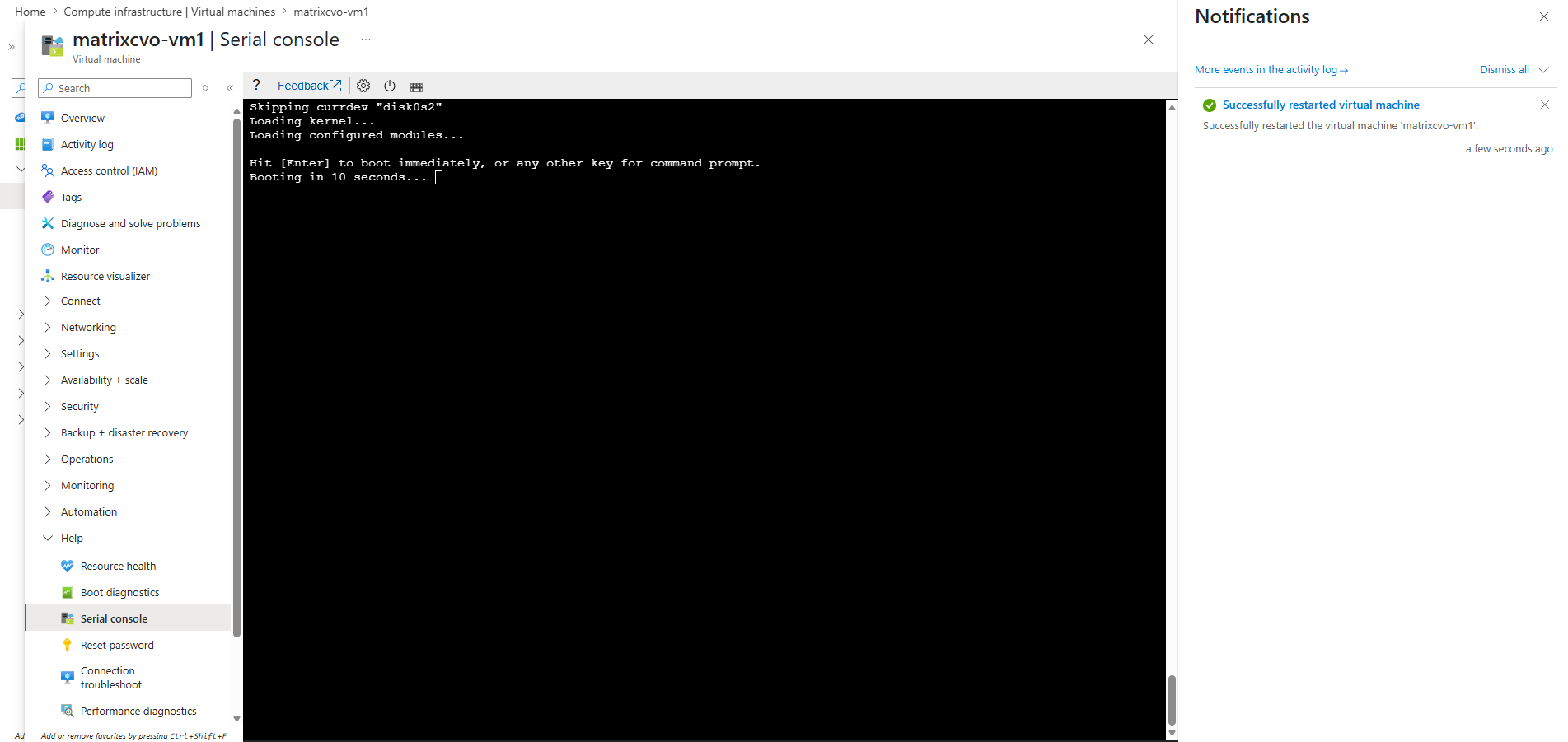
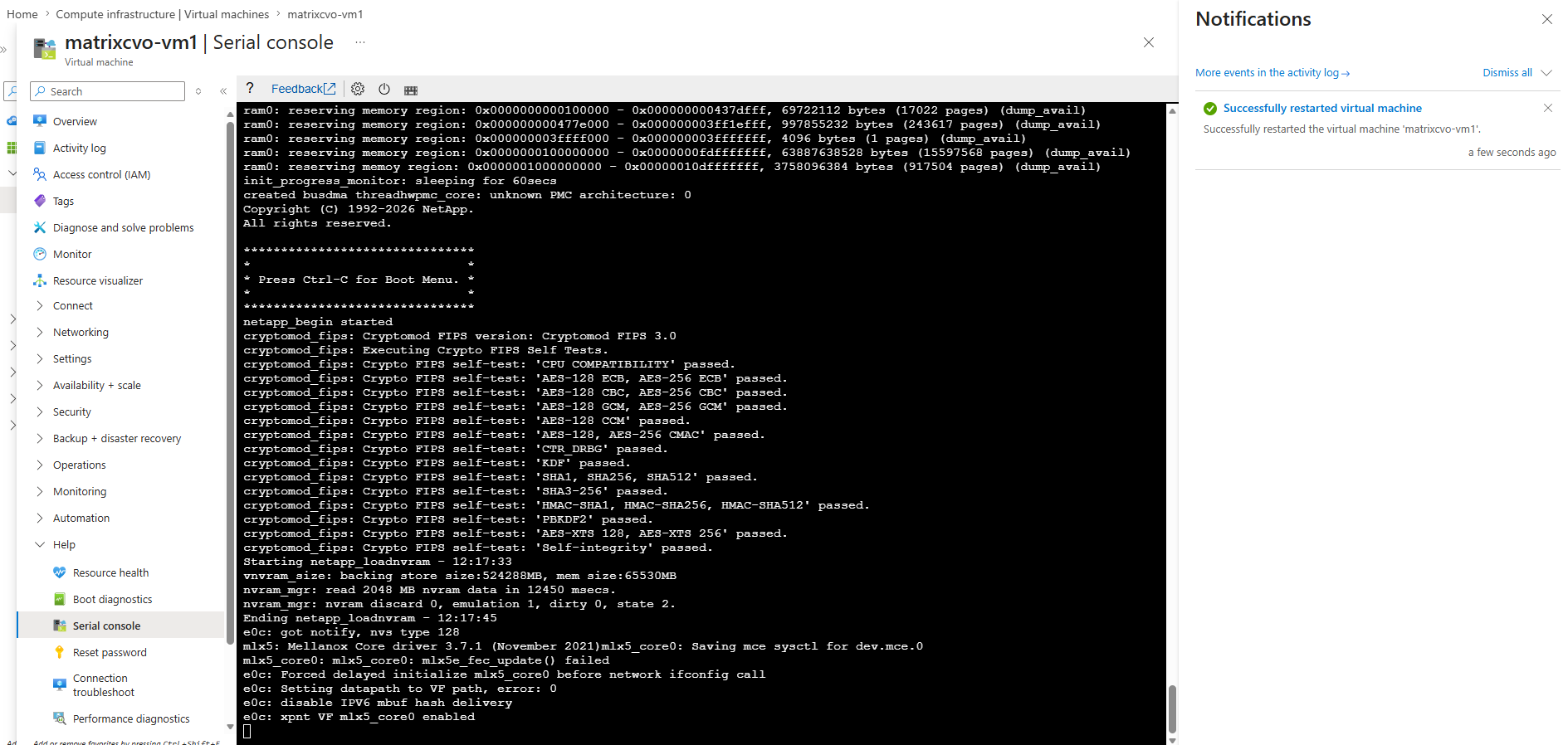
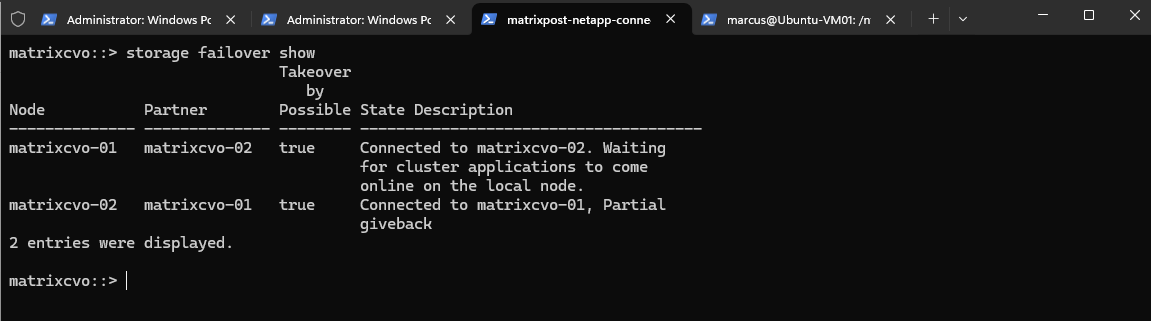
Node 1 (matrixcvo-01) reboot finished.
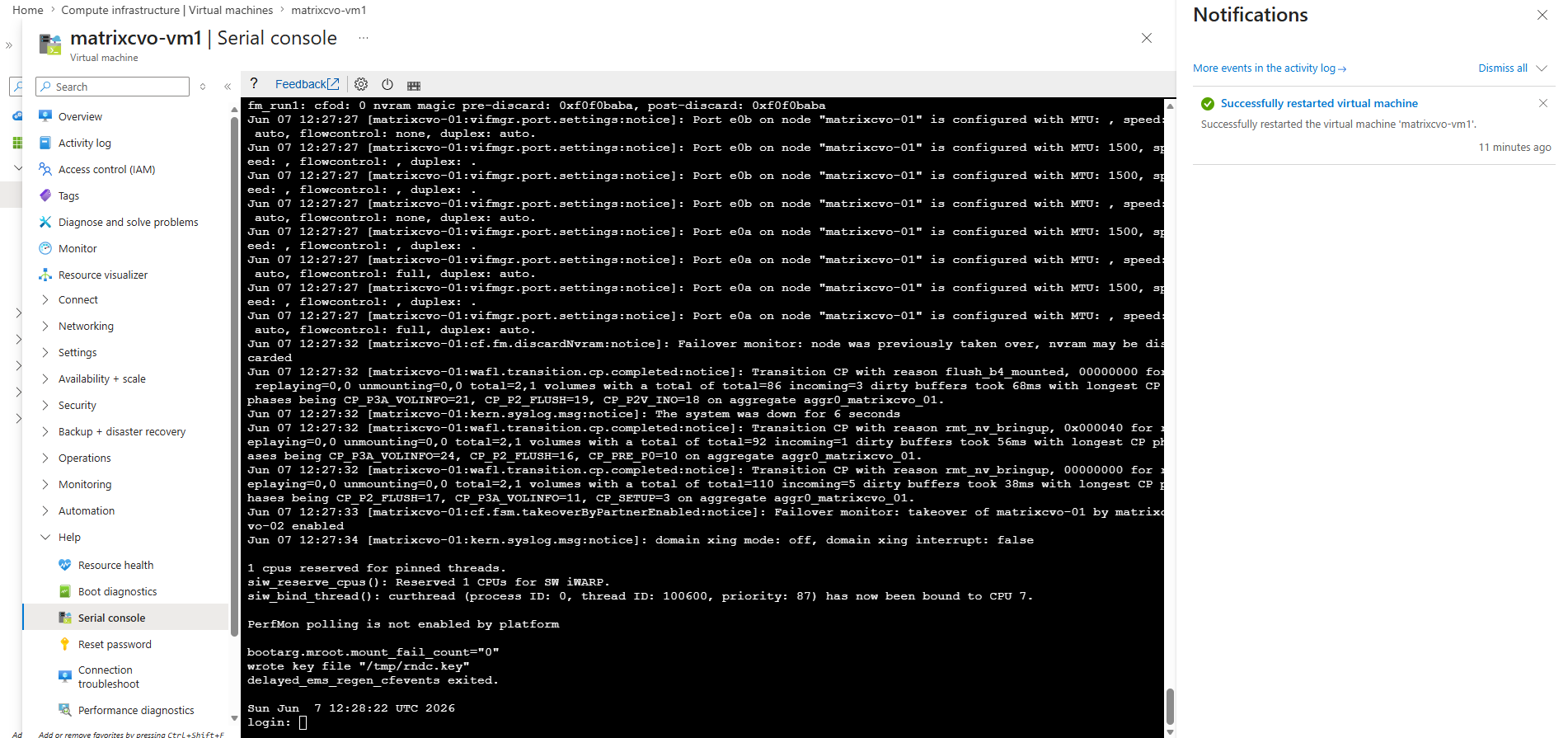
Node 2 (matrixcvo-02) cannot giveback the storage aggregate aggr1 with the encrypted volume to the rebooted home node matrixcvo-01.
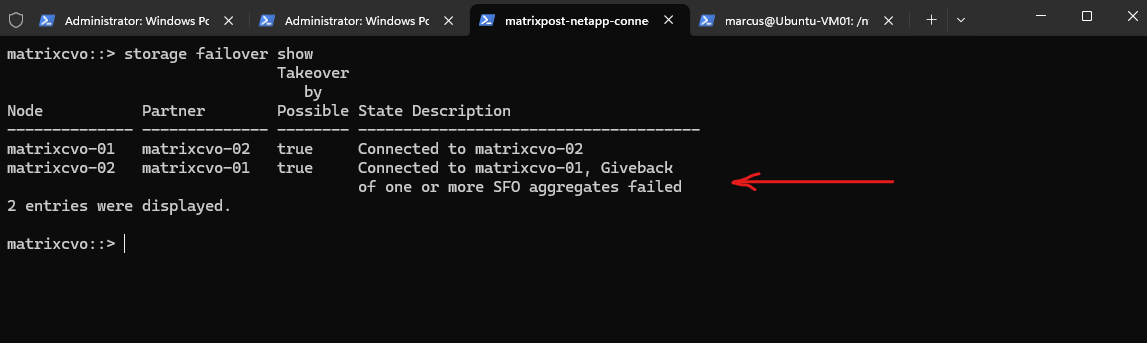
After rebooting the node that originally owned the encrypted volume while Azure Key Vault authentication was unavailable, the takeover itself completed successfully and the encrypted volume remained available through the surviving node. However, the automatic giveback failed because the key manager vetoed the operation: the required SVM KEK could not be restored on the rebooted node while Azure Key Vault was unavailable.
This behavior shows that Cloud Volumes ONTAP can continue serving already-unlocked encrypted data during the outage, but a rebooted node may not be able to regain ownership of aggregates containing encrypted volumes until Azure Key Vault access is restored.
matrixcvo::> storage failover show
matrixcvo::> event log show -time >30m
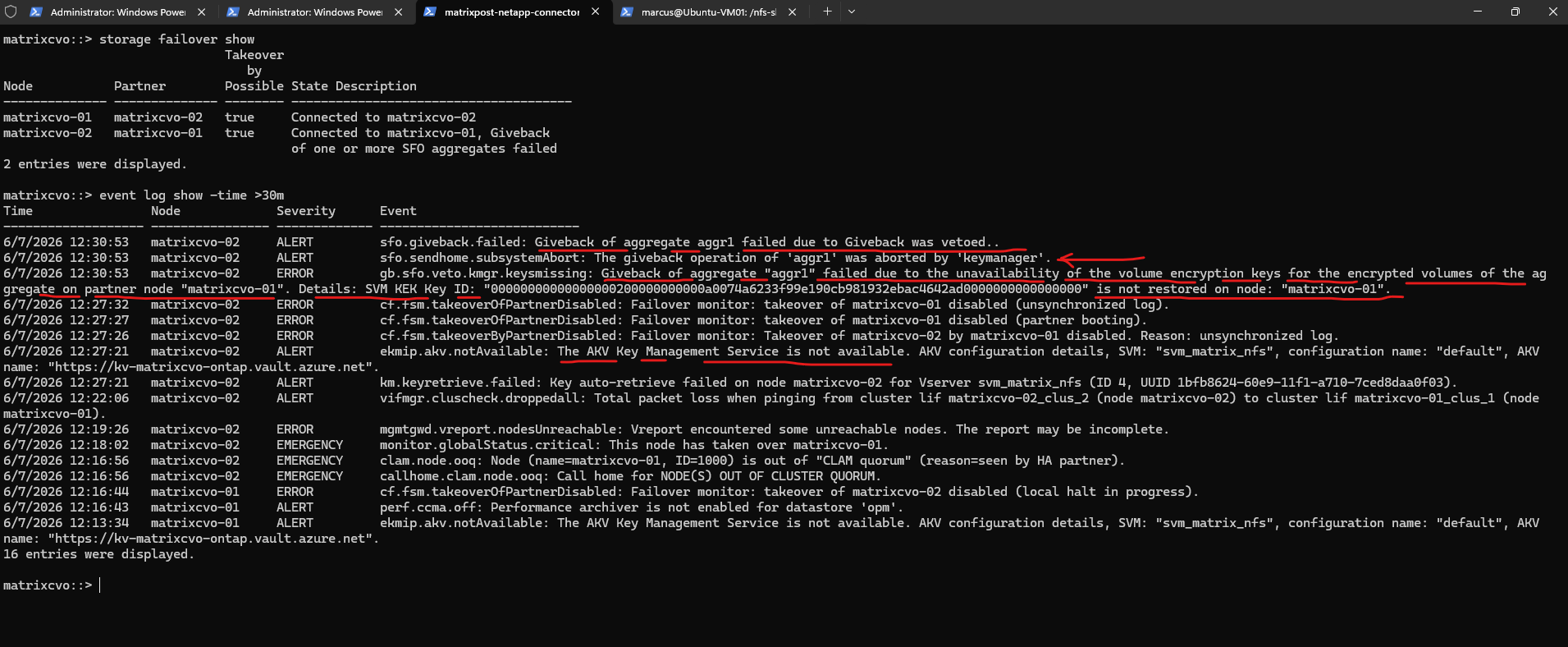
The event log showed that ONTAP continued attempting to communicate with Azure Key Vault after the failed giveback operation.
New ekmip.akv.notAvailable events were generated approximately every 15 minutes, indicating that ONTAP periodically retries access to the external key manager in an effort to restore the missing encryption keys required by the rebooted node.
matrixcvo::> event log show -time >30m

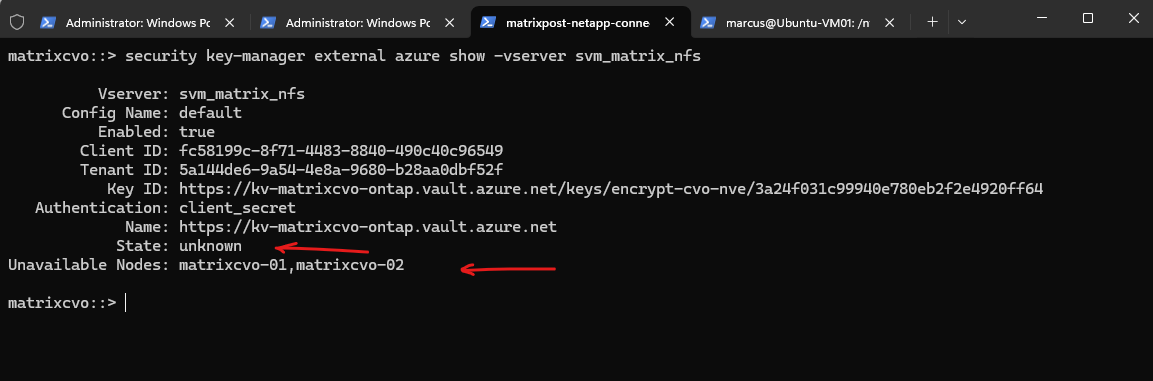
Reviewing the Azure Key Vault configuration shows that the external key manager state has changed from available to unknown, and both cluster nodes are now reported as unavailable.
This indicates that ONTAP can no longer successfully communicate with Azure Key Vault and is unable to restore the required encryption keys on the rebooted node.
matrixcvo::> security key-manager external azure show -vserver svm_matrix_nfs
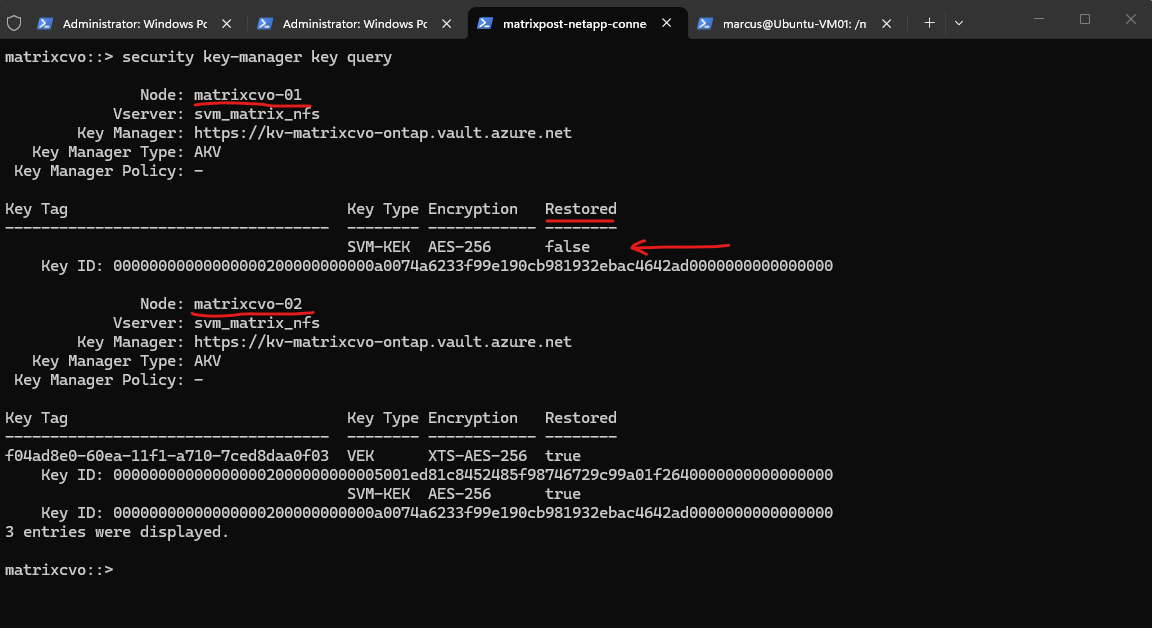
The root cause becomes apparent when examining the encryption keys available on each node. While the takeover node (matrixcvo-02) still has access to both the Volume Encryption Key (VEK) and the SVM Key Encryption Key (SVM-KEK), the rebooted node (matrixcvo-01) shows its SVM-KEK as Restored: false. Because the required key could not be restored from Azure Key Vault after the reboot, ONTAP vetoed the giveback operation to prevent encrypted volumes from being returned to a node that cannot access the necessary encryption keys.
matrixcvo::> security key-manager key query
To further validate the observed behavior, I manually initiated a giveback operation while Azure Key Vault remained unavailable and the SVM-KEK was not restored on the rebooted node.
This test verifies whether ONTAP allows aggregates containing encrypted volumes to be returned to their home node when the required encryption keys are unavailable.
-ofnode {<nodename>|local} – Node to which Control is Givenback
Source: https://docs.netapp.com/us-en/ontap-cli/storage-failover-giveback.html
matrixcvo::> storage failover giveback -ofnode matrixcvo-01

To check the giveback status we can run:
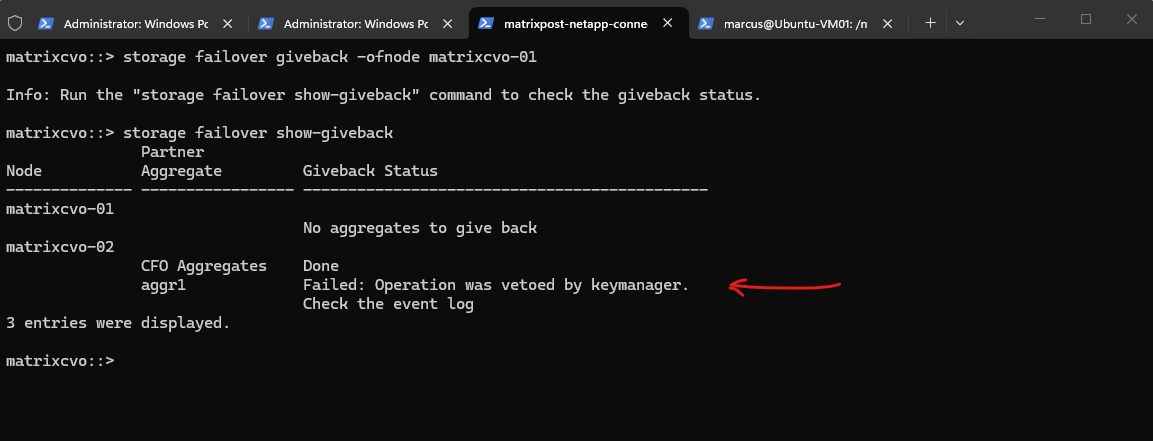
The manual giveback attempt produced the same result as the automatic giveback operation. While the CFO aggregates (Controller Failover aggregates (root/system aggregates)) were successfully returned, the giveback of
aggr1, which hosts the encrypted volume, was vetoed by the key manager because the required encryption keys were still unavailable on the rebooted node.
matrixcvo::> storage failover show-giveback
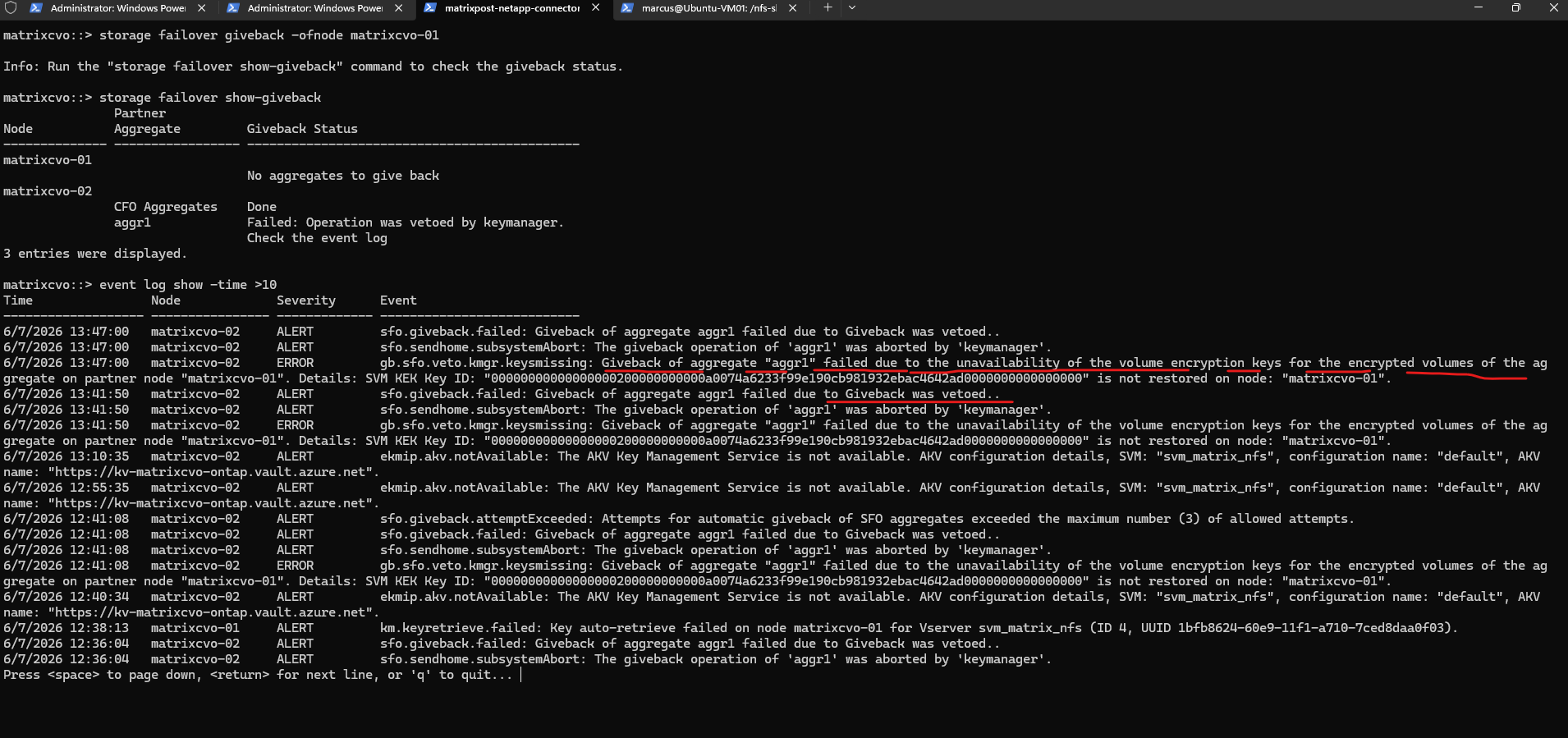
The event log confirms the result of the manual giveback attempt and provides additional details about the failure. ONTAP again reports that the giveback operation was aborted by the key manager because the SVM-KEK could not be restored on
matrixcvo-01, preventing the aggregate hosting the encrypted volume from being returned to its home node while Azure Key Vault remained unavailable.
matrixcvo::> event log show -time >10
Reboot the Last Node Holding the Encryption Keys
The previous tests showed that Cloud Volumes ONTAP could continue serving encrypted data as long as one node retained access to the required encryption keys.
To evaluate the worst-case scenario, I will now reboot the remaining node that still holds the restored SVM-KEK and VEK while Azure Key Vault authentication remains unavailable.
This test examines how Cloud Volumes ONTAP behaves when neither node can retrieve encryption keys from the external key manager.
This test closely resembles an Azure platform maintenance or scheduled freeze event, where a node may be restarted unexpectedly while access to the external key manager is unavailable.
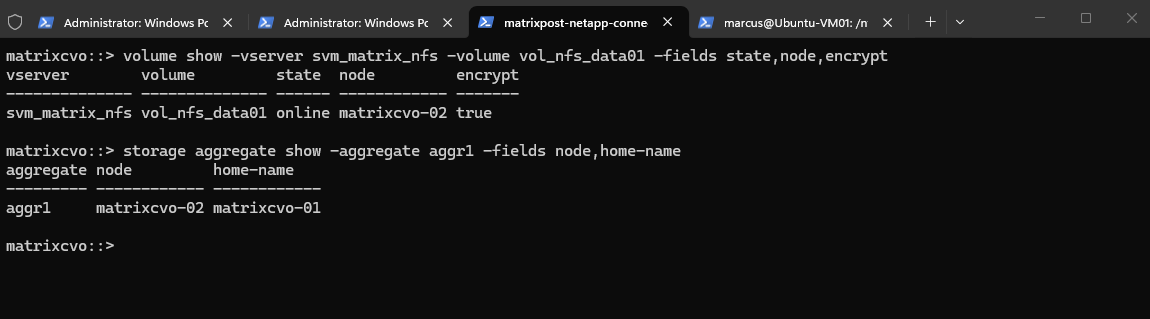
Before proceeding with the next test, I verified the current ownership and status of the encrypted volume. The output confirms that vol_nfs_data01 remains online and is currently being served by matrixcvo-02, while its aggregate aggr1 is still owned by matrixcvo-02 even though its home node is matrixcvo-01, where the giveback operation previously failed.
matrixcvo::> volume show -vserver svm_matrix_nfs -volume vol_nfs_data01 -fields state,node,encrypt
matrixcvo::> storage aggregate show -aggregate aggr1 -fields node,home-name
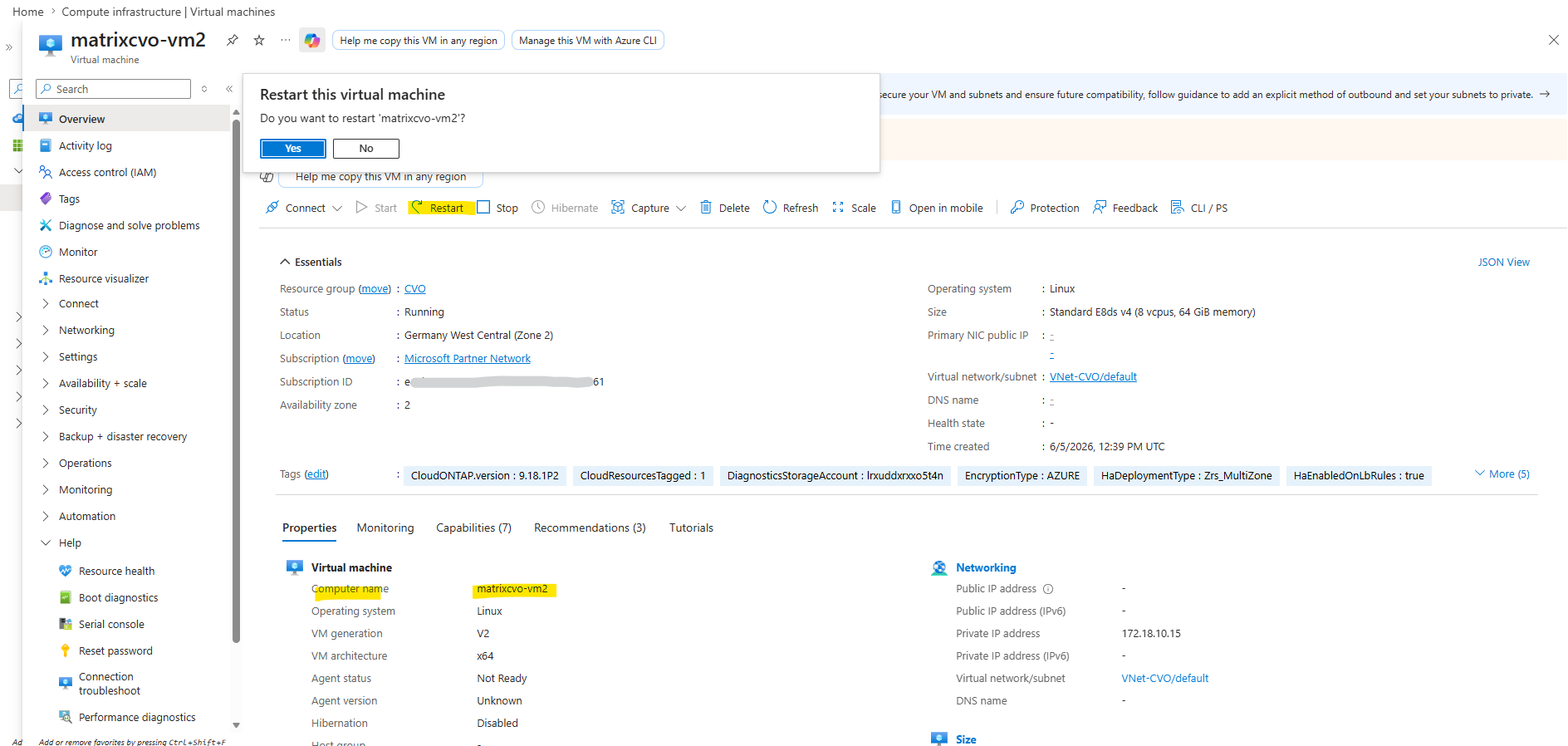
I will now reboot matrixcvo-02 where aggr1 and the encrypted volume is connected and owned currently.
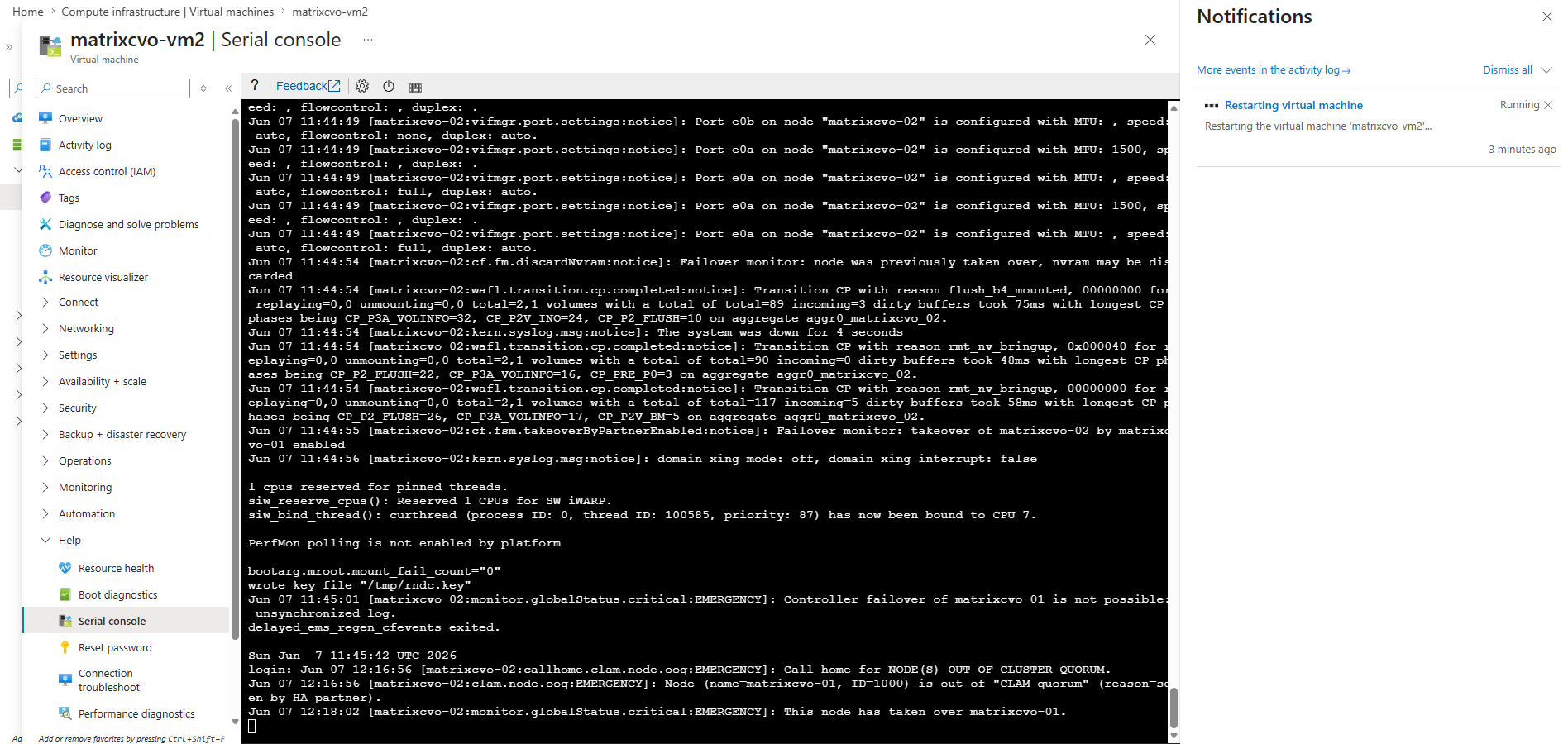
During the reboot of matrixcvo-02, I continuously monitored the HA status and the state of the encrypted volume using the commands below. This allowed me to observe any ownership changes, failover events, or potential impact on the availability of the encrypted volume throughout the test.
matrixcvo::> storage failover show
matrixcvo::> volume show -vserver svm_matrix_nfs -volume vol_nfs_data01 -fields state,node,encrypt
matrixcvo::> volume show -fields state,node,encrypt
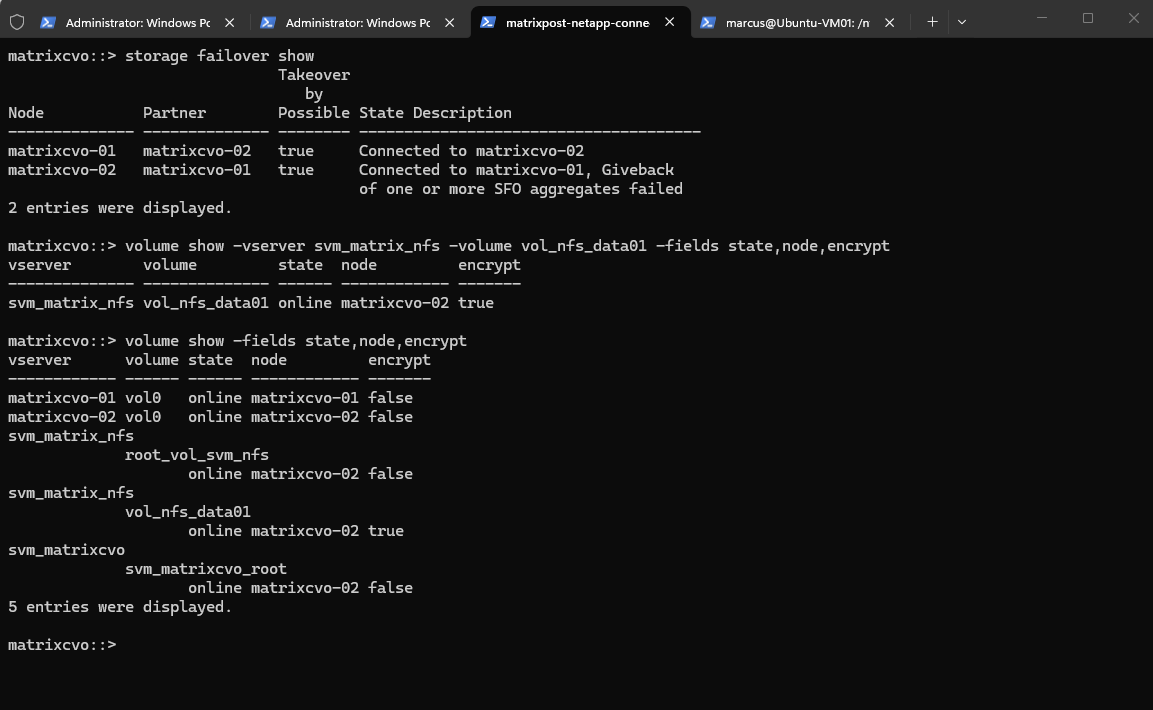
At this point, an important question remains unanswered: What happens if the remaining node that still holds the restored encryption keys is rebooted while Azure Key Vault remains unavailable?
Will ONTAP successfully take over the aggregate and simply leave the encrypted volume offline, or will the missing encryption keys prevent the aggregate itself from being brought online?
In a few minutes, we will have the answer.
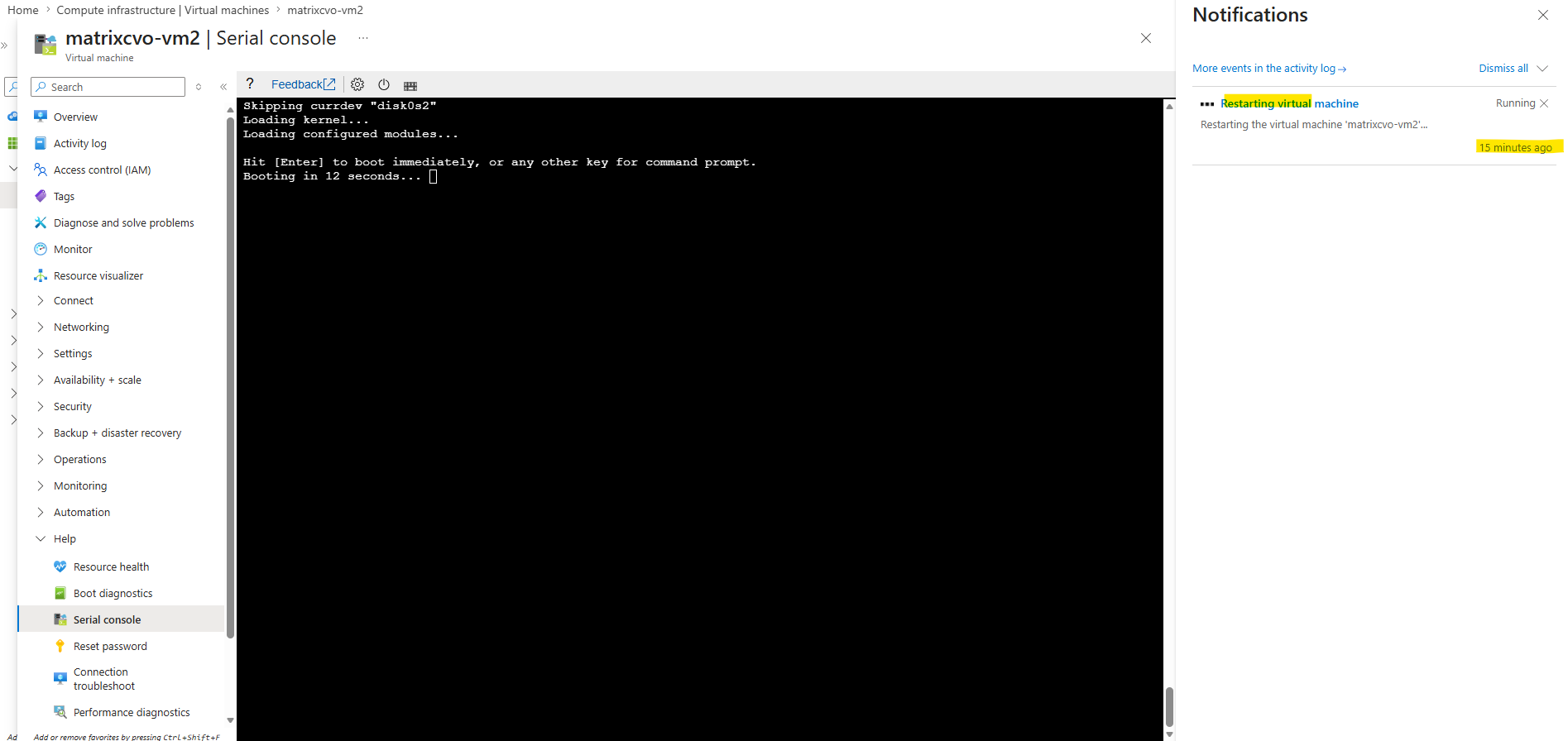
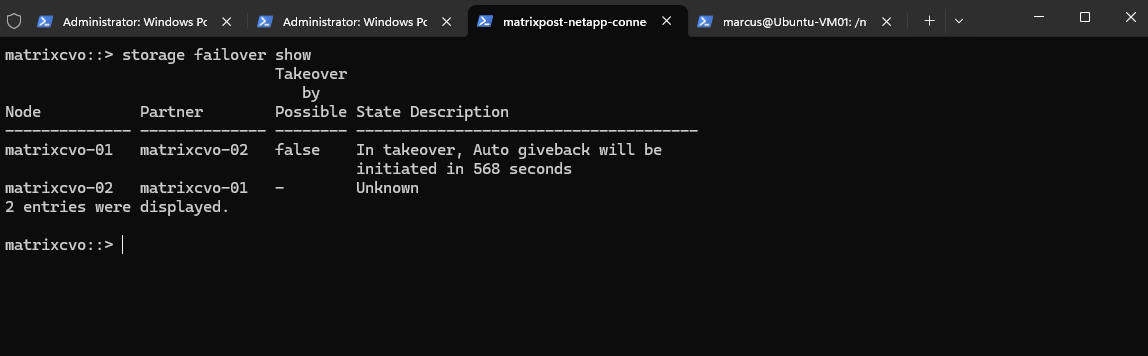
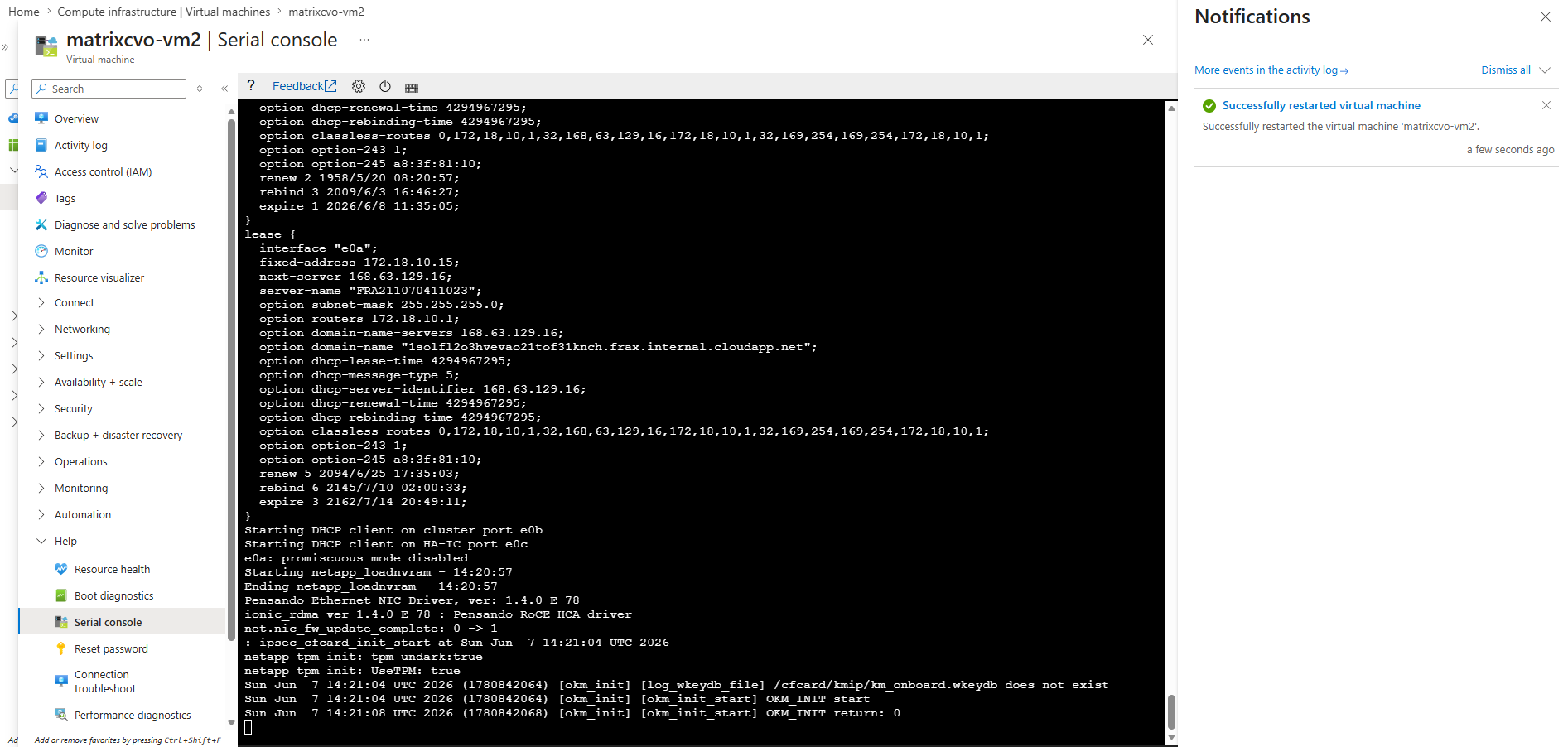
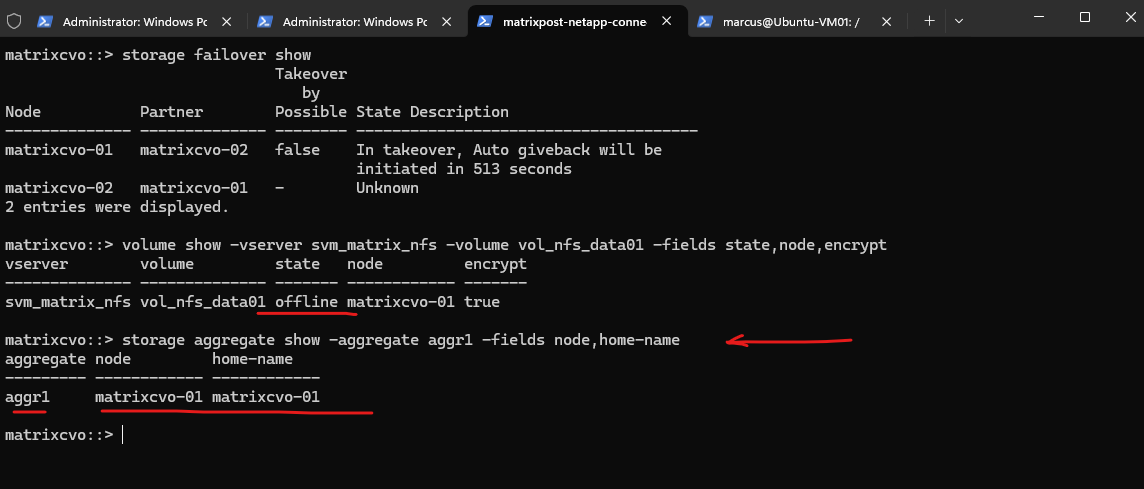
After matrixcvo-02 was rebooted, ONTAP successfully performed a takeover and transferred ownership of the aggregate back to matrixcvo-01.
However, unlike the previous tests, the encrypted volume vol_nfs_data01 remained offline, indicating that the required encryption keys were no longer available on either node while Azure Key Vault remained inaccessible.
The result clearly shows that the aggregate itself can still be taken over and brought online even when Azure Key Vault remains unavailable.
However, because neither node could restore the required encryption keys, the encrypted volume
vol_nfs_data01remained offline after the takeover operation.
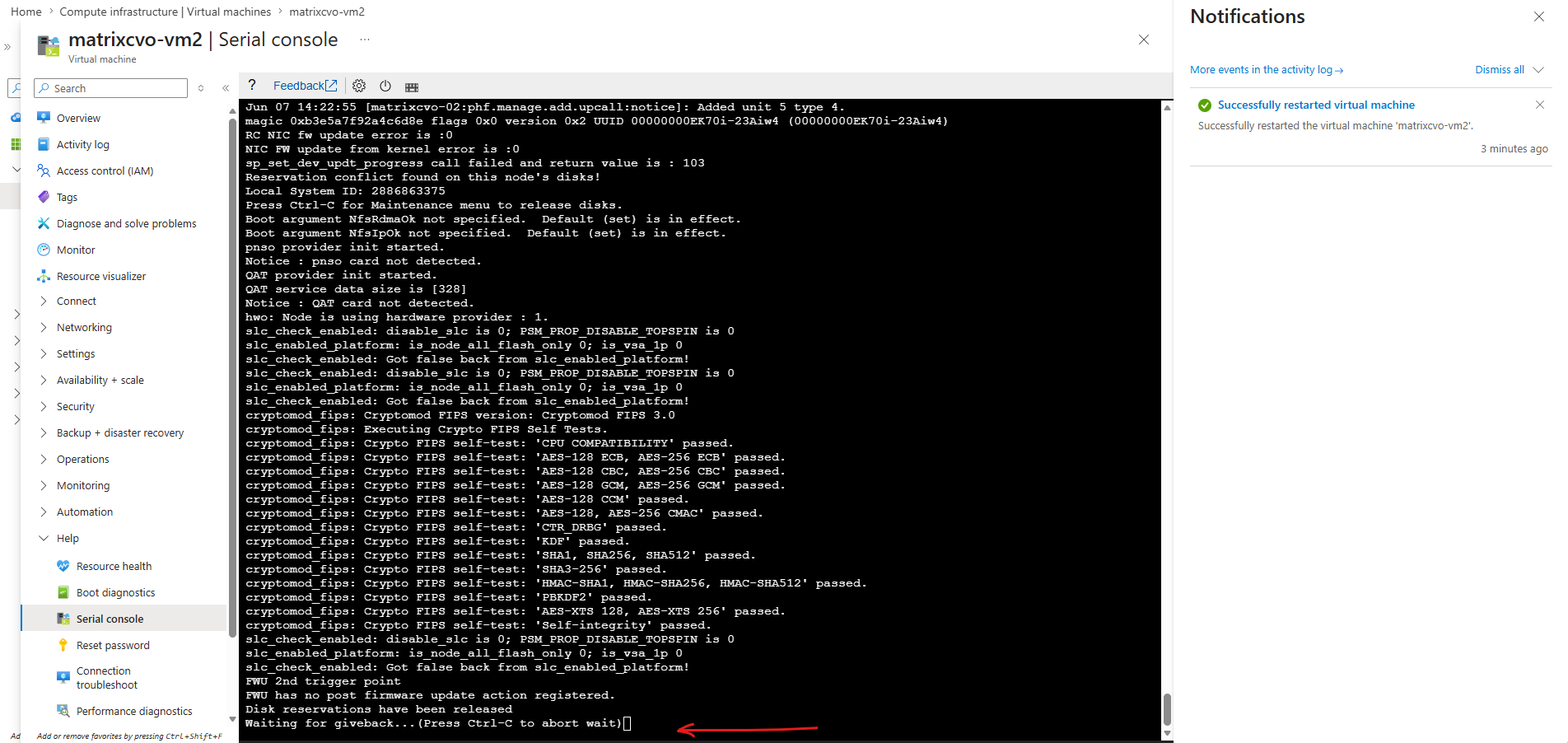
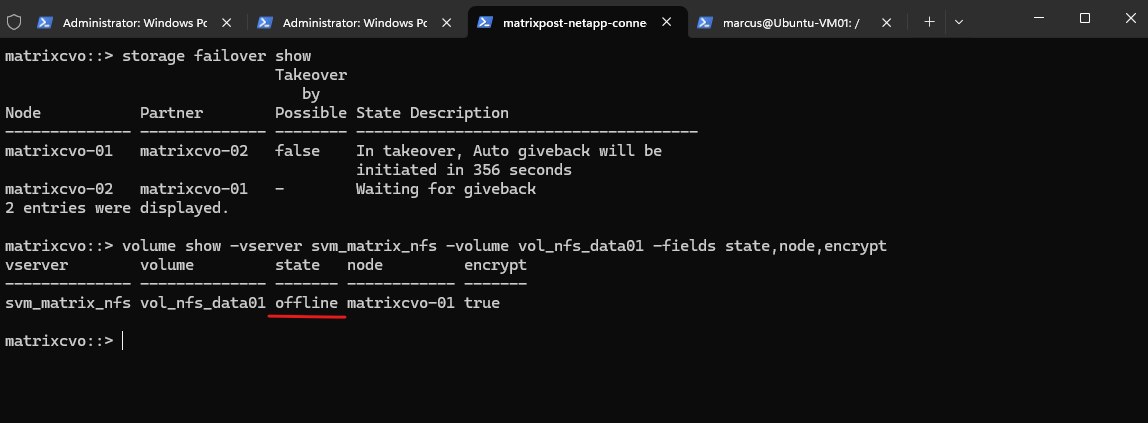
After the rebooted node rejoined the cluster, the HA pair returned to a healthy state and ONTAP prepared to perform an automatic giveback operation. However, although both nodes were operational again, the encrypted volume remained offline on matrixcvo-01, confirming that successful cluster recovery alone is not sufficient when the required encryption keys cannot be restored from Azure Key Vault.
matrixcvo::> storage failover show
matrixcvo::> volume show -vserver svm_matrix_nfs -volume vol_nfs_data01 -fields state,node,encrypt
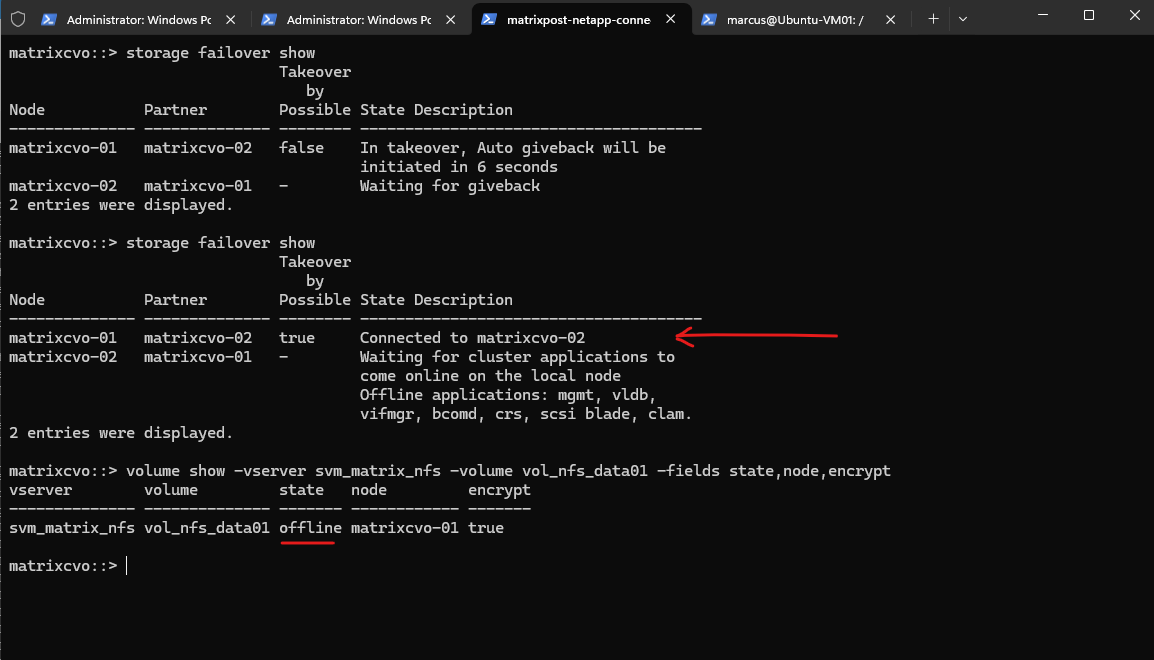
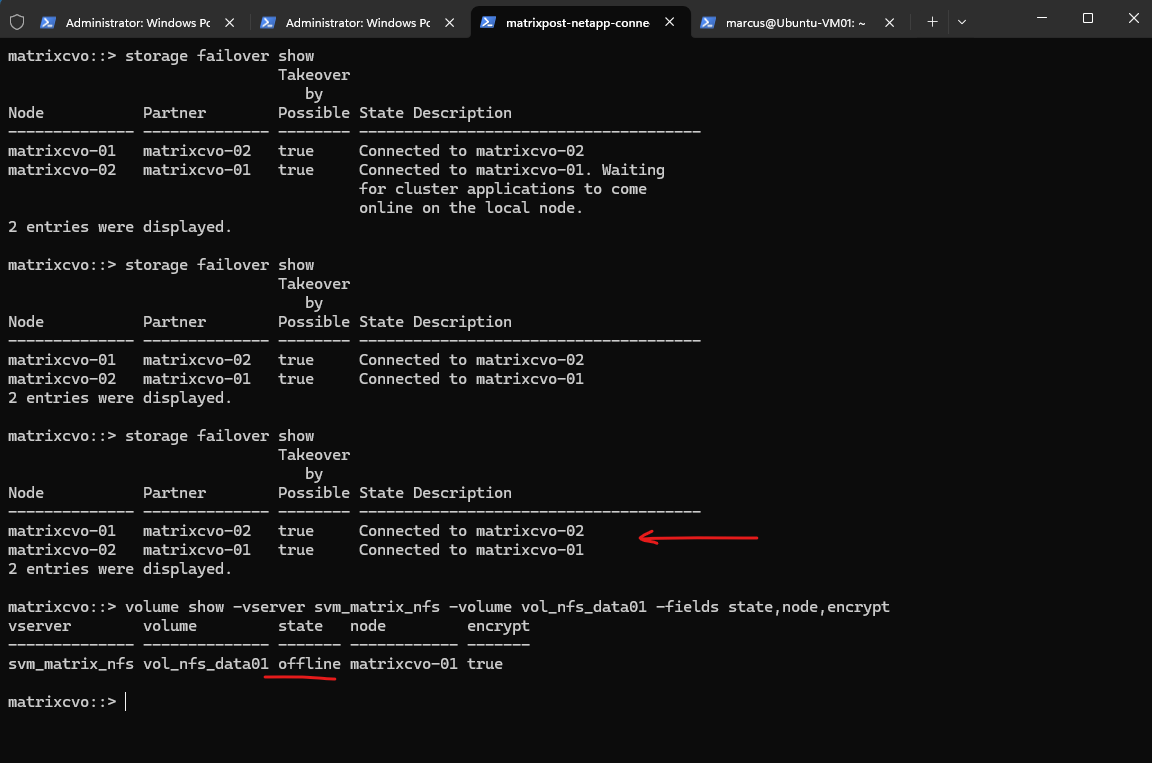
The final result is particularly interesting: the HA pair successfully completed takeover, giveback, and cluster recovery operations, and both nodes returned to a healthy state.
However, the encrypted volume remained offline because the required encryption keys were no longer available on either node. This demonstrates that Cloud Volumes ONTAP can maintain cluster availability during an Azure Key Vault outage, while access to encrypted data remains dependent on the successful restoration of the required encryption keys.
matrixcvo::> storage failover show
matrixcvo::> volume show -vserver svm_matrix_nfs -volume vol_nfs_data01 -fields state,node,encrypt
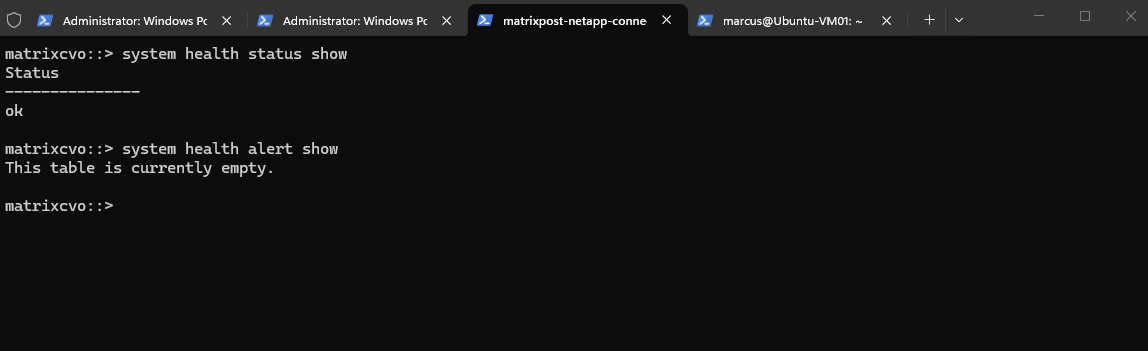
matrixcvo::> system health status show
matrixcvo::> system health alert show
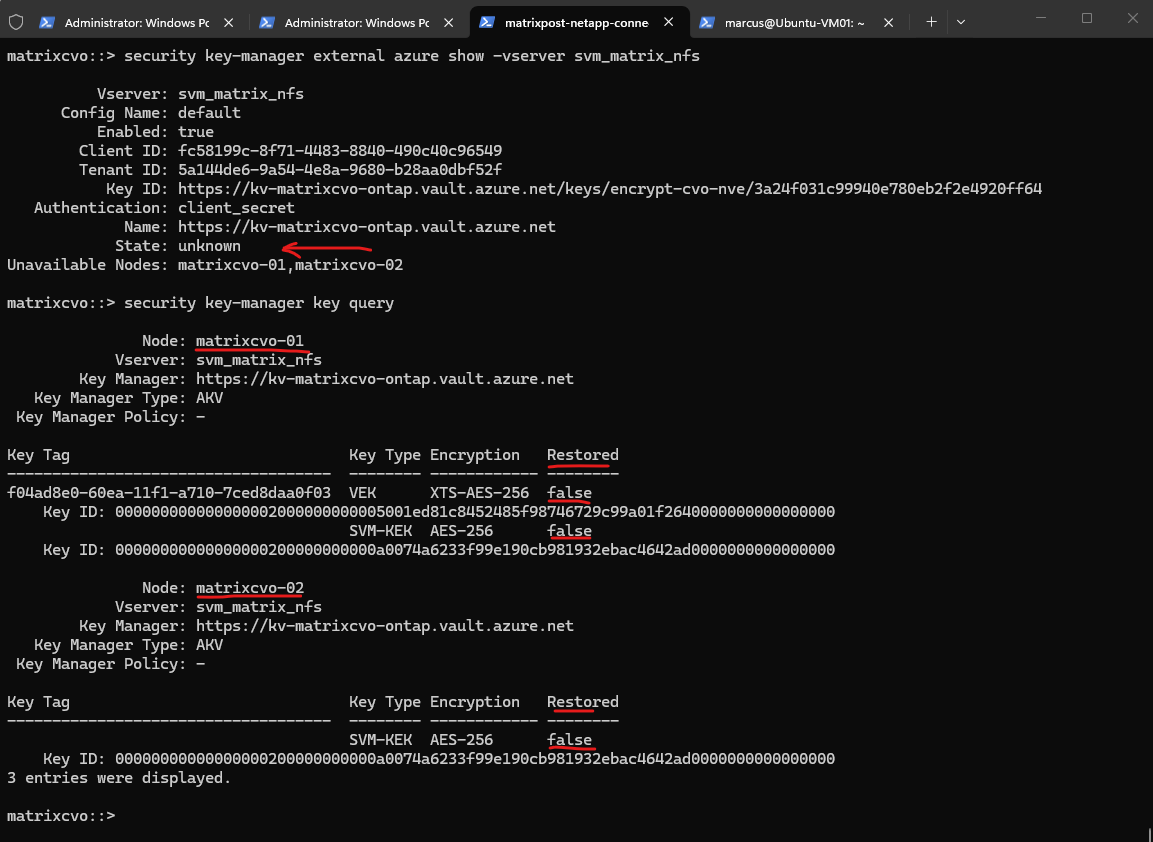
A final review of the Azure Key Vault configuration and encryption key status explains why the encrypted volume remained offline. The external key manager state is reported as unknown, both nodes are listed as unavailable, and none of the required encryption keys could be restored. Most importantly, the SVM-KEK is marked as Restored: false on both nodes, while the VEK associated with the encrypted volume is also no longer restored.
This confirms that after both nodes were rebooted while Azure Key Vault authentication remained unavailable, Cloud Volumes ONTAP could no longer retrieve the encryption keys required to unlock the encrypted volume.
Although the cluster and HA pair remained fully operational, access to the encrypted data could not be restored until connectivity to Azure Key Vault was re-established.
matrixcvo::> security key-manager external azure show -vserver svm_matrix_nfs
matrixcvo::> security key-manager key query
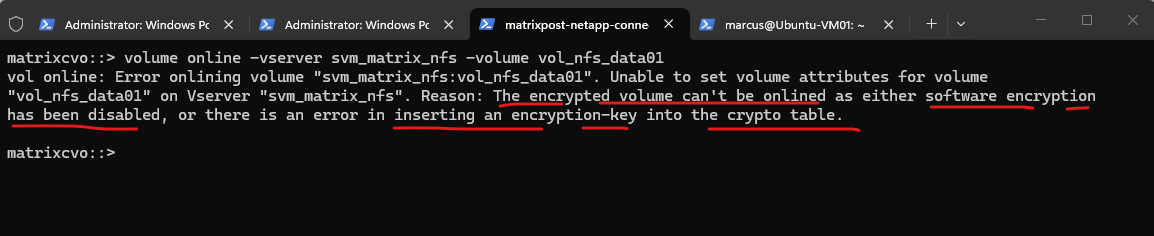
Before restoring Azure Key Vault connectivity, I attempted to manually bring the encrypted volume online.
As expected, ONTAP refused to bring the encrypted volume online. The error confirms that the volume encryption key could not be inserted into the crypto table, which is consistent with the previously observed key restoration failures. Without access to Azure Key Vault, ONTAP was unable to retrieve the required encryption keys, preventing the encrypted volume from being brought online.
matrixcvo::> volume online -vserver svm_matrix_nfs -volume vol_nfs_data01
Restore Azure Key Vault Connectivity
After validating the various failure scenarios and their impact on encrypted volumes and HA operations, the next step is to restore communication between Cloud Volumes ONTAP and Azure Key Vault. By updating the expired client secret and re-establishing authentication, ONTAP should be able to retrieve the missing encryption keys, recover access to the encrypted volume, and return the cluster to its fully operational state.
In this lab, the client secret was intentionally deleted to simulate an authentication failure. Therefore, no expired client secret is shown here, although the recovery procedure is identical to the one used when replacing an expired secret.
Within the Azure App Registration (service principal) used by Cloud Volumes ONTAP for Azure Key Vault authentication, navigate to Certificates & secrets and click New client secret to create a replacement credential.
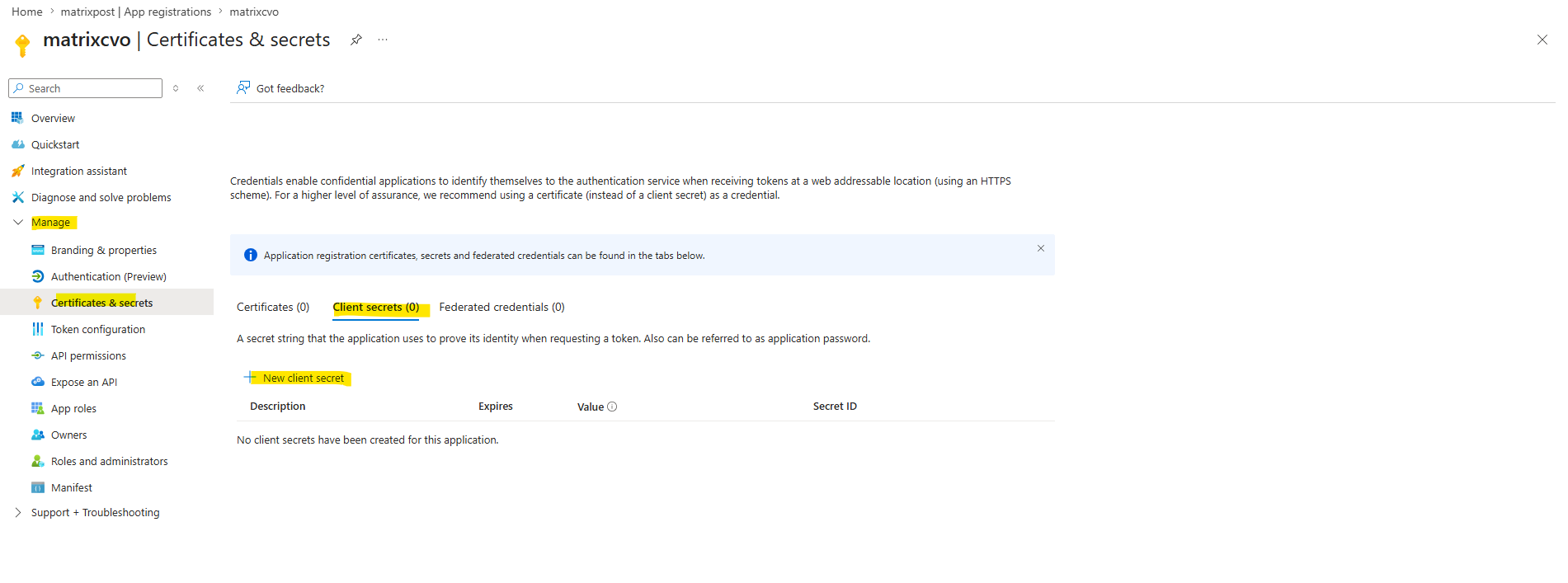
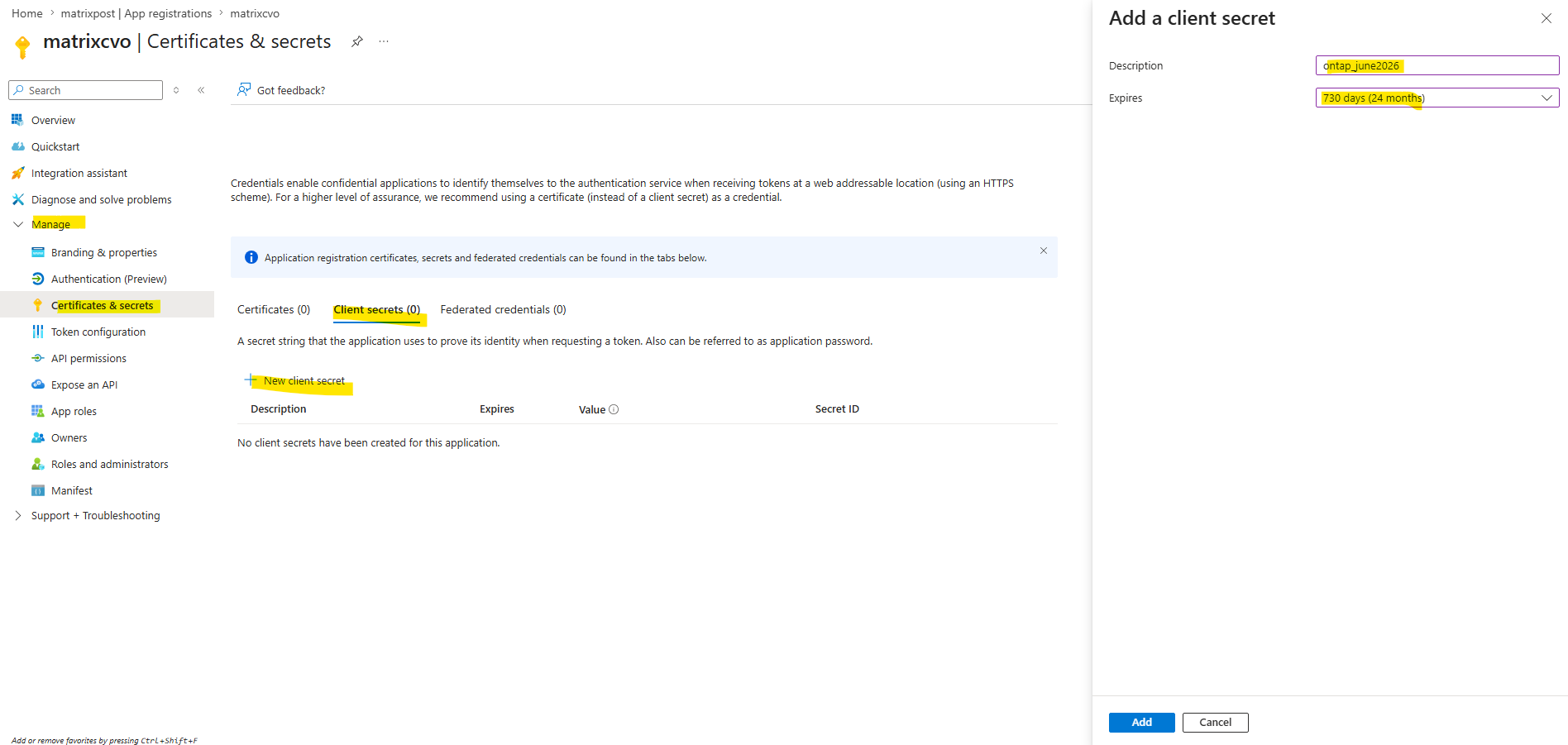
Select New client secret. Enter a meaningful name for your client secret.
NetApp recommends a 24-month expiration period; however, your specific cloud governance policies may require a different setting.
Copy the secret string listed in the Value column and store it in a secure location for use later in Cloud Volume ONTAP. The secret value will not be displayed again after you navigate away from the page.
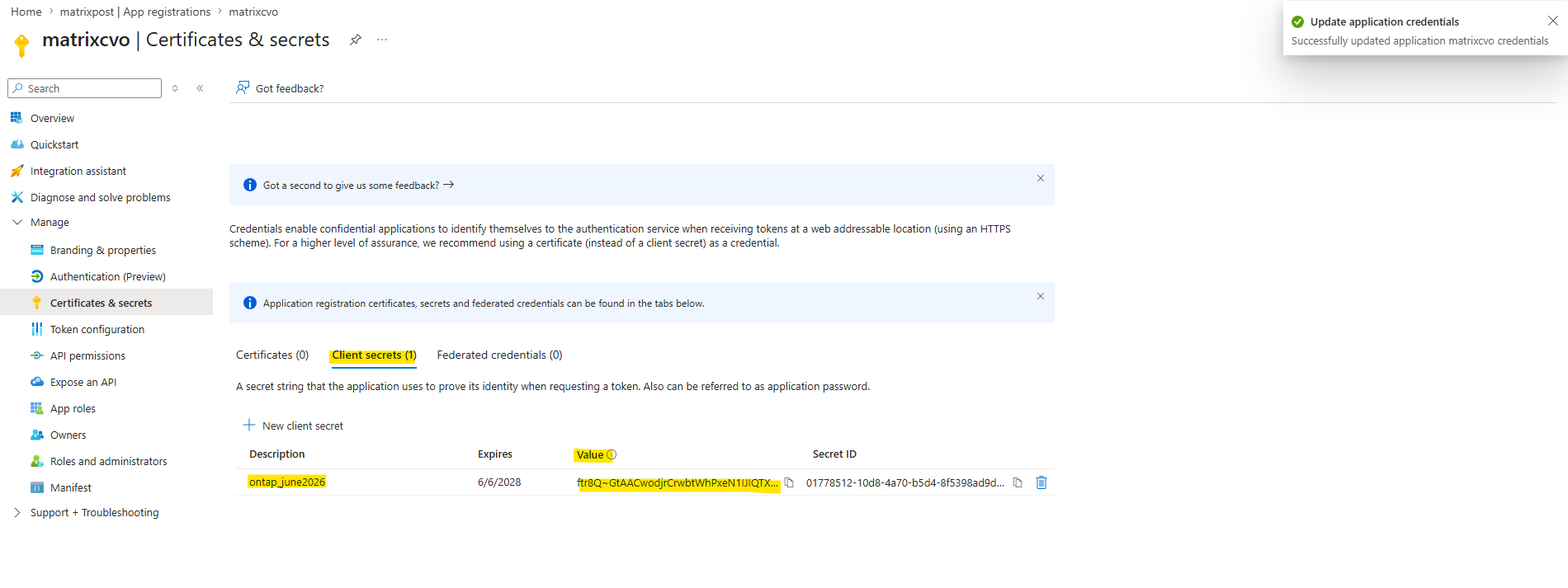
After creating the new client secret in Microsoft Entra ID, the updated credential must also be provided to ONTAP.
The following command updates the Azure Key Vault authentication credentials stored in Cloud Volumes ONTAP and re-establishes communication with the external key manager.
matrixcvo::> set -privilege advanced
matrixcvo::*> security key-manager external azure update-credentials -vserver svm_matrix_nfs -authentication-method client_secret

Enter new client secret:
Re-enter new client secret:
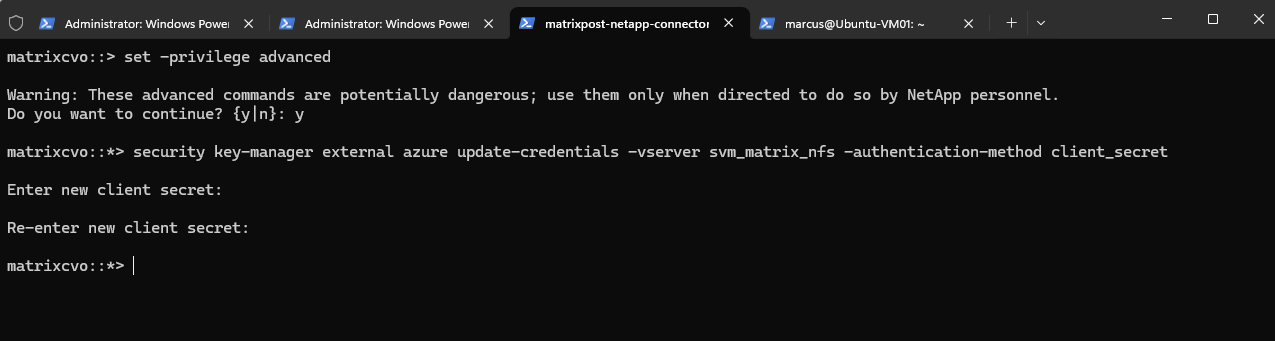
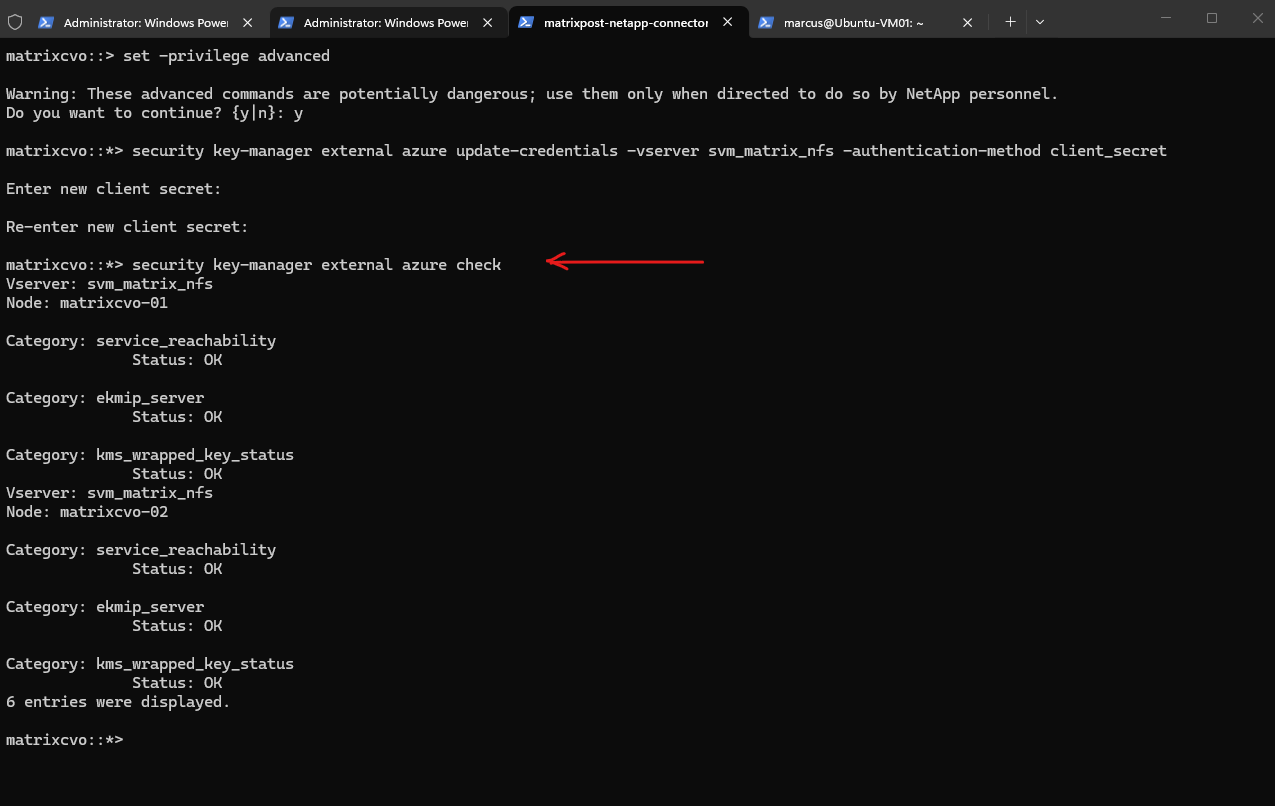
After updating the client secret, ONTAP was immediately able to re-establish communication with Azure Key Vault.
The validation check confirms that Azure Key Vault is reachable again, authentication is successful, and the wrapped encryption keys can once more be accessed and managed on both nodes.
matrixcvo::*> security key-manager external azure update-credentials -vserver svm_matrix_nfs -authentication-method client_secret
matrixcvo::*> security key-manager external azure show
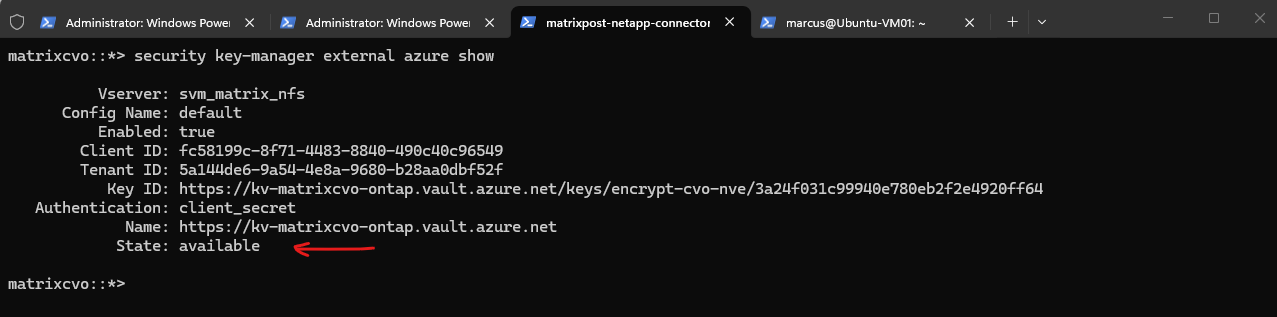
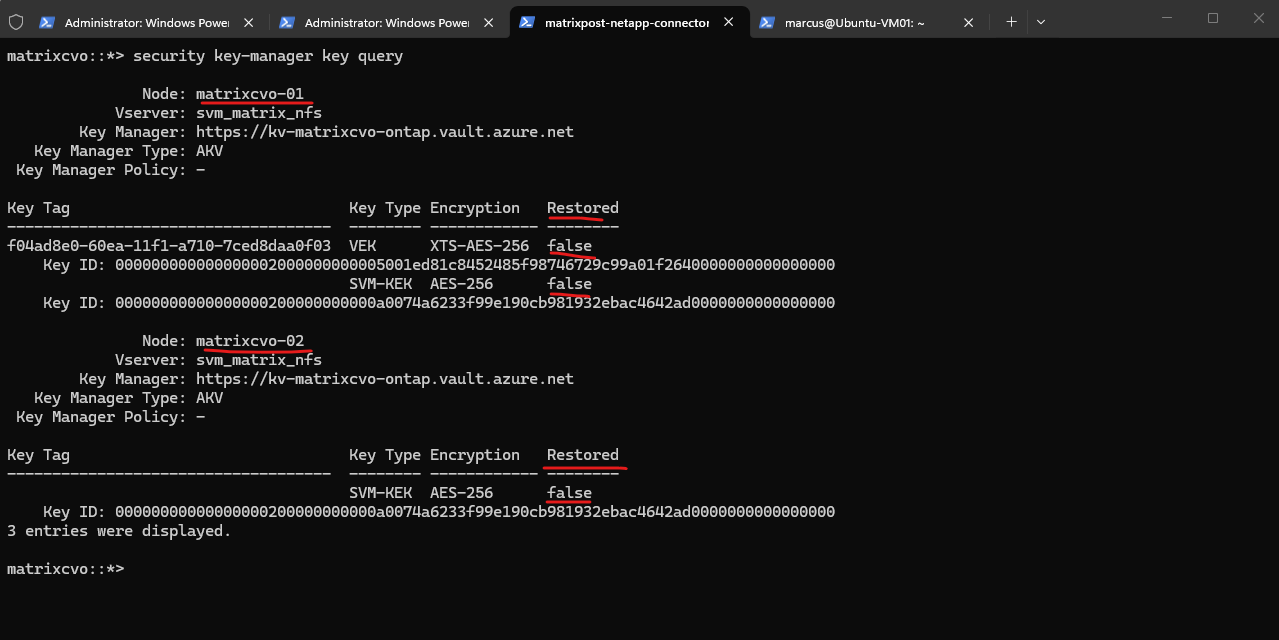
Although communication with Azure Key Vault has been restored, the required encryption keys have not yet been recovered on either node.
As shown below, both the SVM-KEK and the VEK still report Restored: false, which explains why the encrypted volume remains offline. Before the volume can be brought back online, the missing keys must first be restored from Azure Key Vault.
matrixcvo::*> security key-manager key query
The following command initiates a restore operation from Azure Key Vault and repopulates the required encryption keys on the cluster.
Once the restore completes successfully, ONTAP can again access the key material required to unlock encrypted volumes and resume normal operations.
matrixcvo::*> security key-manager external azure restore -vserver svm_matrix_nfs

After restoring the key information from Azure Key Vault, the SVM-KEK was successfully recovered on both nodes.
The VEK associated with the encrypted volume still shows
Restored: false, which is expected because the encrypted volume is currently offline. With the required SVM-KEK now available again, ONTAP has the necessary key hierarchy to unlock the volume and restore access to the encrypted data.
matrixcvo::*> security key-manager key query
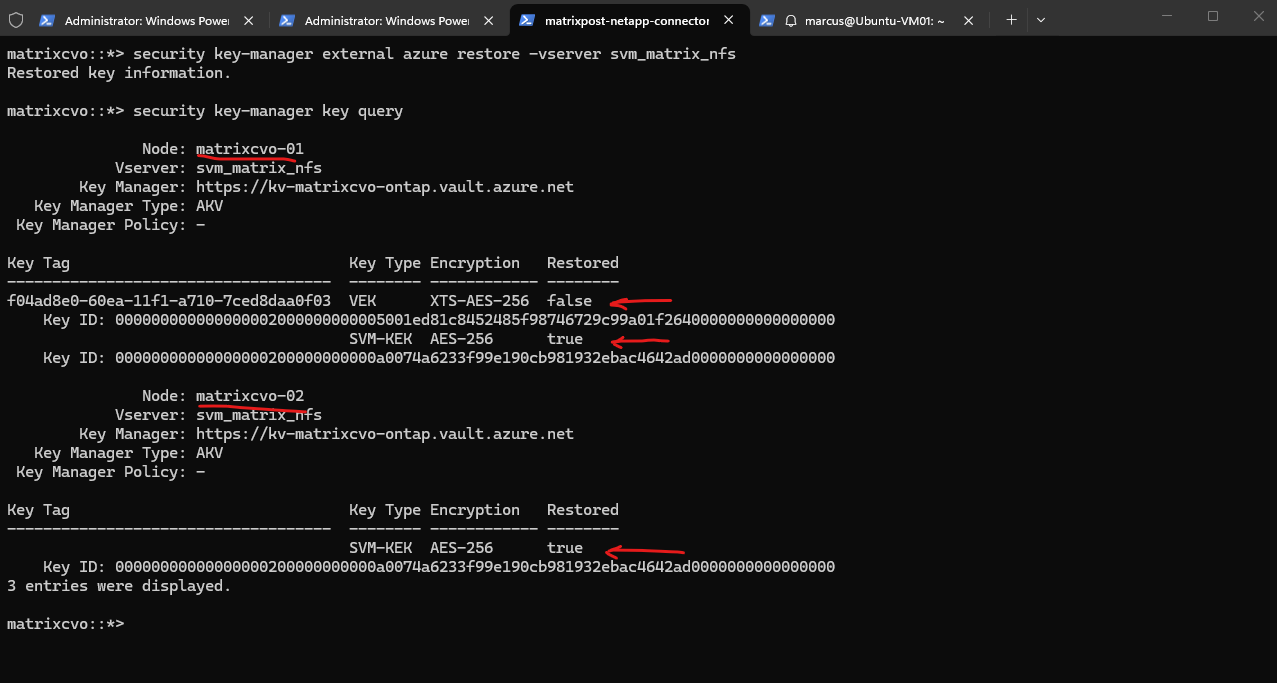
With Azure Key Vault connectivity restored and the SVM-KEK successfully recovered on both nodes, the next step is to bring the encrypted volume back online. This operation verifies that ONTAP can once again access the required encryption keys and restore normal access to the encrypted data.
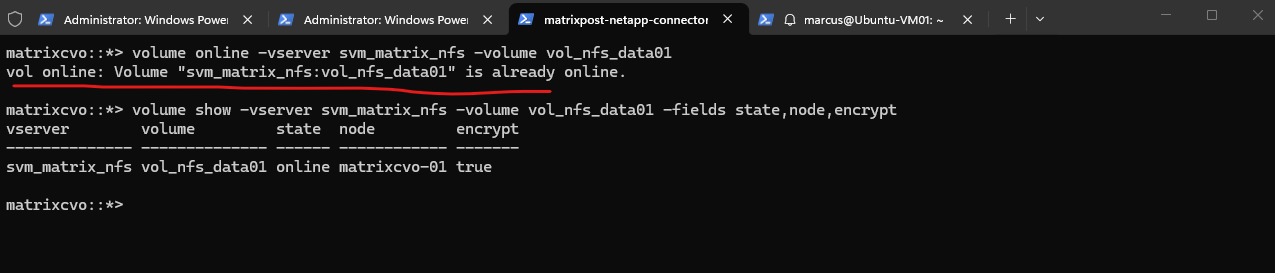
After restoring the key information from Azure Key Vault, the encrypted volume was already online when the manual
volume onlinecommand was executed. This indicates that ONTAP automatically recovered access to the encrypted volume once the required key material was restored.
matrixcvo::*> volume online -vserver svm_matrix_nfs -volume vol_nfs_data01
matrixcvo::*> volume show -vserver svm_matrix_nfs -volume vol_nfs_data01 -fields state,node,encrypt
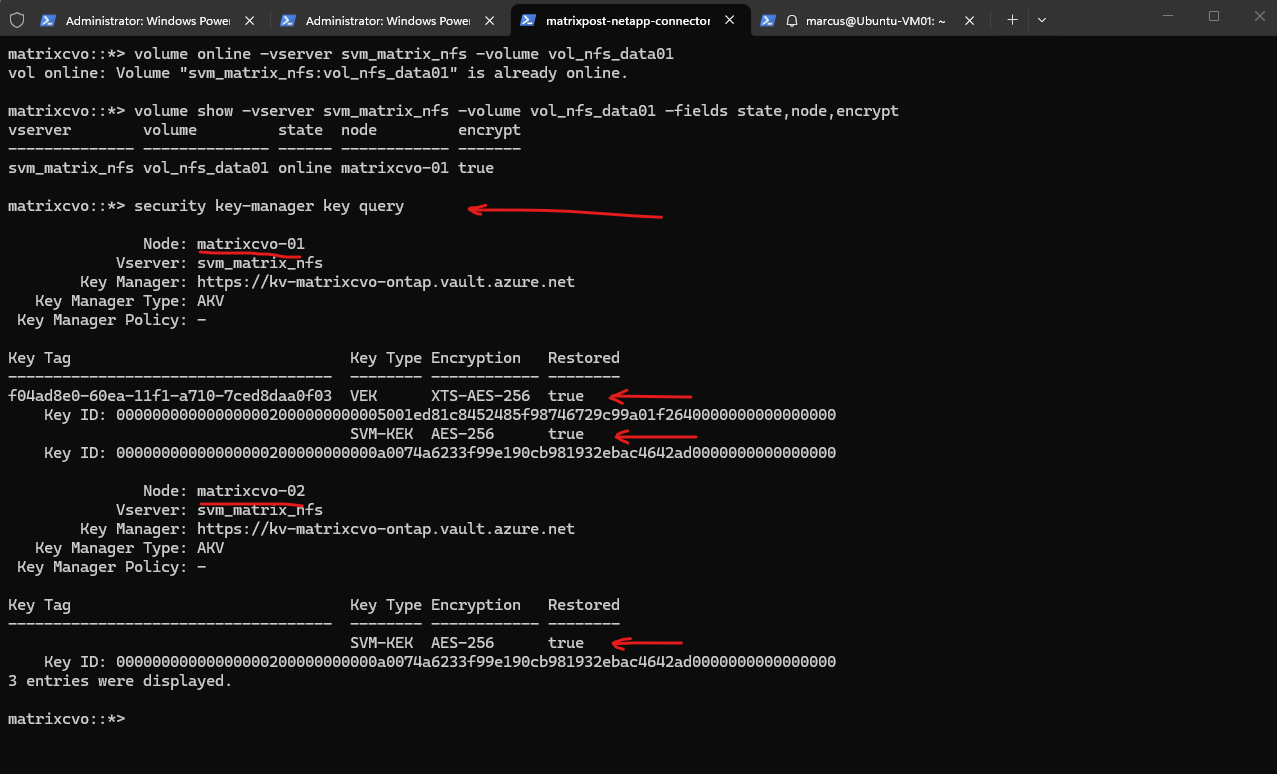
The final verification confirms that the encrypted volume is online again on its home node matrixcvo-01, and that both the VEK and SVM-KEK have been successfully restored.
This completes the recovery workflow: after restoring Azure Key Vault connectivity and key information, ONTAP was able to unlock the encrypted volume and resume normal access to the protected data.
matrixcvo::*> security key-manager key query
Links
Manage Cloud Volumes ONTAP encryption keys with Azure Key Vault
https://docs.netapp.com/us-en/storage-management-cloud-volumes-ontap/task-azure-key-vault.htmlsecurity key-manager external azure enable
https://docs.netapp.com/us-en/ontap-cli/security-key-manager-external-azure-enable.htmlsecurity key-manager external azure show
https://docs.netapp.com/us-en/ontap-cli/security-key-manager-external-azure-show.htmlsecurity key-manager external azure restore
https://docs.netapp.com/us-en/ontap-cli/security-key-manager-external-azure-restore.htmlsecurity key-manager external azure update-credentials
https://docs.netapp.com/us-en/ontap-cli/security-key-manager-external-azure-update-credentials.htmlManage NVE keys for ONTAP data SVMs with a cloud provider
https://docs.netapp.com/us-en/ontap/encryption-at-rest/manage-keys-azure-google-task.htmlHow does NVE and NAE encrypt data?
https://kb.netapp.com/on-prem/ontap/DM/Encryption/Encryption-KBs/How_does_NVE_and_NAE_encrypt_dataConfigure DNS for host-name resolution for the ONTAP network
https://docs.netapp.com/us-en/ontap/networking/configure_dns_for_host-name_resolution.htmlstorage failover giveback
https://docs.netapp.com/us-en/ontap-cli/storage-failover-giveback.html