Microsoft Oscdimg: Quickly Creating ISO Files from the Command Line
Oscdimg is a command-line utility from Microsoft that can create ISO 9660 and UDF image files from a folder structure.
ISO 9660 is the standard filesystem format used by ISO images and optical media. It defines how files and directories are stored within the image, ensuring compatibility across different operating systems and devices.
While it is commonly used to build Windows installation media, it can also be used to quickly generate non-bootable ISO files for software distribution, file transfers, archives, or virtual machine deployments.
In this post, we’ll look at how to create a simple non-bootable ISO image using Oscdimg.
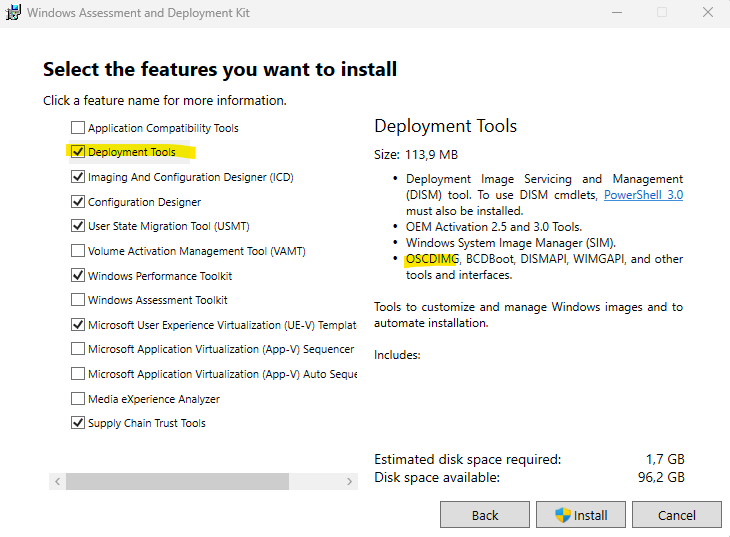
Before using Oscdimg, we first need to install the Windows Assessment and Deployment Kit (ADK), which includes the deployment tools required for creating ISO images.
After the installation, the Oscdimg executable is available and can be used from the command line to generate bootable or non-bootable ISO files.
When installing the Windows ADK, only the Deployment Tools feature is required for Oscdimg. This component includes the Oscdimg utility, while the remaining ADK features can be left unselected unless needed for additional deployment scenarios.
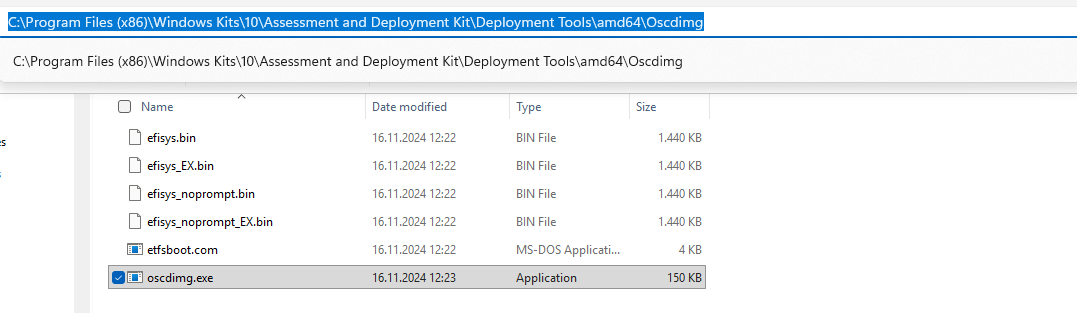
The Windows ADK and Oscdimg utility will be installed within C:\Program Files (x86)\Windows Kits\<version>\Assessment and Deployment Kit\Deployment Tools\amd64\Oscdimg
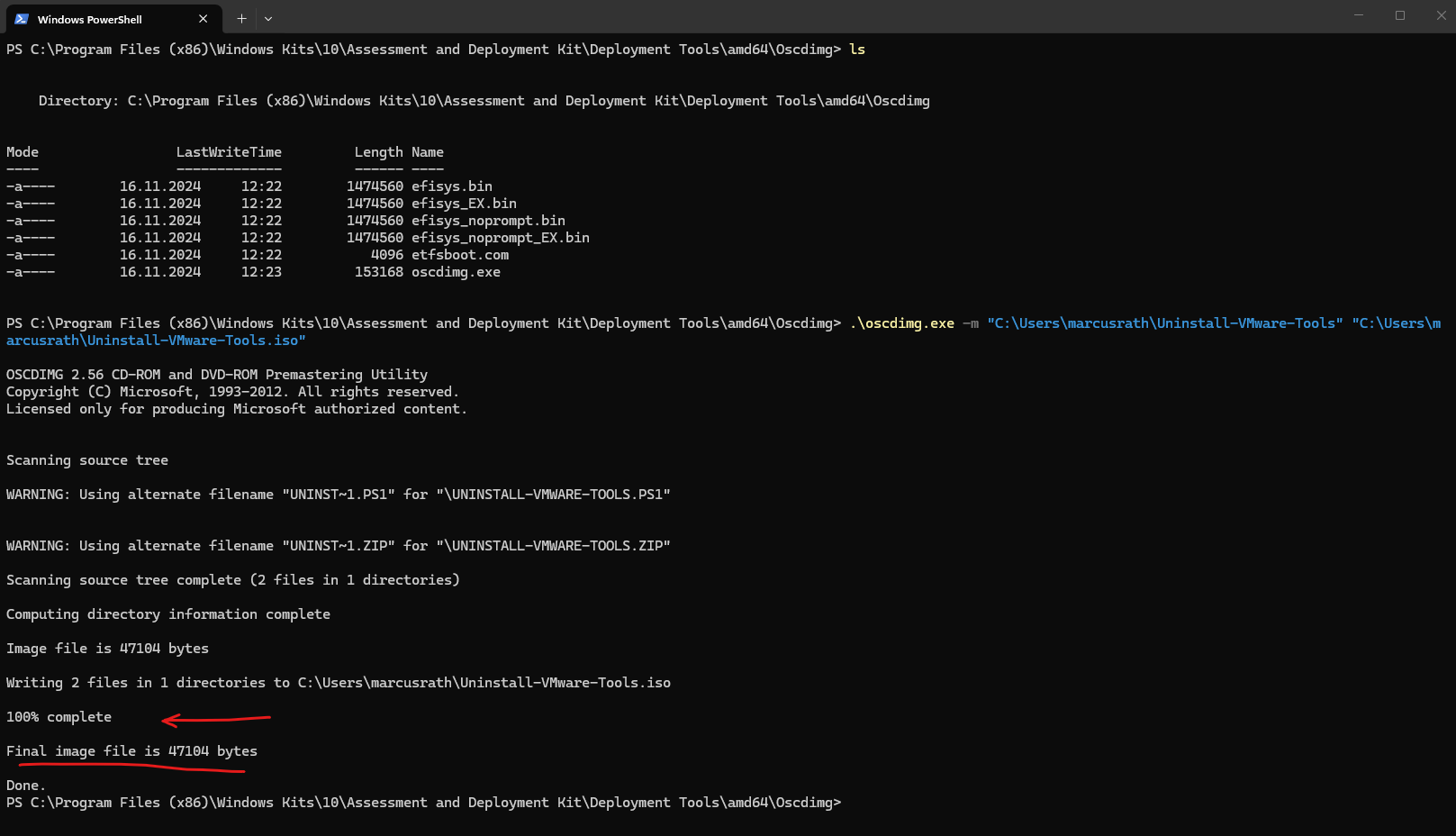
For a simple non-bootable ISO, the command is straightforward:
Below for example I want to create a ISO file from the folder Uninstall-VMware-Tools.
-m= ignores the default CD size limit (recommended nowadays).C:\Users\marcusrath\Uninstall-VMware-Tools=sourcefolderC:\Users\marcusrath\Uninstall-VMware-Tools.iso=destinationISO file
PS> .\oscdimg.exe -m "C:\Users\marcusrath\Uninstall-VMware-Tools" "C:\Users\marcusrath\Uninstall-VMware-Tools.iso"
To list and verify the ISO file creation in C:\Users\marcusrath that contain “Uninstall-VMware-Tools” in their name we can run.
PS> ls C:\Users\marcusrath | ? { $_.Name -like "*Uninstall-VMware-Tools*" }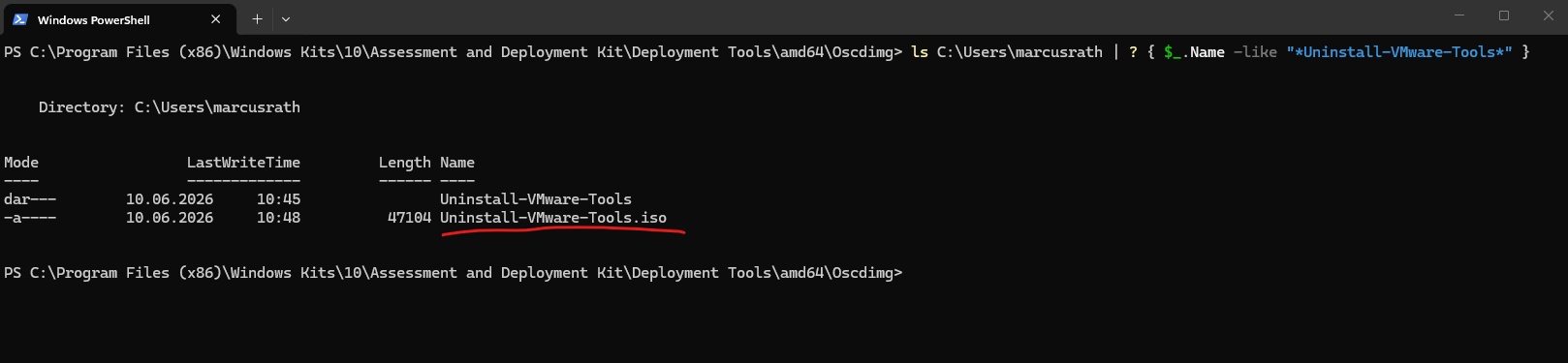
Links
Download and install the Windows ADK
https://learn.microsoft.com/en-us/windows-hardware/get-started/adk-installOscdimg-Befehlszeilenoptionen
https://learn.microsoft.com/de-de/windows-hardware/manufacture/desktop/oscdimg-command-line-options