Understanding SMB and NFS Behavior During NetApp ONTAP HA Takeovers – TCP, UDP, Sessions, and File Locks
During a NetApp ONTAP high-availability (HA) takeover, storage services are transferred to the surviving node, but what happens to existing SMB and NFS connections, active file sessions, and locks?
While some clients recover almost transparently, others may experience interrupted connections, application errors, or temporarily unavailable files.
In this article, we explore how SMB and NFS handle HA takeovers, including the differences between TCP and UDP, session state, file locking, and client recovery mechanisms.
Using a practical lab, we will examine an active Microsoft Excel file opened through an SMB share, trigger an ONTAP HA takeover.
- How NetApp ONTAP HA Takeovers Work
- Understanding the Difference Between IP Connectivity and TCP Sessions
- TCP vs. UDP — Why Transport Protocols Matter
- SMB — Sessions, Open File Handles, and Locks
- NFSv3 — Stateless File Access and Client Retransmissions
- NFSv4 — Stateful Sessions, Locks, and Recovery
- File Locks vs. NVRAM — Two Different Types of State
- Comparing SMB and NFS During HA Takeovers
- Lab Test 1 – SMB Session and File Handle Recovery During ONTAP HA Takeover
- Lab Test 2 – NFSv3 over TCP File Write Recovery During ONTAP HA Takeover
- Lab Test 3 – NFSv3 over UDP File Write Recovery During ONTAP HA Takeover
- Links
How NetApp ONTAP HA Takeovers Work
NetApp ONTAP high availability (HA) is designed to maintain access to storage when a controller becomes unavailable or requires maintenance. In an HA pair, two nodes are connected through an HA interconnect and can take over each other’s storage resources when necessary.
During a takeover, the surviving node assumes responsibility for the affected storage and serves client requests until the original node becomes available again. Once the original node is ready, a giveback operation returns control of the storage resources.
However, restoring access to storage does not necessarily preserve existing network connections, protocol sessions, or application-level state. These are separate mechanisms, and their behavior depends on whether clients access storage through SMB or NFS and how the corresponding protocol handles interruptions.
Understanding the Difference Between IP Connectivity and TCP Sessions
An established TCP connection is identified by its source IP address, source port, destination IP address, and destination port. This combination is commonly called the TCP four-tuple.
A network flow is commonly identified by five parameters, known as the 5-tuple:
source IP address,source port,destination IP address,destination port, andtransport protocol (TCP or UDP). For an established TCP connection, the protocol is already known, so the connection itself is typically identified by the first four parameters, known as the TCP 4-tuple.
During an ONTAP HA takeover, clients can continue using the same storage IP address after the surviving node assumes responsibility for the affected data LIF. However, maintaining the same IP address does not automatically preserve the existing TCP connection.
The surviving node must also have the necessary TCP connection state, including sequence numbers, acknowledgment state, and connection buffers. If this state is unavailable, the client must establish a new connection, even though the destination IP address remains unchanged.
This distinction is particularly important for stateful protocols such as SMB, where an established TCP connection is associated with additional protocol-level session information, authentication context, open file handles, and file locks.
Illustrative example: TCP connection during takeover
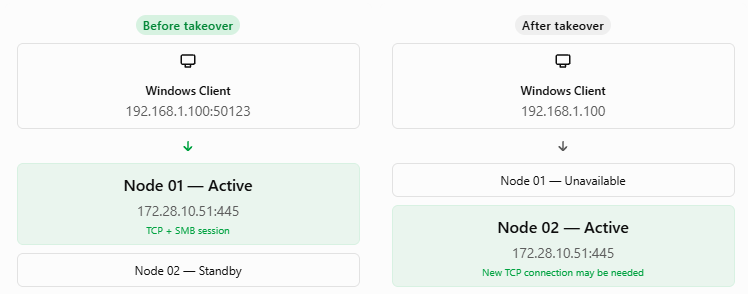
Conceptual illustration. Actual LIF movement and networking behavior depend on the ONTAP platform and HA configuration.
TCP vs. UDP — Why Transport Protocols Matter
TCP and UDP operate at the transport layer but provide fundamentally different communication mechanisms.
TCP is connection-oriented and maintains connection state, sequence numbers, acknowledgments, and retransmission mechanisms to provide reliable, ordered delivery of data. If packets are lost during an HA takeover, TCP can retransmit missing data, provided the connection remains recoverable.
UDP, on the other hand, is connectionless and does not provide acknowledgments, retransmissions, or guaranteed packet ordering at the transport layer. Applications using UDP must implement their own mechanisms for handling lost requests and responses.
Historically, NFSv3 could operate over either TCP or UDP, while NFSv4 requires a reliable transport and is normally deployed over TCP.
SMB 2.x and SMB 3.x typically use TCP port 445, with SMB over QUIC available in certain implementations.
SMB — Sessions, Open File Handles, and Locks
SMB is a stateful file-sharing protocol widely used by Windows clients. When a user opens a file on an SMB share, the client establishes a transport connection, authenticates to the SMB server, creates a session, connects to the share, and requests a file handle.
The SMB server maintains information about the authenticated session, open files, access permissions, share modes, byte-range locks, and potentially outstanding write operations.
During an HA takeover, the original TCP connection may be interrupted. Although the surviving ONTAP node can restore access to the underlying storage, the existing SMB session and its associated open file handles are not necessarily preserved.
SMB 3.x provides features such as durable and persistent handles to improve recovery from interruptions. However, their availability and behavior depend on the server implementation and configuration. In particular, SMB Continuous Availability is not supported by Cloud Volumes ONTAP, which limits transparent recovery during HA failovers.
As a result, applications with open SMB files may experience errors or need to reopen files after a takeover.
NFSv3 — Stateless File Access and Client Retransmissions
NFSv3 uses a largely stateless protocol design. Unlike SMB, the NFS server does not maintain an authenticated file session or persistent open file handle for every client operation in the same way.
Instead, clients identify files using NFS file handles and send individual RPC requests for operations such as reading, writing, and retrieving file attributes.
When an ONTAP HA takeover temporarily interrupts communication, an NFS client using a hard-mounted filesystem can continue retrying outstanding operations until the server becomes available again.
This often allows applications to resume without receiving an immediate I/O error, although they may remain blocked while storage access is unavailable.
NFSv3 file locking is handled separately through the Network Lock Manager (NLM), which introduces additional state and recovery considerations. Therefore, NFSv3 is not completely stateless when file locking is involved.
A hard-mounted filesystem refers to an NFS mount configured with the hard option. It determines how the NFS client behaves when the NFS server becomes temporarily unavailable.
On Linux,
hardis the default for NFS mounts, regardless of whether TCP or UDP is used.Although UDP is connectionless, NFS implements its own request/retransmission mechanisms at the RPC layer. Therefore, even NFSv3 over UDP can use
hardorsoft mounts.
Mount an NFS share using TCP and a hard mount:
mount -t nfs -o vers=3,proto=tcp,hard 10.0.0.50:/vol_data /mnt/data
The distinction is particularly important during an ONTAP HA takeover.
| Behavior | Hard Mount (hard) | Soft Mount (soft) |
|---|---|---|
| NFS server unavailable | Continues retrying requests | Retries until timeout/retransmission limit |
| Application behavior | I/O may block until recovery | I/O may return an error |
| Server becomes available again | Pending operations can resume | Application may already have received an error |
| During ONTAP HA takeover | Usually pauses I/O and resumes after recovery | May return I/O errors if timeout is exceeded |
| Data integrity | Preferred for reliable data access | Increased risk of application errors or data corruption |
| Recommended for production | Yes (generally recommended) | Usually not recommended for critical data |
Note: TCP reliability and NFS hard/soft mount behavior operate at different layers. TCP ensures reliable transport, while
harddetermines whether the NFS client continues retrying an unanswered filesystem operation rather than eventually returning an error to the application.
NFSv4 — Stateful Sessions, Locks, and Recovery
NFSv4 introduces a more stateful architecture than NFSv3. File opens, locking, client identities, and leases are managed directly through the NFS protocol rather than relying on separate NLM services.
NFSv4 clients periodically renew their leases, and servers use these leases to manage client state and determine when abandoned locks can be released.
After a server interruption or HA takeover, NFSv4 recovery mechanisms can allow clients to reclaim open and locking state. Depending on the circumstances, this may involve a server grace period during which clients recover previously established state.
Although these mechanisms improve recovery, applications can still experience delays or errors if recovery fails or client timeouts are exceeded.
File Locks vs. NVRAM — Two Different Types of State
ONTAP protects acknowledged write data through its write logging and HA mirroring mechanisms. On traditional AFF and FAS systems, this involves NVRAM or NVMEM, allowing a surviving controller to recover protected writes after a partner failure.
However, file locks, SMB sessions, NFS client state, and TCP connections are separate from the write journal. They are managed by protocol services and their associated state-recovery mechanisms.
Consequently, successfully recovering mirrored write data does not automatically guarantee that all active file locks, open file handles, or client sessions survive an HA takeover.
Cloud Volumes ONTAP uses a cloud-specific HA architecture rather than the physical NVRAM implementation found in traditional storage controllers. Nevertheless, the same conceptual distinction applies: protecting write data and preserving protocol sessions are different responsibilities.
Comparing SMB and NFS During HA Takeovers
| Feature | SMB 3.x | NFSv3 | NFSv4.1 |
|---|---|---|---|
| Transport | TCP | TCP or UDP | TCP |
| Stateful protocol | Yes | Largely stateless | Yes |
| Open file state | SMB handles | No protocol OPEN state | Stateful OPEN |
| Lock management | Integrated | Separate NLM | Integrated |
| Recovery mechanism | Reconnect, handle recovery where supported | RPC retries, lock recovery | Retries, lease/state recovery |
| Application interruption | Possible | Often I/O pause | Often I/O pause |
| Transparent recovery | Configuration-dependent | Client-dependent | Client-dependent |
Lab Test 1 – SMB Session and File Handle Recovery During ONTAP HA Takeover
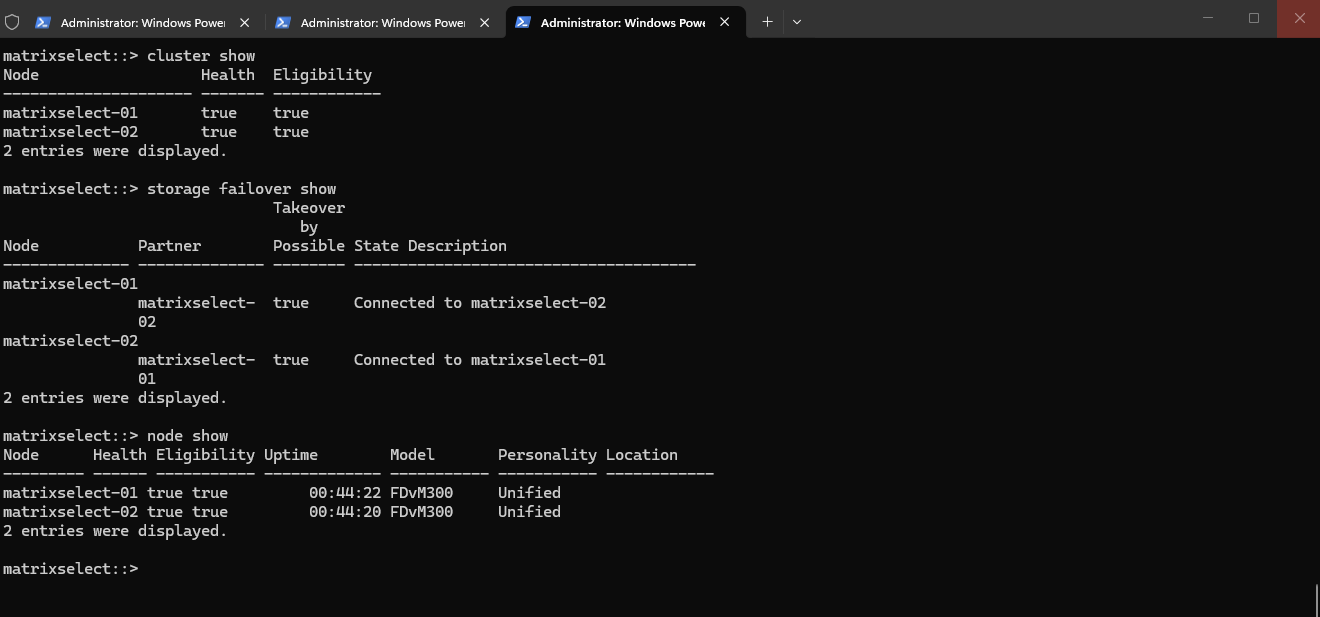
Before initiating the SMB failover test, we verify the health and HA status of our two-node ONTAP Select cluster using cluster show, storage failover show, and node show.
Verify Cluster Health and HA Status
Both nodes (matrixselect-01 and matrixselect-02) are healthy and eligible, and takeover is possible in both directions, confirming that the HA pair is ready for our test.
cluster show
storage failover show
node show
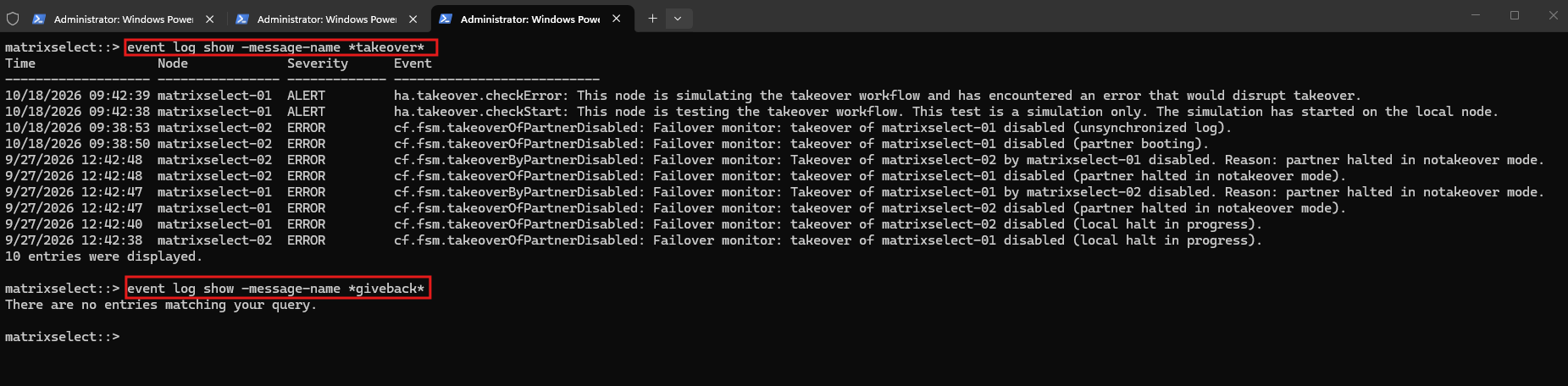
We can also check the HA operation history:
The ONTAP event logs show previous takeover-related messages, primarily associated with shutting down and restarting my lab nodes. A simulated takeover check also reported an error, while no giveback events were found in the logs.
event log show -message-name *takeover*
event log show -message-name *giveback*
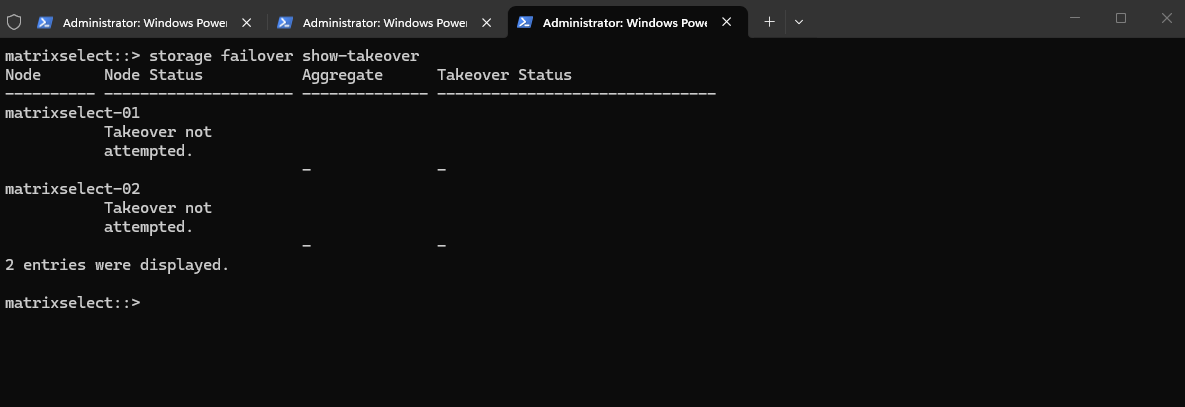
The storage failover show-takeover command confirms that no takeover has been attempted on either node.
Both nodes are currently operating normally, with no active takeover operations or associated aggregate takeover status reported.
storage failover show-takeover
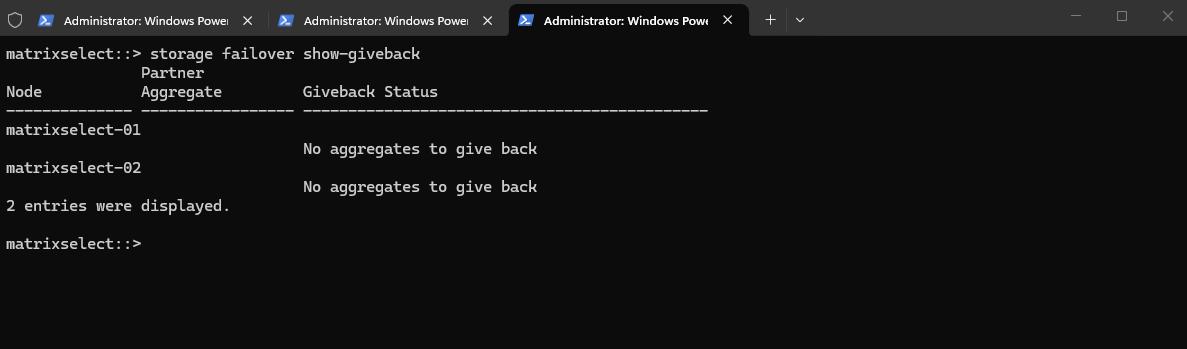
The storage failover show-giveback command confirms that neither node has any aggregates to give back.
This indicates that no giveback operation is currently required or in progress, and both nodes are operating in their normal HA state.
storage failover show-giveback
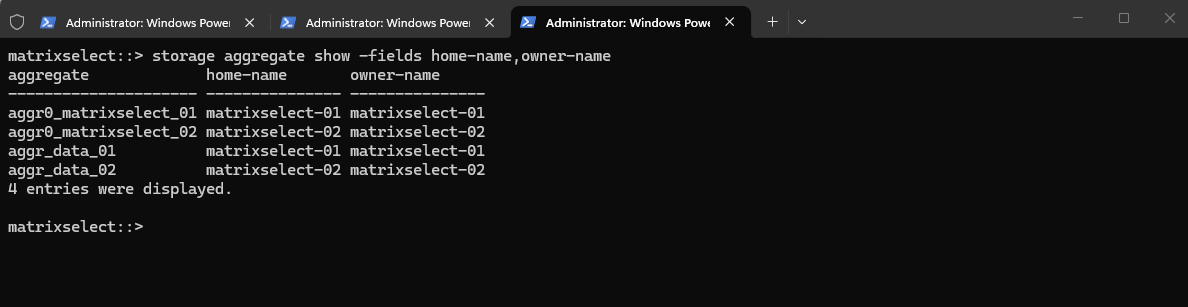
The storage aggregate show -fields home-name,owner-name command confirms that all four aggregates are currently owned by their respective home nodes.
Since the
home-nameandowner-namevalues match for every aggregate, no storage resources are currently taken over by the HA partner.
storage aggregate show -fields home-name,owner-name
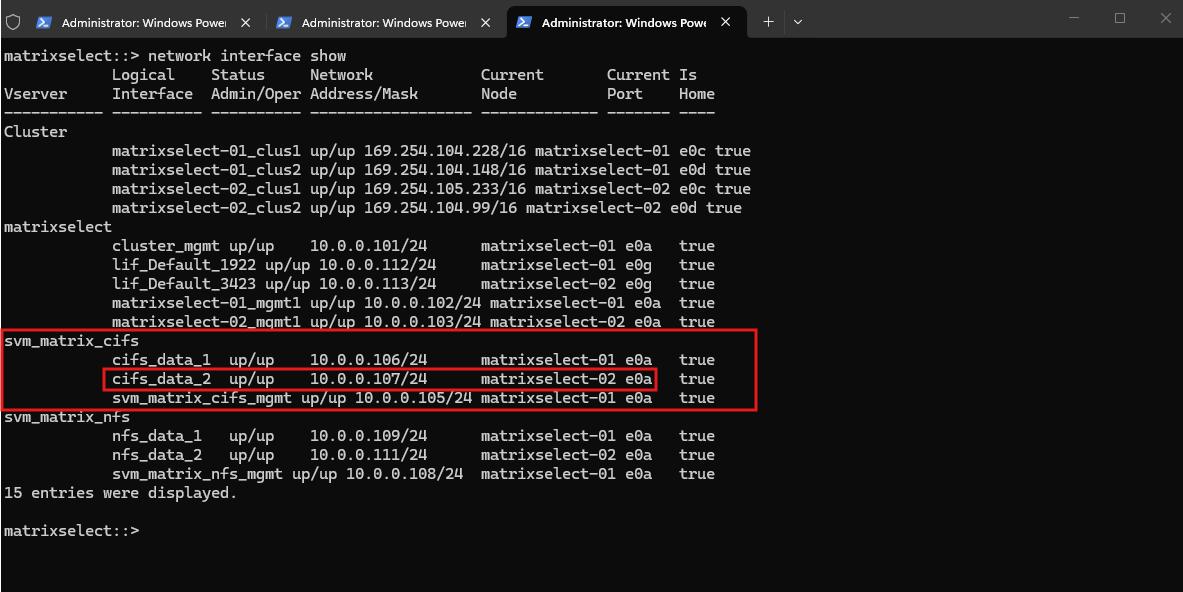
The network interface show command displays the logical interfaces (LIFs) configured on our ONTAP Select cluster.
For SMB access,
cifs_data_1(10.0.0.106) is hosted onmatrixselect-01, whilecifs_data_2(10.0.0.107) is hosted onmatrixselect-02, allowing client connections to be distributed across both nodes, for example using DNS round robin. Both LIFs are operational and currently reside on their home nodes.During our HA takeover test, we will monitor how
cifs_data_1moves to the surviving node while retaining its IP address.
network interface show
SMB HA Takeover Test
For our SMB failover test, we use a Windows client (10.0.0.142) connected to the ONTAP Select CIFS share \\10.0.0.106\cifs-data01, mapped as drive U:.
The SMB data LIF 10.0.0.106 is currently hosted on matrixselect-01, allowing us to observe how an active SMB connection and an open Microsoft Excel workbook behave when the LIF fails over to matrixselect-02.
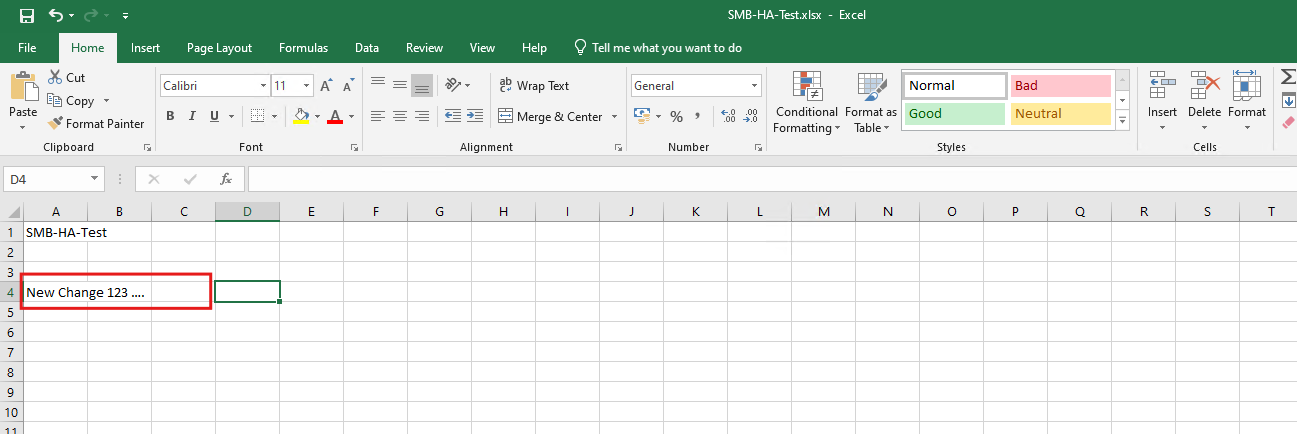
Before initiating the HA takeover, I opened SMB-HA-Test.xlsx directly from the SMB share and entered a new value (New Change 123 ...) without saving it. The workbook remained open throughout the test to observe how Excel handles an interruption of its SMB connection.
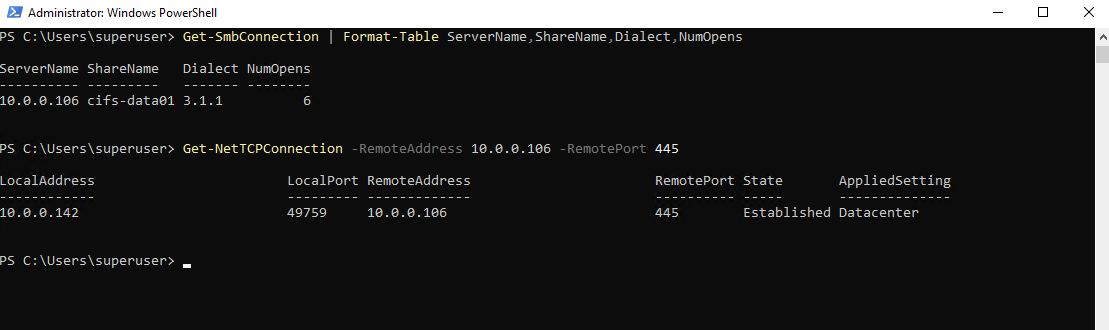
Before the HA takeover, the Windows client (10.0.0.142) has an established SMB 3.1.1 connection to the ONTAP data LIF (10.0.0.106) using TCP source port 49759 and destination port 445.
Windows reports six open SMB objects, providing our baseline for comparison after the takeover.
 Get-NetTCPConnection -RemoteAddress 10.0.0.106 -RemotePort 445
Get-SmbConnection | Format-Table ServerName,ShareName,Dialect,NumOpens
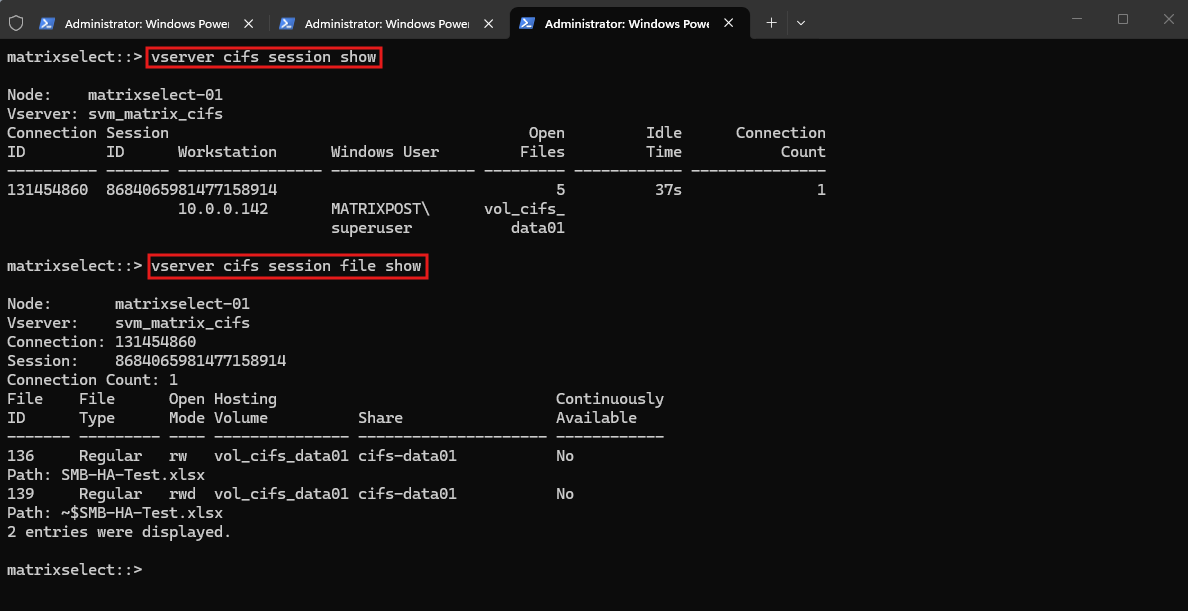
ONTAP confirms that the session is hosted on matrixselect-01, with two particularly interesting file handles:
- File ID 136:
SMB-HA-Test.xlsx, opened with read/write access. - File ID 139:
~$SMB-HA-Test.xlsx, Excel’s temporary owner/lock-indicator file. - Both entries report Continuously Available: No.
vserver cifs session show
vserver cifs session file show
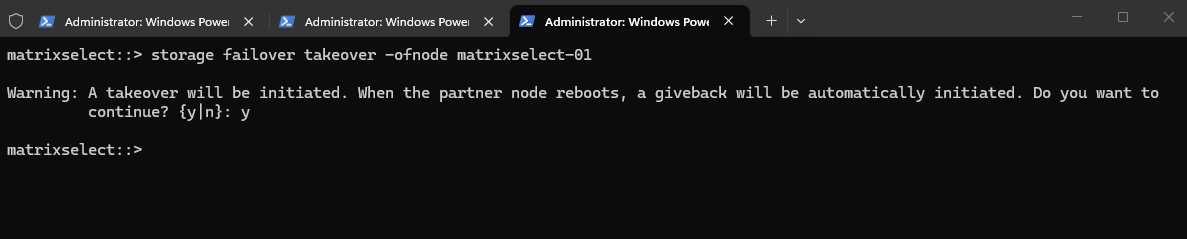
We initiate a planned HA takeover using storage failover takeover -ofnode matrixselect-01 and confirm the operation.
ONTAP then begins transferring control of the affected storage resources to the surviving node,
matrixselect-02, while the Excel workbook remains open on our Windows client.
storage failover takeover -ofnode matrixselect-01
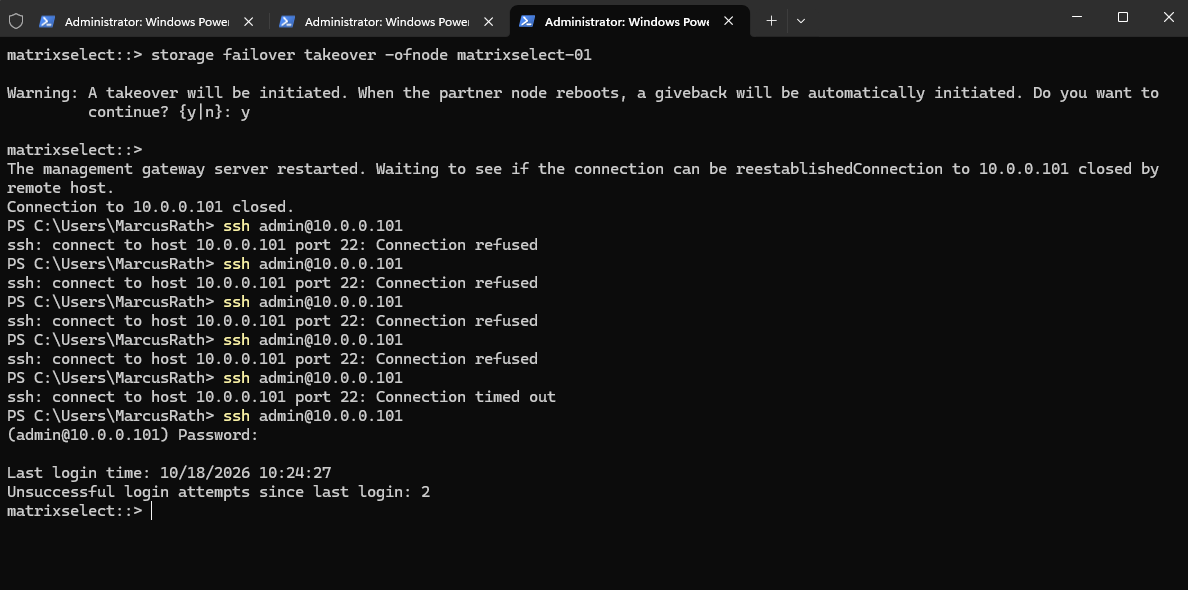
During the HA takeover, our SSH connection to the cluster management IP (10.0.0.101) was interrupted as the management gateway restarted.
Several reconnection attempts initially failed or timed out, but SSH access was eventually restored, allowing us to continue monitoring the takeover from the ONTAP CLI.
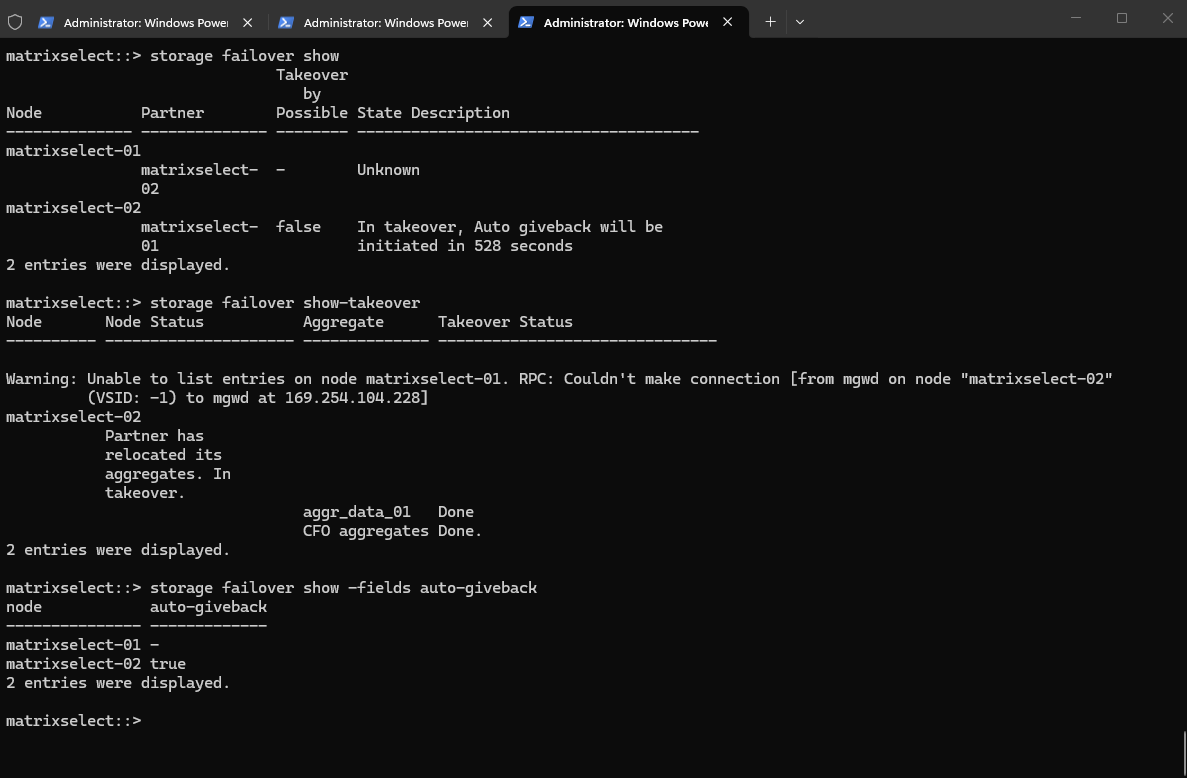
The storage failover show and storage failover show-takeover commands confirm that matrixselect-02 has successfully taken over the aggregates from matrixselect-01, with both the data and CFO aggregate takeover operations marked as completed.
Automatic giveback is enabled and scheduled to begin after the remaining countdown, while the RPC warning is expected because the taken-over node is temporarily unavailable.
storage failover show
storage failover show-takeover
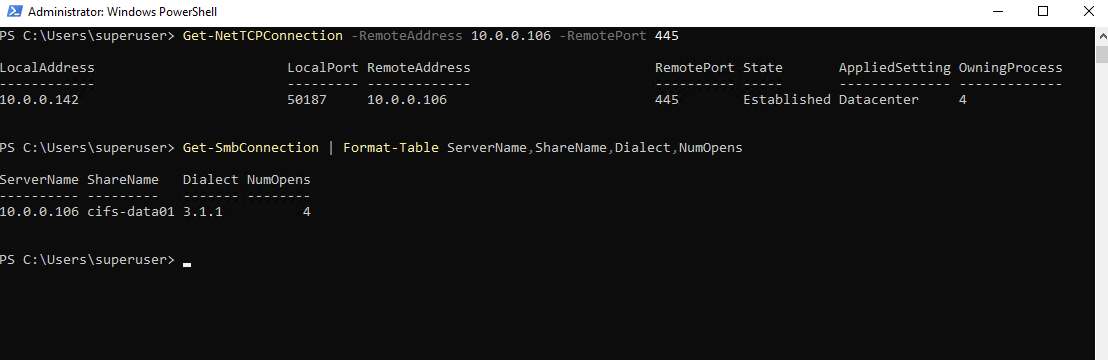
After the HA takeover, the Windows client has re-established its SMB 3.1.1 connection to the same data LIF (10.0.0.106). However, the TCP source port has changed from 49759 to 50187, confirming that a new TCP connection was established rather than preserving the original connection.
Windows now reports four open SMB objects instead of six.
Get-NetTCPConnection -RemoteAddress 10.0.0.106 -RemotePort 445
Get-SmbConnection | Format-Table ServerName,ShareName,Dialect,NumOpens
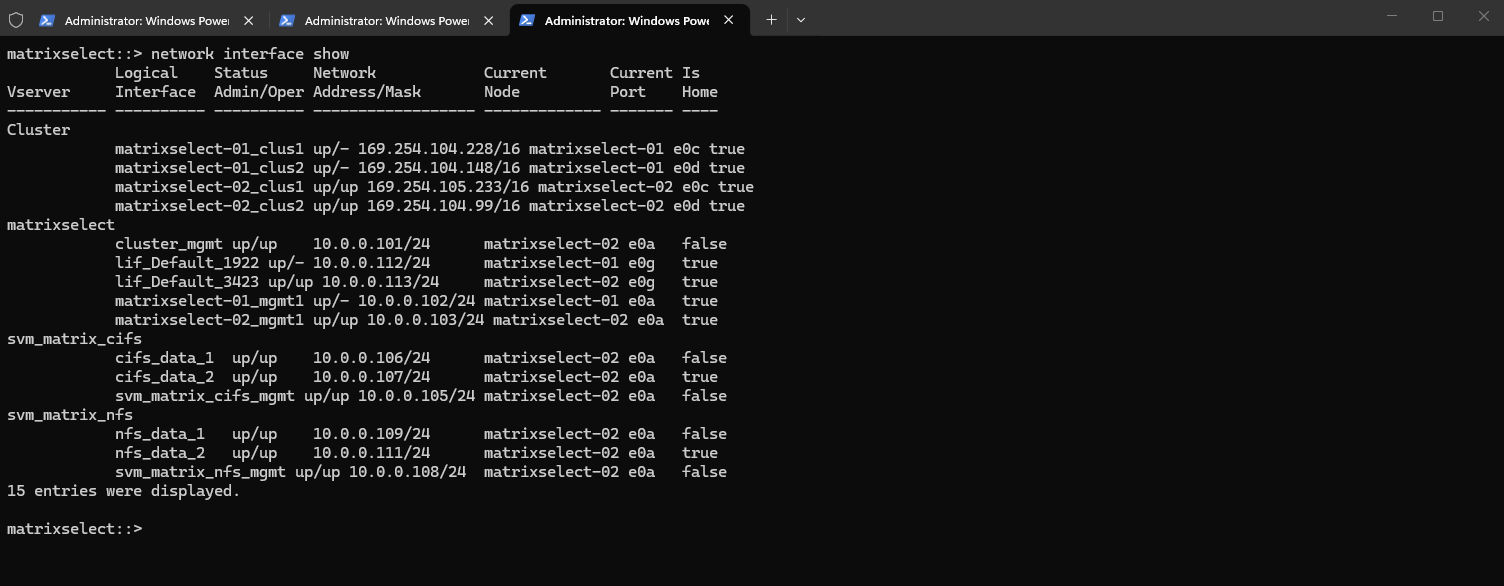
The network interface show command confirms that the SMB data LIF cifs_data_1 (10.0.0.106) has successfully migrated from matrixselect-01 to matrixselect-02 during the HA takeover.
Its IP address remains unchanged, while
Is Home: falseindicates that it is now running on the surviving node rather than its original home node. Both SMB data LIFs are now operational onmatrixselect-02.
network interface show
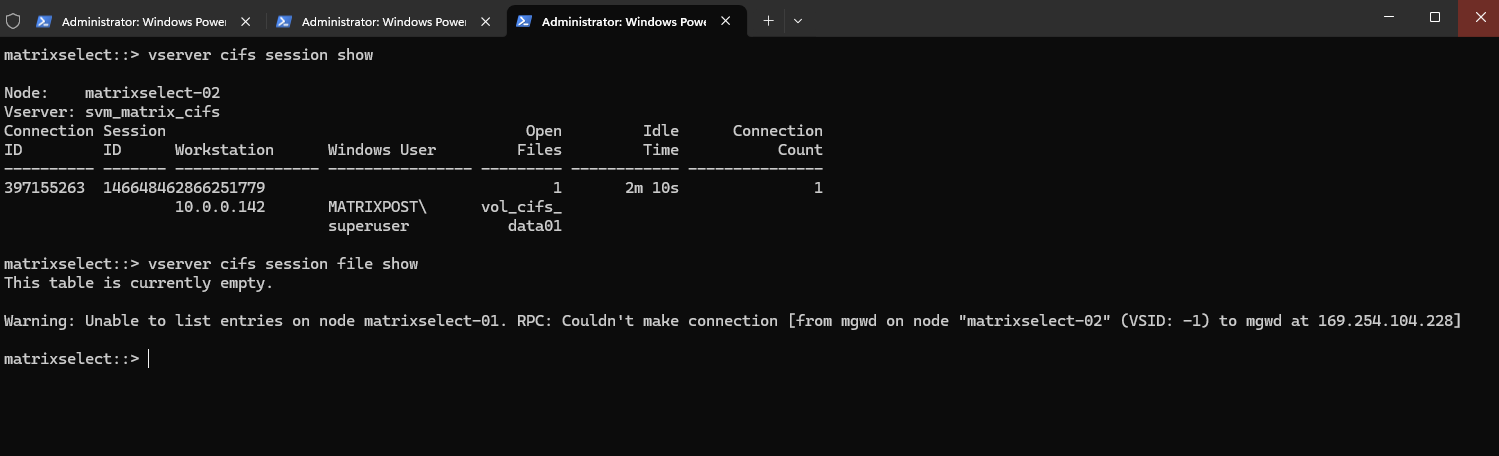
After the HA takeover, ONTAP reports a new SMB session for our Windows client (10.0.0.142) on the surviving node matrixselect-02, with a different session ID from the original connection.
Interestingly,
vserver cifs session file showno longer lists the previously opened Excel file handles, confirming that they were not visible on the surviving node at the time of inspection, even though the SMB client had successfully reconnected.
vserver cifs session show
vserver cifs session file show
Although the original TCP connection, SMB session, and open file handles were lost during the HA takeover, Microsoft Excel remained open and was able to save the previously unsaved changes afterward.
These changes survived because they were still held in Excel’s application memory, not because ONTAP preserved the original SMB session or file handles.
The Windows SMB client and Excel successfully recovered access to the share through a new connection and session.
This demonstrates that application-level recovery can succeed even without SMB Continuous Availability, although such behavior depends on the application and cannot be guaranteed for every workload.
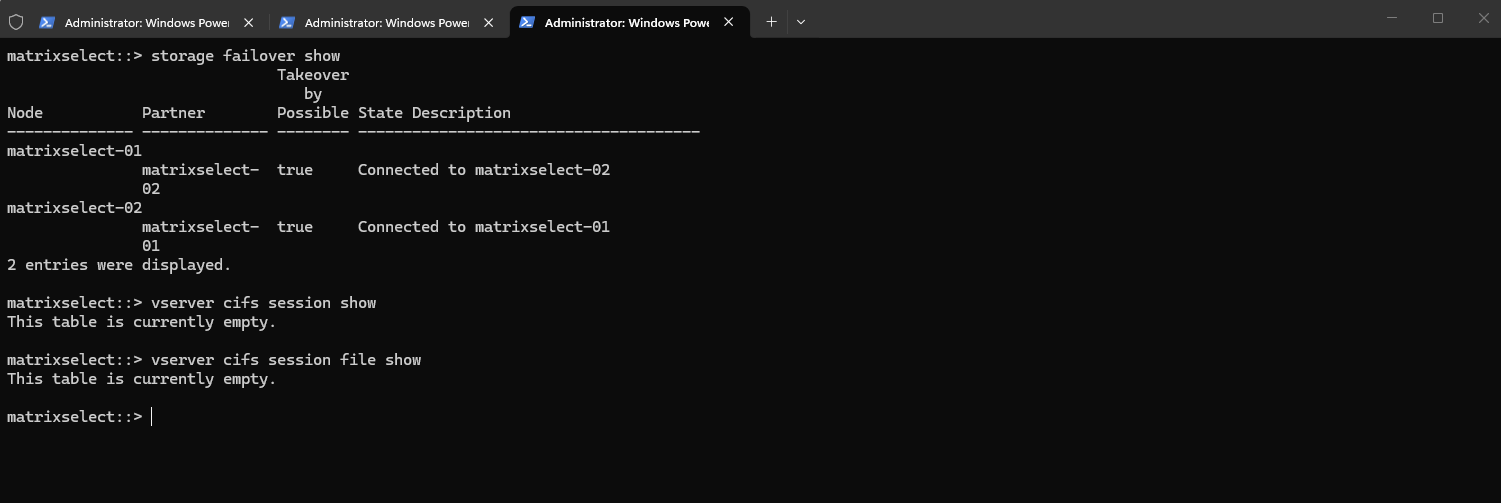
Following the automatic giveback, both ONTAP nodes are connected again and takeover is possible in both directions, indicating that the HA pair has returned to its normal operating state.
Interestingly, Excel remains open on the Windows client, while ONTAP currently reports no active SMB sessions or open file handles, illustrating that an open application window does not necessarily imply an active SMB connection.
storage failover show
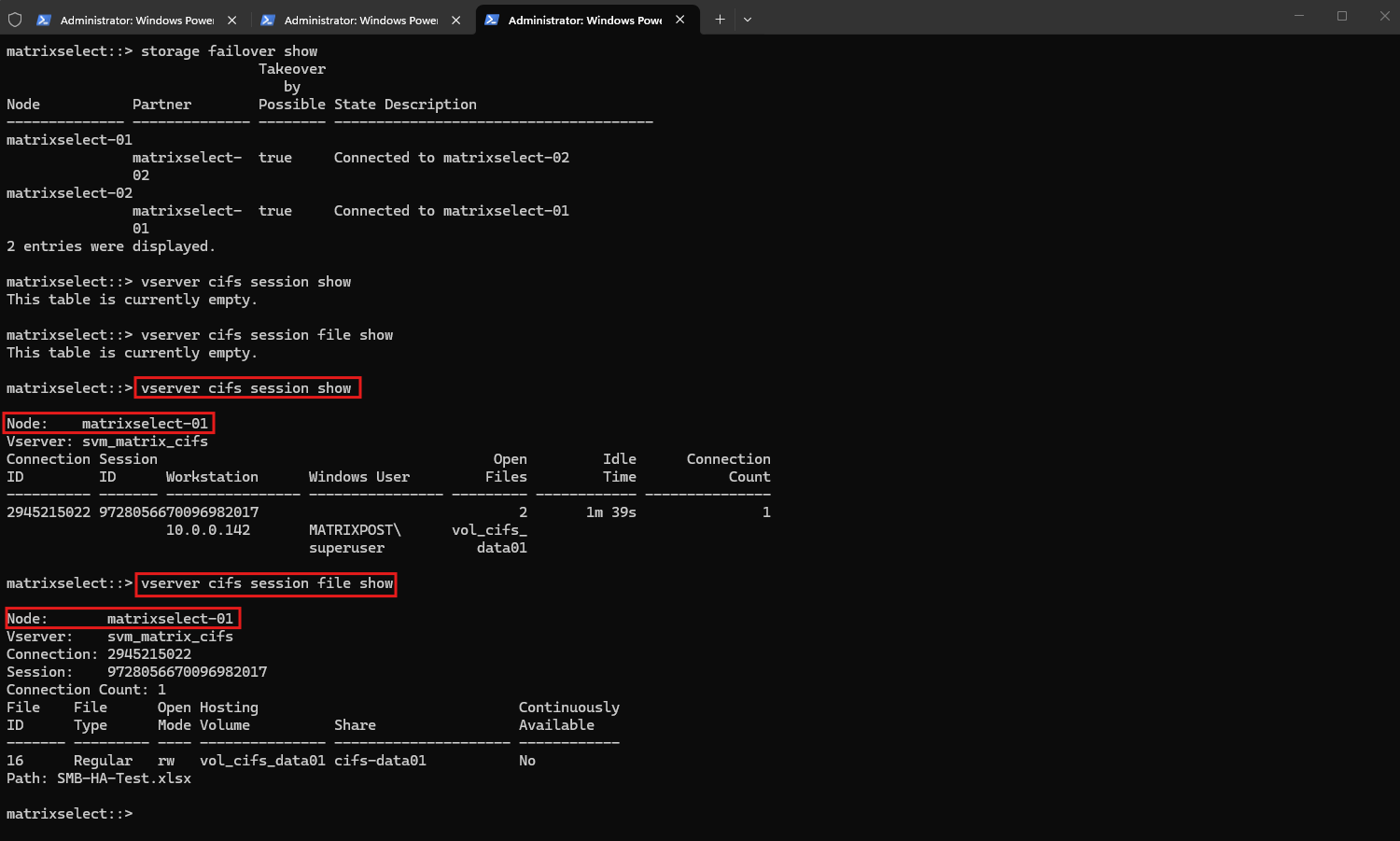
vserver cifs session show
vserver cifs session file show
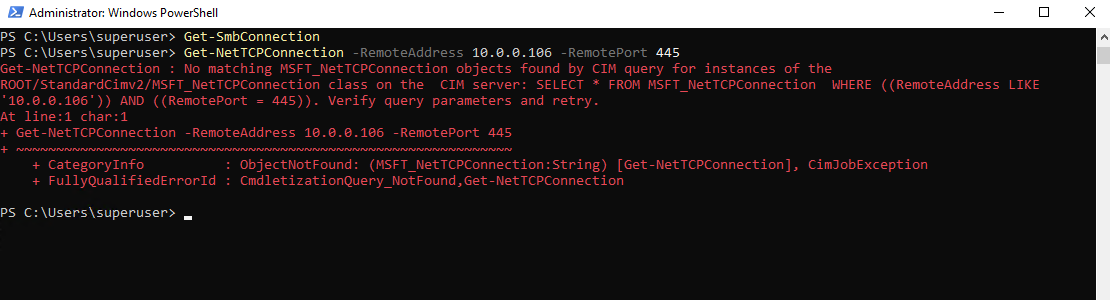
After automatic giveback, Windows no longer reports an active SMB connection or TCP connection to the ONTAP data LIF (10.0.0.106), although the Excel workbook remains open.
This demonstrates that an application can retain its open document and in-memory contents even when its underlying network connection is no longer established.
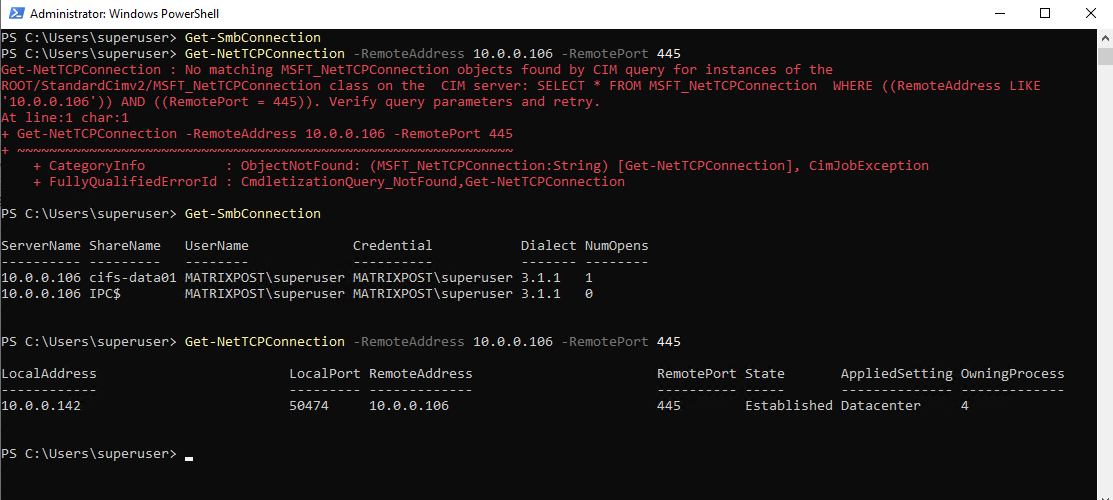
Get-SmbConnection
Get-NetTCPConnection -RemoteAddress 10.0.0.106 -RemotePort 445
After the next file operation like adding content to Excel and saving, Windows established a new SMB 3.1.1 connection to the same data LIF (10.0.0.106), now using TCP source port 50474.
This demonstrates that SMB connectivity can be re-established on demand without requiring the application to be closed and reopened.
Following the next file operation, the Windows client re-established its SMB session on the original node (matrixselect-01), and ONTAP once again reports an open read/write handle for SMB-HA-Test.xlsx.
The new session and file IDs confirm that the SMB connection and file handle were recreated rather than preserved across the takeover and giveback.
Lab Test 2 – NFSv3 over TCP File Write Recovery During ONTAP HA Takeover
In our second lab test, we examine how NFSv3 over TCP behaves during a planned ONTAP HA takeover. Using a SLES 15 SP7 client with a hard NFS mount, we continuously write timestamps to a file while transferring storage ownership from matrixselect-01 to matrixselect-02.
Our goal is to determine whether file operations are interrupted and whether the NFS client automatically resumes writing without requiring a remount.
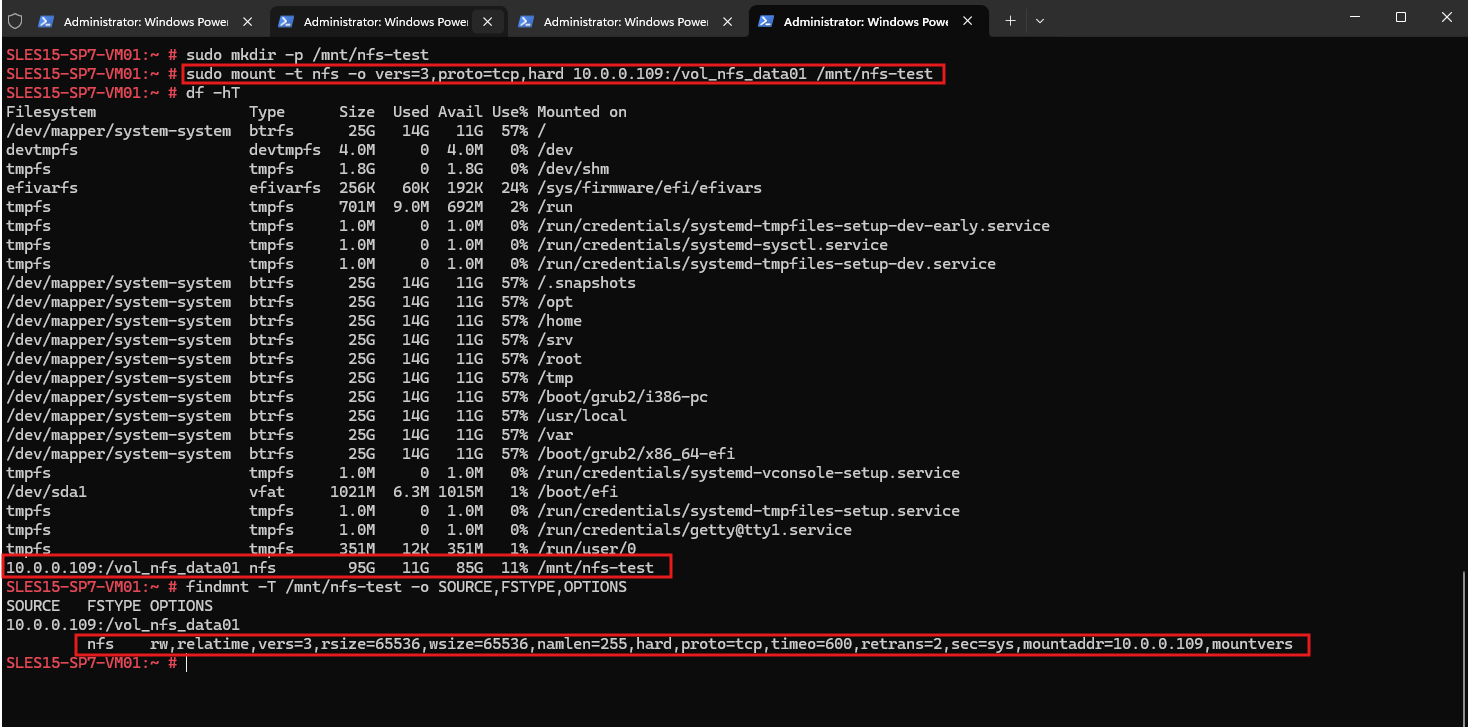
The NFS share is successfully mounted on omy SLES 15 SP7 client using NFSv3 over TCP with the hard mount option.
The
findmntoutput confirms the protocol and mount settings, whiledf -hTshows the 95 GB NFS filesystem mounted at/mnt/nfs-test.
 sudo mount -t nfs -o vers=3,proto=tcp,hard 10.0.0.109:/vol_nfs_data01 /mnt/nfs-test
findmnt -T /mnt/nfs-test -o SOURCE,FSTYPE,OPTIONS
Next we start continious writes:
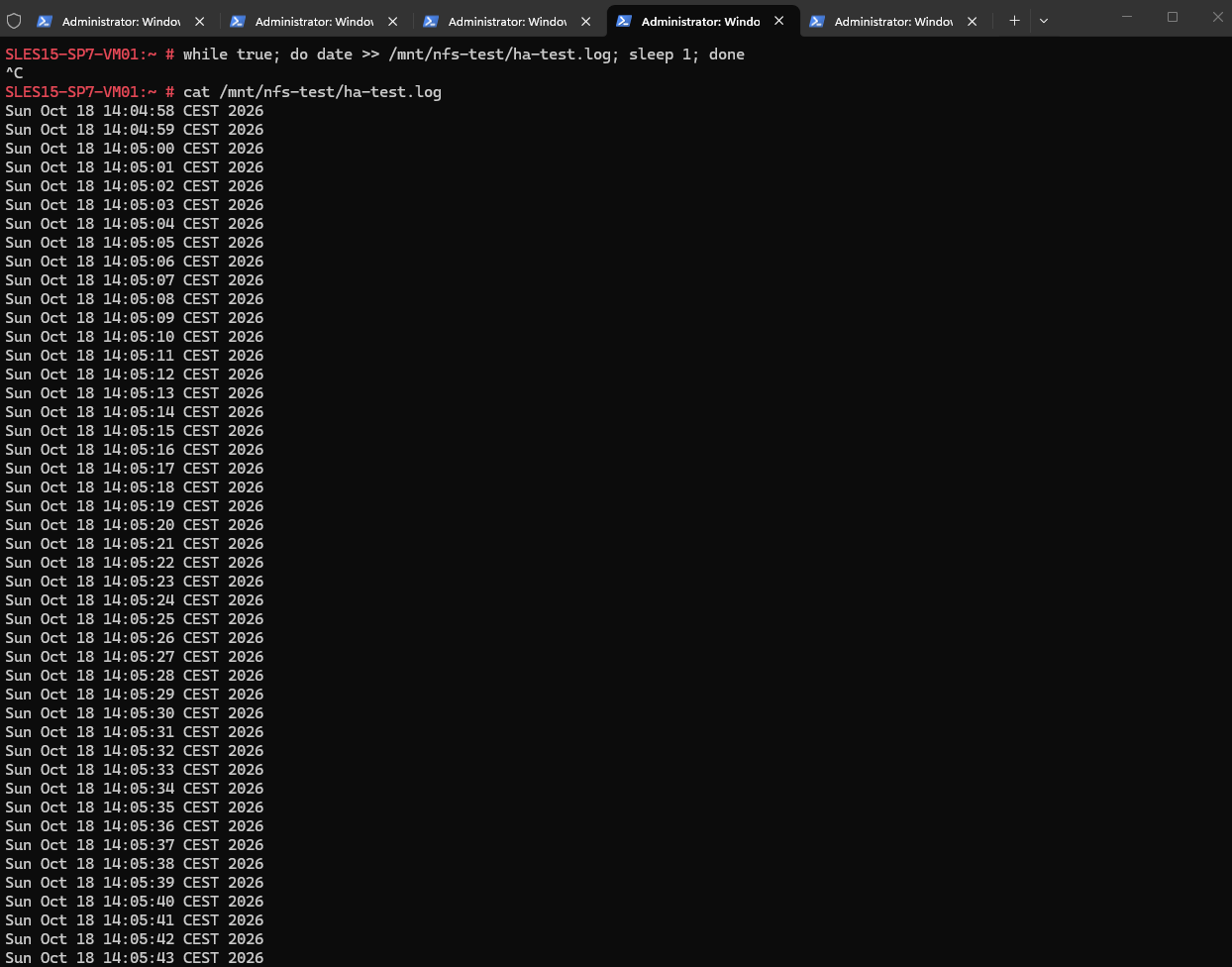
while true; do date >> /mnt/nfs-test/ha-test.log; sleep 1; done

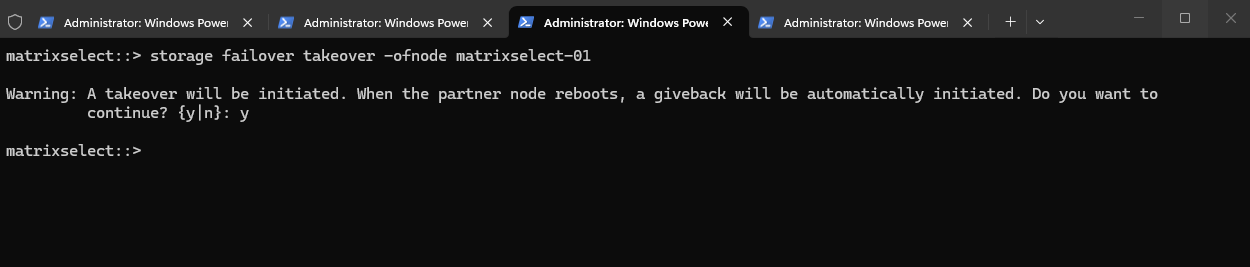
With continuous NFSv3 file writes running on our SLES 15 SP7 client, we initiate another planned HA takeover of matrixselect-01 using storage failover takeover -ofnode matrixselect-01.
This allows us to observe whether the NFS client temporarily pauses its write operations and automatically resumes once the surviving node takes over.
storage failover takeover -ofnode matrixselect-01
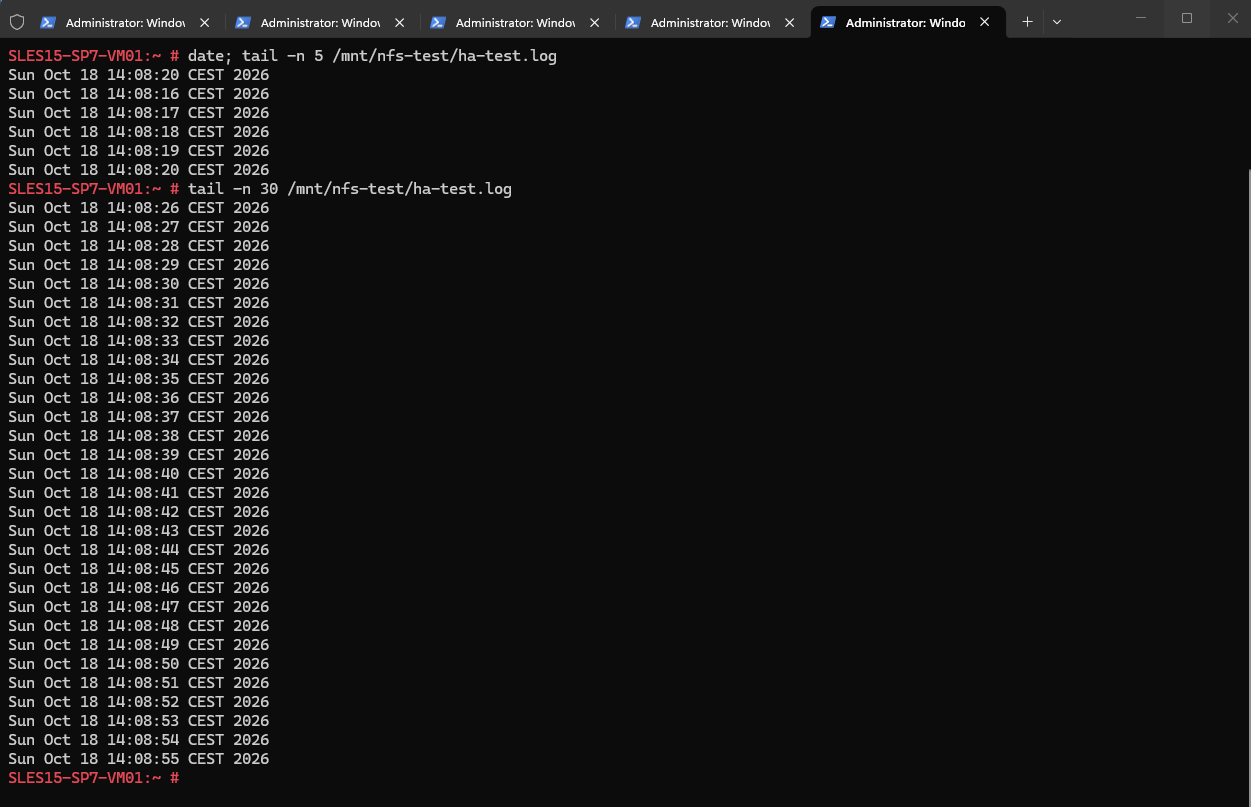
Following the ONTAP HA takeover, our SLES 15 SP7 client continues writing to the NFSv3 share without requiring a remount or restarting the write loop.
The consecutive timestamps demonstrate that NFS file operations are functioning normally after failover, consistent with the recovery behavior expected from a
hardNFS mount.
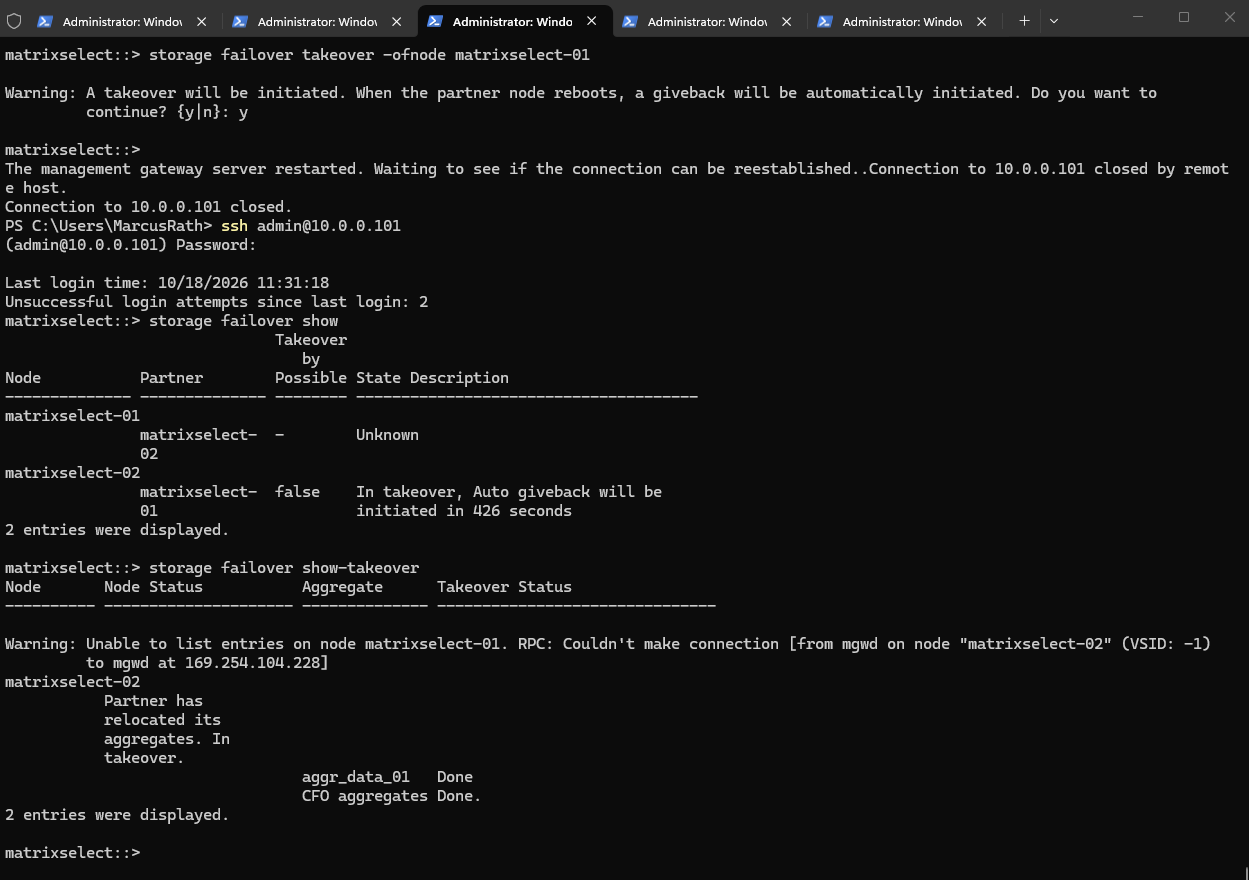
ONTAP confirms that matrixselect-02 has successfully taken over matrixselect-01, with both the data and CFO aggregate takeover operations marked as Done.
The cluster management SSH connection was briefly interrupted, but access was restored, and automatic giveback is scheduled to begin after the remaining countdown.
storage failover show
storage failover show-takeover
During the ONTAP HA takeover, our SLES client continued writing to the NFSv3 share using a hard TCP mount.
The log shows only occasional gaps of one or two seconds between timestamps, with no prolonged interruption or reported write errors. File operations continued without remounting the share or restarting the application.
Lab Test 3 – NFSv3 over UDP File Write Recovery During ONTAP HA Takeover
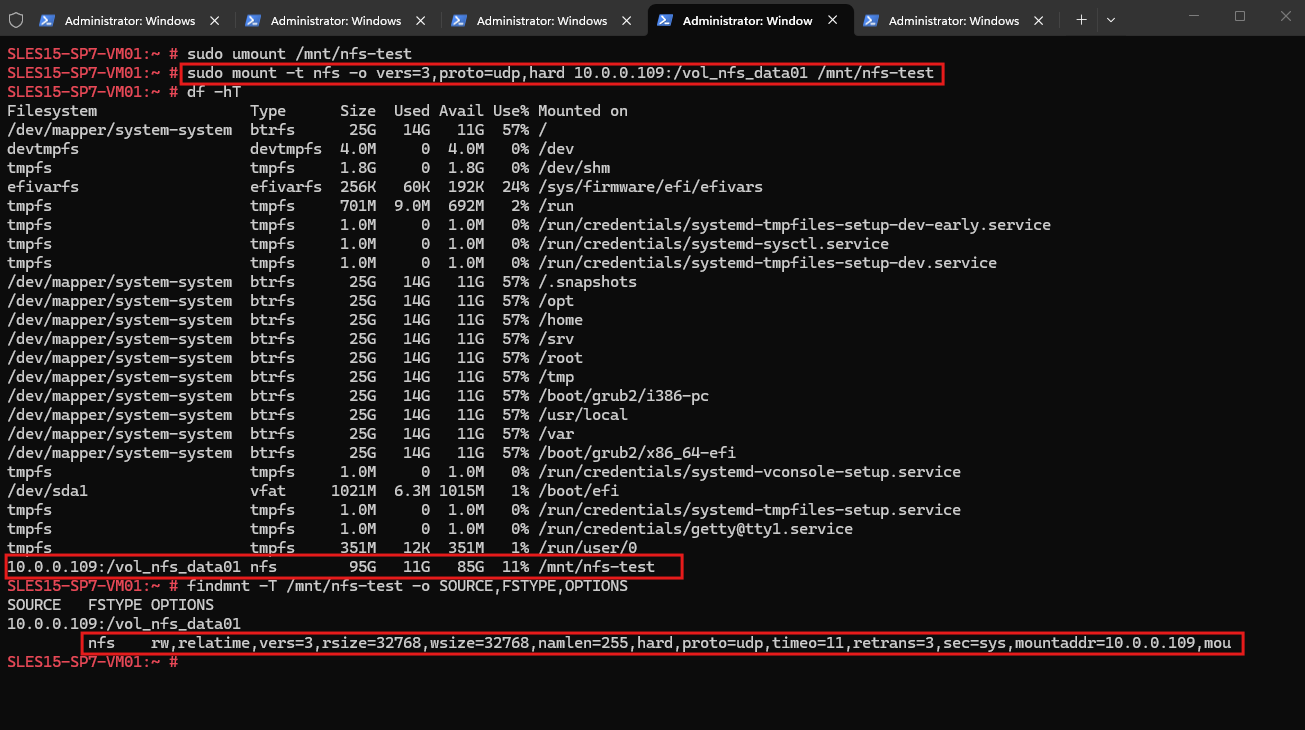
In our third lab test, we repeat the NFSv3 HA takeover scenario using UDP instead of TCP. With a hard NFS mount on our SLES 15 SP7 client, we continuously write timestamps to a file while initiating a planned takeover of matrixselect-01.
This allows us to compare recovery behavior between TCP and UDP and observe how NFS handles temporary connectivity interruptions without relying on a persistent TCP connection.
sudo mount -t nfs -o vers=3,proto=udp,hard 10.0.0.109:/vol_nfs_data01 /mnt/nfs-test
findmnt -T /mnt/nfs-test -o SOURCE,FSTYPE,OPTIONS
Next we start continious writes as previously:
while true; do date >> /mnt/nfs-test/ha-test.log; sleep 1; done

With continuous NFSv3 over UDP file writes running on our SLES client, I will initiate another planned HA takeover of matrixselect-01.
As in the TCP test, we will examine the recorded timestamps afterward to identify any interruptions and verify whether file operations resume automatically.
storage failover takeover -ofnode matrixselect-01

During our NFSv3 over UDP test, continuous file writes on the SLES client continued without any significant interruption in the recorded timestamps.
The hard mount allowed the client to retry NFS operations during the takeover, and writing continued without remounting the share or restarting the process.
The observed behavior was comparable to our previous TCP test, although the timestamps alone cannot rule out brief I/O delays.
Links
ONTAP 9 documentation
https://docs.netapp.com/us-en/ontapnfs(5) — Linux manual page
https://man7.org/linux/man-pages/man5/nfs.5.htmlLearn about automatic takeover and giveback in ONTAP clusters
https://docs.netapp.com/us-en/ontap/high-availability/ha_how_automatic_takeover_and_giveback_works.htmlLearn about ONTAP high availability pairs
https://docs.netapp.com/us-en/ontap/concepts/high-availability-pairs-concept.html